Knowledge Map
 何大哥59 downloads
Explore folders, notes and headings as a nested map with links, previews and editable layouts. Desktop and iPadOS.
- Overview
- Scorecard
- Updates4
Explore the hierarchy and connections in your Obsidian knowledge as a map you can arrange. Folders, notes and headings form nested circles; wiki-links connect them.
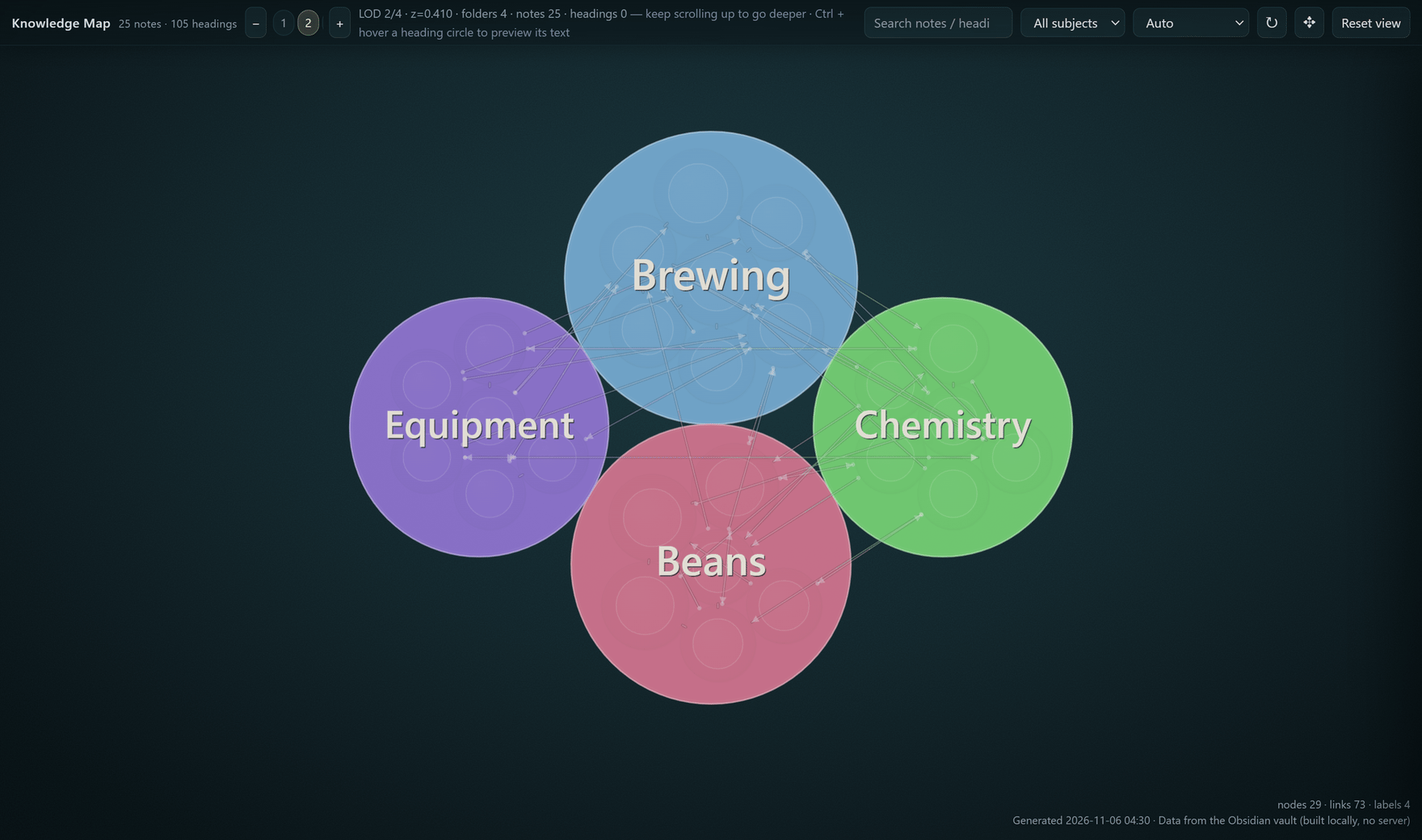
Explore the hierarchy
See where knowledge belongs, from a subject down to a heading. Colour follows the top-level folder; circle size reflects the structure beneath it.
Pan — drag the canvas to explore another region; on iPad, use one finger.
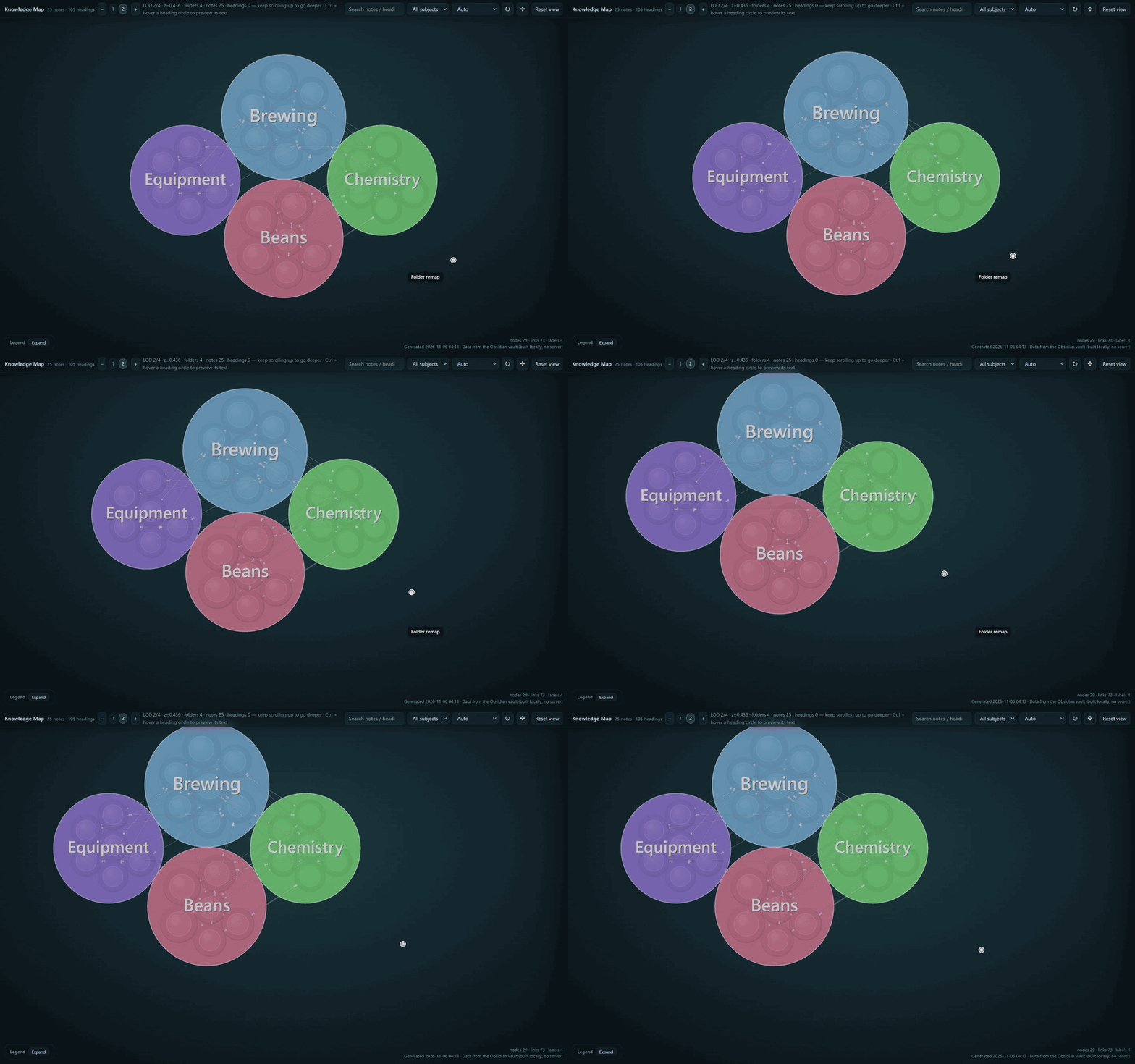
Zoom — on desktop, scroll over a circle to explore deeper levels or come back out. On iPad, pinch to zoom or tap − / + to change levels. Use Reset view to return to the current level's default view.
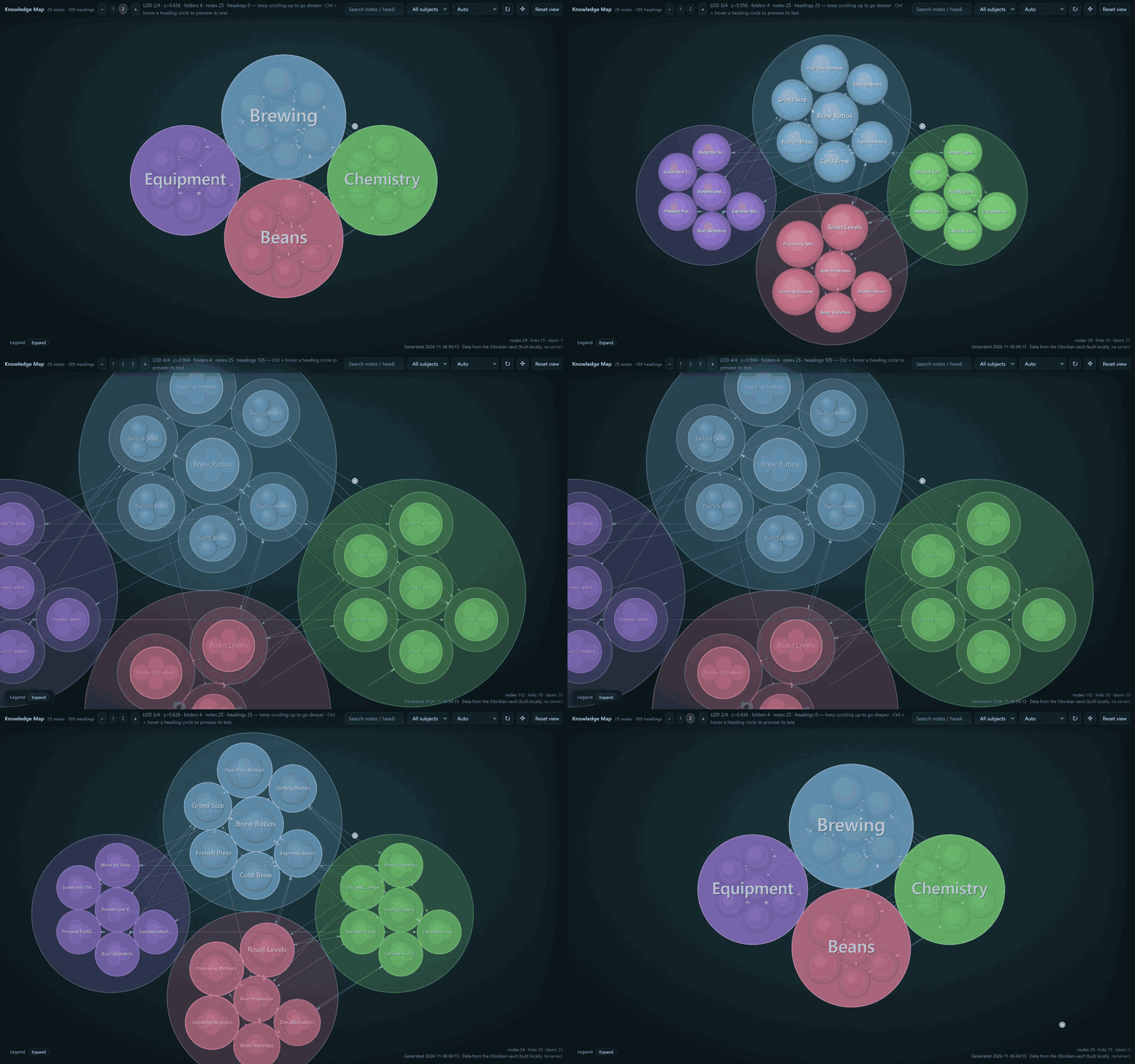
Preview — on desktop, hold Ctrl and hover over a note or heading; click the circle to pin its preview. On iPad, hold a note or heading, or select it and tap Preview. Close the preview with its close button (or Esc on desktop).
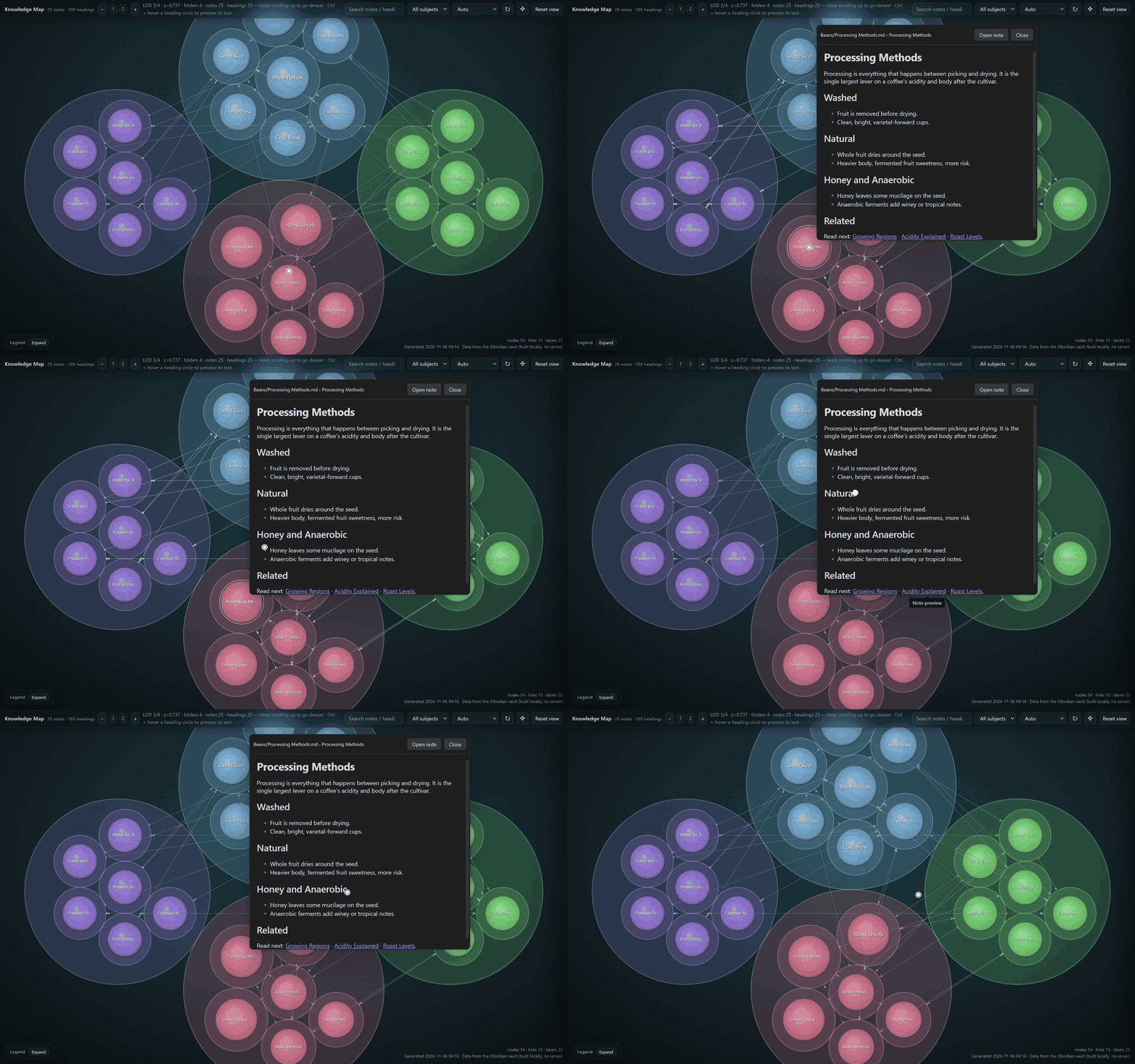
Follow the connections
See the chain between related ideas and follow it when investigating a question or tracing a problem.
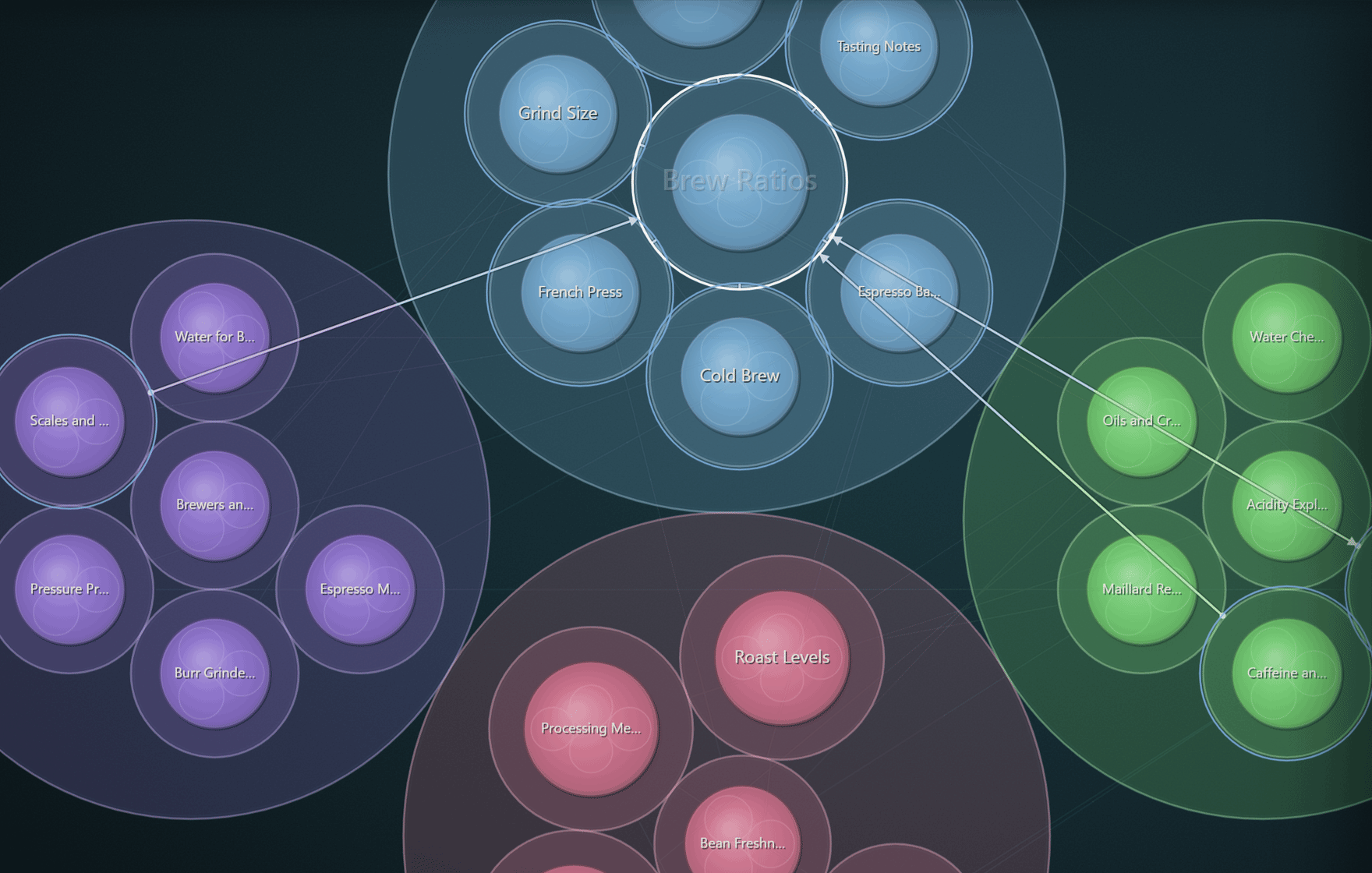
A dot marks a link's source and an arrow its target. Dashed lines mark parallel / contrast relations. Select a circle to highlight its links and connected elements; a grey dotted line traces its ancestors. Visible links depend on zoom, filters and drawing limits.
Arrange what matters
Put core ideas in the centre and supporting details around them.
Press ✥ Adjust layout, drag a circle, then press ✥ again to finish. The layout toolbar provides undo, redo and reset controls. Desktop also supports group dragging; touch layout editing moves one element at a time.
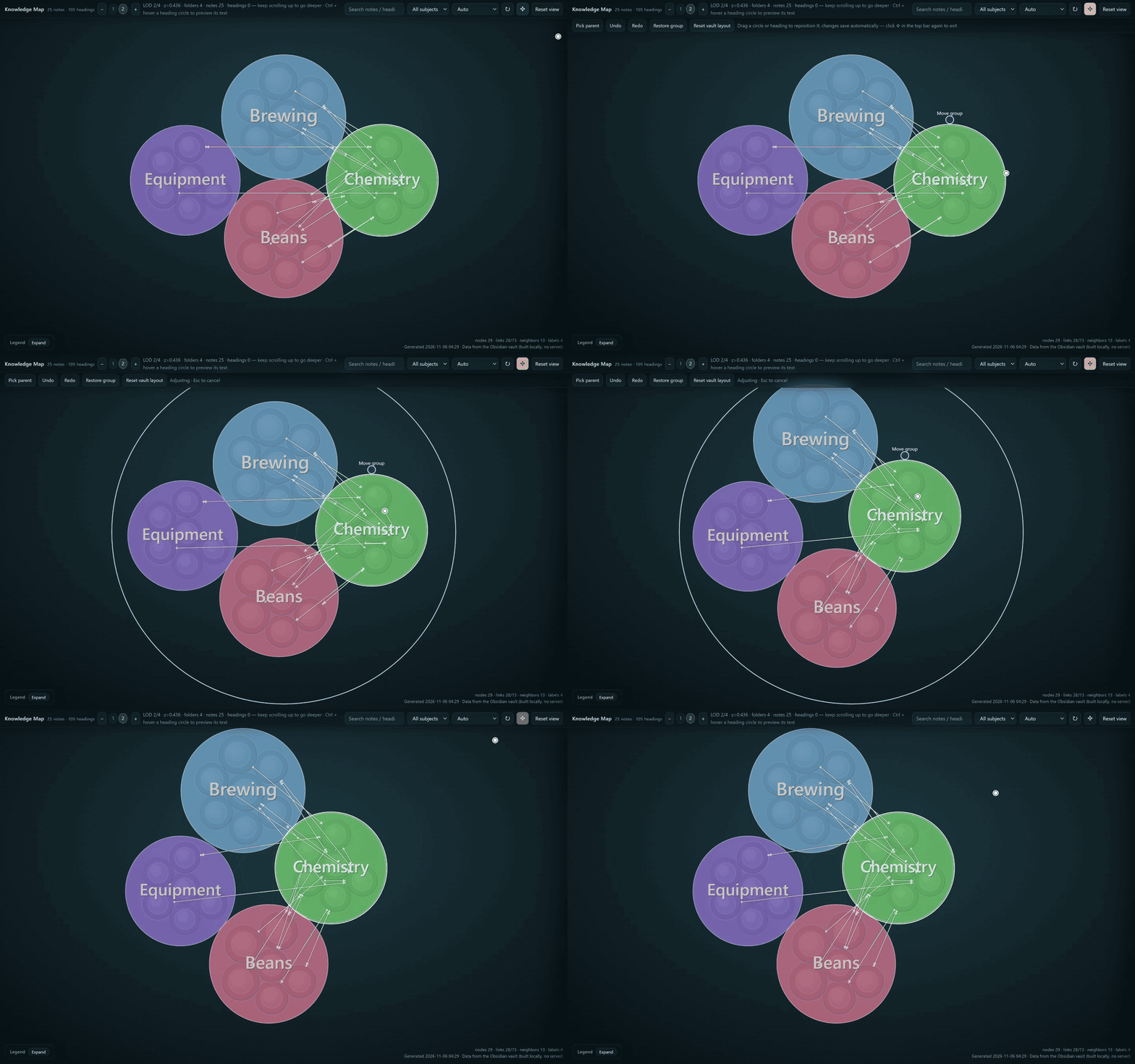
Layouts are saved separately from your notes and reused after edits where they can be reconciled. Incompatible groups fall back to automatic layout.
Install and start
- In Settings → Community plugins → Browse, search for Knowledge Map, install and enable it. You can also use the directory page.
- Click the ribbon icon or run Build knowledge graph from current vault from the command palette.
- Choose the folders to include in the plugin settings. The interface supports English and 简体中文, following the app language by default.
For manual installation, copy main.js, manifest.json and styles.css from a release into .obsidian/plugins/knowledge-graph-smoke/. See the installation guide for upgrades, backups and rollback.
Platforms and limits
- Desktop: Obsidian 1.6.7+.
- iPadOS (0.0.15): user testing covered iPad Pro 2022 / iPadOS 26.5.2 / Obsidian 1.15.0. The demos show desktop controls. iPhone is unverified; Android adaptation is planned for the next version. Minimum iPadOS and objective iPad frame-rate / memory limits have not been established.
- Layout editing supports up to 128 siblings per group and 5000 affected nodes. Undo keeps 50 steps within the session and clears on structural changes or plugin reload.
- The map canvas stays dark, including with a light Obsidian theme.
中文简介
Knowledge Map(知识地图) 用嵌套圆展示知识的包含层级,用连线展示知识之间的联系。拖动画布探索,缩放查看层级,预览笔记内容;点 ✥「调整布局」,把核心知识放在中间、细节放在周围,再点一次结束。
桌面用 Ctrl + 悬停预览;iPad 用长按或选中后的「预览」按钮,触屏支持单元素拖动。0.0.15 加入 iPadOS 支持并保留桌面;iPhone 未验证,Android 适配留到下一版。
Data and development
Map building happens locally within your configured scope. The plugin does not modify or upload your notes; settings and layouts are stored in the plugin's own data.json. Back up that file before upgrading or uninstalling.
Data, upgrades and limits · Build and test · Current tasks · 0.0.15 release notes · MIT license