Kanban Draft Vault
 theluckystrike1 downloads
Keep new-card drafts and copy lost text from a recovery list.
- Overview
- Scorecard
- Updates1
Keep text from the Kanban new-card form when a click outside the editor or Escape closes it. Open a recovery list, check the board path and captured lane label, then copy the text. The core features need no account or payment.
This companion needs the Kanban community plugin. The integration uses its released form classes. The build targets Kanban 2.0.51 and Obsidian 1.13.4 or later. It supports the main window in the tested desktop setup.
Features
Capture new-card text
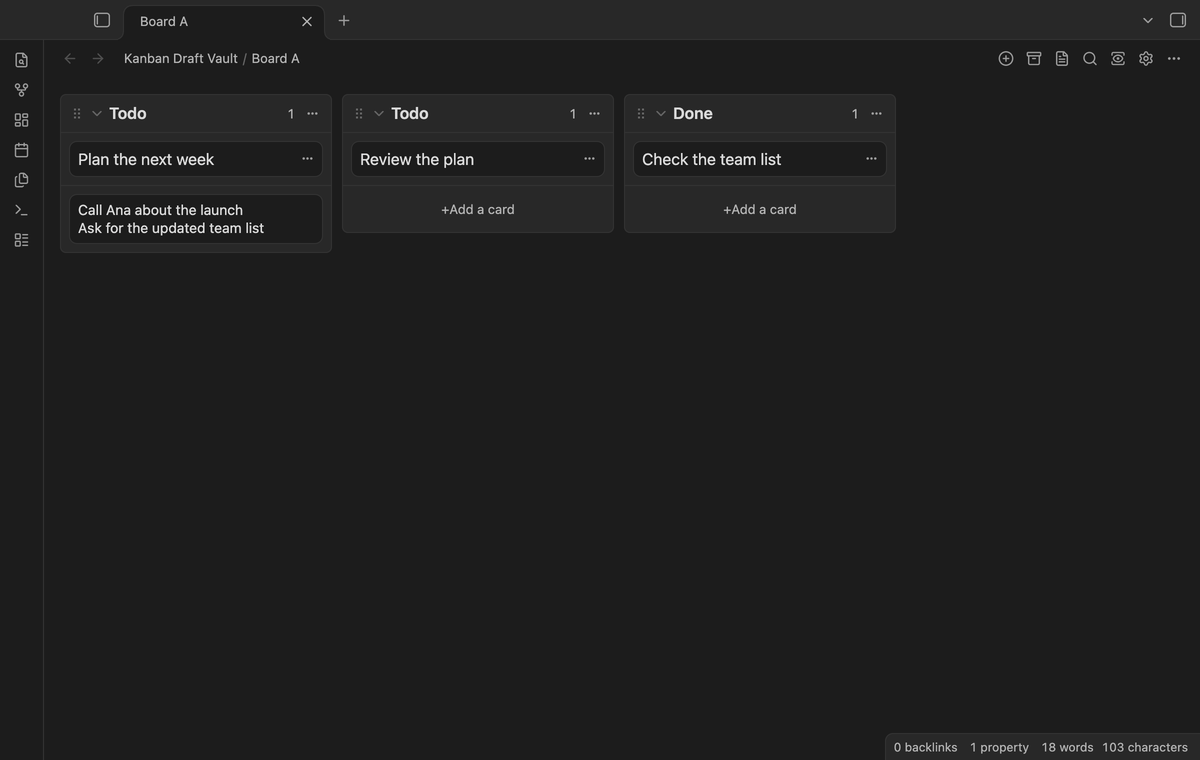
Type in the existing Add a card form. The plugin captures nonempty editor updates and keeps the latest text for that editor session. Spaces and line breaks remain in the saved text. A whitespace-only update does not create a record. Editing an existing card, a lane title, or a normal Markdown note does not enter recovery.
Find drafts with their board context
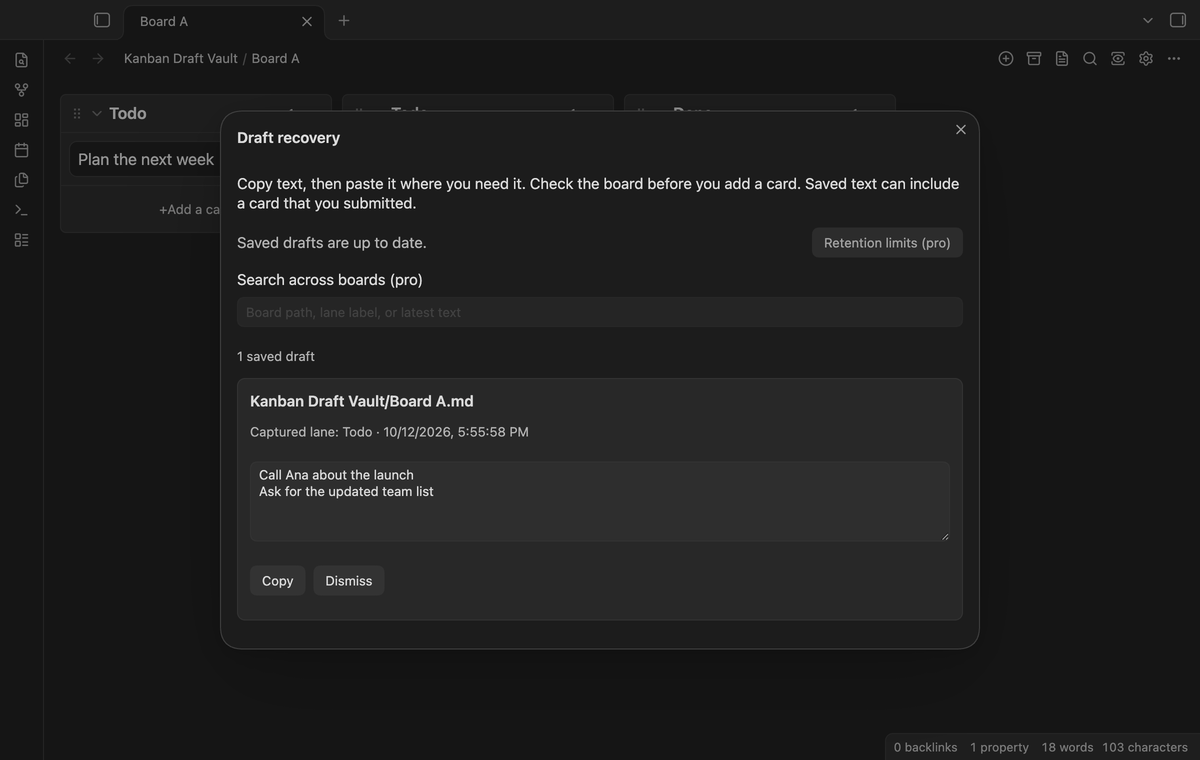
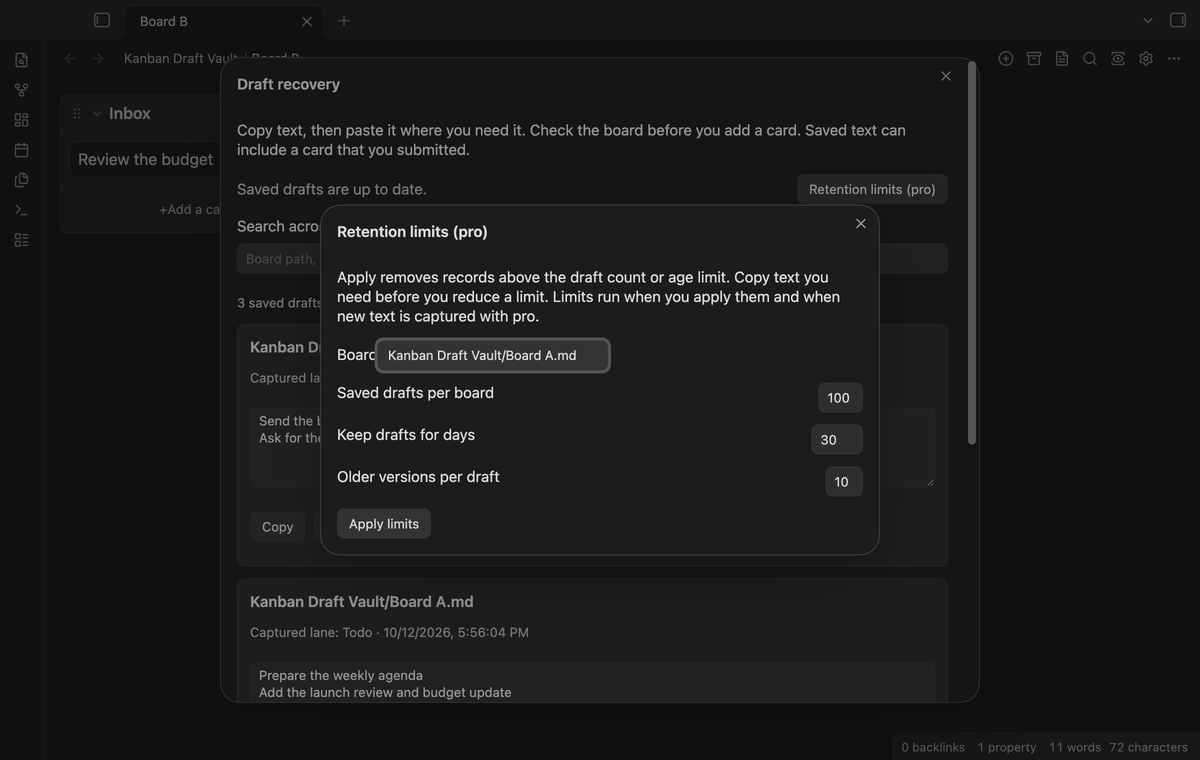
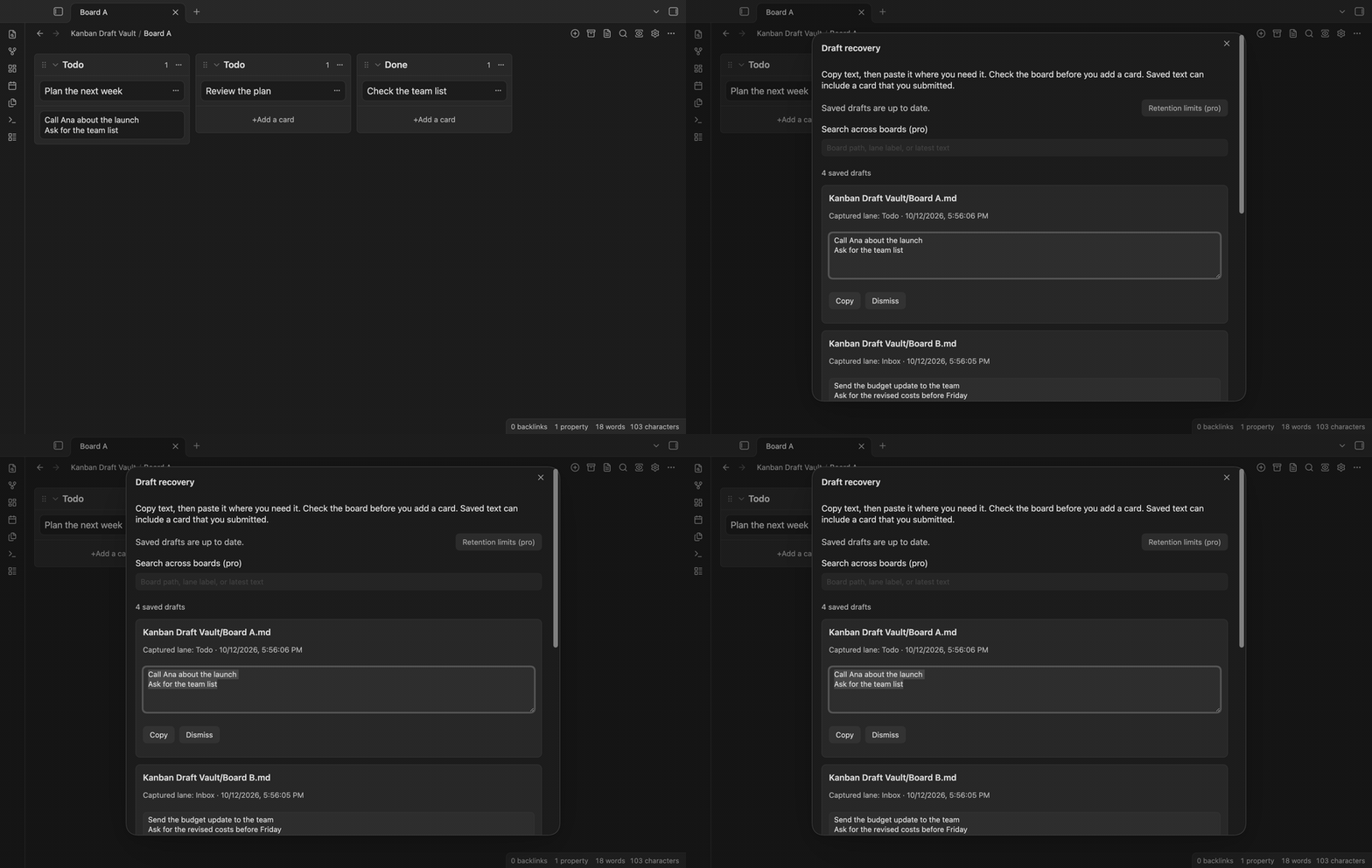
Run Kanban Draft Vault: Open draft recovery from the command palette. The list shows a board path, captured lane label, capture time, and text. Two lanes with the same visible title keep separate record IDs. The label helps you identify the source; it can become old after a lane rename.
Copy complete text
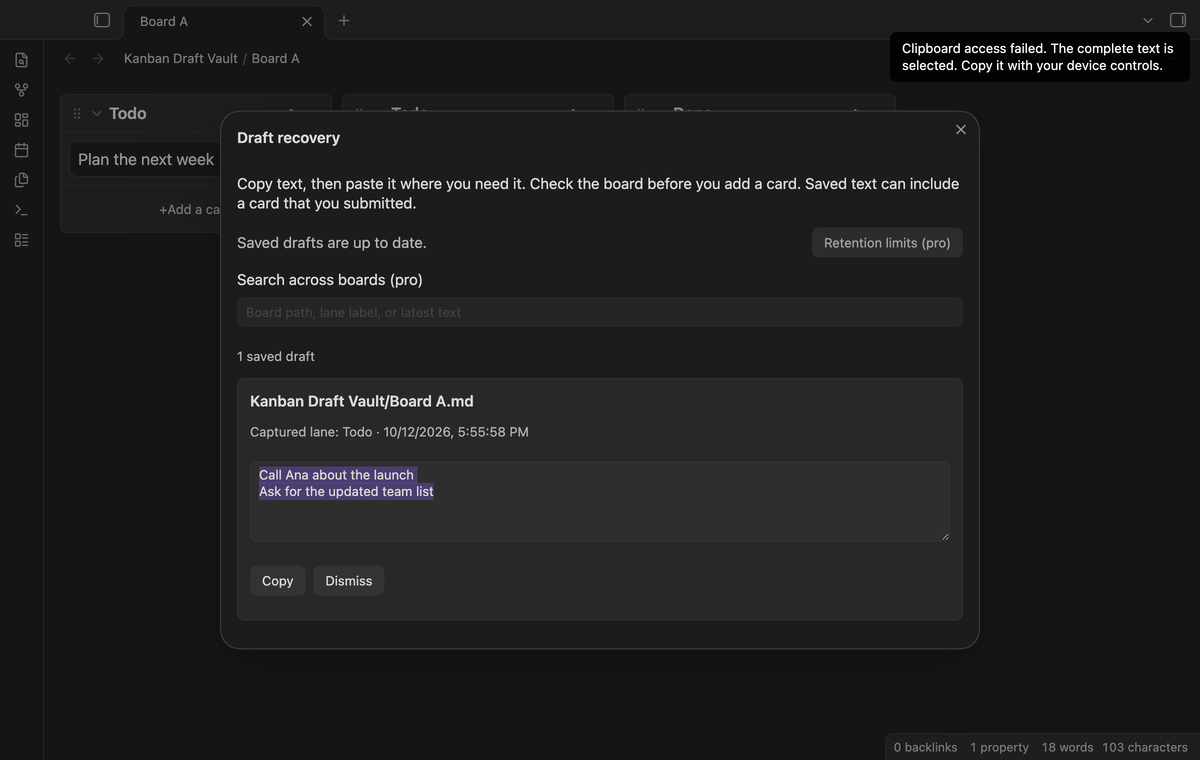
Select Copy beside a record. Copy retains the saved record. If clipboard access fails, the complete text becomes selected in a read-only field. Use your device's copy controls to take that selection. Recovery does not insert a card. Check whether the board already contains the text before you paste it.
Dismiss a saved record
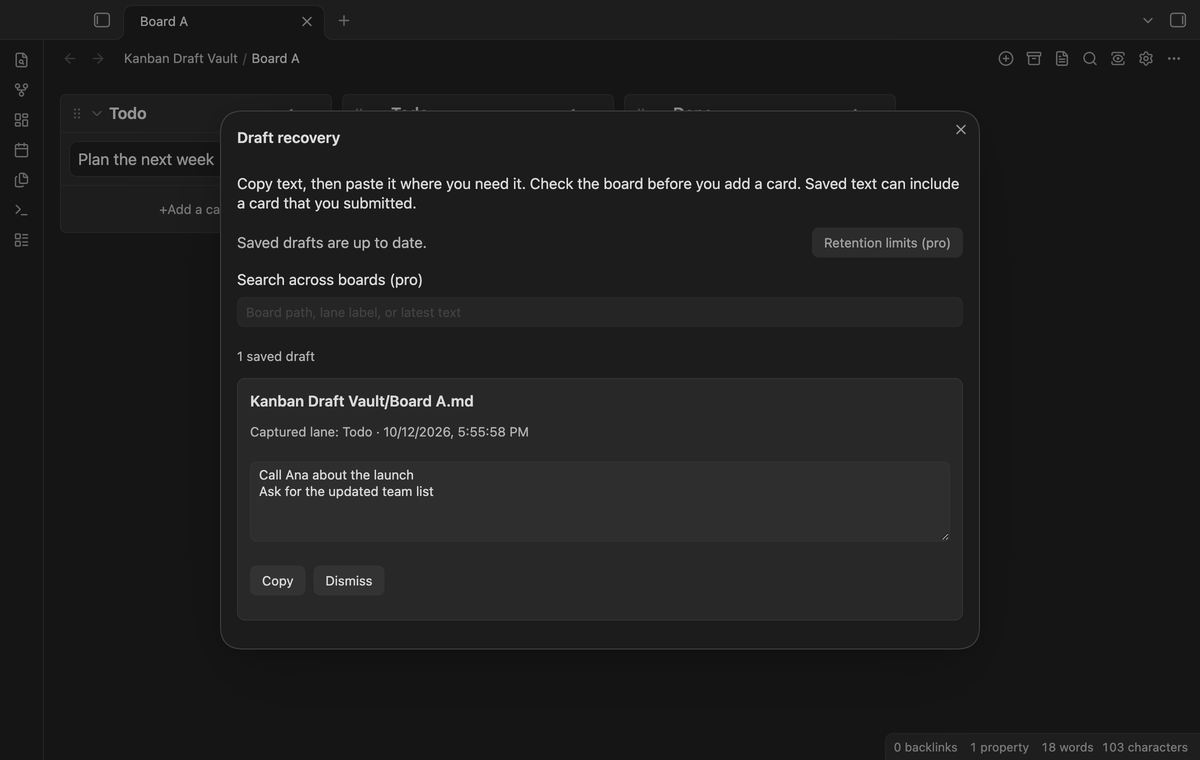
Select Dismiss to remove one record from recovery and save that change. Dismissal also removes its stored earlier versions. It does not remove a card from the board. Copy text that you need before dismissal. Other records stay in the list.
Keep saved text after reload
Drafts live in the plugin's local data through Obsidian's settings API. A saved record survives a normal plugin reload. Empty editor updates, including a clear after submission, retain the last nonempty record. A submitted card can therefore remain in recovery as a copy-only record. This plugin does not change board files.
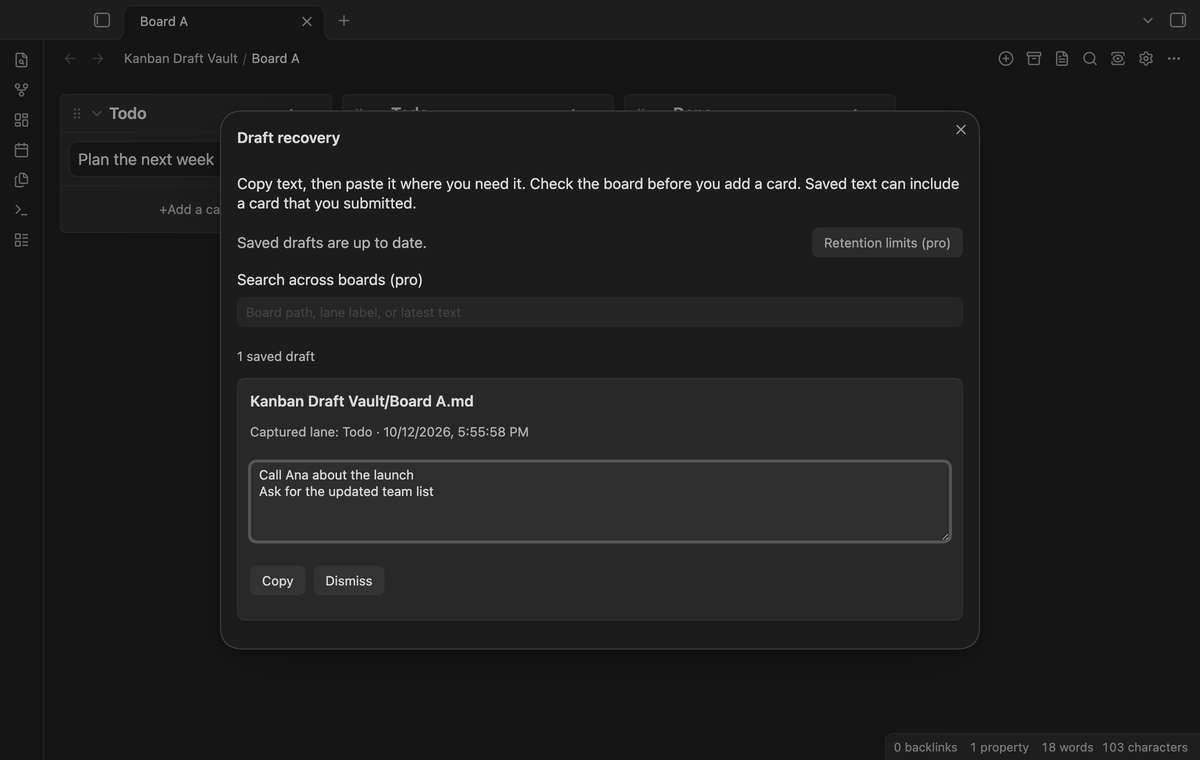
Saved draft versions (Pro)
Pro keeps earlier text snapshots for a draft. Expand Saved versions and select Copy version beside the text you need. One burst of typing at the end of the text keeps one snapshot with its longest text. A pause of 5 seconds or an edit inside the text starts a new snapshot. A snapshot can contain partially typed words. The board's version limit bounds the history. The latest text stays available in free mode; viewing and adding earlier versions needs Pro.
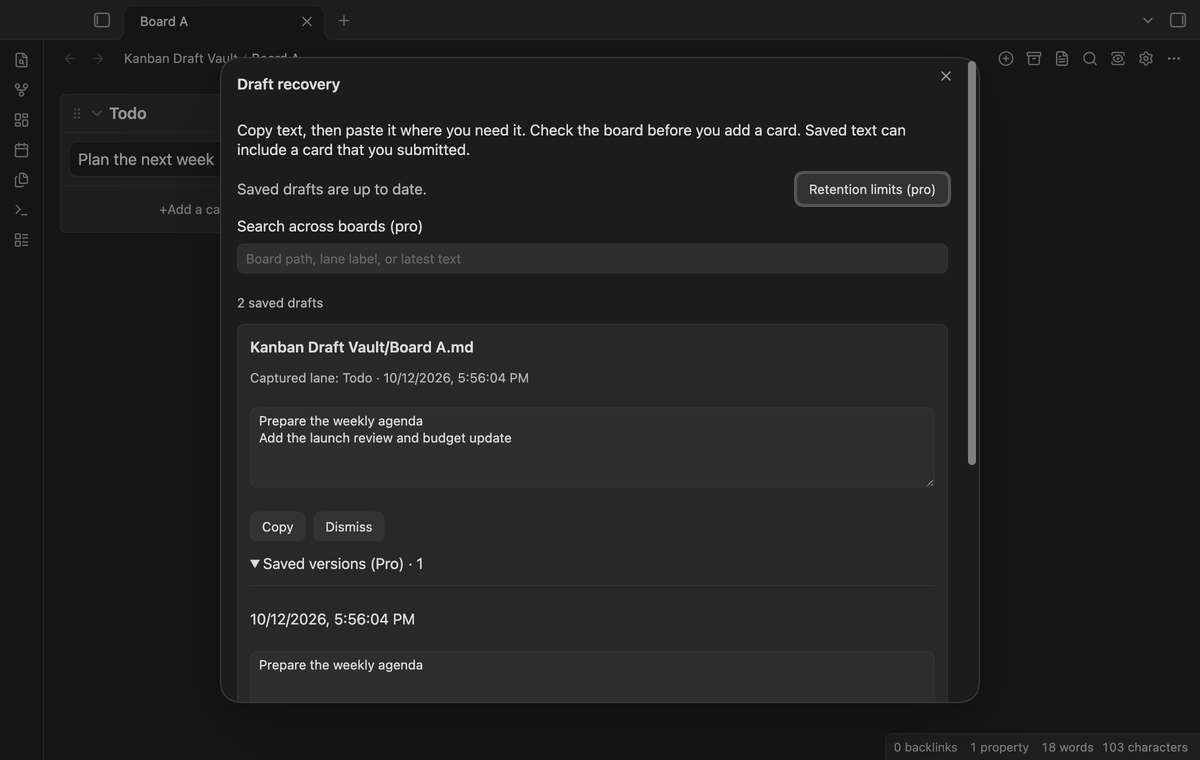
Search across boards (Pro)
Search the local recovery list by board path, captured lane label, or latest text. Matching ignores letter case and uses a text fragment. The search field becomes available with Pro. Search does not inspect earlier versions, read board files, or contact a search service.
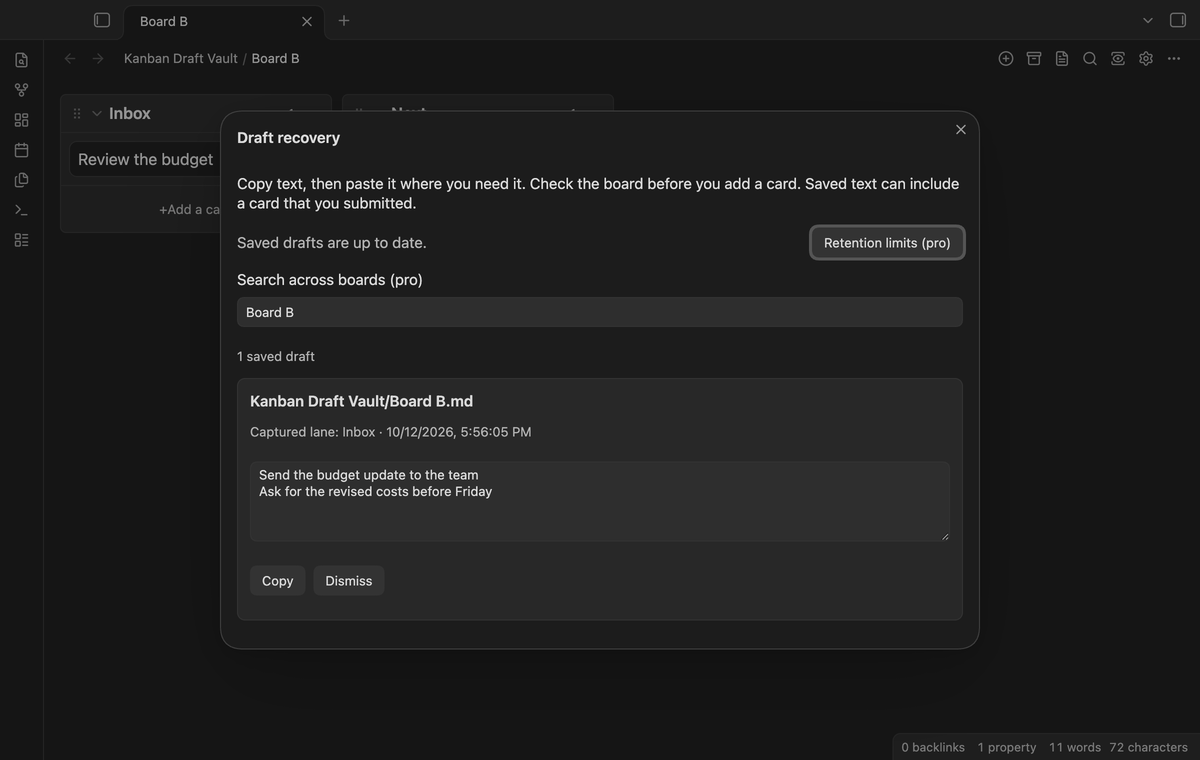
Retention limits by board (Pro)
Open Retention limits from recovery. Choose a captured board and set the draft count, age in days, and earlier version count. Defaults are 100 drafts, 30 days, and 10 earlier versions. Apply can remove records above the limits. Copy needed text first. Limits run on Apply and on a nonempty capture while Pro is active; they do not run on a background expiry timer.
Install
Use the release files when the publisher makes this build available. Put main.js, manifest.json, and styles.css in the vault configuration folder under plugins/kanban-draft-vault. Reload Obsidian and enable Kanban Draft Vault in Community plugins. Install and enable Kanban separately. This companion does not include Kanban.
Use a small test board first. Type a sentence in its new-card form, close the form, and open recovery. Check that the saved board path and text are correct before you use the companion for longer drafts.
Usage
Keep the companion enabled while you write a new card. Capture happens during document updates. Open recovery after a cancellation and copy the draft to your clipboard. Return to the board, inspect its cards, and paste into the destination you choose. Dismiss the recovery record when you no longer need it.
The save status appears at the top of recovery. Saving drafts means a write is pending. Saved drafts are up to date means the queue finished without a reported error. If a write fails, keep the app open, copy needed text, and select Retry save. A forced app stop can lose text that has not reached storage.
Settings
The plugin's settings tab explains local capture and contains the GitHub Sponsors controls. Free capture needs no sign in. Pro controls use the cached sponsorship result. Sign out turns Pro features off and leaves the latest saved text available. Stored board limits remain inactive in free mode.
Retention accepts 1 to 500 drafts per board, 1 to 3,650 days, and 1 to 50 earlier versions per draft. The dialog lists paths from captured records. A file rename does not rewrite the old path in recovery.
FAQ
Does this replace Kanban's card editor? No. It observes the new-card form and offers a separate recovery dialog.
Why is a submitted card still listed? Empty updates retain the saved text. The companion does not detect a successful submission or insert a second card.
Does local mean encrypted? No. Draft text, paths, labels, and limits reside in the plugin's data.json. Vault backups or sync that includes plugin data can carry that file.
What has not been tested? Physical Android and iOS devices, virtual keyboards, popout windows, Linux and Windows runtime, custom themes, forced app termination, multi-device sync, file renames, and Kanban versions other than 2.0.51 need release checks. Desktop tests simulate clipboard denial and a Sponsors response. Live GitHub OAuth sign in and a paid sponsorship have not been tested in this build.
Payment, account and network
The core features are free. Pro features need a GitHub Sponsors sponsorship of theluckystrike: $5 a month or more, or $15 once. A total payment of $15 meets the payment requirement for Pro without further payment. Sign-in and the checks below still apply. Your notes stay readable and editable with or without Pro.
GitHub handles the payment. Sponsor at https://github.com/sponsors/theluckystrike. You need no account for the free features. Pro needs the GitHub account that sponsors.
Until you select "Sign in with GitHub" in the settings, Kanban Draft Vault makes no network requests. Sign in uses the GitHub device flow. Kanban Draft Vault sends its public client ID and the scope read:user to https://github.com/login/device/code and shows you a code. While you enter the code at https://github.com/login/device, it asks https://github.com/login/oauth/access_token every few seconds to check the sign-in status. The scope permits profile reads only. GitHub needs this access to show the sponsorship tier. It grants no repository scope and no write access.
After sign in, Kanban Draft Vault sends one query to https://api.github.com/graphql. It checks if the signed-in account sponsors theluckystrike. It asks for the tier and the total payment to theluckystrike. The plugin reuses a successful check for 7 days. Failed checks can retry after 6 hours. Select Refresh to request an earlier check. It sends no note content, file names or other vault data, and it has no telemetry.
After a successful check, Pro can work offline for up to 14 days. Sign out or a negative sponsorship answer turns Pro off. The plugin stores the GitHub token through the secret storage API of Obsidian. It does not put the token in its saved settings or its local sponsorship data. The local storage of this device keeps your GitHub login, the tier and the time of the last check. Sign out clears the token. You can also revoke the access in your GitHub settings, under Applications.
Support
The publisher is theluckystrike, at notemods.com. Use the public repository's support area after publication. Include Obsidian and Kanban versions, the operating system, the editor action, and the save status. Use sample text in a report. Remove private board paths and draft text from screenshots before you share them.
The code uses the MIT license. This companion is a separate community product and does not represent the Kanban author or Obsidian.