- Overview
- Scorecard
- Updates4
A modern, feature-rich Kanban board for Obsidian.
Create and manage your projects with a simple, intuitive drag-and-drop interface directly within your Obsidian vault.
Features
- Markdown-Backed: All your board data is stored in standard Markdown files.
- Interactive UI: Responsive drag-and-drop interface for managing lanes and cards.
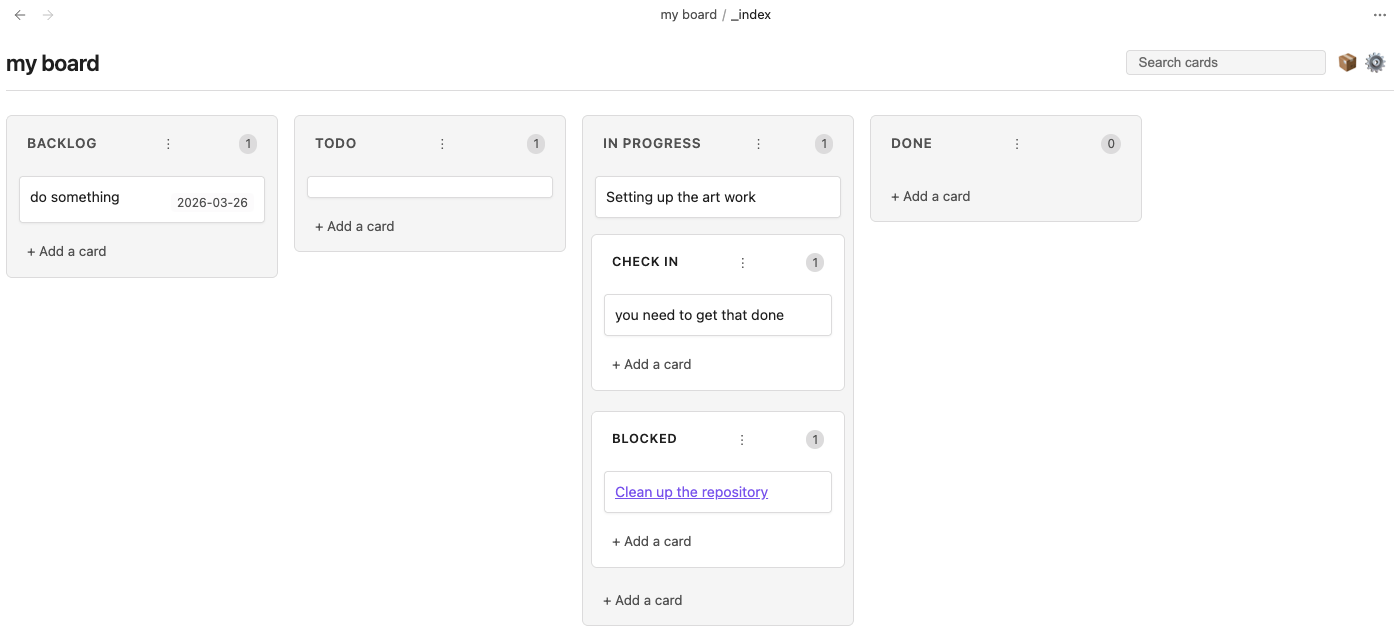
- Sub-swimlanes: Organize complex workflows with nested lanes. Perfect for grouping "Active" and "Slow" tasks under "In Progress."
- Search and Filter: Easily find cards with the built-in search bar.
- Date Management: Add and manage dates on your cards with a native calendar picker.
- Note Integration: Quickly create new notes from Kanban cards.
- Customizable: Define your own lanes, lane widths, and date formats.
Installation
- Search for "Obsidian Kanban" in the Community Plugins tab in Obsidian settings.
- Install and enable the plugin.
Usage
Creating Sub-swimlanes
You can create sub-swimlanes in two ways:
In Settings: Go to the board settings (gear icon) and use a
-prefix for any lane you want to nest under the previous one. For example:Backlog Todo In Progress - Active - Slow DoneIn Markdown: Use different heading levels. H2 headings create top-level lanes, and H3+ headings create sub-lanes nested under the preceding H2.
Managing Priorities
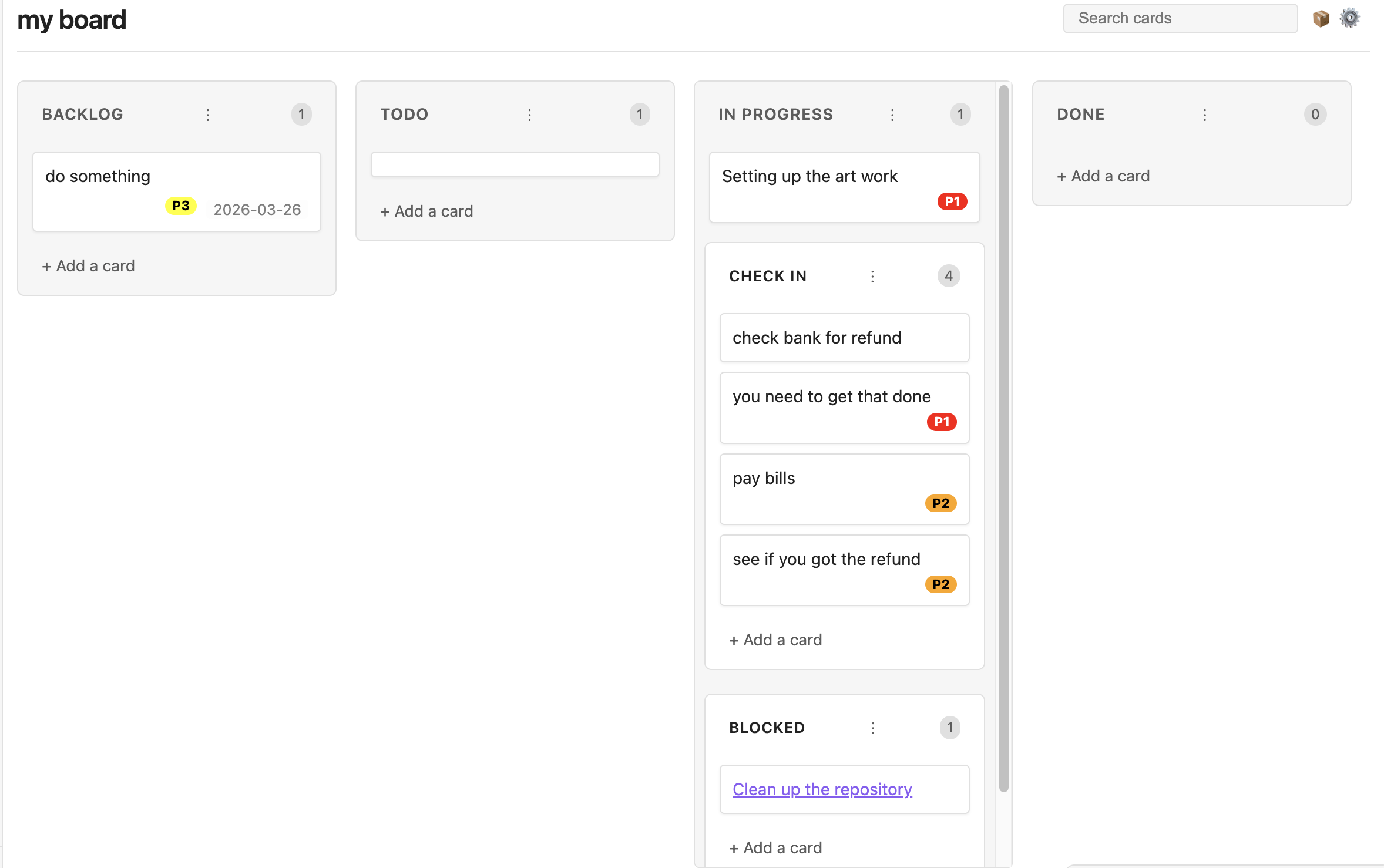
You can configure global default priorities in the Obsidian settings, or customize them per-board via the Board Settings menu (gear icon).
- Format: Define priorities as a list, one per line, using the format
Name, Color. (e.g.,High, red,P1, #ff0000,Critical, rgb(255,0,0)). - Assigning: Right-click any card to open the context menu and select a priority to assign it. It will render as a colorful badge on the card.
- Auto-Grouping: Enable the Auto group by priority setting to strictly enforce priority sorting within lanes. Drag-and-drop will intelligently reject moves that violate the sorting order, ensuring your highest-priority tasks are always at the top.
- Deleting Priorities: If you remove a priority from your settings, data is preserved! The card will retain a standard markdown tag (e.g.,
#P1), and will simply be grouped as "unassigned" if auto-grouping is enabled. Add the priority back to your settings, and the board will instantly re-render the badges and re-sort them automatically.
Configuration & Feature Flags
The plugin includes several configuration options and feature flags to customize your experience. These can be found in the Obsidian settings under Community plugins → Obsidian Kanban.
- Add card button in header: (Enabled by default) Adds a button to the header for creating new cards. This saves vertical space, especially in long lanes.
- Auto group by priority: Automatically sorts cards by their assigned priority within each lane.
- Hide tags in card titles: Visually removes hashtags from card titles while keeping them in the underlying markdown.
- Show linked page metadata: Displays frontmatter metadata from any notes linked in a card.
Screen Shots
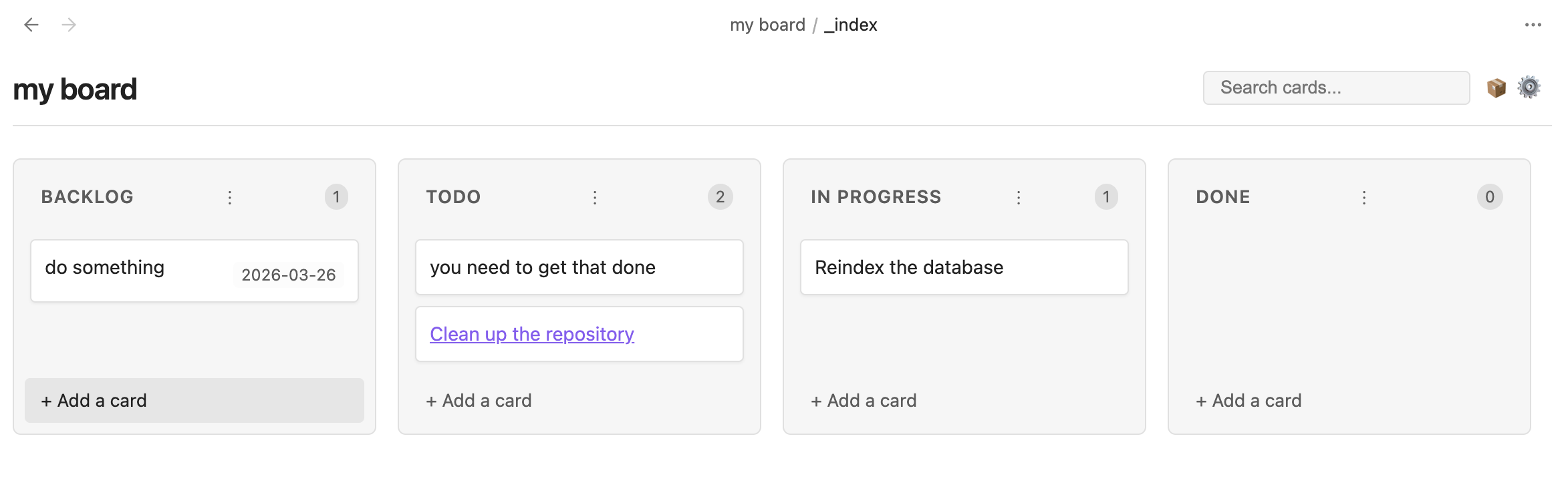
Main Board
Sub-swimlanes
Priorities