Search...Search plugins and themes...
⌘K
Sign in
  • Get started
  • Download
  • Pricing
  • Enterprise
  • Account
  • Obsidian
  • Overview
  • Sync
  • Publish
  • Canvas
  • Mobile
  • Web Clipper
  • CLI
  • Learn
  • Help
  • Developers
  • Changelog
  • About
  • Roadmap
  • Blog
  • Resources
  • System status
  • License overview
  • Terms of service
  • Privacy policy
  • Security
  • Community
  • Plugins
  • Themes
  • Discord
  • Forum / 中文论坛
  • Merch store
  • Brand guidelines
Follow us
DiscordTwitterBlueskyThreadsMastodonYouTubeGitHub
© 2026 Obsidian

Word Splitting for Japanese in Edit Mode

sonaraitsonarait6k downloads

A patch for Obsidian's built-in CodeMirror Editor to support Japanese word splitting.

Add to Obsidian
  • Overview
  • Scorecard
  • Updates1

A patch for Obsidian's built-in CodeMirror Editor to support Japanese word splitting

Obsidian内蔵のCodeMirrorエディタが日本語の単語分割をサポートするためのパッチ.

This plugin is based on the chs word splitting module by @linonetwo and modified to Japanese version.
For Japanese word segmentation, we used tiny-segmenter created by Taku Kudo.
Special Thanks to @linonetwo and Taku Kudo!

Demo

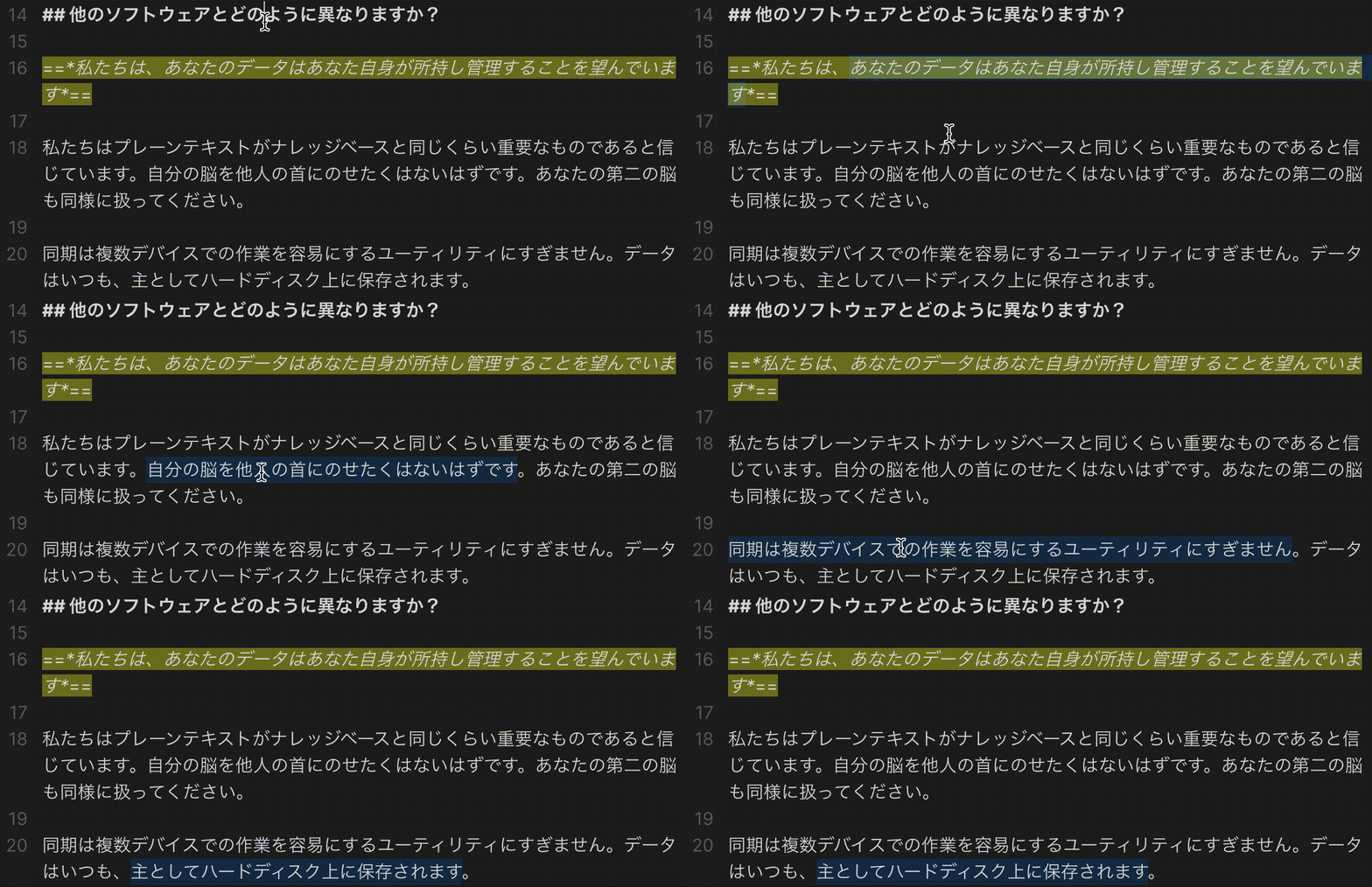
Obsidian's Default Word Splitting
パッチを適用していない場合
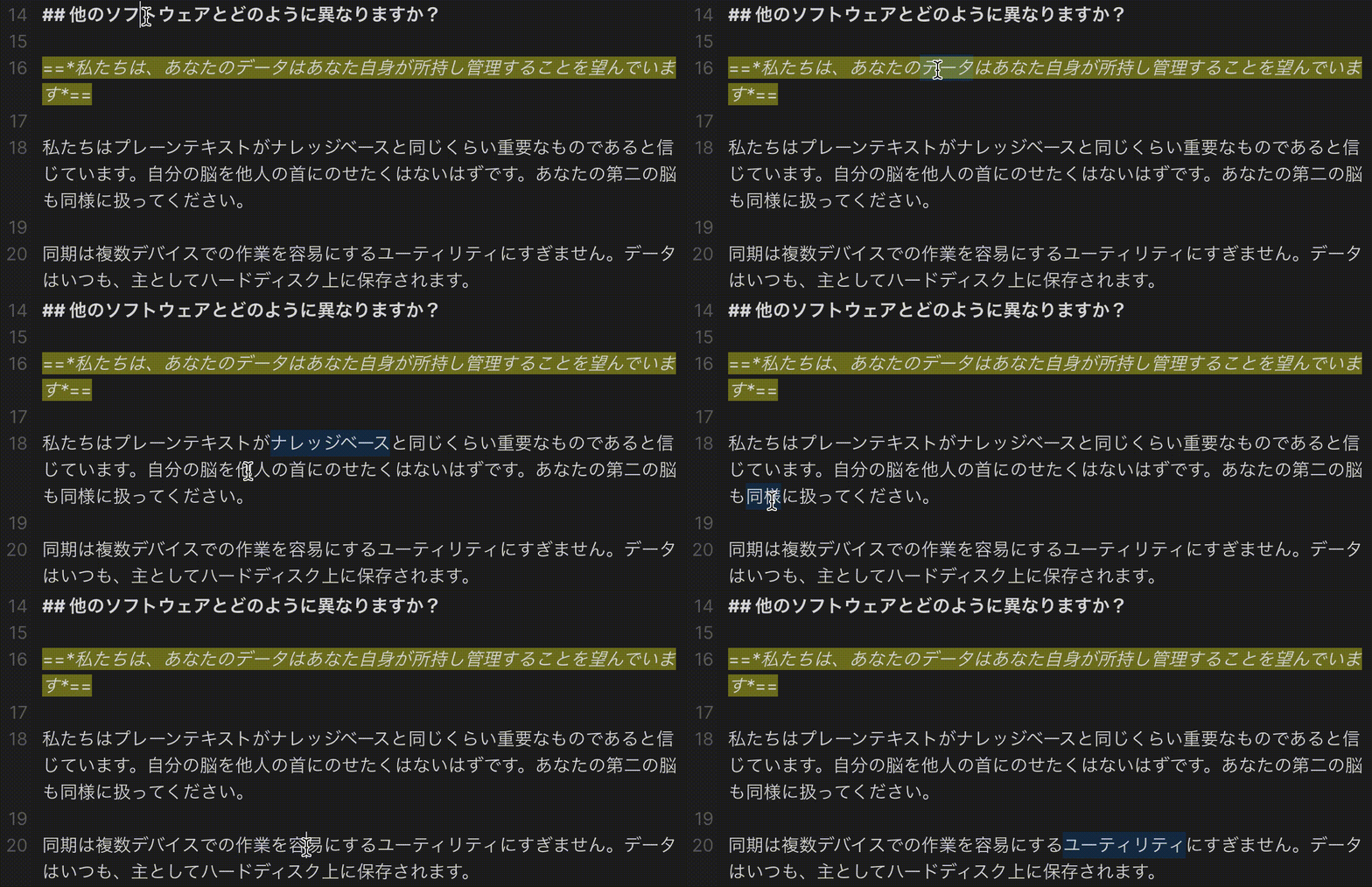
Patched
パッチを適用した場合
ob-default-splitting ob-patched-splitting

Compatibility

The required API feature is only available for Obsidian v0.13.8+.
必要なAPI機能は,Obsidian v0.13.8+でのみ利用可能です.

Installation インストール方法

From Obsidian

  1. Open Settings > Community plugin
  2. Make sure Safe mode is off
  3. Click Browse in Community plugins
  4. Search for this plugin
  5. Click Install
  6. Once installed, click Enable and the patch is ready to use.

  1. 設定からコミュニティプラグインを開きます.
  2. セーフモードがオフであることを確認します.
  3. コミュニティプラグインの閲覧をクリックします.
  4. このプラグインを検索します.
  5. インストールをクリック
  6. インストールが完了したら,有効化を押すことで,パッチは使用可能な状態になります.

From GitHub

  1. Download the Latest Release from the Releases section of the GitHub Repository
  2. Put files to your vault's plugins folder: <vault>/.obsidian/plugins/japanese-word-splitter
  3. Reload Obsidian
  4. If prompted about Safe Mode, you can disable safe mode and enable the plugin. Otherwise head to Settings, third-party plugins, make sure safe mode is off and enable the plugin from there.

Note: The .obsidian folder may be hidden. On macOS you should be able to press Command+Shift+Dot to show the folder in Finder.


  1. GitHubリポジトリのReleasesからLatest Releaseをダウンロードします.
  2. vaultのpluginsフォルダにファイルを配置します.<vault>/.obsidian/plugins/japanese-word-splitterにファイルを置きます.
  3. Obsidianをリロードします.
  4. セーフモードについてプロンプトが表示されたら,セーフモードを無効にしてプラグインを有効にすることができます.それ以外の場合は,設定からコミュニティプラグインに移動し,セーフモードがオフになっていることを確認し,そこからプラグインを有効にしてください.

注意: .obsidian フォルダは隠されている可能性があります.macOSでは,Command+Shift+Dotを押すと,Finderでフォルダを表示できるはずです.

63%
HealthFair
ReviewCaution
About
Patch Obsidian's built-in CodeMirror editor to support Japanese word splitting in edit mode. Use tiny-segmenter for Japanese tokenization so cursor movement, selection, and text operations respect word boundaries.
EditingLanguagesNavigation
Details
Current version
1.0.0
Last updated
4 years ago
Created
4 years ago
Updates
1 release
Downloads
6k
Compatible with
Obsidian 0.13.8+
Platforms
Desktop only
License
MIT
Report bugRequest featureReport plugin
Author
sonaraitsonarait
github.com/sonarAIT
GitHubsonarait
  1. Community
  2. Plugins
  3. Editing
  4. Word Splitting for Japanese in Edit Mode

Related plugins

Creases

Tools for effectively folding Markdown sections.

Simplified Chinese Word Splitting

Adds Simplified Chinese word splitting support for the editor and Vim mode.

Easy Typing

Auto format when typing.

Remember cursor position

Remember cursor and scroll position for each note.

Hover Editor

Transform the Page Preview hover popover into a fully working editor instance.

LanguageTool

Unofficial integration of the LanguageTool spell and grammar checker.

Dragger

Drag and drop any block (paragraphs, headings, lists, etc.) to rearrange content like Notion.

Advanced Tables

Improved table navigation, formatting, and manipulation.

Notebook Navigator

A better file browser and calendar inspired by Apple Notes, Bear, Evernote and Day One.

Homepage

Open a note, base, or workspace on startup, or set it for quick access later.