Japanese Holiday Calendar
 e8dev150 downloads
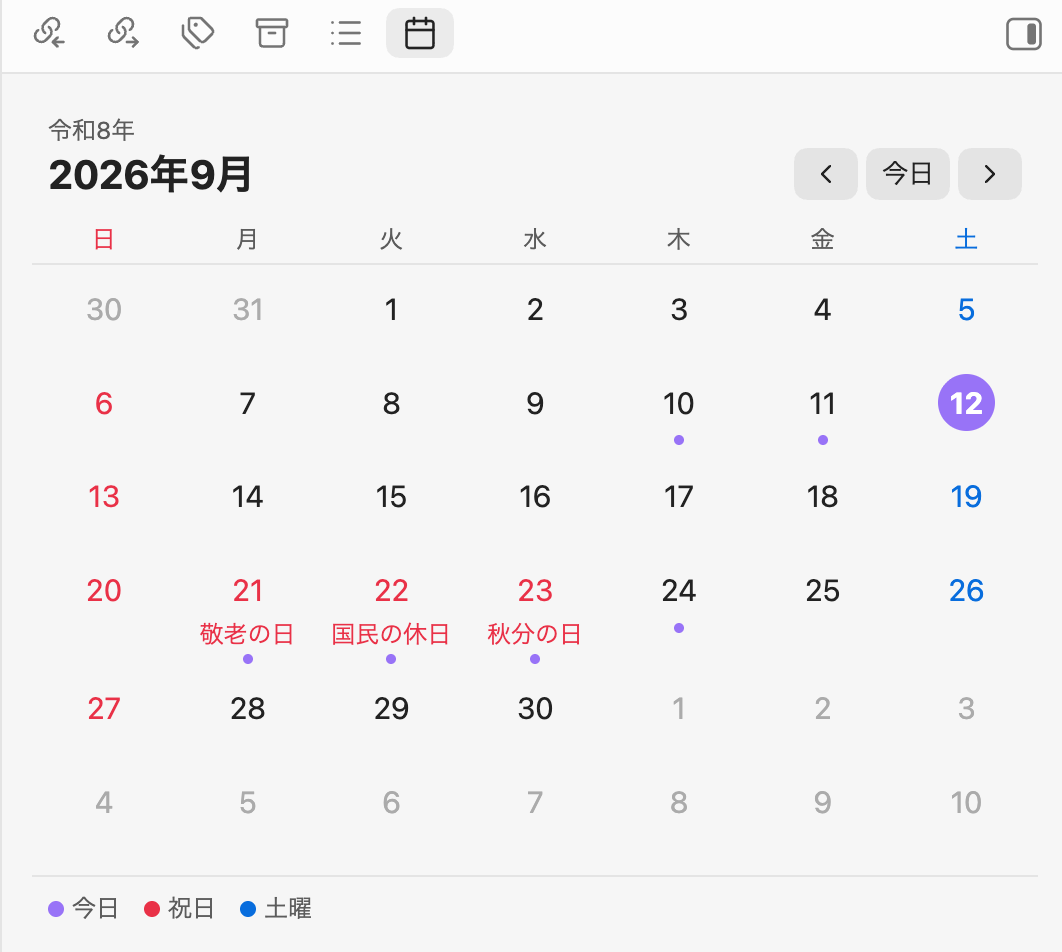
Sidebar calendar that shows Japanese public holidays and the Japanese era. Select a date to open its daily note.
- Overview
- Scorecard
- Updates3
An Obsidian plugin that shows a month calendar with Japanese public holidays (国民の祝日) in the sidebar. Select a date to open its daily note.
Features
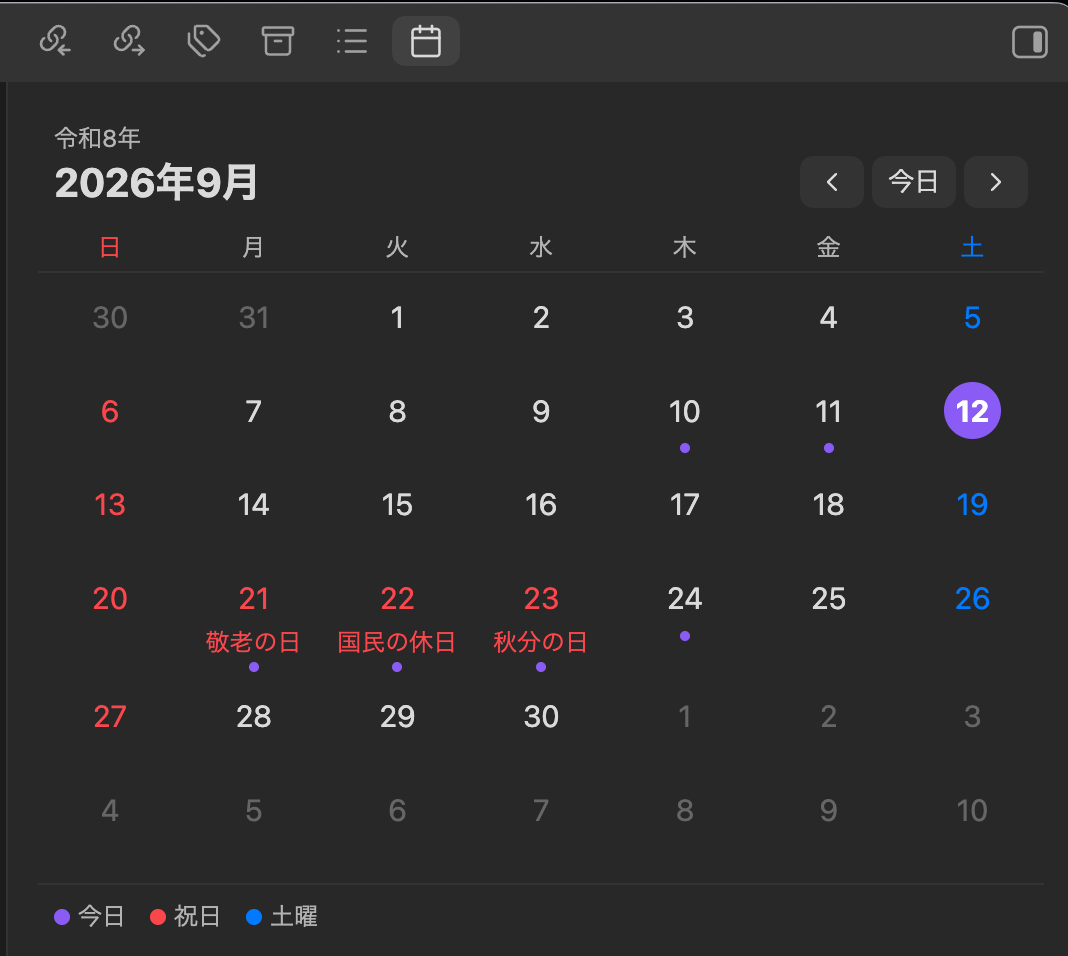
- Month view in the right sidebar with Japanese public holidays highlighted in red, including substitute holidays (振替休日) and citizens' holidays (国民の休日)
- Holiday names shown under each date
- Japanese era year (for example 令和8年) above the month
- Sundays in red, Saturdays in blue, today highlighted
- A dot under dates that already have a daily note; hover to preview it
- Select a date to open its daily note — it is created from your daily note template if it does not exist yet (Cmd/Ctrl-click opens it in a new tab)
- Works with the core Daily notes plugin and with Periodic Notes
- Holidays are computed locally from the National Holidays Act. No network access, no external data
Usage
- Enable the core Daily notes plugin (Settings → Core plugins) and set its folder, format and template as you like.
- Open the calendar with the ribbon icon or the command Japanese Holiday Calendar: Open calendar.
- Use
‹/›to move between months and Today to jump back.
Settings
| Setting | Description |
|---|---|
| Start week on | Sunday or Monday in the first column |
| Show holiday names | Show the holiday name under the date |
| Show Japanese era | Show the era year above the month |
| Show legend | Show the color legend below the calendar |
| Confirm before creating a daily note | Ask before creating a note for a date that has none |
The calendar follows the app language: labels are in Japanese when Obsidian's language is Japanese, otherwise in English. Holiday names are always in Japanese.
Installation
From the community plugin list
Search for Japanese Holiday Calendar in Settings → Community plugins → Browse.
Manual
- Download
main.js,manifest.jsonandstyles.cssfrom the latest release. - Copy them into
<your vault>/.obsidian/plugins/japanese-holiday-calendar/. - Reload Obsidian and enable the plugin in Settings → Community plugins.
Development
npm install
npm run dev     # watch build
npm run build   # production build
npm test        # holiday calculation tests
npm run lint
License
MIT
日本語
Obsidianのサイドバーに、日本の祝日入りの月間カレンダーを表示するプラグインです。日付を押すとその日のデイリーノートを開きます(なければテンプレートから作成します)。
機能
- 祝日を赤で表示(振替休日・国民の休日にも対応)し、日付の下に祝日名を表示
- 和暦(例: 令和8年)を月の上に表示
- 日曜は赤、土曜は青、今日は強調表示
- デイリーノートがある日には点を表示。ホバーでプレビュー
- 日付を押すとデイリーノートを開く/作成(Cmd/Ctrl+クリックで新しいタブ)
- コアプラグイン「デイリーノート」と Periodic Notes の両方に対応
- 祝日は祝日法に基づいてローカルで計算。通信や外部データは不要
使い方
- コアプラグイン「デイリーノート」を有効にし、フォルダ・日付書式・テンプレートを設定します。
- リボンのカレンダーアイコン、またはコマンド Japanese Holiday Calendar: Open calendar でカレンダーを開きます。
‹›で月を移動、「今日」で今月に戻ります。
予定
- 一粒万倍日・不成就日などの暦注の表示(v1.1)
HealthExcellent
ReviewPassed
About
Show a month calendar in the sidebar with Japanese public holidays highlighted, including substitute and citizens' holidays, and display holiday names under each date. Mark weekends and today, show the Japanese era year, indicate dates with daily notes (hover to preview), and open or create daily notes from your Daily Notes template by selecting a date. Compute holidays locally without network access.Details
Current version
1.0.2
Last updated
3 days ago
Created
Last week
Updates
3 releases
Downloads
150
Compatible with
Obsidian 1.13.0+
Platforms
Desktop, Mobile
License
MIT