
- Overview
- Scorecard
- Updates6
JADOU is an evolving, in‑context Japanese language toolbox created by a specialist in Japanese language and culture. You can look up readings and meanings, insert furigana, build glossaries, and automatically select sentences with it. Everything runs locally with no network access.
Notable Features
- Support for looking up inflected word forms
- Mobile support
- PDF support
- Lineage (https://github.com/ycnmhd/obsidian-lineage) plugin support
- One-click/hotkey-binded sentence selection
How to Use
- Select a Japanese expression containing kanji and trigger the lookup command to open the dictionary panel. You can use the ribbon icon, the command panel, a keyboard shortcut, or the editor’s context menu to do this.
- The “common,” “rare,” “irregular,” and “outdated” tags next to the entries refer to the kana usage / readings. These guide you toward the most context-appropriate bundle.
- Select an entry and press Enter, or click it, to add it to your glossary.
- Drag around entries inside the glossary to reorder them.
- Drop an entry into the editor to copy it.
- Use the Sort button to reorder entries in Japanese alphabetical order.
- Right‑click an entry to remove it from the glossary.
- Press Space or right‑click an entry in the dictionary panel to insert furigana instead of adding it to the glossary.
JADOU ♥️ Advanced Ruby
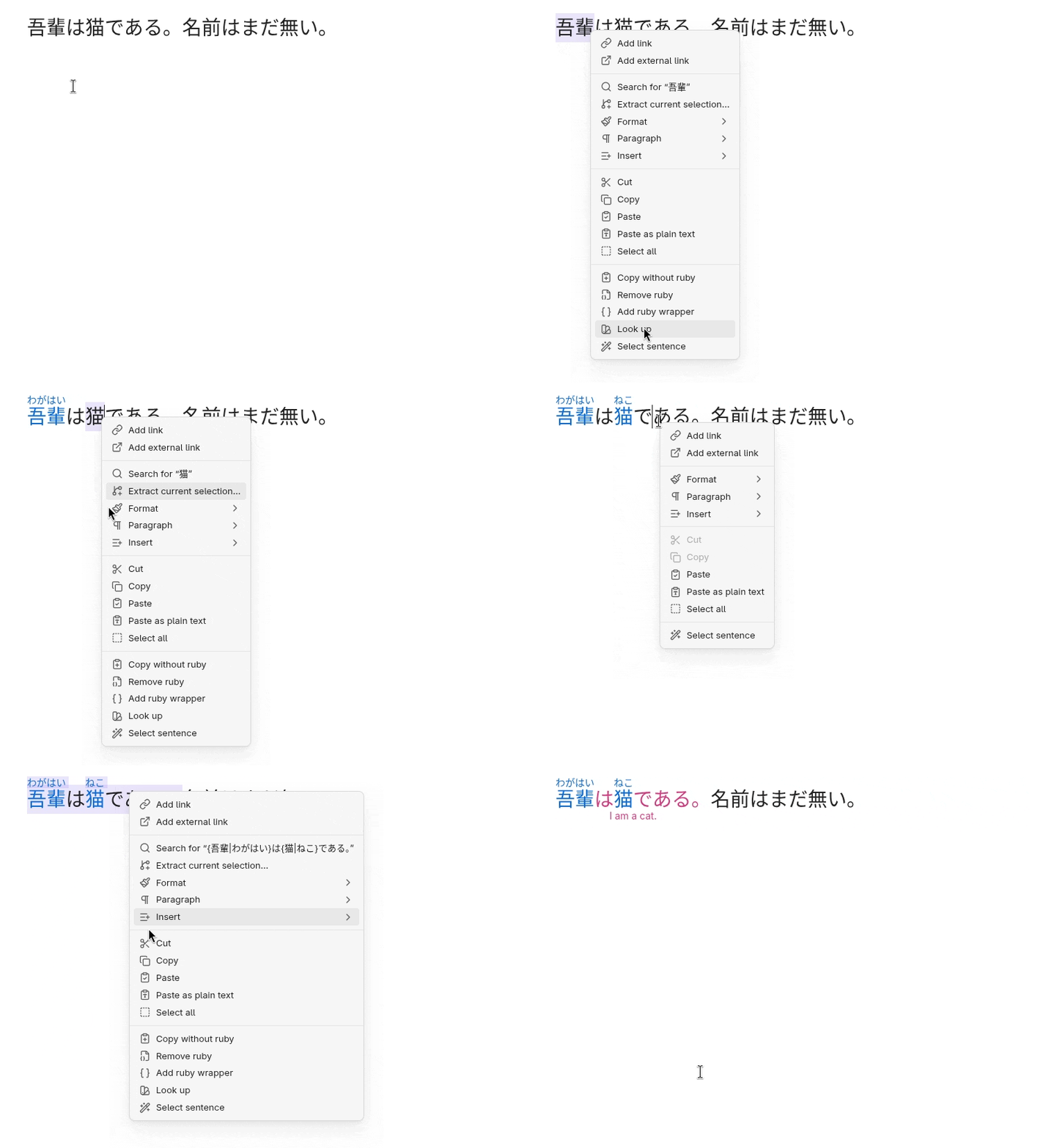
To enable ruby rendering and editing you need to install Advanced Ruby as well.
Roadmap
Coming
- Kana-only lookup support.
- Support for traditional kanji forms.
Planned
- Saving/loading/attaching glossaries.
Security
- This plugin has zero dependencies.
- JADOU requires an internet connection only to download or update its dictionary data. It operates entirely offline otherwise and does not transmit or store your personal information.
Licenses & Acknowledgments
JADOU is available under the PolyForm-Perimeter v.1.0.1 license. Copyright (c) 2026 Peter Yanase
This project includes code derived from:
- Obsidian Sample Plugin (https://github.com/obsidianmd/obsidian-sample-plugin), licensed under the OBSD License. Copyright (c) 2020-2025 by Dynalist Inc.
- Obsidian Web Worker Example (https://github.com/RyotaUshio/obsidian-web-worker-example), licensed under the MIT License. Copyright (c) 2023 Ryota Ushio.
This software uses data derived from the JMdict/EDICT dictionary files, licensed under the CC-BY-SA-4.0 License. Copyright (c) 2000 Electronic Dictionary Research and Development Group.
This software uses data derived from the SudachiDict (https://github.com/WorksApplications/SudachiDict) dictionary files, licensed under the Apache License, Version 2.0. Copyright (c) 2017-2023 Works Applications Co., Ltd.
This software uses a file from jmdict-simplified (https://github.com/scriptin/jmdict-simplified), licensed under the CC-BY-SA-4.0 License. Copyright (c) 2017-2026 Dmitry Shpika.
The furigana insertion logic was inspired by the implementation in kuroshiro (https://github.com/hexenq/kuroshiro), licensed under the MIT License. Copyright (c) 2015-2021 Hexen Qi.
Further licenses acknowledged in the dependencies are abbreviated here.