Interval Timer
 tamiroh439 downloads
Run focus and break cycles using methods like the Pomodoro Technique, and record completed intervals on your Markdown task lines.
- Overview
- Scorecard
- Updates24
Run focus and break cycles using methods like the Pomodoro Technique, and record completed intervals on your Markdown task lines.
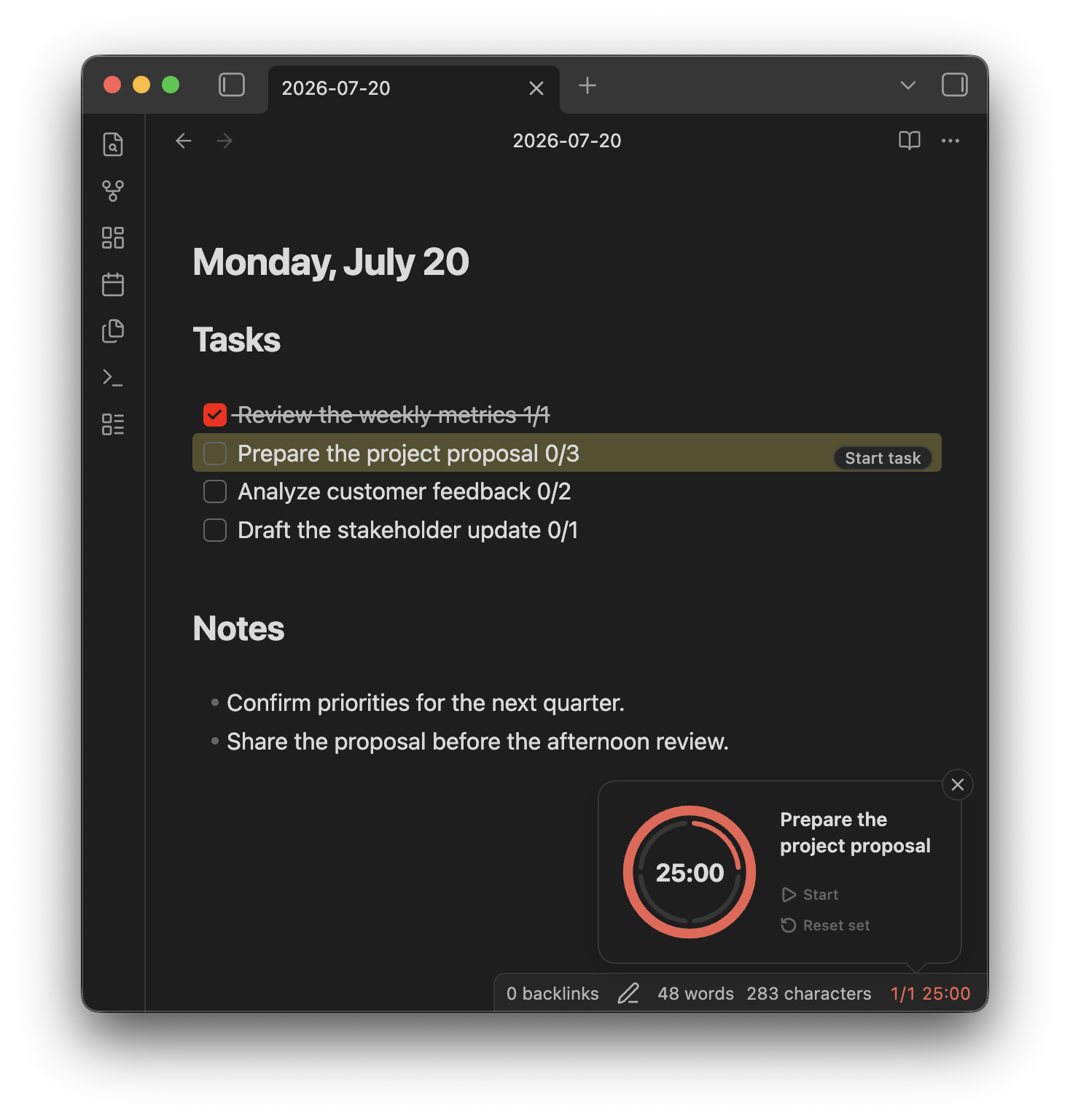
Concept
- Compact by design — A small timer with controls that appear when needed. No dedicated pane, leaving more room for your notes.
- Start where you plan — Start a focus session directly from a Markdown task line.
- Keep effort visible — Record completed intervals alongside your estimate, even before a task is done.
Quick Start
Start from the status bar
Click the timer in the status bar to start a focus interval. Hover over it to access the timer controls.
Start from a task line
Add completed and estimated intervals to a task:
- [ ] Prepare the project proposal 0/3
Place the cursor on the task and click Start. Each completed focus interval updates the task automatically (0/3 → 1/3).
Features
- Focus and break cycles — Set your own focus, short break, and long break durations, and choose how many focus intervals come before a long break. The interval count resets daily at midnight.
- Task line tracking — Start a timer from a task line and the task stays highlighted while it is tracked, with its count updated as intervals complete.
- Your call when time is up — Move on to the next interval automatically, or keep counting past zero until you decide to stop.
- Notifications that fit your setup — Choose a system or in-app notification, and add a screen flash when you need something harder to miss.
- Sound to keep the rhythm — A clock tick and background white noise during focus, plus a time's up sound, each with its own volume.
- Desktop and mobile — A status bar timer on desktop, a floating timer on mobile. The running timer and the tracked task survive a reload.
- Commands for every control — Start, pause, reset, and skip are available as commands, ready to bind to hotkeys.
HealthExcellent
ReviewSatisfactory
Details
Current version
0.8.3
Last updated
4 days ago
Created
3 years ago
Updates
24 releases
Downloads
439
Compatible with
Obsidian 1.8.7+
Platforms
Desktop, Mobile
License
MIT
Author