InlineAI
 fbarrca8k downloads
AI-powered suggestions, contextual edits, and advanced text transformations directly into your editor.
- Overview
- Scorecard
- Updates21
Documentation · Report Bug · Discussions
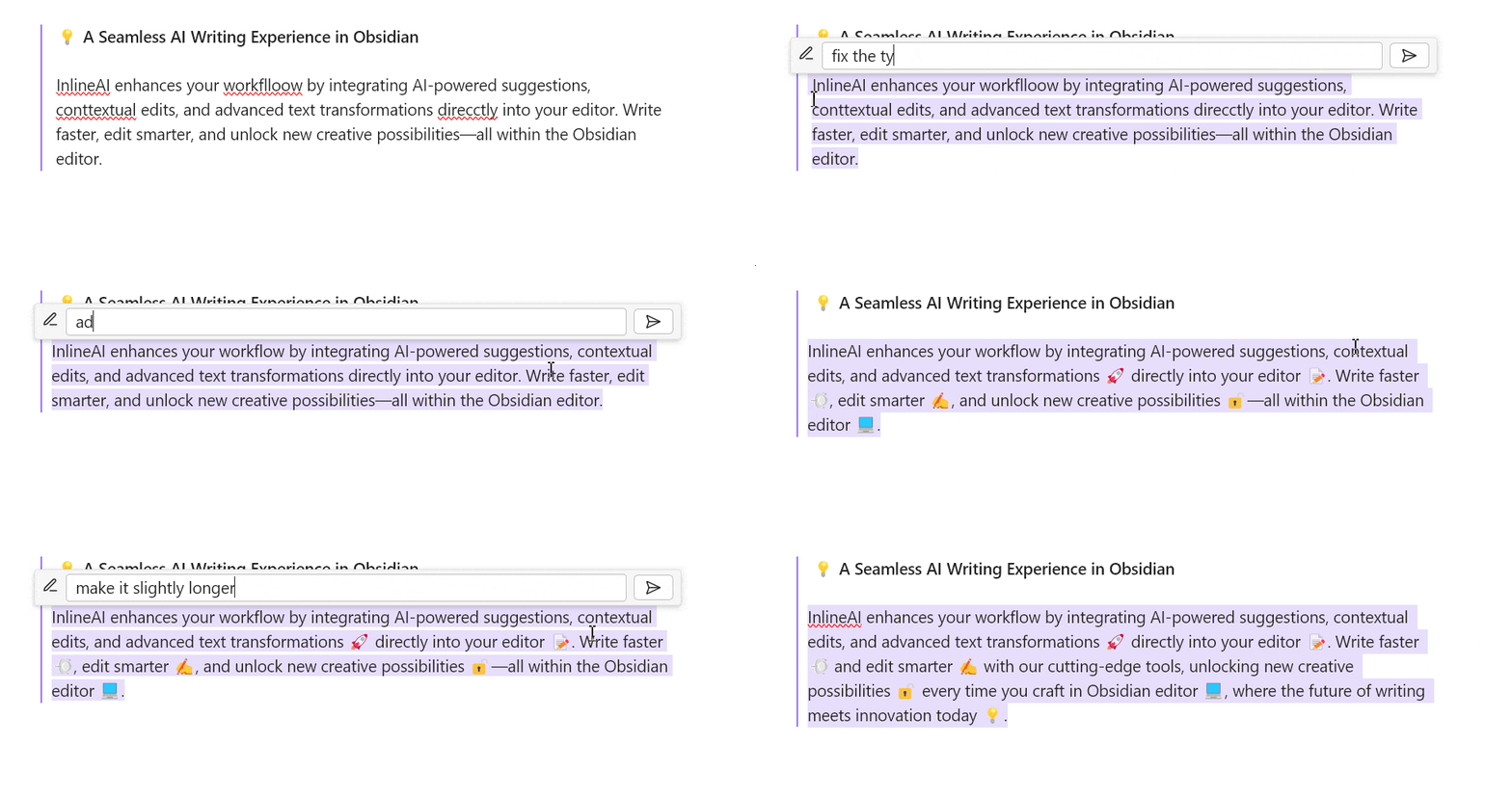
💡 A Seamless AI Writing Experience in Obsidian
InlineAI enhances your workflow by integrating AI-powered suggestions, contextual edits, and advanced text transformations directly into your editor. Write faster, edit smarter, and unlock new creative possibilities—all within the Obsidian editor.
🌟 Features
1. Context-Aware AI Assistance
- Transform text, summarize, or rewrite content using prompts tailored to your needs.
- Define your own system and transformation prompts as commands for highly customized workflows.
2. Inline Diff Visualization
- Visualize AI-suggested changes with clear inline markers for added and removed text.
- Accept or discard suggestions with a single click.
3. Full AI Integration
- Supports OpenAI, Ollama,Gemini and other APIs.
- Local model support for privacy-first workflows.
⚙️ Installation
1. From Obsidian Plugin Store
- Open Obsidian Settings.
- Navigate to Community Plugins → Browse.
- Search for "InlineAI" and click Install.
- Enable the plugin in the Installed Plugins list.
2. Manual Installation
- Download the latest release from the GitHub Releases.
- Copy
main.js,styles.css, andmanifest.jsoninto your vault's.obsidian/plugins/obsidian-inlineai/directory. - Enable the plugin via the Community Plugins tab.
🚀 Getting Started
Initial Setup
Set up your API key:
- Open the plugin settings in Obsidian.
- Enter your API key for OpenAI, Ollama, Gemini or any supported model provider.
Choose a model:
- Supported models include
gpt-4,llama3.2, and others.
- Supported models include
Configure prompts:
- Define system and transformation prompts in settings for customized interactions.
How to Use
- Trigger AI Tooltips: Highlight text or place the cursor, then press
Ctrl + K/Cmd + Kto activate the tooltip(you can change the hotkey). - Apply Edits: Use the inline diff view to accept or discard AI-suggested changes.
🙏 Feedback and Support
We value your feedback and aim to make InlineAI the ultimate AI writing assistant:
- Bug Reports: Submit issues on our GitHub Issues page.
- Feature Requests: Share ideas in the Discussions forum.
- Show Your Workflow: Showcase your use cases in our Community Showcase.
🛠️ Development
Want to contribute? Here’s how:
Clone the repository:
git clone https://github.com/FBarrca/obsidian-inlineai.gitInstall dependencies:
npm installBuild the plugin:
npm run build
📝 License
This project is licensed under the GPL-3.0 license. Feel free to fork, contribute, and enhance the plugin!