Ingrain
 butterflyx23 downloads
Native callouts and highlights become flashcards — your files never know. Spaced repetition without plugin syntax.
- Overview
- Scorecard
- Updates2
Spaced repetition for Obsidian that turns the notes you already write into flashcards — cards come from callouts and highlighted text, not from dedicated flashcard blocks.
Status
This is my first public Obsidian plugin, currently at 0.1.0. It's not
yet in the Community Plugins directory — you'd be building it from source
(see below) and running it before any outside review has happened.
What that means in practice:
- I've used it daily on my own vault (~650 cards) for several weeks and it holds up, but it hasn't been exercised across the range of vault sizes, note structures, and platforms a wider audience would bring.
- Back up your vault before trying it, especially the first time.
Ingrain never writes into your notes — it only reads them (no
vault.modify()/vault.process()anywhere in the source) — so the realistic worst case is losing or corrupting the plugin's own scheduling data (data.json), not your notes themselves. Still, "should be fine" isn't the same as "verified fine" this early on. - Test suite covers every scheduling/parsing rule directly (see
CLAUDE.md), but that's confidence in the logic, not a substitute for it surviving contact with someone else's real vault. - I'd genuinely like to hear about anything that breaks, surprises you, or just feels off — see Contributing below.
Why
Most spaced-repetition plugins ask you to write in a special syntax, wrap everything in dedicated blocks, or clutter your notes with per-card frontmatter. Ingrain works with the way you already take notes:
- No required syntax. A callout is a card. A highlighted or bolded word is a cloze. Nothing else changes about how you write.
- Nothing is written into your notes. All scheduling progress lives in the plugin's own store — your files stay exactly as you wrote them, no frontmatter clutter, no note UUIDs.
- Renaming and moving notes is free. A card's identity is based on its content, not its location, so reorganizing your vault never resets your progress. Editing a card's content does reset it — that's the point, the material changed.
- Works on mobile and desktop.
Installing
Ingrain isn't in the Community Plugins directory yet, so for now you build it from source:
git clone https://github.com/butterflyx/ingrain.git
cd ingrain
npm install
npm run build
Then copy (or symlink) the folder into your vault's plugins directory:
ln -sfn "$(pwd)" "/path/to/YourVault/.obsidian/plugins/ingrain"
Open Obsidian, go to Settings → Community plugins, and enable Ingrain. Consider trying it on a test vault, or a copy of your vault, before pointing it at the one you actually rely on.
Creating cards
1. Tag the note
Ingrain only looks at notes carrying your configured deck tag — #flashcards
by default. Add it anywhere: inline in the text, or as a frontmatter tag.
Notes without the tag are left alone entirely, even if they happen to contain
a callout or a highlighted word.
---
tags: [flashcards/spanish]
---
or simply #flashcards/spanish written anywhere in the note.
Subtags build the deck path, so #flashcards/spanish/verbs groups those
cards under spanish/verbs.
A note can carry more than one deck tag — its cards then belong to all of those decks (relevant once you review a specific deck rather than everything), but each card is still reviewed exactly once, never once per deck. When more than one tag matches, the first one found (frontmatter list before inline tags) is used to display the card's deck name.
2. Callouts become question/answer cards
> [!card] What is the capital of France?
> Paris
The callout title becomes the front, the body becomes the back. Only
callouts of the configured type (card by default — change it in settings)
are turned into cards, so you can freely use [!note], [!warning], etc.
for regular annotations without them becoming flashcards.
Run Insert card skeleton from the command palette to drop a blank
> [!card] block at the cursor, using whatever callout type is
currently configured.
Ingrain ships a default look for [!card] callouts — a graduation-cap
icon and a light background — so they stand out from your other callout
types at a glance. This styling is tied to the default callout type name;
if you change Callout type in settings to something else, the CSS no
longer applies automatically (add your own CSS snippet targeting
.callout[data-callout="yourtype"] if you want the same look).
Add the reverse emoji (🔁 by default) to also generate the reverse card:
> [!card] Paris 🔁
> Capital of France
A callout can also carry its own deck tag, overriding the note's tag just for that one card — handy for a stray card that belongs somewhere more specific than the rest of the note:
> [!card] #flashcards/spanish/idioms Estar en las nubes
> To be daydreaming (literally: "to be in the clouds")
3. Highlight or bold text becomes a cloze card
Just mark the part of a sentence you want to be quizzed on:
The ==mitochondria== is the powerhouse of the cell.
**bold** works the same way as ==highlight==; both are on by default and
can be toggled independently in settings. Add a hint shown on the front of
the card with ^[hint text]:
The ==mitochondria==^[organelle] is the powerhouse of the cell.
A sentence with multiple clozes normally produces one card per cloze, each revealing the others so you always see the sentence in context.
4. Clozes inside a callout
If a callout's body contains a cloze, it becomes cloze cards instead of a single Q&A card — the title is ignored in that case:
> [!card] Cell respiration
> The ==mitochondria== produces ==ATP== through cellular respiration.
Inside a callout only, clozes sharing the same reference number collapse onto a single card that blanks all of them at once, instead of one card per cloze:
> [!card] Water
> Water is made of ==hydrogen==[^1] and ==oxygen==[^1] atoms.
(Outside a callout, [^1]-style references are left alone on purpose —
that syntax is a real Obsidian footnote reference, and Ingrain won't
touch it there.)
Reviewing
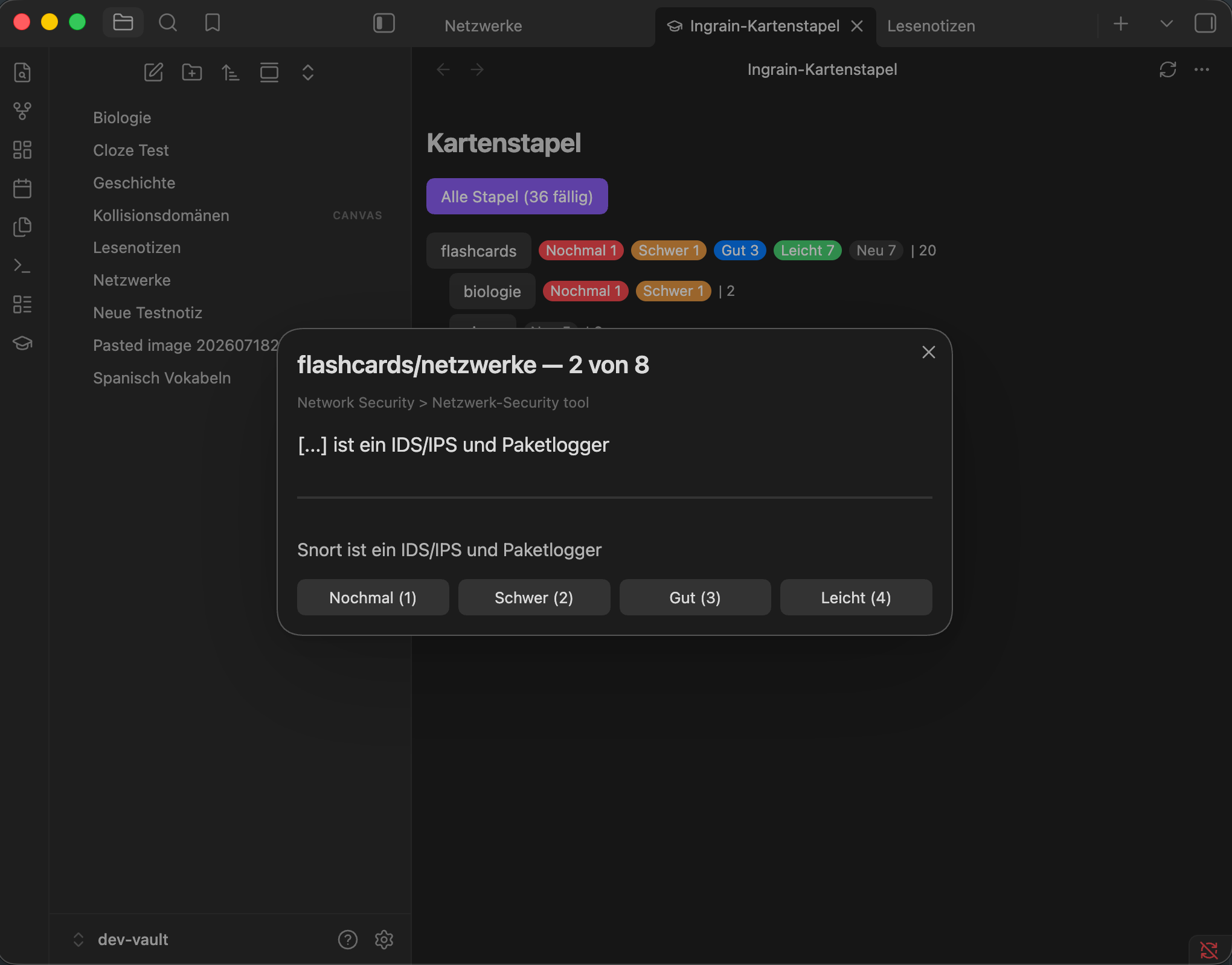
Open the command palette and run Review due cards to review everything that's due across your whole vault right away. For each card:
- Reveal the answer with the button,
Space, orEnter. - Rate it Again / Hard / Good / Easy with the buttons or keys
1–4. Escends the session early — everything you've already rated is saved.
Scheduling follows SM-2 (the same algorithm Anki popularized): a card you rate "Again" comes back soon, "Easy" pushes it further out. Reviewing one side of a reverse pair also pushes out the other side's due date, so you won't immediately be asked the same fact twice from opposite directions.
The deck overview
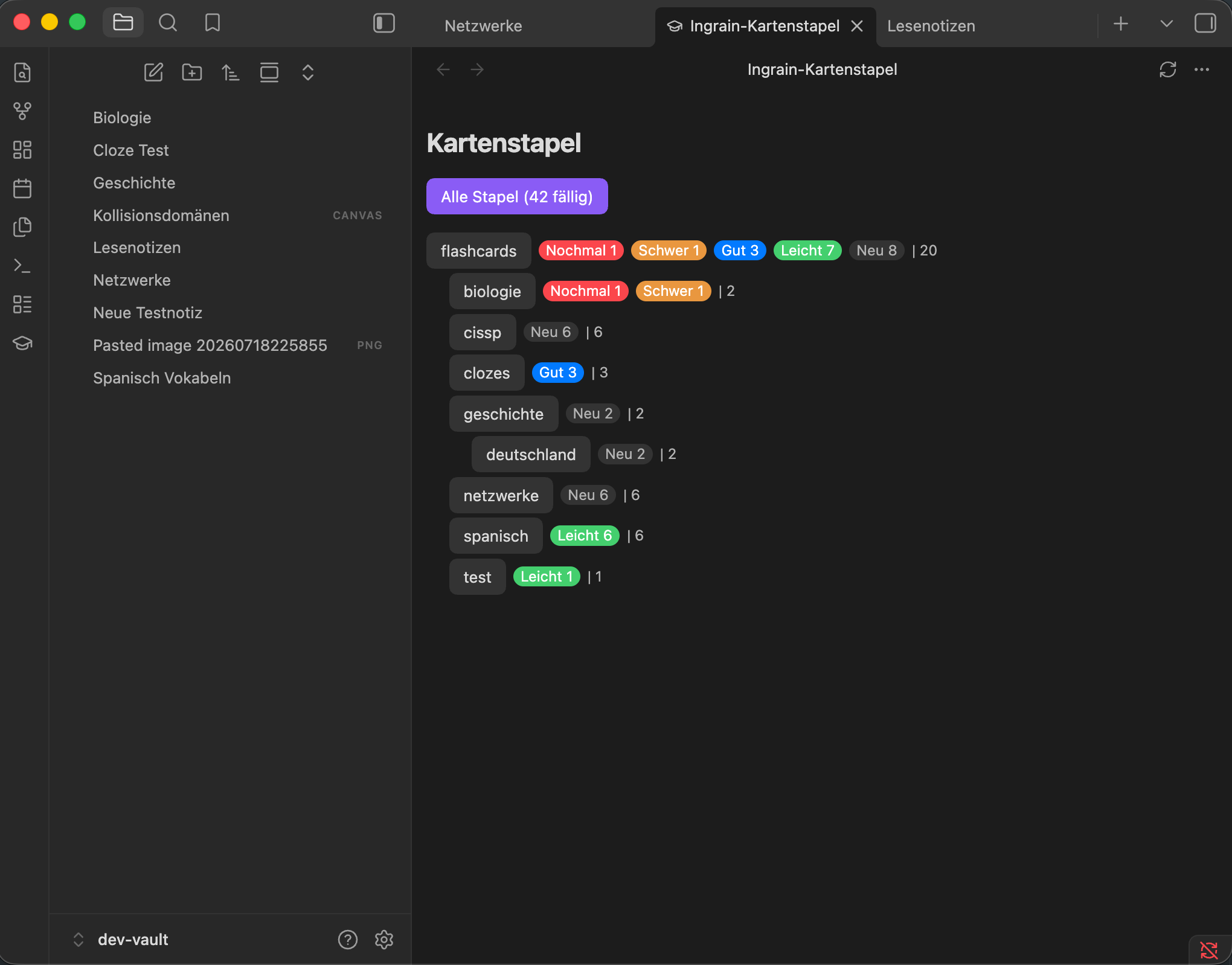
Click the graduation-cap icon in the ribbon (or run Open deck overview) to open a page listing every deck and subdeck. Each row shows its due cards broken down by how you last rated them — colored Again / Hard / Good / Easy badges, plus New for due cards you haven't reviewed yet — followed by the deck's total card count. Since rating a card always reschedules it to at least tomorrow, Again/Hard/Good/Easy only fill in for cards you rated on an earlier day that are due again now — reviewing a batch of cards for the first time will show them all under New until some of that history has built up. Click a deck to start a review scoped to just that one. The page keeps itself current — new or edited cards, and the counts after a review session, show up without reopening the tab — but a refresh button is there too if you want to force it.
The overview opens as a normal tab, so it stays around, and you can link to it from any other note (e.g. your daily note) with a plain Markdown link:
[Review decks](obsidian://ingrain-decks)
Keeping the index up to date
Ingrain re-scans a note automatically when you create or edit it, and re-scans the whole vault when a setting that affects parsing changes (deck tag, callout type, cloze options). If something ever looks out of sync anyway, run Rebuild index (sweep orphans) from the command palette to force a full rescan.
Settings
| Setting | What it does |
|---|---|
| Deck tag root | The tag prefix that marks a note as containing cards (default flashcards). |
| Reverse emoji | Marks a callout card as reversible (default 🔁). |
| Callout type | Only callouts of this type become cards (default card). Other callout types are left alone. |
| Cloze: highlight / bold | Turn ==...== and/or **...** recognition on or off independently. |
| Cloze scope | Whole note (default): highlighted/bold text anywhere counts. Inside callouts only: loose highlights elsewhere in the note are ignored — callouts are unaffected either way. |
| Review reminder | Show a Notice if you haven't reviewed in this many days (default 0, disabled). Only fires when cards are actually due, and at most once a day even if you leave Obsidian open. Click the Notice to jump straight to the deck overview. |
A Danger zone at the bottom has a "Reset everything" button that permanently deletes all scheduling history and starts every card fresh — behind a confirmation dialog, since it can't be undone. Worth a backup first if that history matters to you.
Language
The plugin's own UI (commands, ribbon tooltip, the review modal, the deck overview, and this settings tab) follows Obsidian's own language setting (Settings → General → Language) — currently English and German. Switching it takes effect after Obsidian reloads. Any other language falls back to English.
Current limitations
- Cloze recognition is highlight/bold only — no custom regex pattern, and none is planned.
- Reviewing an entire note at once is intentionally not supported — cards are always reviewed individually.
- No network access, no external accounts, no telemetry of any kind — nothing to disclose there, but also nothing to fall back on if local data is lost. Standard Obsidian vault backup/sync practices are your safety net, same as for any other plugin.
Design notes
- Store only, no per-card frontmatter, no Bases integration. A note can hold several cards, so there's no clean 1:1 mapping onto note-level frontmatter or Bases rows. Per-card stats live in the plugin's own store instead — this is the permanent design, not a stopgap.
- Content-hash identity. A card's hash is derived from its content, not its location — this is what makes renames/moves free and edits reset cleanly.
- SM-2 today, with an interface designed so a stronger algorithm (e.g. FSRS) can replace it later without touching the store format.
Contributing / development
See CLAUDE.md for the internal architecture, module boundaries, and test
workflow, and CHANGELOG.md for what's changed release to release. Bug
reports, edge cases, and general feedback are genuinely welcome —
especially this early, before wider use has had a chance to find what a
single-vault development process couldn't.
Built with the assistance of Claude Code.
The test suite and architecture boundaries described in CLAUDE.md are
what I've leaned on to keep that trustworthy — worth knowing either way.
License
MIT