Improved Random Note Pro
 secondbrainprod3k downloads
Open a random note based on filters like folders, tags and properties.
- Overview
- Scorecard
- Updates10

An Obsidian plugin that opens a random note based on customizable filters. Go beyond simple randomness — focus on the notes that matter to you.
✨ Features
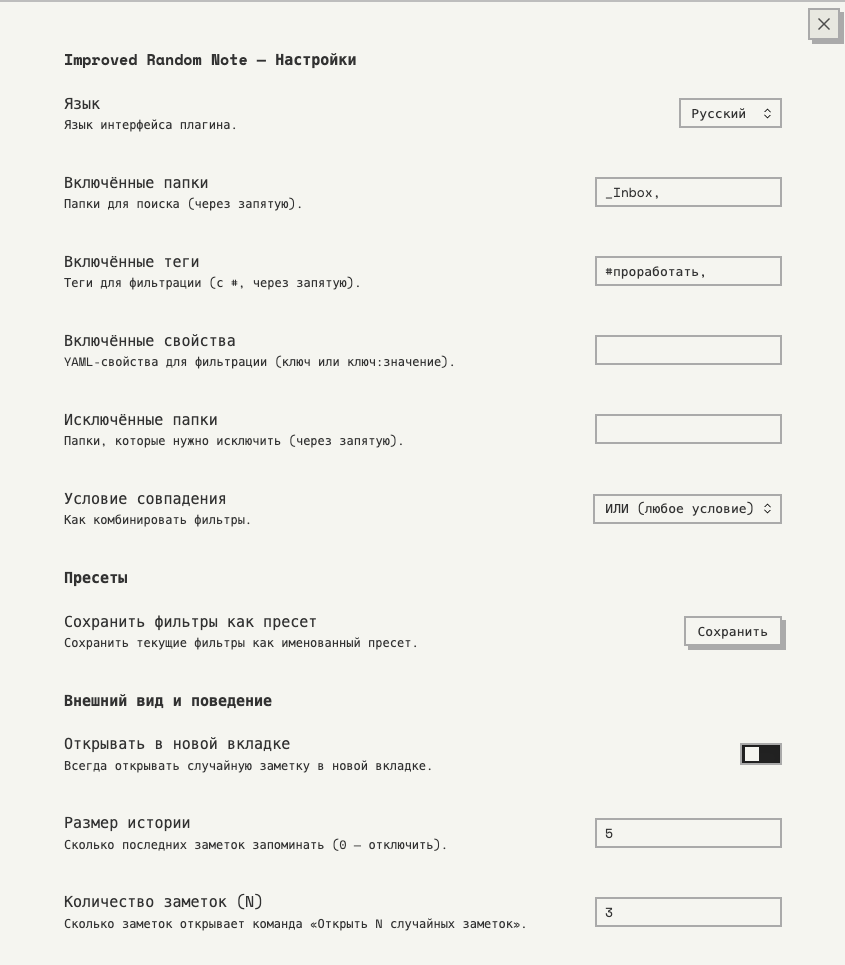
🎯 Smart Filters
- Include folders — search only in specific folders
- Include tags — filter by tags (frontmatter and inline)
- Include properties — filter by YAML frontmatter properties (key or key:value)
- Exclude folders — skip folders like templates or archives
- Match condition — combine filters with AND (all must match) or OR (any can match)
📚 Filter Presets
- Save your current filters as named presets (e.g., "Books", "Projects", "Daily Notes")
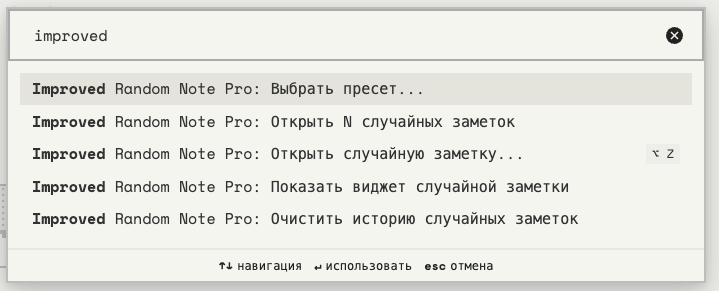
- Each preset gets its own command in the palette (Cmd/Ctrl+P)
- Fuzzy search modal for quickly picking a preset
- Load any preset back into settings, or delete it
📜 History
- Remembers the last N opened notes to avoid duplicates
- Configurable history size (default: 5, set to 0 to disable)
- Auto-resets when all candidates have been shown
- Clear history from settings or via command
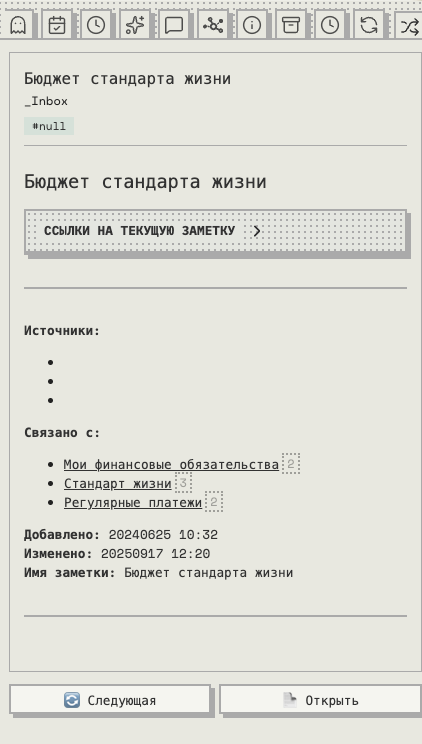
📌 Sidebar Widget
- A dedicated sidebar panel with a random note preview
- Shows: note title, folder path, tags, and a rendered markdown excerpt
- Refresh to see another note or Open to navigate to it
- Access via command: Show random note widget
⚙️ General
- Open notes in the current tab or always in a new tab
- Works with the ribbon icon (🔀), commands, presets, or the sidebar
📸 Screenshots
🚀 Installation
From Obsidian Community Plugins
- Open Settings → Community plugins → Browse
- Search for "Improved Random Note Pro"
- Click Install, then Enable
Manual Installation
- Download
main.js,manifest.json, andstyles.cssfrom the latest release - Create a folder:
.obsidian/plugins/improved-random-note-pro/ - Copy the three files into that folder
- Restart Obsidian and enable the plugin in Settings → Community plugins
🛠 Development
# Clone the repo into your vault's plugins folder
cd /path/to/vault/.obsidian/plugins/
git clone https://github.com/SecondBrainProd/obsidian-improved-random-note.git
cd obsidian-improved-random-note

# Install dependencies
npm install

# Build
npm run build

# Watch mode (auto-rebuild on changes)
npm run dev
📄 License
HealthExcellent
ReviewPassed
About
Open a random note using customizable filters for folders, tags, and YAML properties, with AND/OR matching and exclude rules. Save filter presets as commands, track history to avoid repeats, and use a sidebar widget to preview, refresh, or open random notes.Details
Current version
2.1.2
Last updated
4 months ago
Created
7 months ago
Updates
10 releases
Downloads
3k
Compatible with
Obsidian 1.7.2+
Platforms
Desktop, Mobile
License
MIT