Open cards in imdone
 imdone6k downloads
Open cards in imdone kanban from their source in Obsidian.
- Overview
- Scorecard
- Updates6
Imdone is a simple and powerful kanban board that works on top of a local folder of plain text markdown files or code.
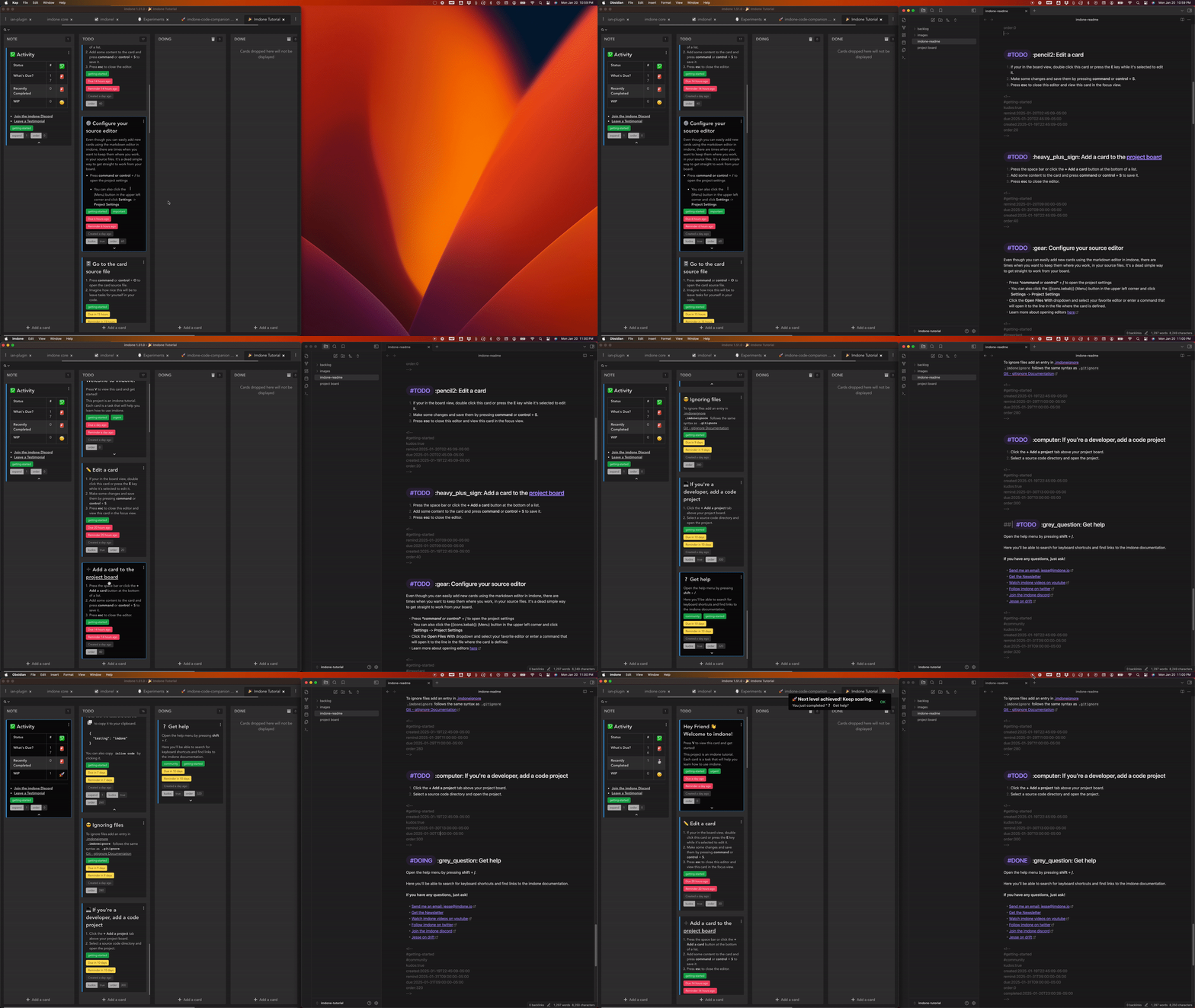
Features
- Open Imdone Card with Keyboard Shortcut: Place your cursor inside a
TODOcomment and run the Open cards in imdone: Open Imdone Card command. - Efficient Card Location Detection: Automatically gathers the active file path and line number, generating a link to open Imdone at the exact location.
- Autocomplete for
#imdoneTags: Provides autocomplete suggestions for#imdonetags as you type, making it easier to add and manage tasks.
Setup Instructions for the "Open cards in imdone" Obsidian Plugin
The "Open cards in imdone" plugin allows you to integrate the Imdone Kanban board with your Obsidian vault, providing seamless navigation between tasks and notes or source code. Follow these steps to set it up: (or watch the video tutorial)
Step 1: Open Imdone and Configure Settings
- Launch Imdone: Start Imdone, and if it’s your first time, you’ll see the tutorial project. The default path for the tutorial project is:
~/imdone-tutorial(on macOS/Linux) orC:\Users\<YourUsername>\imdone-tutorial(on Windows). - Open Settings: Click the ellipsis menu in the top left corner of Imdone, select Settings, and then click Open Project Settings.
- Configure File Opener:
- In the Open Files With dropdown, select Obsidian.
- Check the option Open Obsidian at Card Source Line.
- Save the settings and exit the settings menu.
Step 2: Set Up an Obsidian Vault for Imdone
- Open Obsidian: Launch Obsidian.
- Create a New Vault:
- Click Open Folder as Vault in the Obsidian vault selection screen.
- Navigate to the folder where the Imdone tutorial project resides (
~/imdone-tutorial) and select it.
- Enable Community Plugins:
- Go to Obsidian Settings > Community Plugins.
- Click Browse and search for "Imdone".
- Select Open cards in imdone from the list, then click Install and Enable.
Step 3: Configure Hotkeys for Quick Navigation
- Set Hotkeys:
- You can set a hotkey under Settings > Hotkeys in Obsidian.
- Close the Vault Temporarily: Before testing navigation, close the vault to ensure changes take effect.
Step 4: Test the Integration
- Navigate from Imdone to Obsidian:
- Open a card in Imdone and click Open File.
- Obsidian should open directly to the line of the card's source in the corresponding file.
- Navigate from Obsidian to Imdone:
- Place the cursor on a line with an Imdone card reference and press Ctrl+Shift+I (or your configured hotkey).
- This should bring you back to the card in Imdone.
Step 5: Using Topics in Imdone
- Create a Topic:
- In Imdone or Obsidian, create a topic by surrounding a phrase with double brackets, e.g.,
[[Project Board]].
- In Imdone or Obsidian, create a topic by surrounding a phrase with double brackets, e.g.,
- Jump to the Topic:
- In Imdone, clicking the topic link will jump directly to the topic in Obsidian
Tips for an Integrated Workflow
- Your Imdone Kanban board and Obsidian vault both operate on the same folder, ensuring all files, tasks, and topics remain in sync.
- This setup is perfect for developers who use Markdown and want a seamless way to manage tasks inline with their code or notes.
Imdone vs. Obsidian Kanban Plugin
Both Imdone and the Obsidian Kanban Plugin are powerful tools for task management. While the Obsidian Kanban Plugin is ideal for visual organization within notes, Imdone stands out for developers by embedding tasks directly into code or content workflows.
Core Concept
| Aspect | Imdone | Obsidian Kanban Plugin |
|---|---|---|
| Design Philosophy | Built for developers and Markdown writers, Imdone integrates tasks directly with code or content files while providing a Kanban view. | Designed for general visual task management in Markdown notes, ideal for diverse personal workflows. |
| Primary Use Case | Developers and technical users needing tasks embedded inline in their projects while maintaining full Kanban functionality. | Obsidian users looking for a standalone Kanban solution within their note-taking ecosystem. |
Key Features
| Feature | Imdone | Obsidian Kanban Plugin |
|---|---|---|
| Task Source | Tasks are created inline in files (TODOs in code/Markdown) or directly in the Kanban board. | Tasks are created and managed directly in the Kanban board. |
| Code and Markdown Integration | Tightly integrates tasks with codebases and Markdown content, minimizing context switching. | No inline integration; tasks are kept separate in Kanban-specific Markdown files. |
| Kanban Functionality | Fully functional Kanban board, perfect for tracking both high-level workflows and embedded tasks. | Fully functional Kanban board designed for personal and team organization. |
| Metadata Support | Tasks support tags, due dates, priorities, and other metadata inline or in the board. | Metadata such as tags and due dates is supported within the Kanban board. |
| Customization | Highly customizable with plugins, themes, and custom actions, tailored for developers. | Customizable within Obsidian, ideal for adapting to individual note-taking styles. |
| Obsidian Integration | Integrates with Obsidian at the file level and with the "Open cards in imdone" plugin for seamless task navigation. | Fully native to Obsidian, leveraging its Markdown capabilities and note structure. |
| Version Control | Tasks stay in your version-controlled repository, alongside your code or content. | Tasks are saved in Markdown files, also Git-friendly and version-control-ready. |
Workflow Comparison
| Workflow Aspect | Imdone | Obsidian Kanban Plugin |
|---|---|---|
| Task Creation | Add tasks inline as TODOs in files or directly in the Kanban board. | Create tasks in the Kanban board or kanban markdown file. |
| Task Location | Tasks remain embedded in code or Markdown for precise context. | Tasks are stored in a dedicated Markdown file for the Kanban board. |
| Task Completion | Complete tasks inline or directly on the Kanban board. | Mark tasks complete in the Kanban interface or its corresponding Markdown. |
Strengths
Imdone
- Built for developers and technical writers who need tasks directly integrated with their workflows.
- Offers seamless context switching by linking tasks inline with files.
- Highly customizable with plugins, themes, and actions to fit developer-centric workflows.
- Perfect for version-controlled environments, allowing tasks to be tracked and managed alongside code or content.
Obsidian Kanban Plugin
- Designed for users who need a visual task management tool within their note-taking environment.
- Fully integrates with Obsidian’s Markdown-based ecosystem, making it easy to connect tasks with notes.
- Flexible customization options within Obsidian for personal productivity.
Why Developers Choose Imdone
Imdone uniquely embeds task management into your development workflow. By combining a fully functional Kanban board with inline tasks in your files, Imdone reduces context switching and keeps your work seamlessly organized. This makes it the ideal choice for developers who value efficiency and version control.
Changelog
1.1.0
- Update readme with better setup instructions
- Don't set hotkeys
- Fix scroll to line
1.0.5
- Fix windows bugs
1.0.4
- Switched to
Ctrl+Shift+Ito avoid conflicts with other plugins and align with Imdone code companion for VS Code
1.0.3
- Fix open in obsidian to Line on windows