Idle Monitor
 alberto98fx498 downloads
Get notified when you stop typing to stay motivated.
- Overview
- Scorecard
- Updates6
Idle Monitor is an Obsidian plugin that tracks user activity and provides real-time feedback when you stop typing or moving your mouse. It includes customizable options to display idle time, adjust settings for activity monitoring, and showcase a beautiful rainbow gradient for the status text.
Screenshots
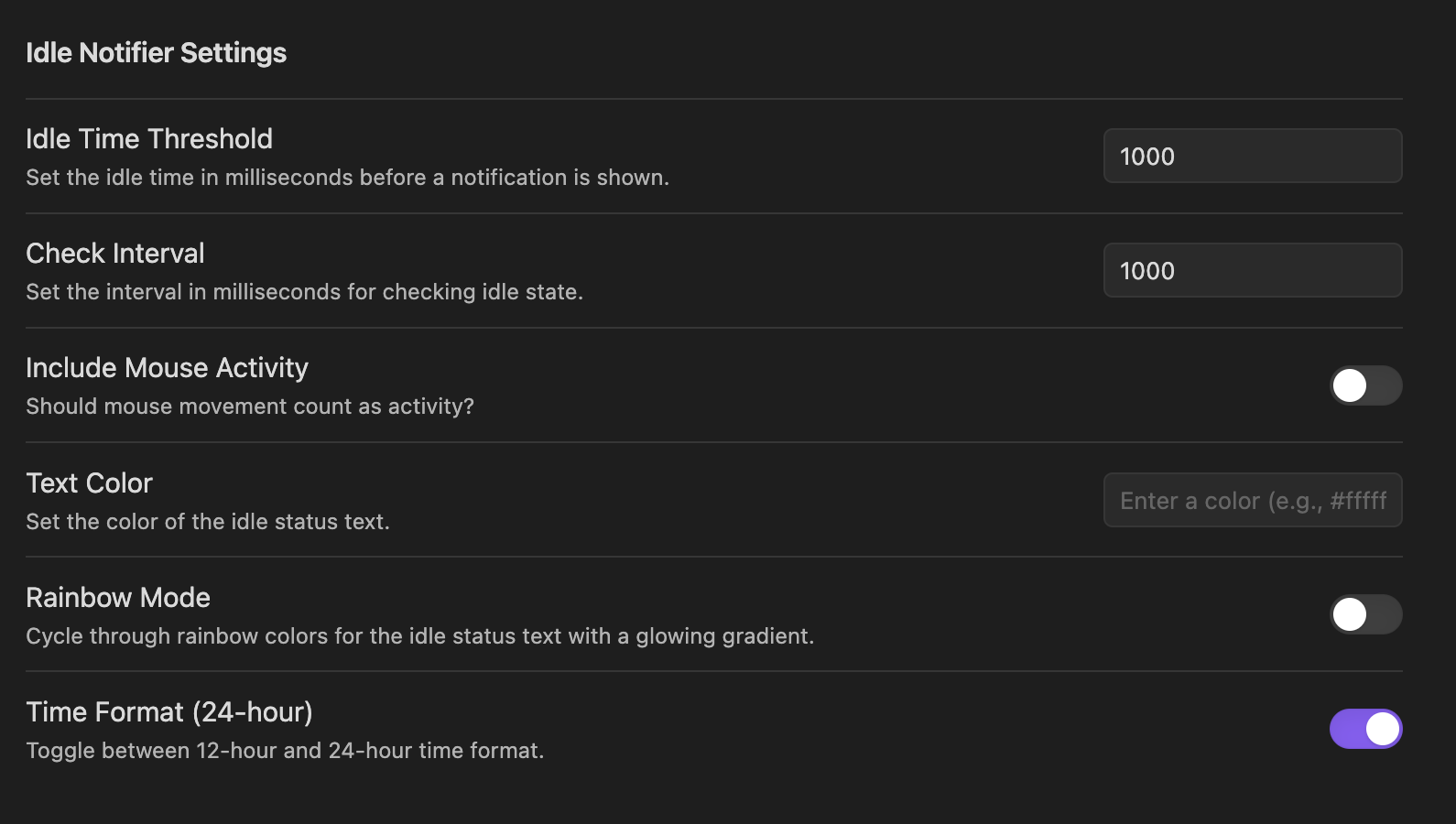

Features
- Idle Time Tracking: Notifies you how long you've been idle.
- Customizable Notifications:
- Adjust the idle time threshold.
- Option to include or exclude mouse movement as activity.
- Select between 12-hour and 24-hour time formats for notifications.
- Visual Customization:
- Customize the color of the status text.
- Enable a glowing rainbow gradient effect for idle status.
- Status Bar Display: View the idle status directly in the Obsidian status bar.
- Tooltip for Last Activity: Hover over the status bar to see the exact time you stopped typing.
Usage
Setting Up the Plugin
- Open Settings in Obsidian.
- Navigate to the Plugin Options under Idle Monitor.
- Configure the following settings:
- Idle Time Threshold: Set how long the user can be idle before being notified.
- Check Interval: Define how often the plugin checks for idle activity.
- Include Mouse Activity: Toggle whether mouse movement counts as activity.
- Text Color: Customize the text color for the status bar display.
- Rainbow Mode: Enable a glowing rainbow gradient effect.
- Time Format (24-hour): Switch between 12-hour and 24-hour formats for hover tooltips.
Viewing Idle Information
- The plugin updates the status bar to show how long you’ve been idle.
- Hover over the status bar text to see the exact time you stopped typing, formatted according to your selected time format.
Contributing
Contributions are welcome! Feel free to submit issues or pull requests.
HealthGood
ReviewSatisfactory
About
Track idle time and display real-time status in the status bar, with a hover tooltip showing the exact time you stopped typing. Customize the idle threshold, include or exclude mouse movement, pick 12/24-hour tooltips, and apply a colored or glowing rainbow gradient to the status text.Details
Current version
1.0.5
Last updated
2 years ago
Created
2 years ago
Updates
6 releases
Downloads
498
Compatible with
Obsidian 0.15.0+
Platforms
Desktop only
License
MIT