Maps of the Ideaverse
Early preview. See your notes as maps: Idea Emergence levels, a Gravity view and a Starfield of galaxies, with a time-lapse of your vault growing.
- Overview
- Scorecard
- Updates3
Early preview (0.1). Three maps for now (Emergence, Gravity, Starfield), with more to come. Expect frequent updates and some rough edges. Issues and ideas are welcome in GitHub issues.
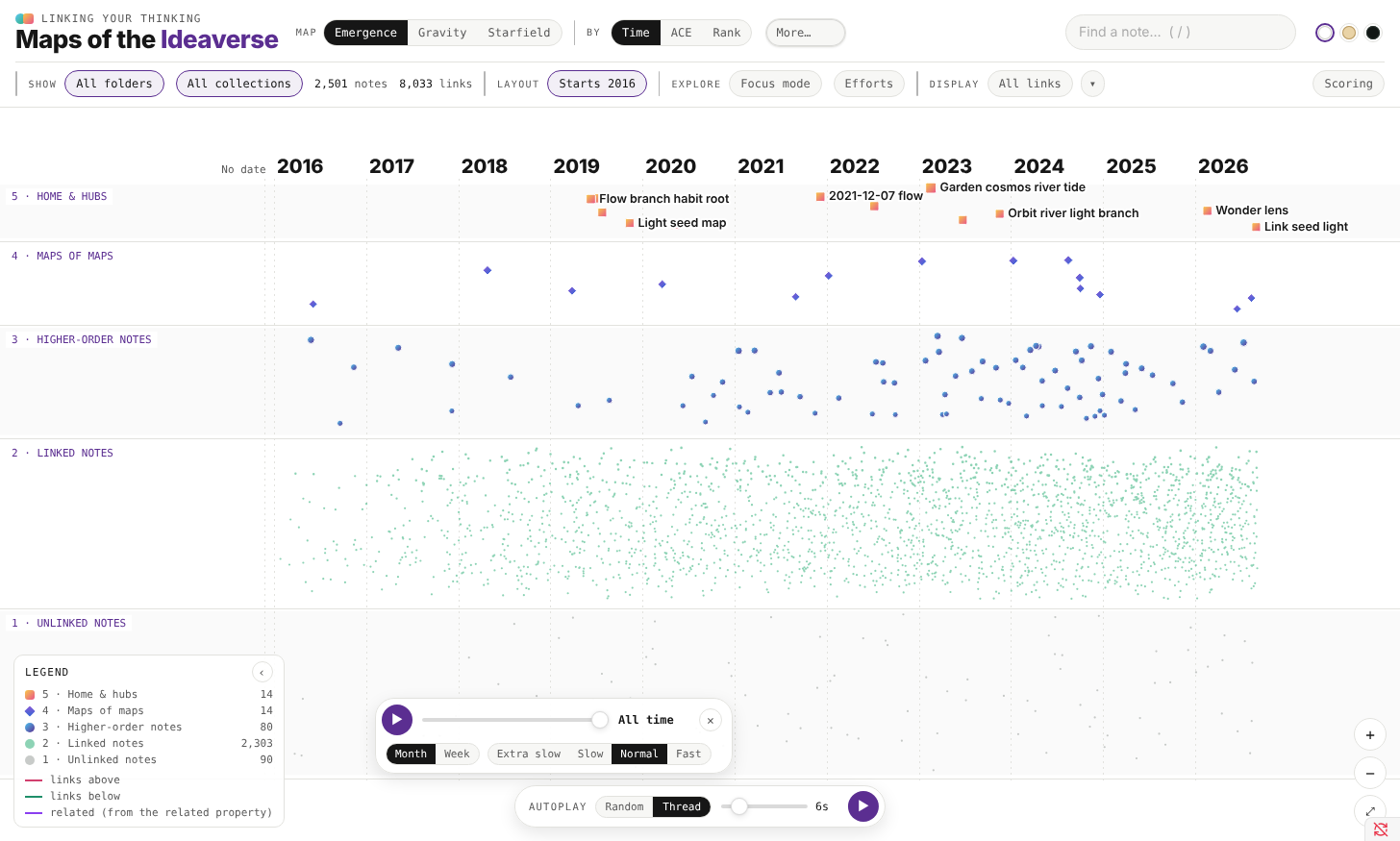
See your notes as maps. Every note in your vault gets a place on three maps, sorted by how it emerged: from unlinked notes at the bottom up to your maps of maps and home notes at the top. Then press play and watch your vault grow, month by month.
Made by Nick Milo of Linking Your Thinking, for anyone with an Obsidian vault (an "ideaverse").
The maps
- Emergence. Five bands, one per Idea Emergence level. Left to right is time (when each note was created), or your top folders.
- Gravity. The same levels as rings: home notes and hubs at the center, unlinked notes on the rim. Time or folders go around the clock.
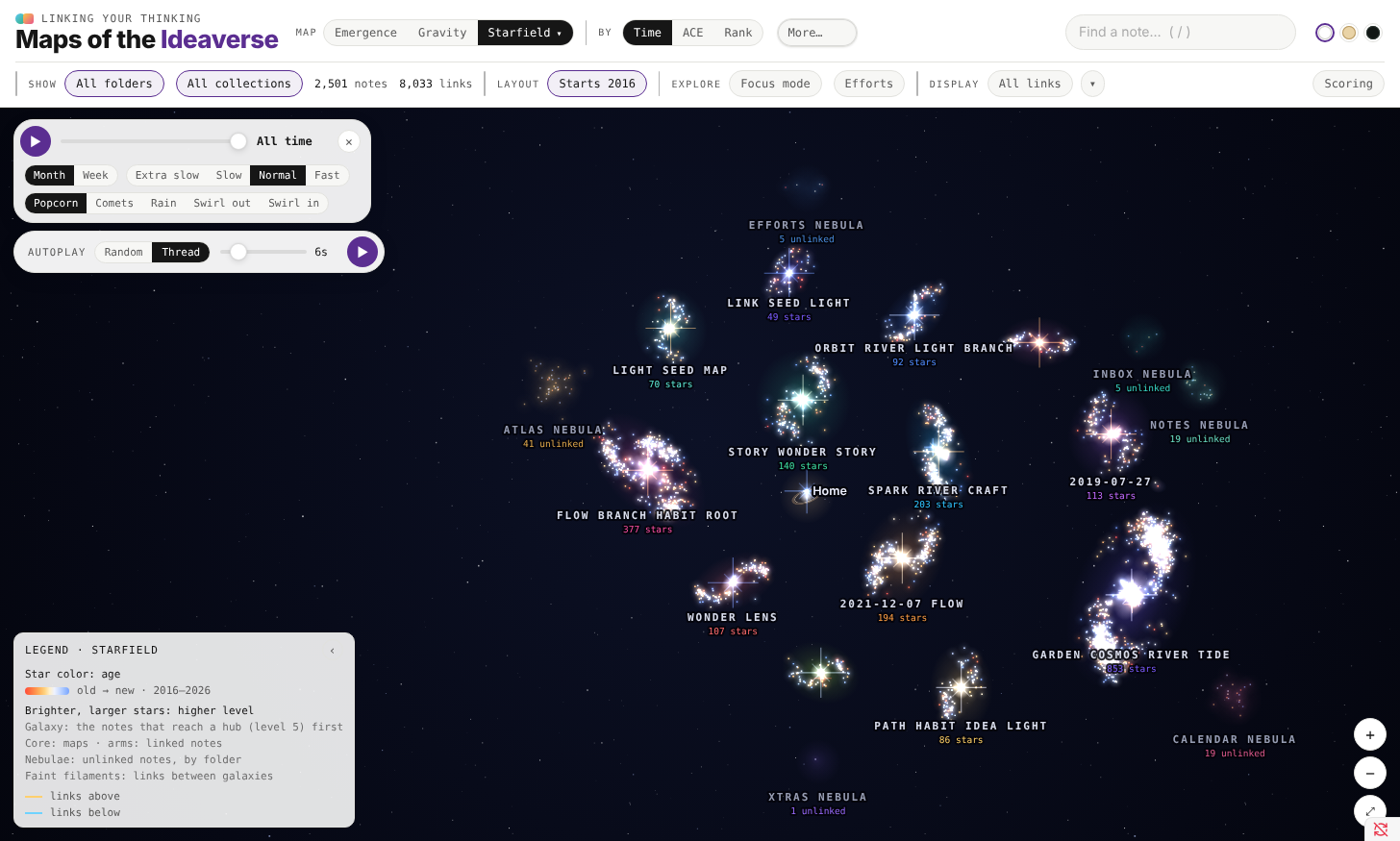
- Starfield. Your biggest hubs become galaxy cores. Every note joins the hub it reaches in the fewest links; maps sit in the bulge, linked notes trail out along the arms, and unlinked notes drift in nebulae, one per folder. Switch to 3D to orbit it, or turn on Drift for a slow screensaver.
The time-lapse
Press ▶ on the timeline to replay your vault by month or by week. New notes arrive (popcorn, comets, rain, or a swirl), and notes move up a level as their links arrive. Click a note at any point to pause and look around; Resume carries on.
How notes get their level
| Level | Name | A note lands here if… |
|---|---|---|
| 5 | Home & hubs | it's a home note, or among the top-scoring notes |
| 4 | Maps of maps | it's a map linking 3+ other maps, or it scores high |
| 3 | Higher-order notes | it's a map (in a Maps folder, "MOC" in its title, in a Maps collection, or mostly links), or it scores well |
| 2 | Linked notes | it has any link in or out |
| 1 | Unlinked notes | no links yet |
The score counts links in, links out, links both ways, and uplinks (the up and related properties), each with diminishing returns. Open Scoring on the map to change the weights and watch notes move. Click any note to see exactly why it sits where it does.
Using it
- Open it from the ribbon (the orbit icon) or the command Maps of the Ideaverse: Open map.
- Click a note to see its links; Open note opens it beside the map. Cmd/Ctrl-click opens it in a new tab.
- Search with
/. Drag to pan, scroll to zoom. Focus mode shows one note and its neighbors. Autoplay wanders from note to linked note. - Filter by folder (drill into subfolders with ›) or by collection.
- When notes change, the map offers a rescan.
- Five themes: Paper, Soft Paper, Dark, LYT Mode, or match your own Obsidian theme (the last swatch), which follows it as you switch.
Settings
The first time it runs, the plugin looks for home notes (named Home, Home Base or Home Pro) and folders named Maps. In Settings → Maps of the Ideaverse you can also leave folders out, mark an archive folder (shown as its own layer), keep a folder hidden until you pick it, and choose how many notes reach Level 5.
Notes are dated by their created property, or a date in the file name, or (if you leave it on) when the file was made.
Privacy
Everything runs on your computer. The plugin reads your notes to draw the map and never writes to them. It makes no network requests and sends nothing anywhere.
Notes
- Desktop only for now. Large vaults (10,000+ notes) take a few seconds to scan.
- Works best with folders. Vaults with few or no folders still get Emergence and Starfield; folder views will be thin.
License
MIT