Search...Search plugins and themes...
⌘K
Sign in
  • Get started
  • Download
  • Pricing
  • Enterprise
  • Account
  • Obsidian
  • Overview
  • Sync
  • Publish
  • Canvas
  • Mobile
  • Web Clipper
  • CLI
  • Learn
  • Help
  • Developers
  • Changelog
  • About
  • Roadmap
  • Blog
  • Resources
  • System status
  • License overview
  • Terms of service
  • Privacy policy
  • Security
  • Community
  • Plugins
  • Themes
  • Discord
  • Forum / 中文论坛
  • Merch store
  • Brand guidelines
Follow us
DiscordTwitterBlueskyThreadsMastodonYouTubeGitHub
© 2026 Obsidian

Highlight Same Matches

Ivan RybakovIvan Rybakov230 downloads

Plugin for Obsidian. Highlights all occurrences of the selected text in the current note, similar to Notepad++.

Add to Obsidian
  • Overview
  • Scorecard
  • Updates5

An Obsidian plugin that automatically highlights every occurrence of your selected text throughout the current note — just like Notepad++ does.

Disscussion

Please, leave feedback or suggest an idea what is important for you to develope the app. Share you wishes!

Demo

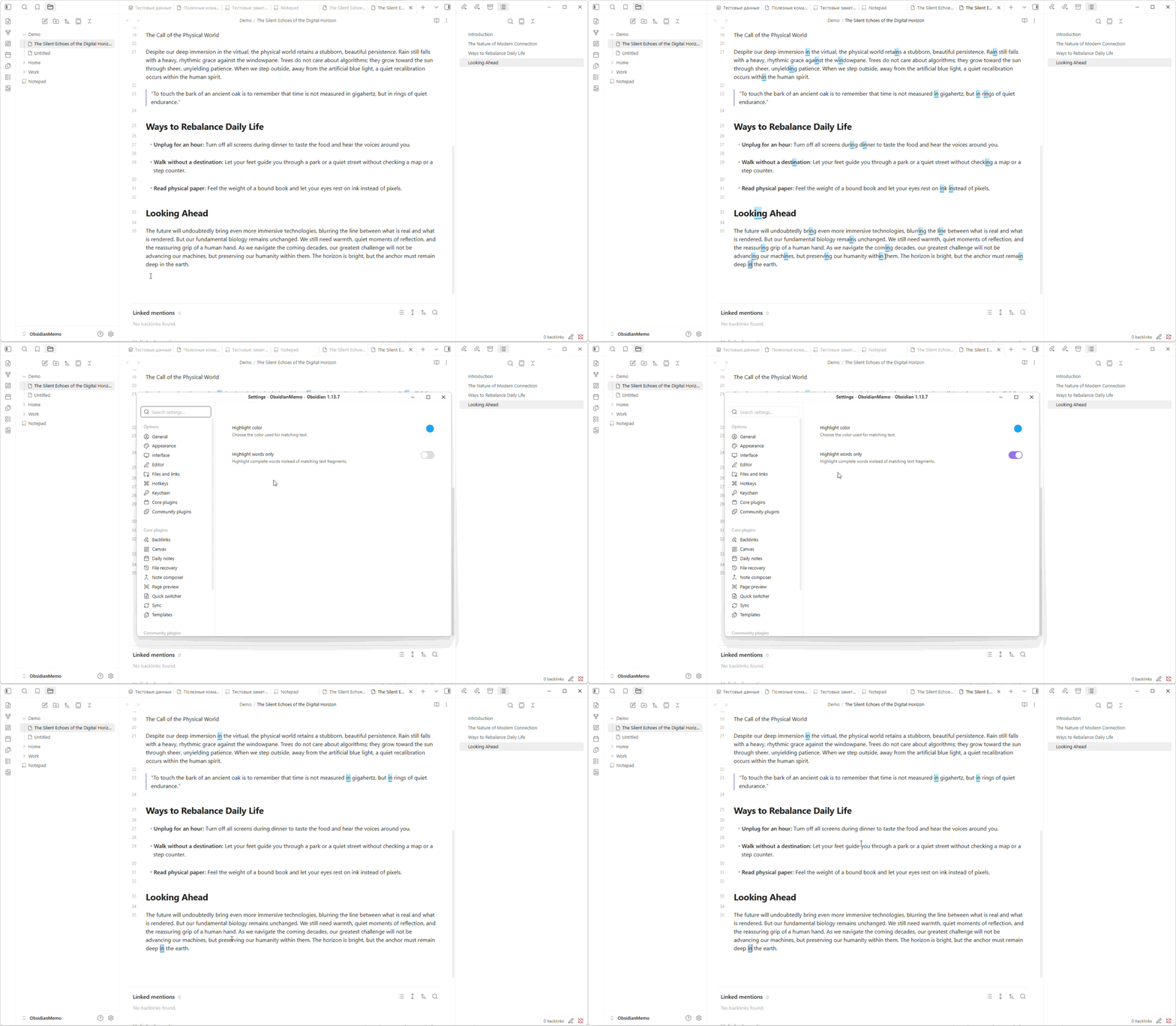
Color setting
demo


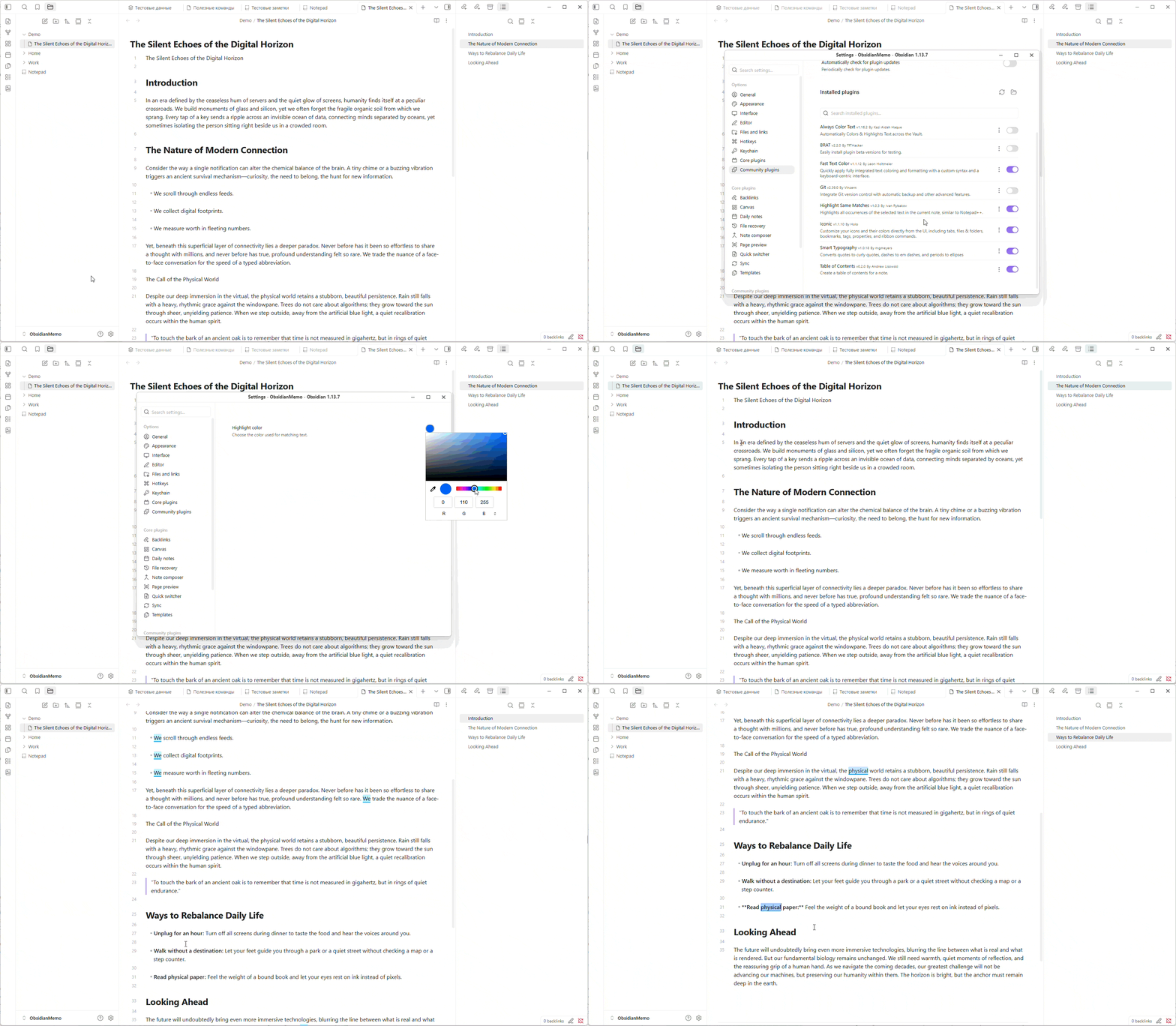
Highlight setting

demo2

How it works

Select any word or phrase and matching text instantly lights up with a colored highlight. Deselect — and the highlights vanish. No commands or hotkeys are required.

  • Real-time highlighting on selection change or text editing
  • Ignores single characters and whitespace to keep things clean
  • Highlights update live as you edit the document

Settings

Open Settings → Community plugins → Highlight Same Matches to customize highlighting:

  • Highlight color — choose a color with the built-in color picker. The default color is yellow (#FFD700), and the selected color is saved automatically.
  • Highlight words only — enabled by default. When enabled, only complete words are highlighted. A word is a continuous sequence of letters; spaces, punctuation, and special characters separate words. For example, selecting we highlights we and the we in we are, but not the fragment inside wealth. It also treats we-are and we/are as separate words.

Disable Highlight words only to highlight the selected fragment wherever it appears, including inside larger words such as wealth. Settings are restored after restarting Obsidian or reopening a note.

Limitations

In Live Preview, rendered Markdown tables are skipped because Obsidian displays their contents in a separate table view rather than the editable source text. Switch to Source mode to highlight matches inside tables.

Installation

From Community Plugins

  1. Open Obsidian Settings → Community Plugins;
  2. Search for Highlight Same Matches;
  3. Install and enable the plugin;

Manual

  1. Clone this repository into your vault's .obsidian/plugins/ directory
  2. Rebuild or copy the built main.js, styles.css, and manifest.json into the plugin folder
  3. Enable the plugin in Obsidian Settings → Community Plugins

License

MIT

HealthExcellent
ReviewPassed
About
Highlight every occurrence of selected text across the current note with an instant golden overlay, similar to Notepad++. Update highlights live as you edit and deselect to clear them; ignore single characters and whitespace to reduce clutter.
SearchAppearance
Details
Current version
1.0.4
Last updated
4 weeks ago
Created
Last month
Updates
5 releases
Downloads
230
Compatible with
Obsidian 1.0.0+
Platforms
Desktop, Mobile
License
MIT
Report bugRequest featureReport plugin
Author
Ivan RybakovIvan Rybakovivgittest
GitHubivgittest
  1. Community
  2. Plugins
  3. Search
  4. Highlight Same Matches

Related plugins

Minimal Theme Settings

Control the colors and fonts in Minimal Theme.

Hider

Hide interface elements such as tooltips, status bar, titlebar, and more.

Smart Connections

Find related notes and excerpts while writing. Your AI link building copilot displays relevant content in graph + list view. A local embedding model powers semantic search. Zero setup. No API key.

Tag Wrangler

Rename, merge, toggle, and search tags from the tag pane.

Quick Switcher++

Enhanced Quick Switcher, search open panels, and symbols.

Supercharged Links

Add attributes to internal links with the values of target note's frontmatter attributes.

Omnisearch

Intelligent search for your notes, PDFs, and OCR for images.

Note Toolbar

Add customizable toolbars to your notes.

Style Settings

Adjust theme, plugin, and snippet CSS variables.

Quiet Outline

Make outline quiet and more powerful, including no-auto-expand, rendering heading as Markdown, and search support.