Search...Search plugins and themes...
⌘K
Sign in
  • Get started
  • Download
  • Pricing
  • Enterprise
  • Account
  • Obsidian
  • Overview
  • Sync
  • Publish
  • Canvas
  • Mobile
  • Web Clipper
  • CLI
  • Learn
  • Help
  • Developers
  • Changelog
  • About
  • Roadmap
  • Blog
  • Resources
  • System status
  • License overview
  • Terms of service
  • Privacy policy
  • Security
  • Community
  • Plugins
  • Themes
  • Discord
  • Forum / 中文论坛
  • Merch store
  • Brand guidelines
Follow us
DiscordTwitterBlueskyThreadsMastodonYouTubeGitHub
© 2026 Obsidian

Highlight Helper

byfunbyfun2k downloads

Helper to collect highlights.

Add to Obsidian
  • Overview
  • Scorecard
  • Updates2

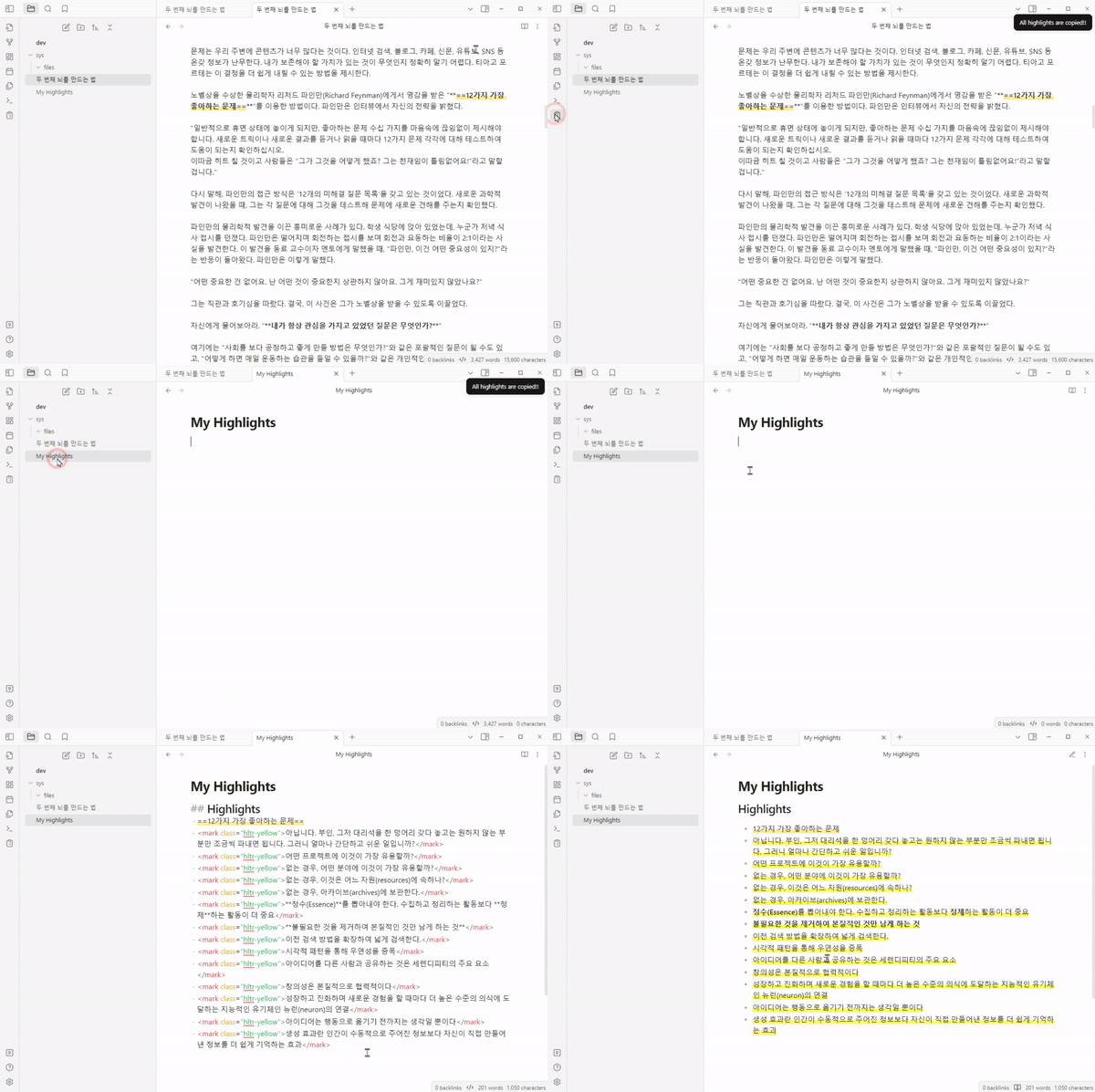
This plugin copies all highlights on the open note in Obsidian.

Screenshots
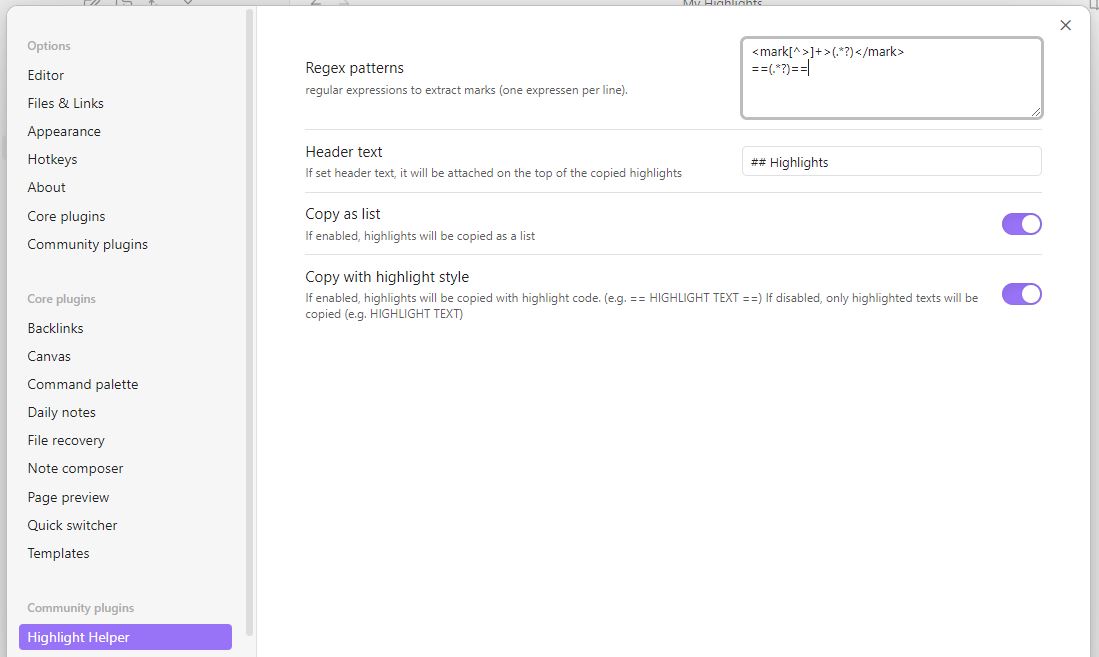
Rugular Expressions in Setting

You can use your own regular expressions to collect highlights. Default values are already set for markdown highlight syntax and Highlightr Plugin.

Installation

You can install this plugin in the Community Plugins tab of the Obsidian. Just search for "Highlight Helper" or goto this plugin page : Link

Credits

If you like this plugin you can by me a coffe on Ko-fi here :

72%
HealthGood
ReviewSatisfactory
About
Copy all highlights from the open note to the clipboard. Customize regular expressions or use built-in defaults for Markdown and Highlightr highlight formats to collect highlights.
AnnotationExportMarkdown
Details
Current version
1.0.1
Last updated
2 years ago
Created
2 years ago
Updates
2 releases
Downloads
2k
Compatible with
Obsidian 0.15.0+
Platforms
Desktop, Mobile
License
MIT
Report bugRequest featureReport plugin
Sponsor
Ko-fi
Author
byfunbyfun
github.com/byfun/
GitHubbyfun
  1. Community
  2. Plugins
  3. Annotation
  4. Highlight Helper

Related plugins

Marp Slides

Create Marp presentations.

markdown export

Export Markdown to a package, including images.

Importer

Import data from Notion, Evernote, Apple Notes, Microsoft OneNote, Google Keep, Bear, Roam, and HTML files.

Outliner

Work with your lists like in Workflowy or Roam Research.

Various Complements

Complete words similar to auto-completion in an IDE.

Linter

Format and style your notes. Linter can be used to format YAML tags, aliases, arrays, and metadata; footnotes; headings; spacing; math blocks; regular Markdown contents like list, italics, and bold styles; and more with the use of custom rule options.

Image Converter

Convert, compress, resize, annotate, markup, draw, crop, rotate, flip, align, drag-resize, rename with variables, and batch process images: WEBP, JPG, PNG, HEIC, TIF

HiNote

Add comments to highlighted notes, use AI for thinking, and flashcards for memory.

Fantasy Statblocks

Create, manage and view a Fantasy Bestiary with Dungeons and Dragons style statblocks.

Admonition

Admonition block-styled content.