
- Overview
- Scorecard
- Updates24
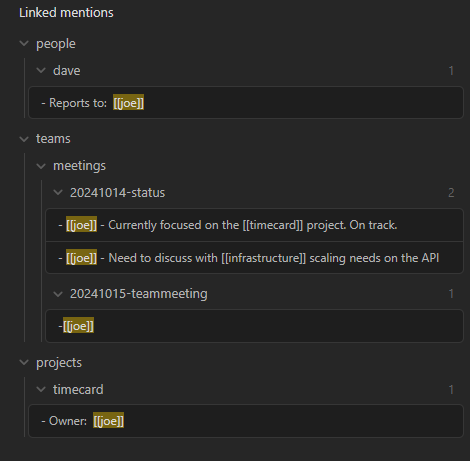
Displays backlinks for the active document as a hierarchy based on the folder structure of the references.
Motivation
In the age old folders vs tags debate I lean heavier on physically organizing notes into high level categories of directories. The tag hierarchy display provides a nice overview of tags and how they relate to each other and I wanted something similar that leveraged the directory structure to display backlinks as a tree.
Example
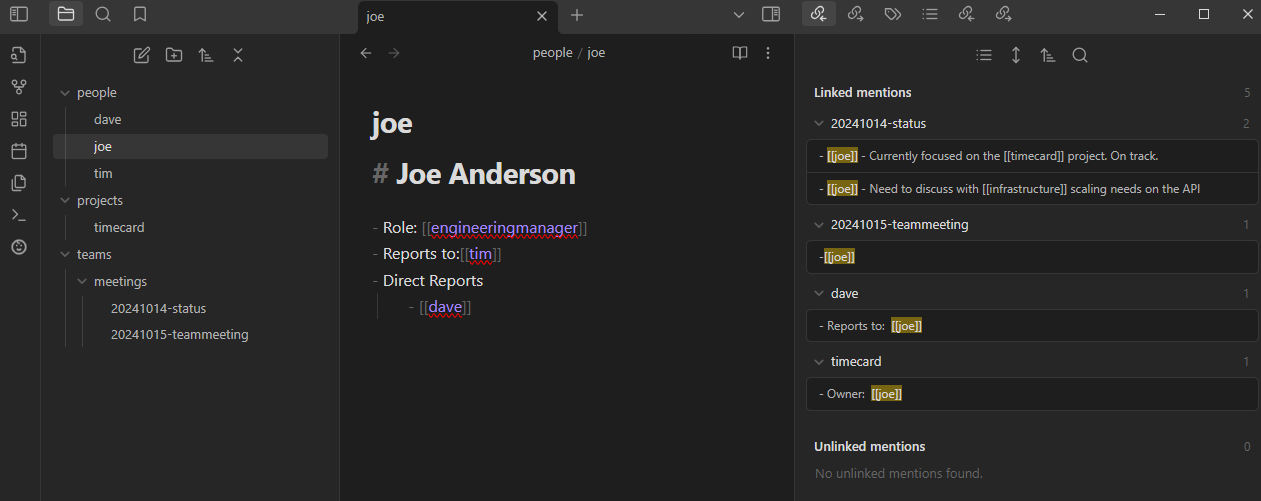
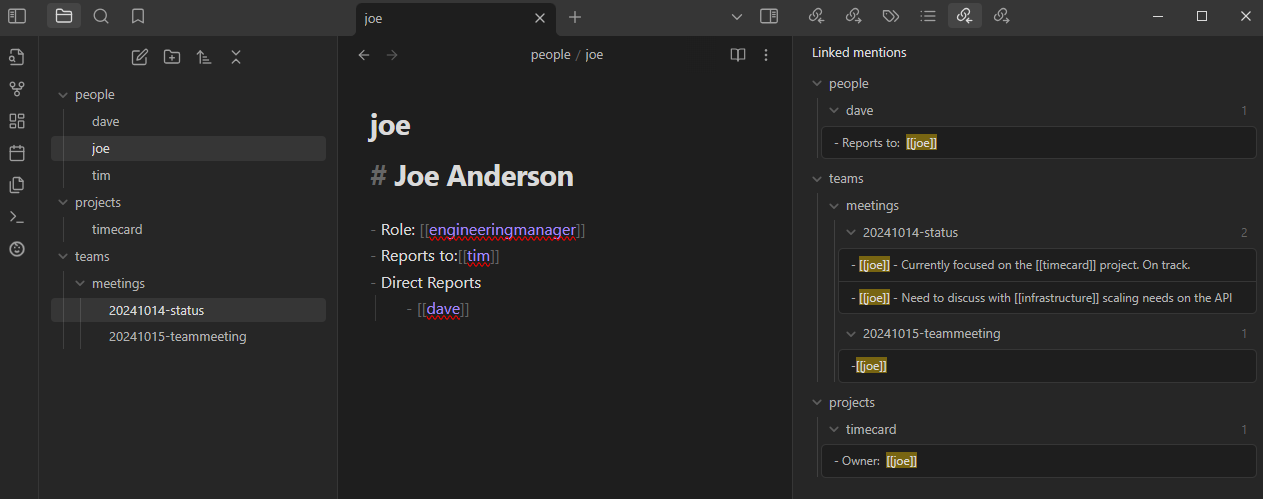
Here's a comparison of the core plugin vs the hierarchical backlinks plugin in action.
This is how the out-of-the-box core backlinks plugin displays backlinks:
This is how this plugin displays backlinks:
Features
- Collapsable tree structure allows you to easily focus on what what is most important
- Clickable links to references
Settings
| Setting | Description | Default |
|---|---|---|
| Hide Context by Default | Next time the plugin is loaded, context will be hidden by default. | Off |
| Bold File Names | Display file names in bold when they have backlink matches. | On |
| Use frontmatter property as display name | Display the value of a frontmatter property instead of the file name in the backlinks tree. Also applies to folder notes when "Hide folder notes" is enabled. | Off |
| Frontmatter property name | The frontmatter property to use as the display name. Only visible when the above setting is enabled. | title |
| Hide folder notes | When a note has the same name as its parent folder, hide the duplicate and make the folder clickable. | Off |
| Index file name | Also treat a file with this name as a folder note regardless of the folder name (e.g. overview or _index). Disabled until "Hide folder notes" is enabled. |
Empty |
Commands
The following commands are available in the Obsidian Command Palett:
| Command | Description |
|---|---|
| Show hierarchical backlinks | Displays the panel in the event it was closed |
Development
Setup
npm install
Running
npm run dev
HealthExcellent
ReviewCaution
About
Display backlinks for the active note as a collapsible tree organized by your folder structure. Navigate references with clickable links and focus on relevant branches using collapsible nodes.Details
Current version
1.14.2
Last updated
2 days ago
Created
2 years ago
Updates
24 releases
Downloads
4k
Compatible with
Obsidian 1.9.10+
Platforms
Desktop, Mobile
License
MIT
Sponsor