Hermes Voice Assistant
 symunona1k downloads
Interactive voice interface powered by Gemini Live API. Speak to your vault, while you walk! Brainstorm, ideate, use your voice to create!
- Overview
- Scorecard
- Updates21
Hermes is a Real-Time, interactive voice interface for your Obsidian vault.
Powered by Google's Gemini X Native Audio API, it allows you to talk directly to your notes, perform file operations, and search the web—all via a low-latency voice channel.
What?
It's like talking to OpenAI's ChatGPT voice interface, but with direct access to your vault, so you can structure, organize your thoughts and notes, without touching a key. When next time you sit down to it, you'll have all the output to go on, in a structured way.
To this day, I have not found a tool that could do that, so I sat down vibe coding. 24 hours later I am here, having a talking voice agent at my disposal, that uses my google cloud free tier.
"I just want to talk to my vault, while I walk, like though a vaulty-talkie?"
Demo
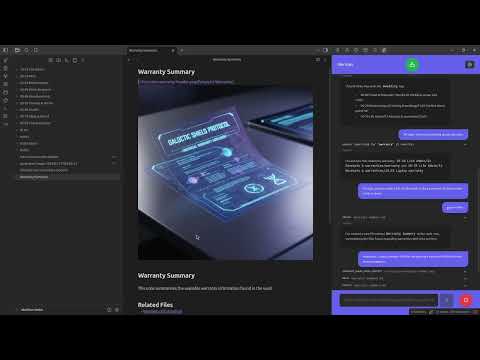
https://www.youtube.com/watch?v=FcX2EzMf8GY
Why?
What the problem for me with OpenAI's been, was that I never find stuff I talked about. The goal is not to produce/distill something, rather to just a stream of data.
AI is good at generating text. Well, soulless, slop, sometimes. Where is you in there? You are the curator. The builder. Who keeps the focus. Who cycles thoughts.
With your human sense of reality can we only flight the slop.
So yeah - those long walks I had talking about stuff in the forest, might as well have productive outputs from now on!
I bet you're here for similar reasons.
"Most of our work happens in the tram"
- Jeszy about our profession
I guess there are other knowledge workers like that out there.
If you think this is useful for you, or this is what you've been waiting for, this is your lucky day too.
Disclaimer
For your safety, it's 98% Vibe coded over one weekend. I just tested it on my live vault. It looks pretty ok, does not accidentally delete all the files...
I certainly DO recommend some safety measures/backups before using it! Something like using a git repository, syncthing file history, or whatever your weapon of choice is.
I most certainly do not take any responsibility for giving accidental commands for deleting ALL the files in your repo!
Privacy
Also, be mindful, you're giving access to your notes to a tech giant.
But as some wise person said, post Orwell: "The price of privacy is the loss of convenience."
So yeah, Google's LLM Will read your notes. That's why you can talk to them.
I looked into self hosted solutions, but our home hardware is just not there yet.
Until then, the world is going by.
✨ Features
- Gemini Live Integration: Natural, human-like voice conversations with real-time audio streaming
- Vault Awareness: Hermes can read your notes, list directories, and understand the context of your current folder
- Smart Tool Calling:
read_file/create_file/update_file: Full file lifecycle managementedit_file: Targeted line-based modificationssearch_keyword/search_regexp: Global vault searchinginternet_search: Real-time web grounding via Google Searchgenerate_image_from_context: AI-powered image generationtopic_switch: Automatic conversation archiving
- Automatic Archiving: Using the
topic_switchtool, Hermes can summarize segments of your conversation and save them as markdown notes in your vault
🚀 Installation
BRAT (Beta, Recommended)
Currently available in Beta via BRAT:
- Install BRAT from the Community Plugins store.
- In BRAT settings, click Add Beta plugin.
- Enter:
https://github.com/symunona/obsidian-hermes - Enable Hermes Voice Assistant in your Community Plugins list.
Manual Installation (why would you do that?)
- Download
main.js,manifest.json, andstyles.css- under releases - Create a folder named
hermes-voice-assistantin your vault's.obsidian/plugins/directory - Move the downloaded files into that folder
- Reload Obsidian and enable Hermes Voice Assistant in the Community Plugins settings
B: you can just check it out from the git repo if you're reading this.
🛠 Developer Reference
Project Structure
main.ts: The entry point for the Obsidian pluginHermesMainViewObsidian.tsx: The Obsidian Workspace Leaf that hosts the React applicationApp.tsx: The root React component managing state and the voice sessionservices/voiceInterface.ts: Core logic for managing the@google/genaiLive session, audio encoding/decoding, and tool executionservices/commands.ts: Tool registry and execution enginetools/: Individual tool definitions (declarations and execution logic)components/: UI components (Chat, Tool Results, Settings, Kernel Log)persistence/: Settings and data persistence layerutils/: Utility functions for audio processing, environment detection, etc.
Started working also on an Obsidian Independent version, like the app that can just run standalone. Maybe the next free weekend I have.
Development Commands
# Install dependencies
pnpm install

# Start the build watcher (for development)
pnpm run dev

# Build for production
pnpm run build

# Build CSS only
pnpm run build-css

# Watch CSS changes
pnpm run watch-css

# Serve standalone version
pnpm run serve

# Development with standalone
pnpm run dev-standalone

# Build standalone version
pnpm run build-standalone
Available Tools
The plugin includes 20+ tools for vault operations:
File Management:
read_file: Read file contentscreate_file: Create new filesupdate_file: Update entire file contentedit_file: Line-based editingdelete_file: Delete filesrename_file: Rename filesmove_file: Move files between directories
Directory Operations:
list_directory: List directory contentslist_vault_files: List all vault files with filteringget_folder_tree: Get folder structuredirlist: Quick directory listingcreate_directory: Create new directories
Search & Replace:
search_keyword: Search for text patternssearch_regexp: Regex-based searchsearch_replace_file: Search and replace in single filesearch_replace_global: Global search and replace
Advanced Features:
internet_search: Web search via Googlegenerate_image_from_context: AI image generationtopic_switch: Archive conversation segmentsend_conversation: Graceful session termination
Adding New Tools
To add a new capability to Hermes:
- Create a new file in
tools/[tool_name].ts - Define a
declaration(OpenAPI schema) and anexecutefunction - Add an entry to the
TOOLSregistry inservices/commands.ts - Add the tool's usage instructions to
utils/defaultPrompt.ts
I was thinking of adding the capacity to pull in ANY MCP, that'd make sense. But that's not the first weekend.
Tech Stack
- AI:
@google/genai(Gemini 2.5 Flash Native Audio) - UI: React 19, Tailwind CSS
- Markdown:
markedfor md rendering - Build:
esbuildfor plugin,Vitefor standalone (WIP) - Audio: Web Audio API for real-time audio processing
- Package Manager: pnpm
⚙️ Commands
Obsidian Commands
Speak naturally to Hermes to:
- "Read my notes" → Lists current directory
- "Create a new note called meeting-notes" → Creates file
- "Search for TODO items" → Searches vault
- "What's the weather today?" → Web search
- "Archive this conversation" → Saves chat history
Fine tune it under settings!
🔧 Settings
- Get your Google API key at: https://aistudio.google.com/api-keys
Behavior Settings
- Voice Persona: Select voice character
- Custom Context: Add persistent context to all sessions
- System Instructions: Override default AI behavior
- Chat History Folder: Configure archive location
It'd be good to have per folder instructions, right? PRs welcome.
🐛 Troubleshooting
Common Issues
- Connection Issues: Check network connectivity and API quota - be mindful of your quota! Have no clue when you'll start paying. They seem to be generous though. You might have to activate the billing account to work flawlessly for longer sessions.
- Large Vaults: Use
list_vault_fileswith limits for better performance - I tried working around by doing smart chunking, but it's not a fully solved problem.
Mobile support: I did not test. Will do.
⚖️ License
See LICENSE
Hermes: Bridging the gap between thought and file.