Helix Motions
 kote-pdj88 downloads
Edit notes with Helix keys, selections and multiple cursors, configured with your Helix config.
- Overview
- Scorecard
- Updates8
A full port of Helix editing to Obsidian, made from Helix's source and checked against real Helix.
- Helix's editing commands. The keymap, selections and multiple cursors, registers, macros, the undo tree, text objects, surround, jump labels, and the typed commands that make sense in a note. Only commands that need a shell or a language server are missing.
- Your Helix config.
helix.tomlin the vault has the format of Helix'sconfig.toml, so you can copy yours in. Keys the plugin can't use show a warning. - Helix's own engines. Search runs Helix's regex crates, compiled to WebAssembly. Syntax-aware commands parse notes with the same tree-sitter markdown grammars as Helix. Grapheme clusters follow the same Unicode rules.
- Tested against Helix. About 34,000 key sequences run in real Helix and in the plugin, and CI compares the text, the selections and the mode after each one. They must match exactly.
The port follows Helix at commit ba40e54742.
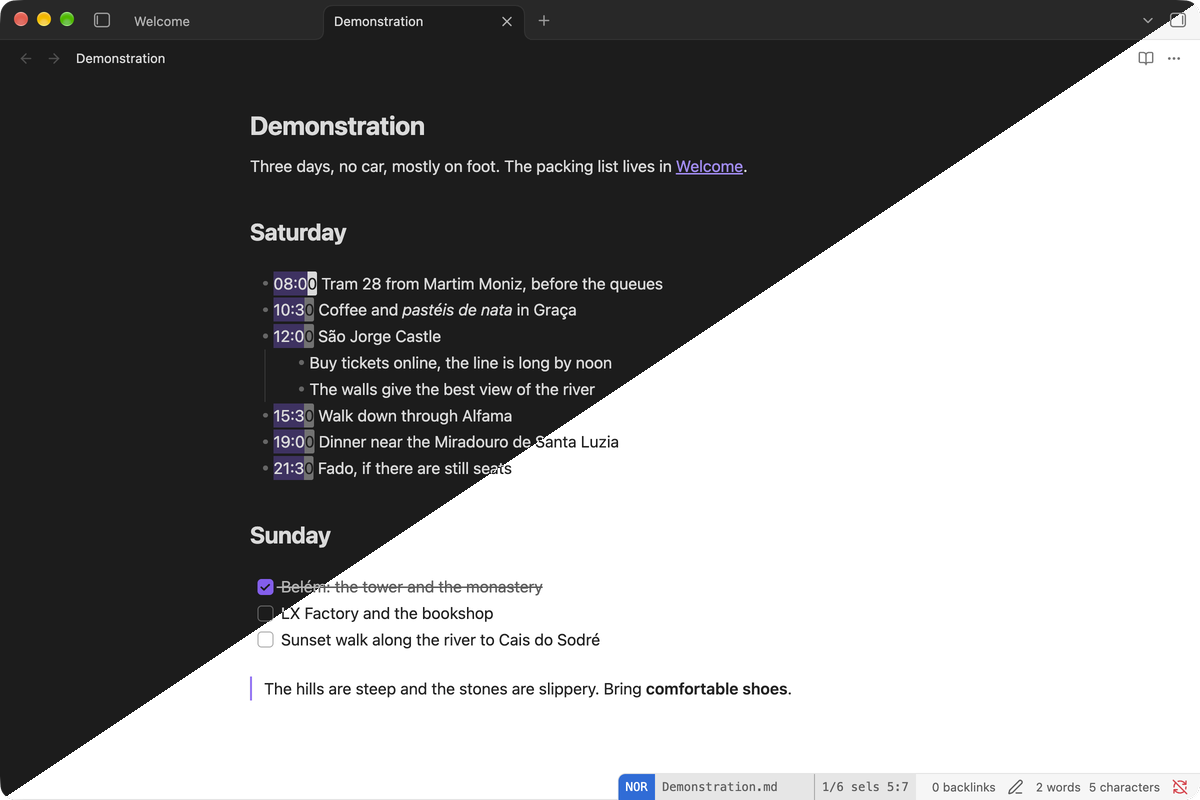
More in docs/screenshots, each in dark, light and both: the Space menu, a selection grown by the syntax tree, typed commands and jump labels.
Install
- Turn off Settings → Editor → Vim key bindings. Turn off other Vim plugins.
- Install Helix Motions from Settings → Community plugins, and turn it on.
Manual install: download main.js, manifest.json and styles.css from the latest release into <vault>/.obsidian/plugins/helix-motions/.
Needs Obsidian 1.13 or later, on desktop.
Config
The plugin reads helix.toml in the root of the vault. It uses the format of Helix's config.toml, so you can copy your Helix config into it. Edit it in Settings → Helix Motions: the editor there has Helix keys, :w or Mod+S saves it, and warnings show under it. :config-open opens that page, and :config-reload reads the file again.
What works:
[keys.normal],[keys.select],[keys.insert]: every Helix command, typed commands (":write"), sequences and macros ("@miw").[editor]:scrolloff,scroll-lines,cursor-shape,cursorline,auto-pairs,auto-info,search,smart-tab,statusline,color-modes,jump-label-alphabet,default-yank-register,text-width, thetrim-*keys, and more.line-number,guttersandindent-guides.renderswitch Obsidian's own settings. Relative line numbers are not drawn.
Not available: shell commands (:sh, |, !), LSP and debugging. They show a message instead.
The look follows your theme. With the Style Settings plugin you can also set the cursor's corner radius, a full-width status bar, how the Helix block and the mode look in the status bar, and the side and font of the which-key box.
Syntax tree
Alt-o, Alt-i, Alt-n, Alt-p, Alt-a, Alt-I, Alt-e, Alt-b, mm, mim and auto-pairs use a syntax tree of the note, as in Helix. The plugin parses notes with the same markdown grammars as Helix (tree-sitter-markdown and tree-sitter-markdown-inline), run by the tree-sitter C library at Helix's version, compiled to WebAssembly. Code inside fences, HTML, YAML front matter and math have no tree of their own; Helix has grammars for those.
Helix in Obsidian
Some Helix commands work on Obsidian's own things:
| Helix | Here |
|---|---|
Space f, Space b, Space j |
Quick switcher, open tabs, jumplist |
Space s, Space S |
Headings in the note, in the vault |
Space d, Space D, ]d, [d |
Unresolved links |
Space a |
Command palette |
gd, gf, Space k |
Follow a link, page preview |
gr |
Backlinks |
:w, :q, :o, :bn, Ctrl-w |
Save, close, open, tabs, splits |
Settings that Helix can't decide live in the settings tab: auto-pairs from Obsidian (default) or from Helix, Enter, Tab and Backspace in insert mode from Obsidian (default) or from Helix, and reading keys by position for non-Latin keyboard layouts.
Capabilities
Clipboard: only the
+and*registers read and write the system clipboard, as in Helix.default-yank-registerdecides whether plainyandpuse it. To keep Helix's commands synchronous, the plugin reads the clipboard when Obsidian gets focus and after a copy or cut.Files: reads and writes
helix.tomlin the vault.:w,:o,:moveand similar commands work on notes, as in Helix.File list: lists the vault's file paths, only when you open a picker or complete a path: the file picker in the current folder, headings in the vault (
Space S), and paths for:oand similar commands. Unresolved links come from Obsidian's link index. Nothing leaves the vault.Obsidian settings: changes "Show line number" and "Show indentation guides" only when
helix.tomlsetsline-number,guttersorindent-guides.Network: none.
WebAssembly:
main.jscontains two compressed WebAssembly files, both built from pinned sources and checked byte for byte in CI:tree-sitter/tree-sitter.wasm: the tree-sitter C library, the two markdown grammars and a small binding (tree-sitter/binding.c), built bytree-sitter/build.sh.regex/regex.wasm: Helix's regex engine (regex-cursorandregex-automata, the same versions as Helix) with a small binding (regex/src/lib.rs), built byregex/build.sh.
tree-sitter/NOTICEandregex/NOTICEhave the licenses.
Credits
Ported from Helix at commit ba40e54742, under the Mozilla Public License 2.0, including the injection layers of tree-house. Syntax trees come from tree-sitter and tree-sitter-markdown (MIT). The way to end IME composition in normal mode comes from codemirror-vim.