Search...Search plugins and themes...
⌘K
Sign in
  • Get started
  • Download
  • Pricing
  • Enterprise
  • Account
  • Obsidian
  • Overview
  • Sync
  • Publish
  • Canvas
  • Mobile
  • Web Clipper
  • CLI
  • Learn
  • Help
  • Developers
  • Changelog
  • About
  • Roadmap
  • Blog
  • Resources
  • System status
  • License overview
  • Terms of service
  • Privacy policy
  • Security
  • Community
  • Plugins
  • Themes
  • Discord
  • Forum / 中文论坛
  • Merch store
  • Brand guidelines
Follow us
DiscordTwitterBlueskyThreadsMastodonYouTubeGitHub
© 2026 Obsidian

Graph Untangler

G-ChistG-Chist221 downloads

Untangles the graph view by pulsing link forces.

Add to Obsidian
Graph Untangler screenshot
  • Overview
  • Scorecard
  • Updates2

This plugin for Obsidian uses Forces to automatically untangle your graph for you.
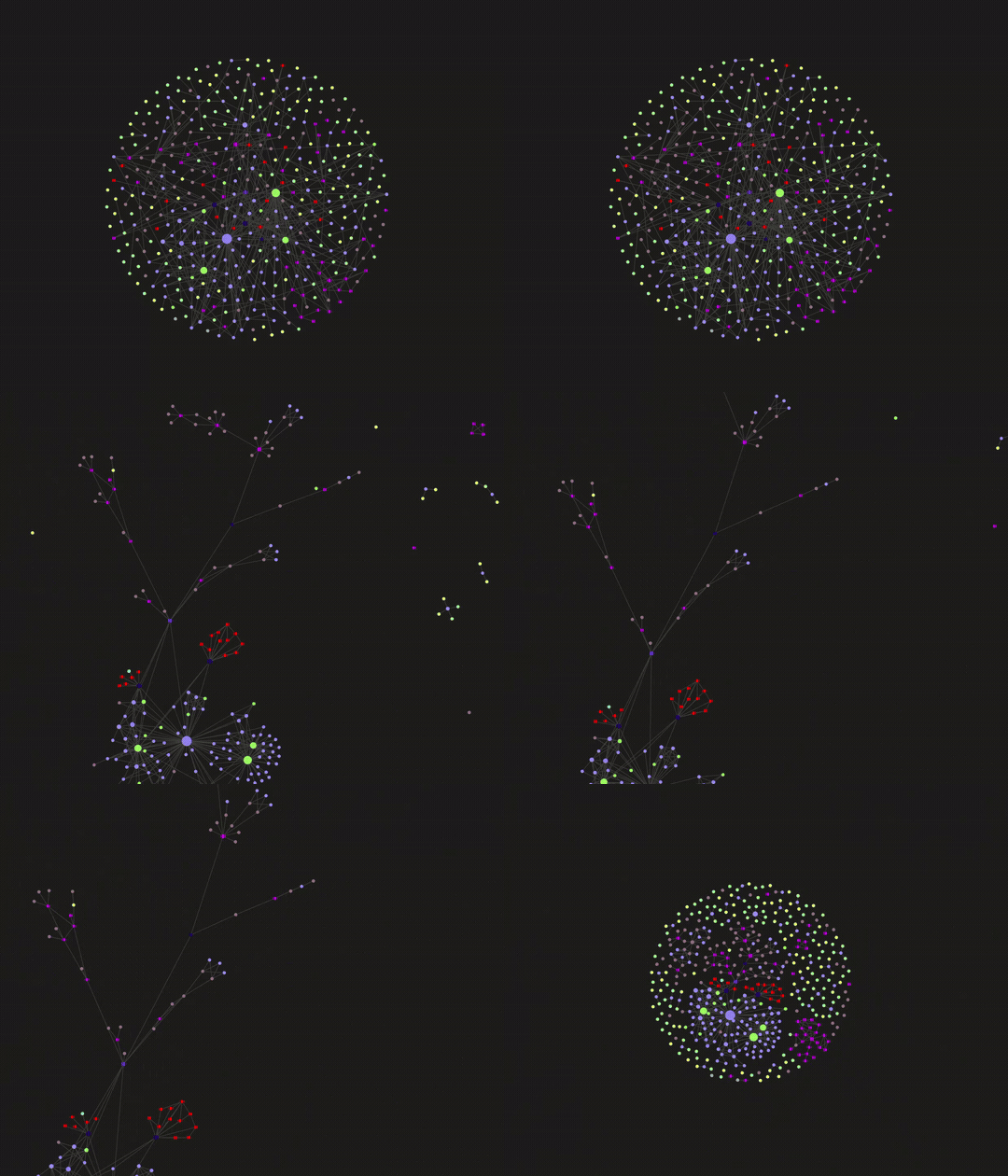
Untangling animation

Local Installation

To install this plugin locally, copy the files from this repository into YOUR_VAULT_NAME/.obsidian/plugins/graph-untangler/

In Obsidian, go to Settings -> Community Plugins -> Installed Plugins, then click Reload plugins and enable Graph Untangler.

After enabling the plugin, you may set hotkeys for untangling and stopping untangling.

HealthExcellent
ReviewSatisfactory
About
Untangle your graph by cycling through force values to separate overlapping nodes and clarify connections. Start and stop the untangling process to reorganize node placement.
GraphVisualizationAppearance
Details
Current version
1.0.1
Last updated
3 months ago
Created
3 months ago
Updates
2 releases
Downloads
221
Compatible with
Obsidian 0.15.0+
Platforms
Desktop, Mobile
License
MIT
Report bugRequest featureReport plugin
Author
G-ChistG-Chistg-chist
GitHubg-chist
  1. Community
  2. Plugins
  3. Graph
  4. Graph Untangler

Related plugins

Galaxy View

Cinematic 3D graph view of your vault — fly through your notes like NASA Eyes.

Excalidraw

Visual PKM powerhouse. Create and edit Excalidraw drawings.

Advanced Canvas

Supercharge your canvas experience. Create presentations, flowcharts and more.

Minimal Theme Settings

Control the colors and fonts in Minimal Theme.

Hider

Hide interface elements such as tooltips, status bar, titlebar, and more.

Breadcrumbs

Visualise the hierarchy of your vault using a breadcrumb trail or matrix view.

Maps

Adds a map layout to bases so you can display notes as an interactive map view.

Style Settings

Adjust theme, plugin, and snippet CSS variables.

Note Toolbar

Add customizable toolbars to your notes.

Mermaid Tools

Improved Mermaid.js experience: visual toolbar with common elements and more.