Graph Styler
 Moonweave6k downloads
Style your Obsidian graph in one click — curated themes (color, glow, forces). No CSS needed.
- Overview
- Scorecard
- Updates19
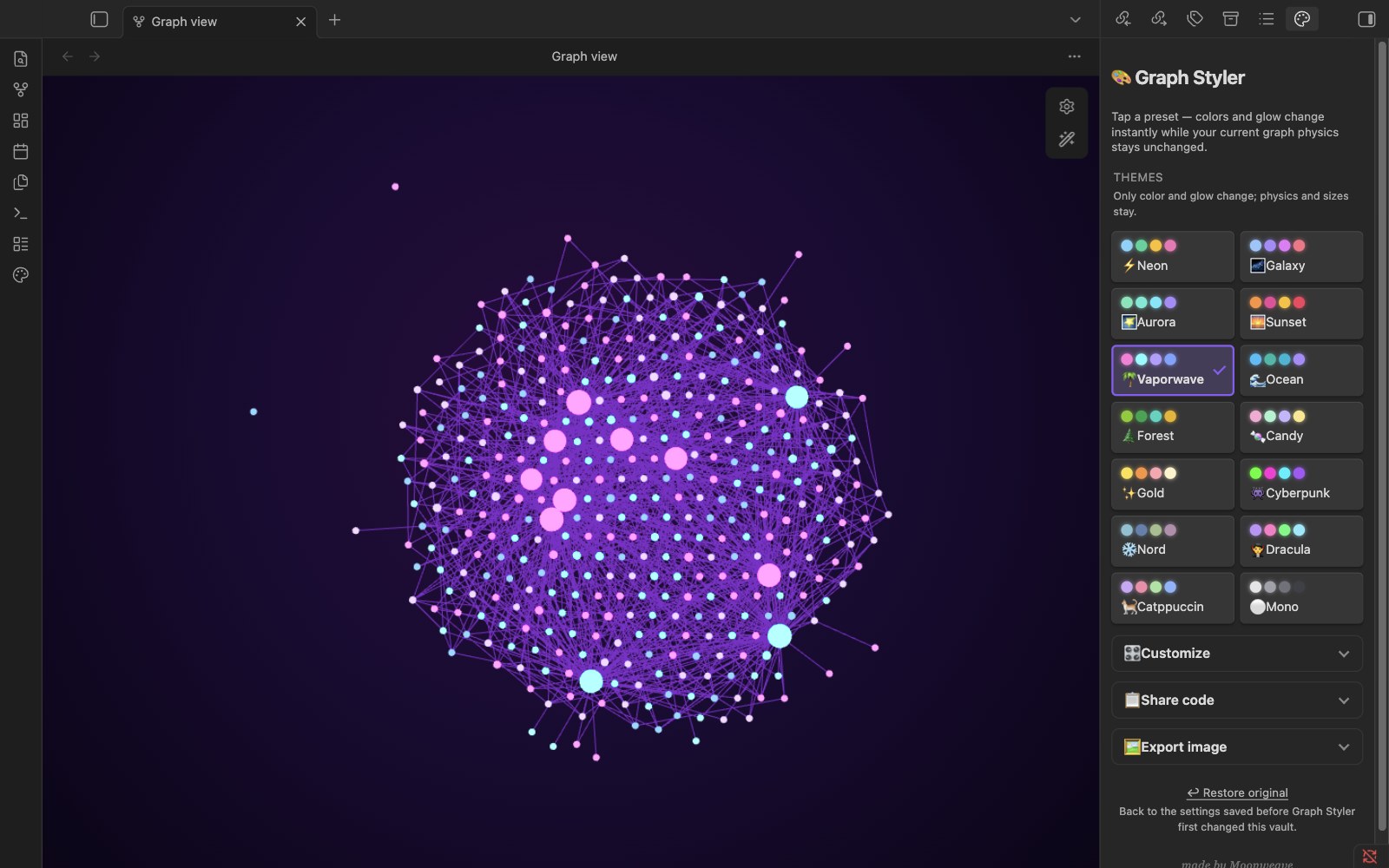
Graph Styler restyles the Obsidian graph view in one click. Its built-in colour and glow presets leave your graph physics alone. It can also export the graph as a PNG ready to post.
 |
 |
Made by Moonweave. 한국어 README
At a glance
| Item | Details |
|---|---|
| What it changes | In .obsidian/: graph.json (colour groups; physics only for your own presets), a backup graph.json.styler-bak, CSS snippets snippets/graph-styler-<preset>.css, the enabled-snippet list in appearance.json, and its settings in plugins/graph-styler/data.json. In the vault: the PNGs you export, in Graph Styler exports/ unless you choose another folder. |
| What it never touches | Your notes. It does not create, edit, move or delete them. |
| Network | None. The only link is "made by Moonweave" in the panel, which opens in your browser if you click it. |
| Requirements | Obsidian 1.4.0 or later, desktop only |
| Languages | English and Korean; the panel follows Obsidian's language |
| Undo | ↩︎ Restore original in the panel, or disable the plugin (see What does Restore restore?) |
| License | MIT |
Install
In Obsidian, open Settings → Community plugins → Browse, search for "Graph Styler", then select Install and Enable.
To install by hand, download main.js, manifest.json and styles.css from the latest release into <vault>/.obsidian/plugins/graph-styler/ and enable the plugin.
Quick start
- Open the graph view.
- Select the palette icon (Graph Styler) in the left ribbon. The panel opens on the right.
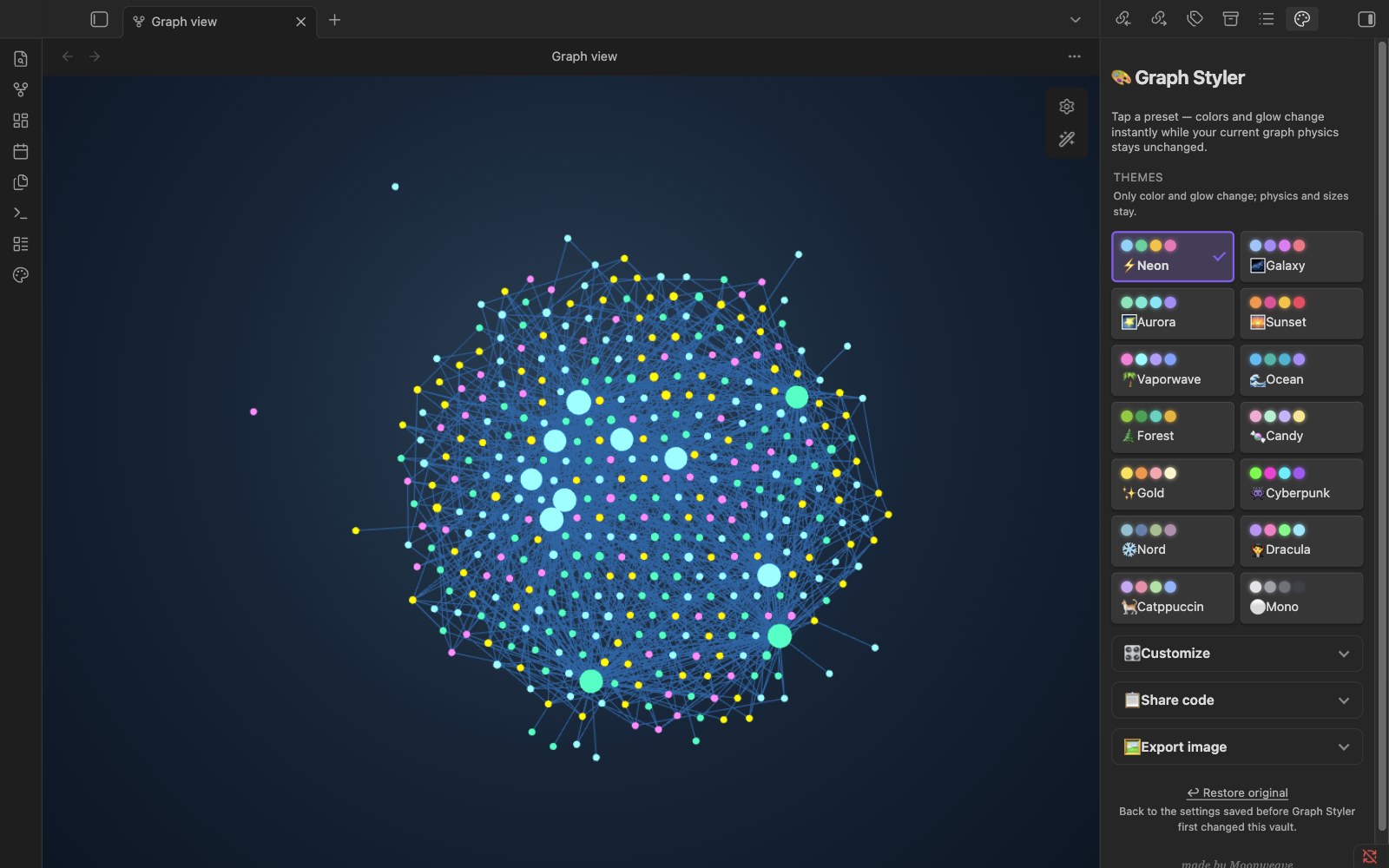
- Select a preset. The graph changes at once; ↩︎ Restore original at any time brings back what you had.
The panel keeps the presets on top. 🎛️ Customize, 📋 Share code and 🖼️ Export image are collapsed groups below them, and ↩︎ Restore original is at the very bottom. Each group opens and closes with a click, and keeps that state until you restart Obsidian.
What you can do
Apply a preset
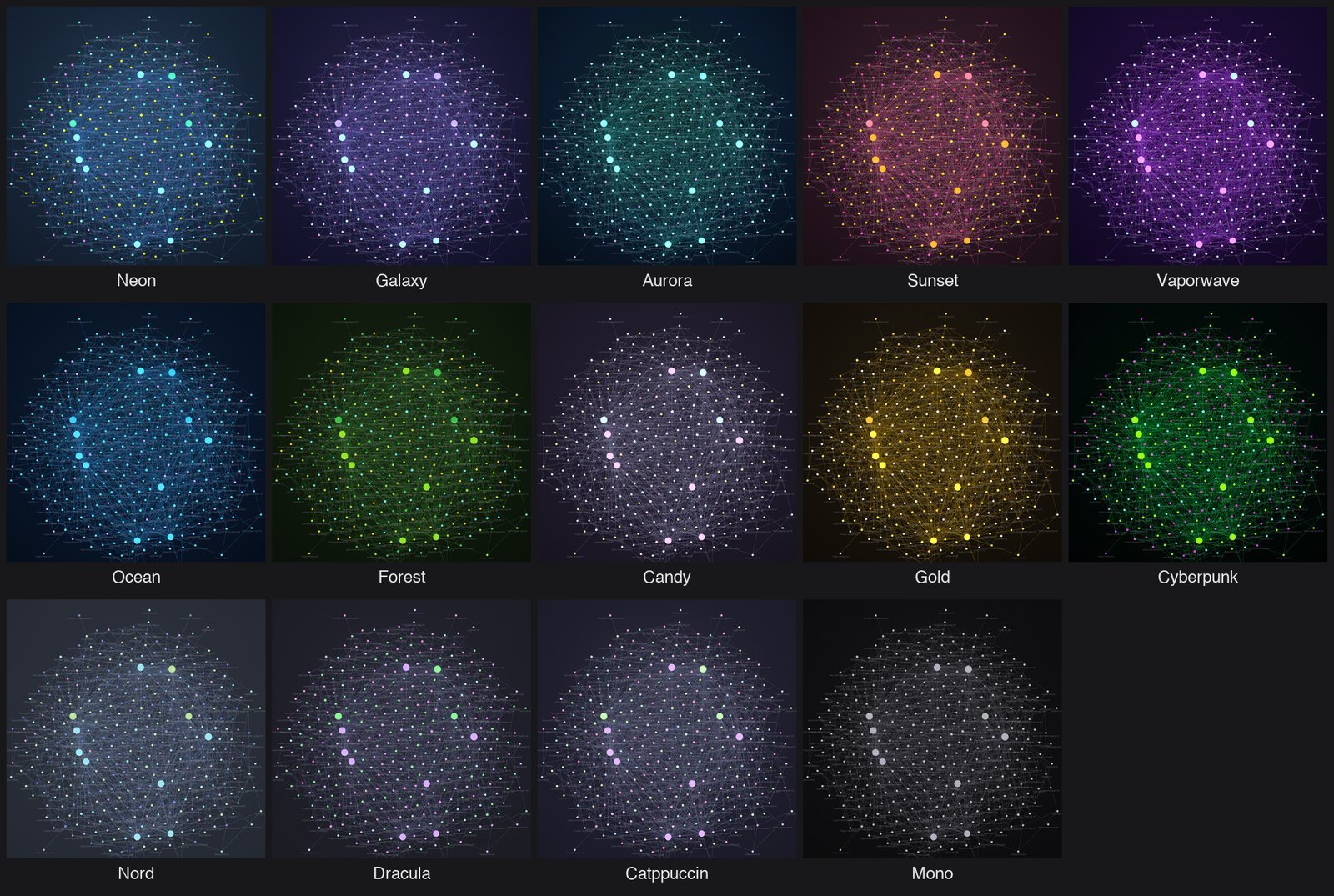
Fourteen presets, each with its own colours, background and glow:
⚡ Neon · 🌌 Galaxy · 🌠 Aurora · 🌅 Sunset · 🌴 Vaporwave · 🌊 Ocean · 🌲 Forest · 🍬 Candy · ✨ Gold · 👾 Cyberpunk · ❄️ Nord · 🧛 Dracula · 🐈 Catppuccin · ⚪ Mono
The presets sit in a two-column grid. The one in use has a frame and a check mark. Presets change colours, glow and colour groups only. Your forces and size settings stay as they are. Each built-in preset is also a command: Graph Styler: Apply: Neon and so on.
Keep your colour groups
If you already use graph groups to distinguish topics, turn on Keep my color groups before applying a preset. Group rules, order and colours stay intact, including with Mono and live preview. Glow can still change their apparent brightness. Local graphs keep their own groups too.
The option is off by default, remembered for this vault and not included in shared presets. It protects future changes; it does not recover groups replaced earlier. Group colour pickers are disabled while it is on. Other preset settings still apply, including saved physics settings in custom presets. Restore original remains an explicit restore, and existing 3D group-query support is unchanged.
Make your own preset
Expand 🎛️ Customize, pick group colours, a background and the glow, and move the physics sliders. The graph follows as you drag. Name it and select 💾 Save as preset; it appears under My presets.
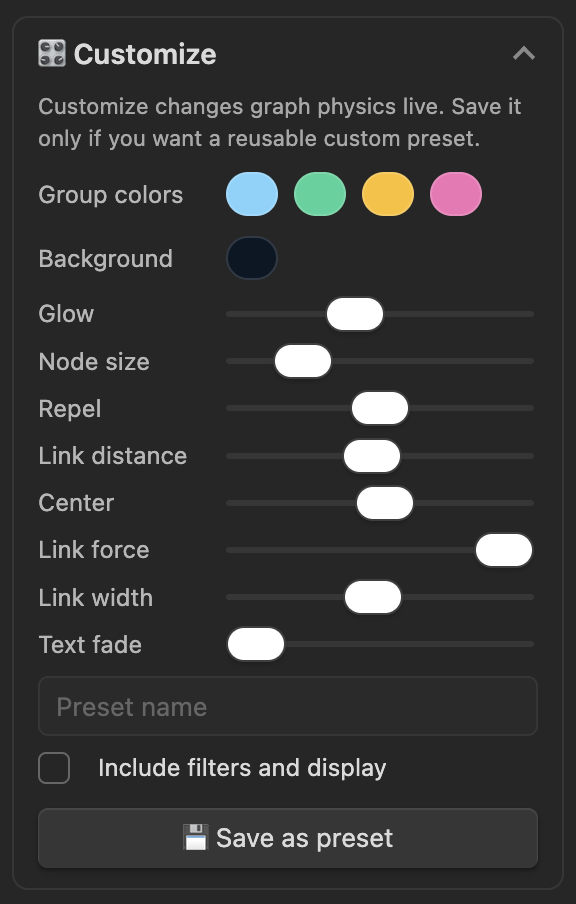
Customize changes the graph's physics live, so save only what you want to reuse.
Share a preset
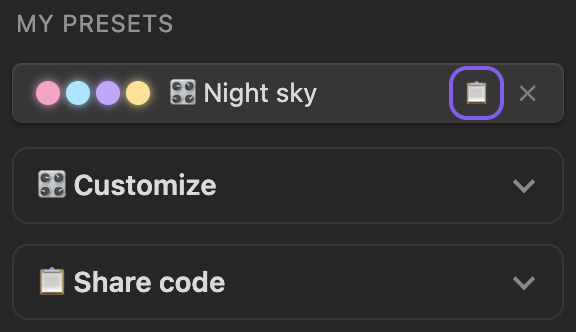
To send a preset to someone, select 📋 next to it under My presets. A one-line code starting with gs1. is copied. To use a code you received, expand 📋 Share code, paste it into Paste a share code and select Import share code. The preset is added to My presets but not applied until you select it.
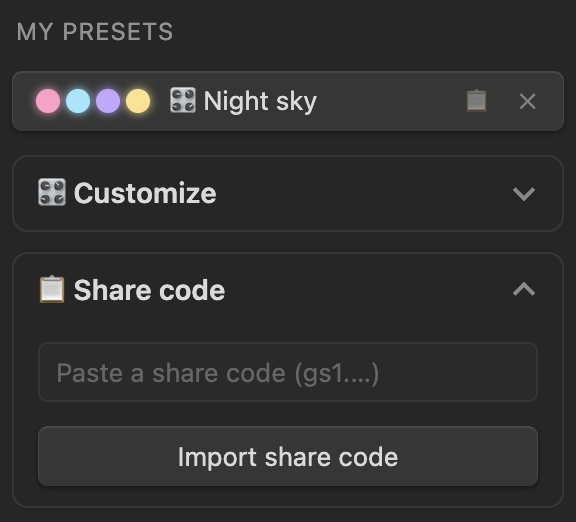
Imported values are checked, so a damaged or edited code cannot push the graph out of range. Colours go to the recipient's own busiest folders, so the same preset can colour different folders in another vault.
Keep filters and display in a preset
To save a view such as "only papers, with tags and arrows", set it up in the graph's own settings, tick Include filters and display in Customize, then save. The preset keeps the Search files... query and the Tags, Attachments, Existing files only, Orphans and Arrows toggles. Applying it sets them again on the global graph; a note's local graph keeps its own filters.
Presets saved this way share as codes starting with gs2.. Graph Styler 0.2 rejects gs2. codes with "That share code is not valid" and saves nothing; gs1. codes work in 0.2 and later.
Export your graph as a PNG
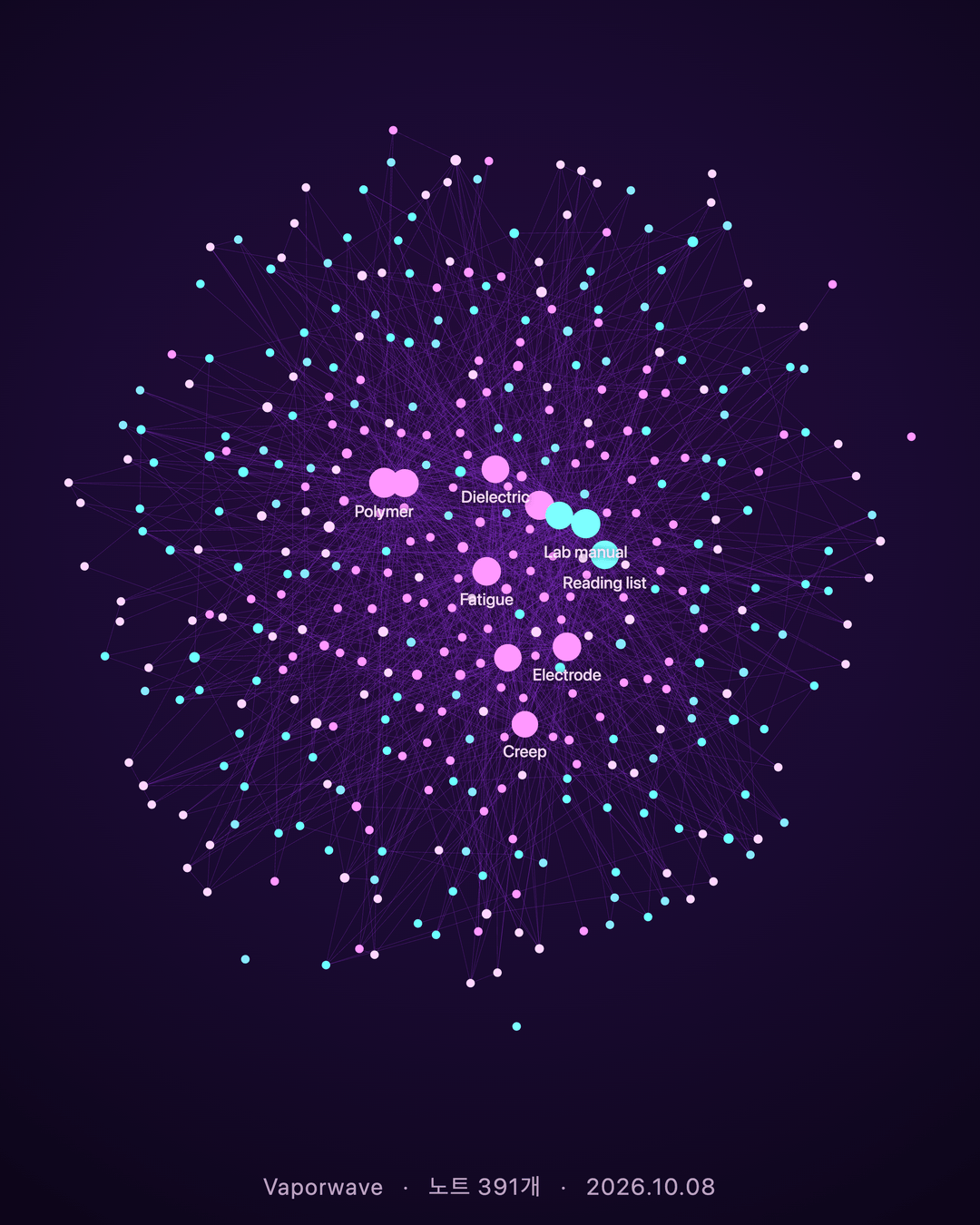
Run Graph Styler: Export graph as PNG from the command palette, or expand 🖼️ Export image in the panel and use Export graph as PNG. The PNG is saved as Graph Styler exports/graph-<preset>-<date>.png. The image opens next to your graph and is highlighted in the file explorer. A notice shows the path, with Open and Show in Finder buttons, and the Export image group keeps a Last export link to it. Use Copy image to put the picture on the clipboard instead of saving a file, for example to paste it into a post or a chat.
Each option in the panel has a one-line explanation under it. The options only change the saved picture, not your graph. Aspect, the two buttons and the last export are always visible in the group; the other options are under More options, which starts closed.
- Aspect 1:1 or 4:5 pads the image with the preset background. Notes are never cropped.
Under More options:
- Scale (1x–4x, default 2x) multiplies the graph as it is drawn on your screen. 2x of a typical pane is wide enough for a 1080 px post.
- Fit whole graph frames every note for the export, then puts your view back.
- Caption adds a small line with the date, the note count or the preset name.
- Save exported images to sets the folder (created when needed). Leave it empty to save at the top of the vault.
- Open the image after exporting can be turned off if you export often.
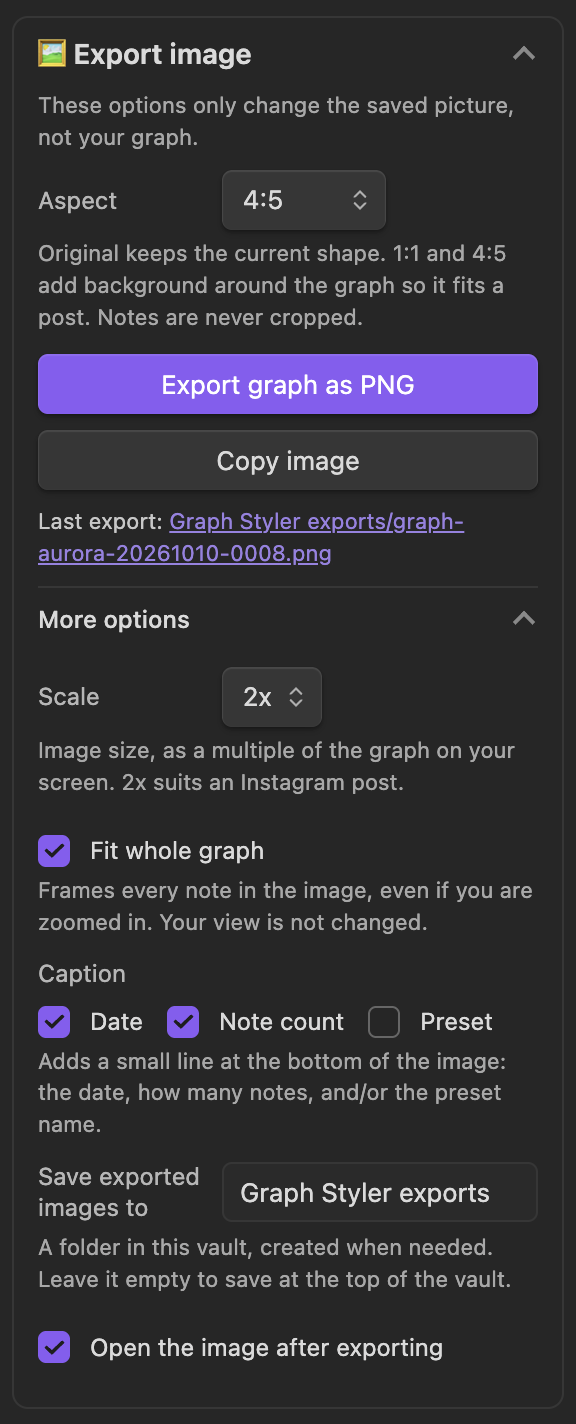
To post on Instagram, choose 4:5, then under More options tick Fit whole graph, pick the caption items and keep 2x, and export. When the fitted view is too far out for Obsidian to show labels, the most-linked notes are named in the image.
Fit whole graph, Aspect and Caption are off by default, and your last choices are remembered.
Export a note's local graph
With a note open, run Graph view: Open local graph, select the local graph, and run the export. Graph Styler exports the graph you are in; from the panel button, it uses the graph you selected last. The file name includes the note, for example graph-vapor-Actuator-20261009-1527.png.
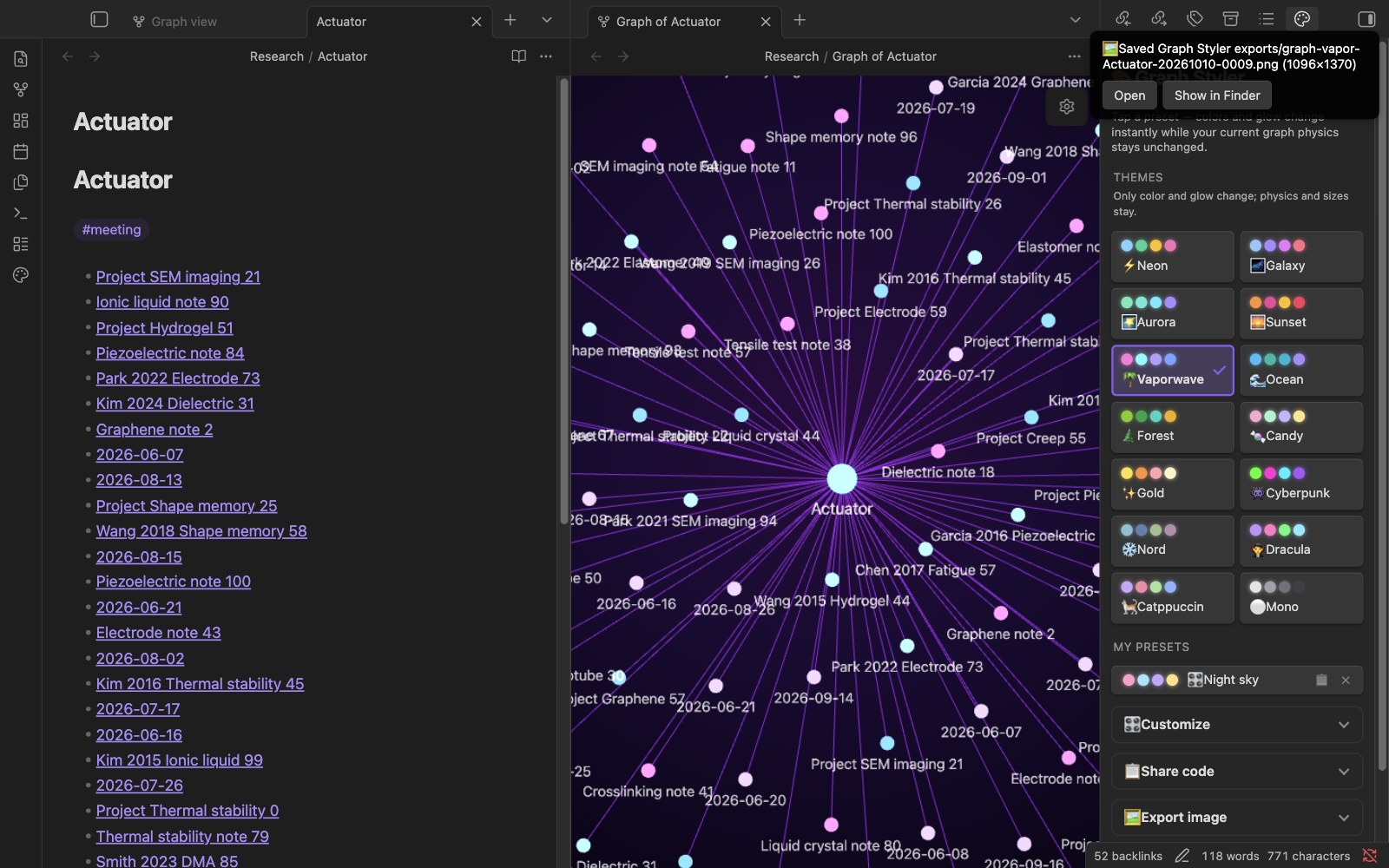
Local graph colours
A local graph that opens without colour groups of its own takes the active preset's colours. Colour groups you set on a local graph yourself are left alone.
Use the panel from the keyboard
Tab walks through the presets, then the group headers (Customize, Share code, Export image, and More options when its group is open). Enter or Space on a header opens or closes the group. In My presets, Tab moves from a preset to its 📋 (copy share code) and ✕ (delete) buttons, and Enter or Space runs them without applying the preset. Focused buttons and headers show a focus ring.
3D graph (experimental)
Experimental. Off by default. It may change or be removed in a later version.
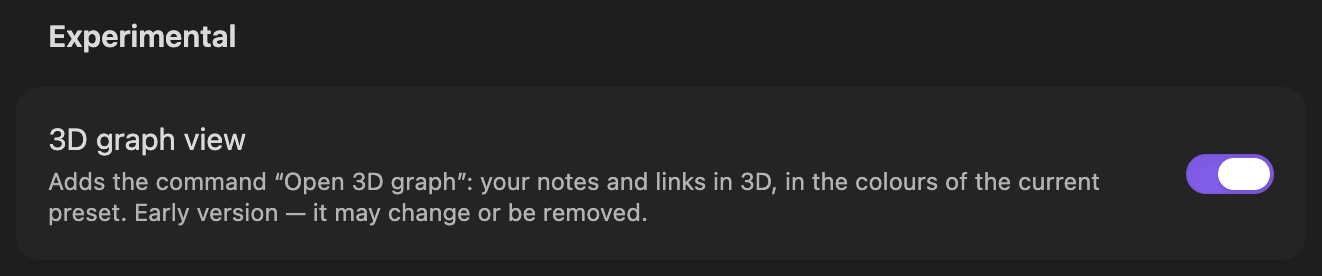
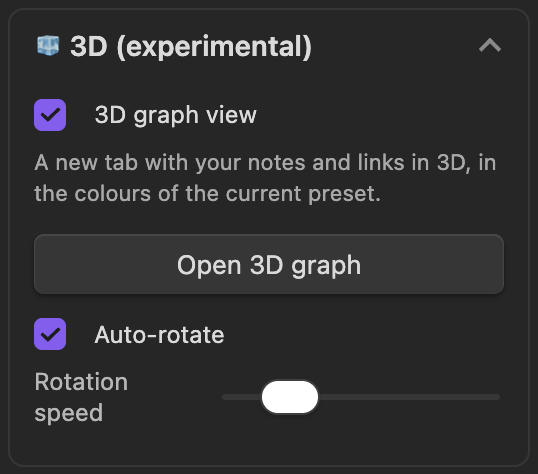
Turn it on in Settings → Graph Styler → Experimental → 3D graph view (or with the same switch in the panel's 🧊 3D (experimental) group), then click Open 3D graph in that group or run Graph Styler: Open 3D graph from the command palette. A new tab shows your real notes and links in 3D, using the active graph background and colours (or Obsidian's theme when no preset is active). The default look keeps nodes compact and glow-free; Deep Space is an optional star-field treatment.
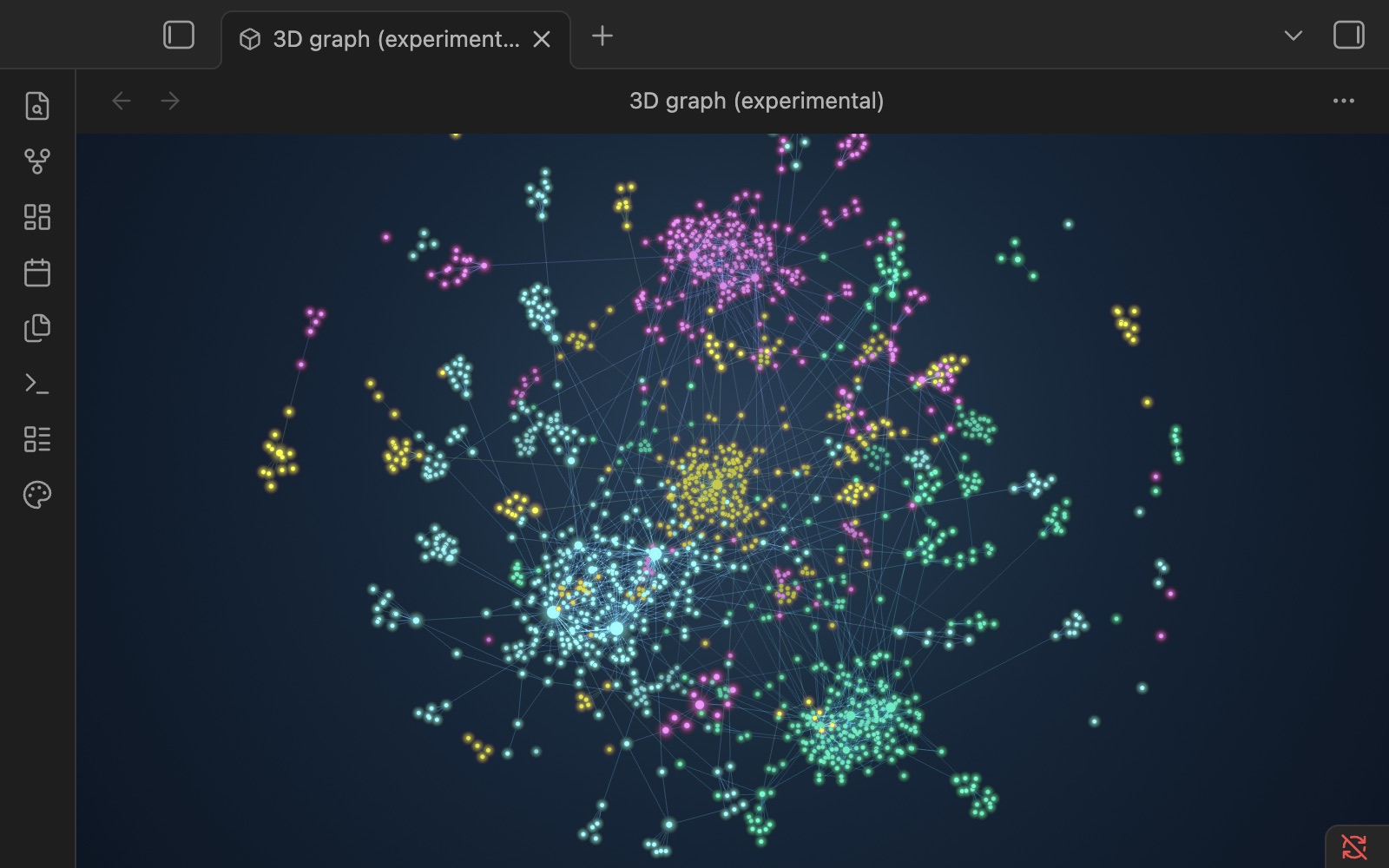
- Drag to turn it, scroll or pinch to zoom, Shift-drag or right-drag to move it. When you let go, it starts turning slowly again after a few seconds (unless Auto-rotate is off).
- Use Start rotation / Pause rotation at the top right of the 3D view without opening the panel. It shares the Auto-rotate setting and preserves your camera angle. Distance fading and subtle spherical node shading help distinguish depth while paused; the layout algorithm is unchanged.
- At the fitted camera, node radii use a consistent screen-space scale across Force, Orbital and Globe. Hub growth is capped, following Obsidian's bounded square-root sizing. Depth and zoom still affect apparent size; this does not promise identical pixels to an independently zoomed 2D graph.
- Hover a note to light up its links and see its name; click to open it in a note tab (Cmd/Ctrl-click for a new tab).
- The layout is computed in the background, so Obsidian stays responsive while it settles: about 2 s for 1,600 notes and 7 s for 5,000 on an M1 Pro.
- Node size and link thickness follow the graph view's own Node size and Link thickness settings (graph settings → Display); the 3D node radius is scaled to 72% to account for perspective, then the graph setting is applied (at 2, nodes are twice their 3D default size). An open 3D tab picks up a change within half a second of letting go of the slider, without moving the camera. Above 1, links are drawn that many times as wide as the default line (up to the slider's 5); below 1 they get fainter instead of thinner, because the default line is already one pixel wide.
- The layout follows the graph view's Forces settings (Center force, Repel force, Link force, Link distance) in the same direction as the 2D graph: more repel force spreads the notes out, more center force pulls them together, more link force pulls linked notes closer and a longer link distance moves them apart. When you change one, an open 3D tab settles again from where the notes are (about 2 s for 1,600 notes, 6 s for 5,000). A camera you have moved (drag, scroll or pinch) stays where it is; one you have not moved, even if you clicked notes in it, keeps the whole graph in view, as when the tab opens. The 3D layout has its own scale, so a setting changes it by a similar amount rather than to the same distances.
- Where 3D differs from 2D: the 2D graph also has a collision force that keeps notes apart, and the 3D layout does not. Below a Repel force of about 7.5 the 2D graph is held by that force; the 3D layout instead stops shrinking at the size it has at about 7.5, so links stay at about 0.7 of their default length, while in 2D they stay at 0.65–1.0 depending on the vault (dense or tree-like vaults barely shrink in 2D). Link force changes 3D more than 2D, and at the strongest Center force tree-like vaults pull together more in 3D.
- When a global graph is open, the 3D tab takes a snapshot of its visible nodes and links, so its Filters (search, Tags, Attachments, Existing files only, Orphans) and Graph Styler's
path:/tag:colour groups carry over. Change filters in 2D and reopen the 3D tab to refresh; live filter updates are not yet followed. Without an open global graph, 3D falls back to all Markdown notes and their links. The local graph is not used. Arrows and Text fade threshold are also not followed (names show only on hover). - Turning the setting off closes open 3D tabs. While it is off, none of the 3D code runs.
Once 3D is on, the panel's 🧊 3D (experimental) group also has Look, Layout, an Orbital center search, Open 3D graph, Auto-rotate and Rotation speed. The defaults are the Obsidian-native look and force layout. Deep Space adds a dark star field and restrained node glow without changing graph colours; Orbital arranges notes on 3D shells by shortest link distance from its selected center (automatic means the most-connected visible note); Globe places groups in stable regions on a sphere and draws links as curved arcs. Layout and look choices are saved per vault and update every open 3D tab; each tab keeps its own graph snapshot. A selected center outside a filtered snapshot temporarily falls back to that snapshot's automatic center.
How colours map to your vault
Graph Styler writes Obsidian's own colour groups, so you can see and edit them under Groups in the graph view's settings.
| Your vault | Groups |
|---|---|
| Two or more folders with notes | Up to four folders with the most notes, as path:"Folder" |
| Fewer than two folders, but tags | Up to four most-used tags, as tag:#tag |
| One folder, no tags | That folder |
| No folders, no tags | Your existing groups are kept; background, glow and node colours still change |
With Keep my color groups off (the default), ⚪ Mono clears the groups so every note has the same colour, and applying another preset replaces your colour groups. Turn the option on to preserve them instead. The original graph.json is backed up the first time.
FAQ and troubleshooting
Does it change my notes? No. It writes the configuration files listed in At a glance and the PNGs you export. Notes are never edited.
Does it send anything over the network? No. There are no network calls in the plugin.
What does Restore restore?
↩︎ Restore original asks for confirmation, then writes back the graph.json saved before Graph Styler first changed this vault and turns off its CSS snippets. Graph settings you changed after that are overwritten. Your saved presets and exported PNGs stay. If you never applied a preset, it shows "No backup found".
How do I remove Graph Styler completely?
Select ↩︎ Restore original first, then disable or uninstall the plugin. Disabling turns off the CSS snippet but leaves the colour groups in graph.json. The snippet files stay in .obsidian/snippets/ (turned off) until you delete them.
The graph is empty after I applied a preset.
The preset probably includes filters, and its search query matches none of your notes, for example a path:Papers filter from someone else's vault. Open the graph view's settings (the gear icon), clear the Search files... box under Filters, or select ↩︎ Restore original.
A local graph doesn't show the preset's colours. New local graphs take the colours only while a Graph Styler preset is active, only if they have no colour groups of their own, and only once per session. Apply a preset again to recolour every open graph, or close the local graph and open it again.
The exported image is smaller than I expected. The scale multiplies the graph as drawn on screen, so a narrow pane gives a narrow image; widen the pane or the window. If a scale is too large for the graphics card, Graph Styler saves at the largest scale that fits and says so ("4x is too large for this graph view — saved at 3x").
Where did my exported picture go?
Into the Graph Styler exports folder in your vault (or the folder set under Save exported images to). Right after an export the image opens next to the graph, it is highlighted in the file explorer, and the notice has Open and Show in Finder. Later, use the Last export link in the panel's Export image group. Graph Styler 0.3.1 and earlier saved exports at the top of the vault.
Does my theme survive a plugin update? Yes, from 0.2.0 on. When the plugin loads, the active preset's snippet file is rewritten if an older version generated it; snippets you edited by hand are left alone.
Does it work with a light theme? Yes. Presets paint their own background in the graph pane in light and dark themes alike, so the graph looks the same in both. The panel follows your theme.
Why does the glow look like brighter colours rather than a bloom? The glow is a CSS filter (brightness, contrast and saturation) on the layer that draws the graph. It makes nodes and lines brighter and more saturated; it does not draw a halo around them. A bloom would have to be drawn inside Obsidian's graph renderer, which Graph Styler does not change.
After applying a preset I can't zoom, pan or click nodes in the graph. That was a bug in 0.2.0–0.3.0: the glow layer covered the part of the graph that receives the mouse. Update to 0.3.1 or later. The active preset is fixed when the plugin loads, so you don't need to apply it again.
I see "Apply failed" or "PNG export failed".
Open the developer console (Cmd+Opt+I on macOS, Ctrl+Shift+I on Windows and Linux) and look for messages starting with [graph-styler], then open an issue with them.
Limits and known issues
- High-resolution export uses internal parts of Obsidian's graph renderer. If an Obsidian update changes them, the export falls back to screen resolution and says "High-resolution export unavailable — saved at screen resolution".
- Obsidian pauses for about a second while exporting (0.3–1.2 s measured on a 391-note vault).
- In a fitted export, at most 8 notes are labelled, and only notes with at least 40 % of the links of the most-linked note.
- The glow in an export is drawn by the canvas, not by the screen's compositor, so the strongest presets (such as Cyberpunk) come out in slightly different colours than on screen.
- A local graph that Obsidian restores at startup with empty colour groups gets the preset's colours, even if you emptied them in an earlier session.
- Filters and display from a preset apply to the global graph only.
- If
graph.jsondid not exist yet when you first applied a preset, Restore has nothing to return physics to: settings from your own presets can remain afterwards. - Exports at 2x are often 8–12 MB and are saved inside the vault, so they are synced along with your notes.
- The 3D graph needs WebGL 2; without it the tab says so instead of drawing. While it turns it redraws 60 times a second, which took about 30 % of one CPU core on an M1 Pro (1,600–5,000 notes); turn Auto-rotate off in the panel to stop that. A hidden tab does not draw.
For AI assistants
- Plugin id:
graph-styler. Desktop only,minAppVersion1.4.0. - Commands:
graph-styler:open-graph-styler,graph-styler:export-graph-png,graph-styler:open-3d-graph(listed only whileexperimental3dis on), andgraph-styler:apply-<id>for the preset idsneon,galaxy,aurora,sunset,vapor,ocean,forest,candy,gold,cyber,nord,dracula,catppuccin,mono. - Files written:
.obsidian/graph.json,.obsidian/graph.json.styler-bak(first-change backup, never overwritten),.obsidian/snippets/graph-styler-<id>.css,.obsidian/appearance.json(enabled snippets),.obsidian/plugins/graph-styler/data.json, and exportedgraph-<preset>[-<note>]-<YYYYMMDD-HHmm>[-<n>].pngin the export folder (exportFolder, defaultGraph Styler exports; empty = vault root). Notes are never written. - Settings (
data.json):custom(saved presets),exportFolder,openAfterExport,lastExport(path of the last saved image),exportScale(1–4),exportOptions(fit,aspect:original|1:1|4:5,caption:date,notes,preset),experimental3d(3D graph on/off, default off),graph3dLook(originalordeep-space, defaultoriginal),graph3dLayout(force,orbitalorglobe, defaultforce),orbitalCenterPath(optional vault path),rotate3d(auto-rotate, default on),rotate3dSpeed(rad/s, 0.02–0.6, default 0.12),resumeSnippet(internal). - Share codes:
gs1.+ base64url(JSON{v:1, label, colors[4], bg, glow, forces}), whereforcesholdsnode,repel,dist,center,linkS,line,fade.gs2.is the same withv:2and aviewobject holdingsearch,showTags,showAttachments,hideUnresolved,showOrphans,showArrow. Codes never contain an id; values are clamped on import. - Network: none.
Development and contributing
The plugin is a single CommonJS file with no build step: main.js, manifest.json and styles.css are the release assets.
# Unit tests (silent on success)
node test/graph-styler.test.js
node test/graph3d.test.js
# Presets keep graph physics
node scripts/check-physics-contract.js
# Copy the plugin into a vault
./deploy.sh /path/to/your/vault
# Real pointer input against a running Obsidian (see the script header)
node scripts/input-smoke.js --port 9222 --vault <vault> --preset aurora
Any change to the graph pane's CSS, DOM or renderer must pass scripts/input-smoke.js on the global and a local graph (--leaf localgraph) before it is ready, run against a separate Obsidian started with --remote-debugging-port (instructions at the top of the file); a screenshot that looks right is not enough. It sends real mouse and trackpad input to the graph and fails if zoom, pan, hover, node drag, right-click or click stop working.
Always pass a vault path to deploy.sh; without one it uses the maintainer's own vault. The repository has no CI, so run both checks locally before opening a pull request. UI text lives in the en and ko tables at the top of main.js; add both when you add a string. Issues and pull requests are welcome on GitHub.
License
MIT © 2026 Moonweave. See LICENSE.