Graph Colour Spawn
 Taylor Scott25 downloads
A living colour wheel: population-aware colours, natural physics and new notes spawned beside their group.
- Overview
- Scorecard
- Updates2
A living colour wheel for Obsidian. New notes join their neighbours.
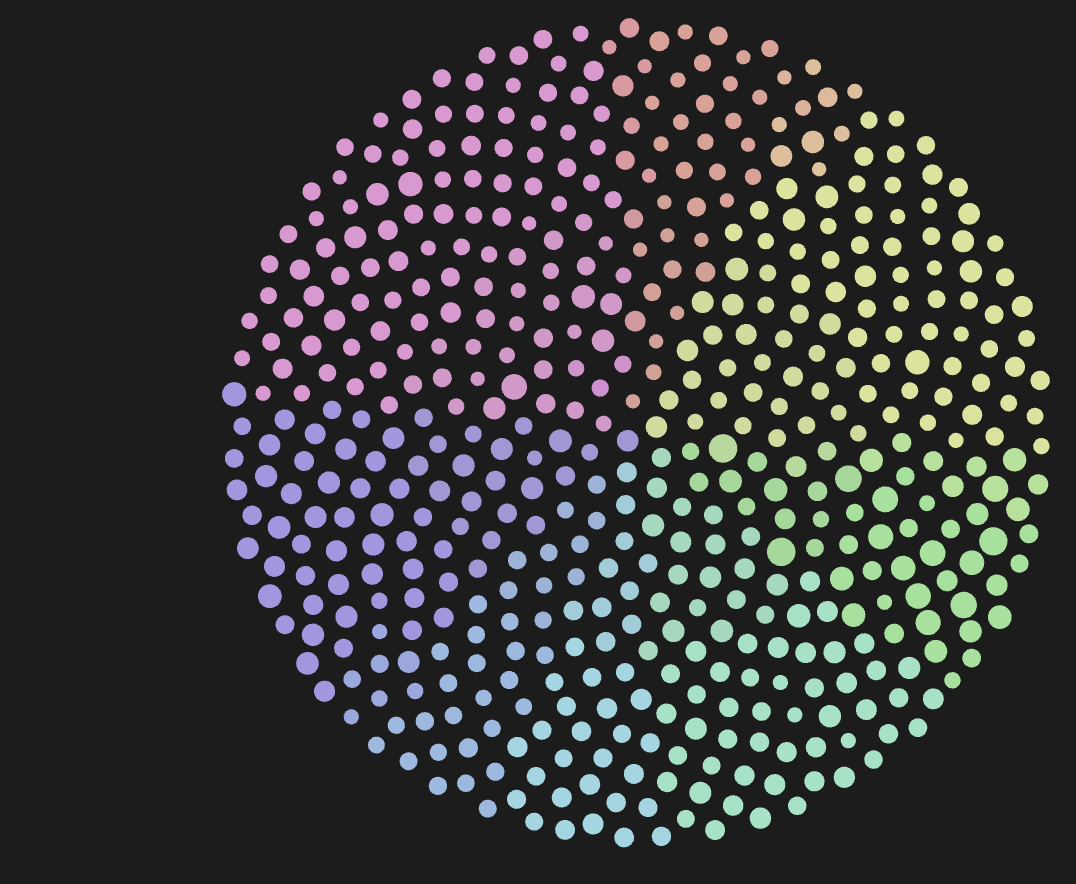
Notes start beside their colour group, larger groups get more room, and new notes join their neighbours without resetting the whole layout.
Plain JavaScript. No build step, account, API key or external service.
What it does
- Arranges notes in a filled disc, with neighbouring colours alongside each other.
- Spaces the palette according to the number of notes in each path group.
- Adds new notes near the group's current position, including after dragging.
- Lets Obsidian's native physics continue after the initial placement.
- Sizes nodes by link degree, with a maximum 2:1 ratio between rendered radii.
- Extends the native repel slider to 40 and remembers its value.
- Adds Graph Colour Spawn: Respawn colour wheel to the command palette.
It works with the global and local graph views. It changes graph settings and layout, but does not edit your notes or make network requests.
Settings
All optional, and empty on a fresh install, so the plugin only recolours the groups your graph already has.
| Setting | Does |
|---|---|
| Colour groups to add | Group queries to keep present, one per line, such as path:"notes/". |
| Colour groups to remove | Exact group queries to delete from the graph, one per line. |
| Session folder | Notes linked from this folder get a reserved yellow-orange colour when no group claims them. Empty turns it off. |
Changes apply within 15 seconds, or run Respawn colour wheel. The plugin
replaces configured group colours with its palette, and a fresh installation
sets the initial graph scale to 0.03.
Install
Once it is listed, install Graph Colour Spawn from Community plugins in Obsidian's settings. Until then:
Clone the repository straight into your vault's plugin directory:
git clone https://github.com/tjqscott/obsidian-graph-colour-spawn.git <vault>/.obsidian/plugins/graph-colour-spawn
Or use the install ZIP:
- Close Obsidian and keep a copy of your vault's
.obsidian/graph.jsonif you want to restore your current colours later. - Extract
graph-colour-spawn-1.3.0.zipinto your vault's.obsidian/plugins/. The resulting folder must be.obsidian/plugins/graph-colour-spawn/and containmain.jsandmanifest.json. - Reopen Obsidian and enable Graph Colour Spawn in Community plugins.
- Open the graph. Use Respawn colour wheel whenever you want a fresh layout.
You can also copy main.js and manifest.json from this repository into that
plugin folder. There is no stylesheet or compilation step.
Disabling the plugin stops its updates. It does not restore the graph settings
it saved. To restore those, close Obsidian before replacing graph.json with
your saved copy.
Compatibility
The plugin uses Obsidian's private graph renderer and worker interfaces. An
Obsidian update can break layout hooks even when the plugin loads successfully.
The manifest retains the original minimum version (1.0.0) and mobile flag;
these are not claims of a tested compatibility matrix.
Path classification supports simple path:"folder/" and path:/regex/ groups.
Other queries may use the colour already assigned by Obsidian, but their group
populations are not counted by the plugin's path parser. The global palette is
also applied to open local graph views.
Development
Edit main.js directly. Obsidian provides the obsidian module at runtime.
The tests stub that module, so no dependency installation is needed.
With Node.js 24 or newer:
node --test tests/test-*.js
These tests cover colour classification, deterministic layouts, incremental spawning and preservation of existing positions. They are not a substitute for checking compatibility inside Obsidian. GitHub Actions runs them on pushes and pull requests.
Create the install and source ZIPs using Python 3.9 or newer:
python3 scripts/package.py
The packager uses an explicit file list and writes to dist/. It excludes the
vault, plugin data.json, credentials, Git history and machine-specific files.
Releases
Keep the versions in manifest.json, package.json and versions.json in sync.
Run the packager, then create a GitHub release with the exact version as its tag
(for example, 1.2.0, without a v prefix). Attach main.js, manifest.json
and the install ZIP. This follows the
Obsidian release format.
Credits and licence
Created by Taylor Scott. Derived from
Graph Spawn, also by Taylor Scott.
The original MIT notice is preserved in main.js and LICENSE.