GalleryHub
 Cardy587 downloads
Art asset gallery: manage images, videos, audio and links with AI generation prompts, waterfall gallery, filtering, and an infinite canvas for curation.
- Overview
- Scorecard
- Updates12
English | 中文
An art asset gallery plugin for Obsidian — manage images, videos, audio and links together with AI generation prompts. Waterfall gallery + infinite canvas for curation, with 100% of your data staying in your local vault.
Preview
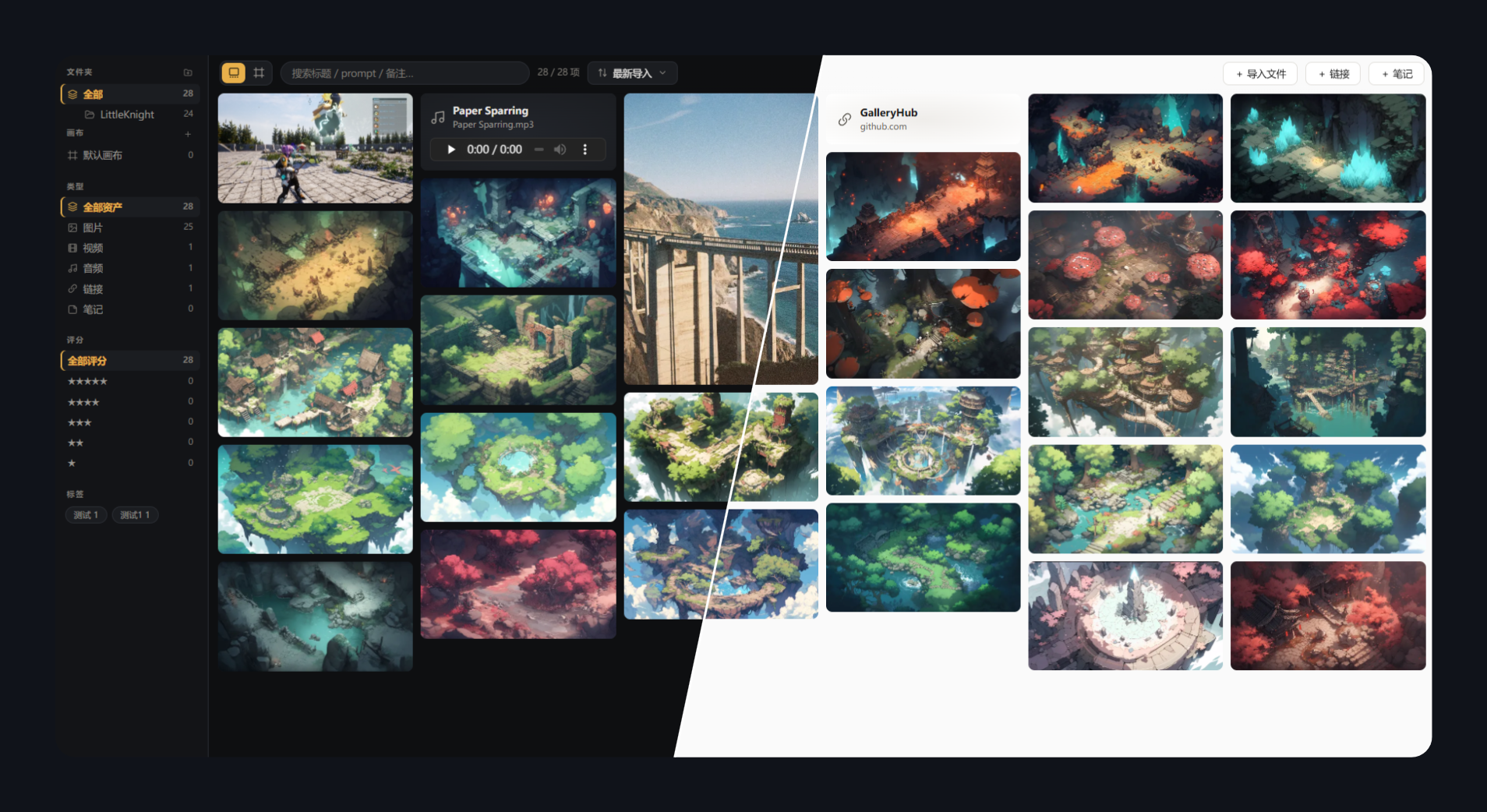
Gallery — masonry browsing with sidebar filters (dark / light):
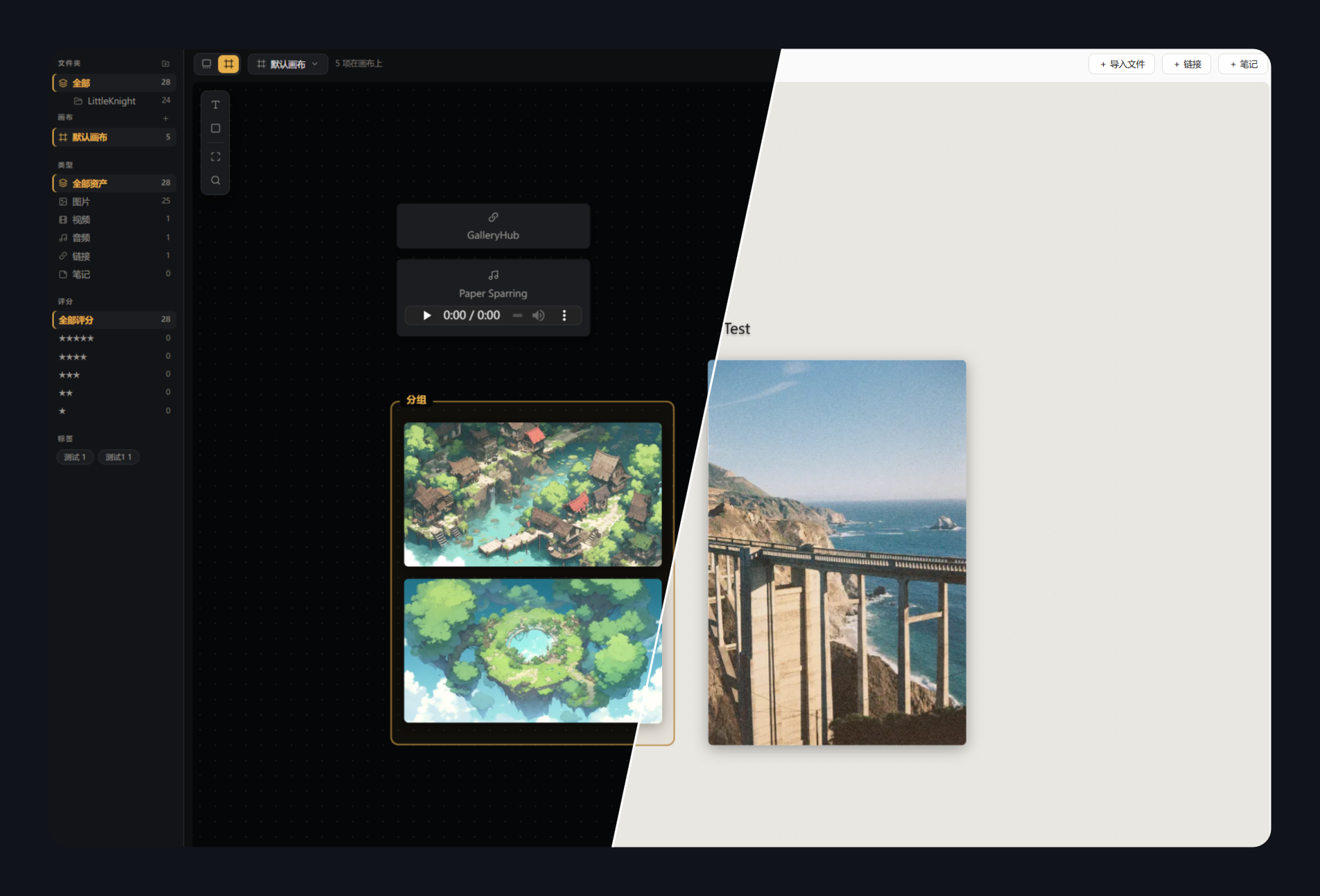
Canvas — PureRef-style curation boards with annotations:
Why
Art assets end up scattered everywhere: AI-generated images and their prompts, photography, reference images, video/audio clips, inspiration links… Existing tools each cover only a slice — Eagle/Billfish are asset libraries with no canvas and closed data formats; PureRef is a canvas that doesn't manage a long-term library; Firefly Boards / Figma Weave attach prompts but keep your assets in the cloud. Nothing covers four asset types + prompt metadata + local data ownership at once.
GalleryHub brings it all into Obsidian: data (JSON + original files) lives inside your vault and syncs with whatever you already use, browsing lives next to your notes, and everything stays portable forever.
Features
Gallery (waterfall/masonry)
- Four asset types: images / videos (hover to play) / audio (inline player) / links
- True masonry layout: aspect ratios preserved, dimensions captured at import to prevent layout shift, column count adapts to pane width
- Filtering: folder tree / boards / type / multi-select star rating / tag cloud — each module can be toggled in settings
- Search across title, prompt, note and file name; sorting by import time, title, rating or type
- Multi-select & batch ops: Ctrl+click / checkmark / Space to select; batch move, delete (optionally to system trash), edit tags (append/replace/remove) and rating, send to board
Folder tree
- Full mapping of the
assets/directory tree with nested expand/collapse - Context menu: new subfolder (inline rename), rename (F2), delete (to trash)
- Drag & drop: move folders, drop cards into folders (whole selection), drop OS files onto a folder for targeted import
- Library paths stay in sync after rename/move — nothing breaks
Infinite canvas (PureRef-style curation)
- Pan (Space/middle-click), zoom at pointer (0.05x–8x), marquee selection with group drag
- Cards: drag, proportional resize, bring to front / send to back, double-click for details
- The same asset can live on multiple boards with independent layouts
- Text and frame annotations: inline editing, font size & bold, 8-color palette
- Drop files straight onto the canvas — they're imported and placed where you dropped them
- Multiple boards: create / rename / delete, quick access from the sidebar
Detail lightbox
- Large viewer: click to zoom to native size, drag to pan; prev/next navigation (buttons or ←/→)
- Inline title editing, star rating, tag chips editor, source link, custom source file location
- AI generation section (collapsible): prompt / negative (one-click copy), model / seed
- Actions: open original in Obsidian, open in browser, reveal in system explorer, remove from library
Themes & language
- Dark (charcoal + amber) / Light (warm white + gold) / follow Obsidian
- UI in English and 中文, defaults to following Obsidian's language
Data design
Your vault/
└── GalleryHub/            # location configurable in settings
    ├── gallery.json        # the single database (open schema, versioned)
    ├── gallery.json.bak    # automatic per-session backup
    └── assets/             # original files, organized in folders
- Plain text + original files — readable without the plugin, portable forever
- Debounced saves, write-ahead backup, read-only guard on corruption, auto-reload on external (cloud-sync) changes
- Each item records: path, title, tags, rating, source, note,
gen(prompt/negative/model/seed…),layouts(per-board positions)
Installation
Not yet in the community store — manual install:
- Grab
manifest.json/main.js/styles.cssfrom a release (or build them yourself) - Put them in
<vault>/.obsidian/plugins/gallery-hub/ - Settings → Community plugins → enable GalleryHub
- Click the ribbon icon; the data folder is created automatically on first run
Development
npm install
npm run dev      # watch build, outputs straight into your vault's plugin folder (path in esbuild.config.mjs)
npm run build    # production build → dist/main.js
npm run deploy   # copy manifest / main.js / styles.css into the plugin folder
Code and data are fully separated: this repo holds only source; assets and the database live in your vault.
Architecture
src/
├── main.ts       plugin entry: view registration, commands, settings, theme/locale
├── view.ts       GalleryView: masonry, sidebar (tree/boards/filters), multi-select, mode switch
├── canvas.ts     CanvasBoard: infinite canvas (pan/zoom/cards/text/frames/palette)
├── store.ts      data layer: gallery.json I/O, debounced saves, backups, boards & elements CRUD
├── importer.ts   import & file ops: ingest, folder tree operations, batch move/delete
├── detail.ts     detail lightbox and all dialogs (link/folder/confirm/batch edit)
├── i18n.ts       lightweight dictionary (en/zh) with typed keys
└── types.ts      data contracts and defaults
License
MIT © DuranceX