
- Overview
- Scorecard
- Updates4
Folder Canvas is a plugin for Obsidian.md that lets you generate a Canvas view of a given folder.
Demo
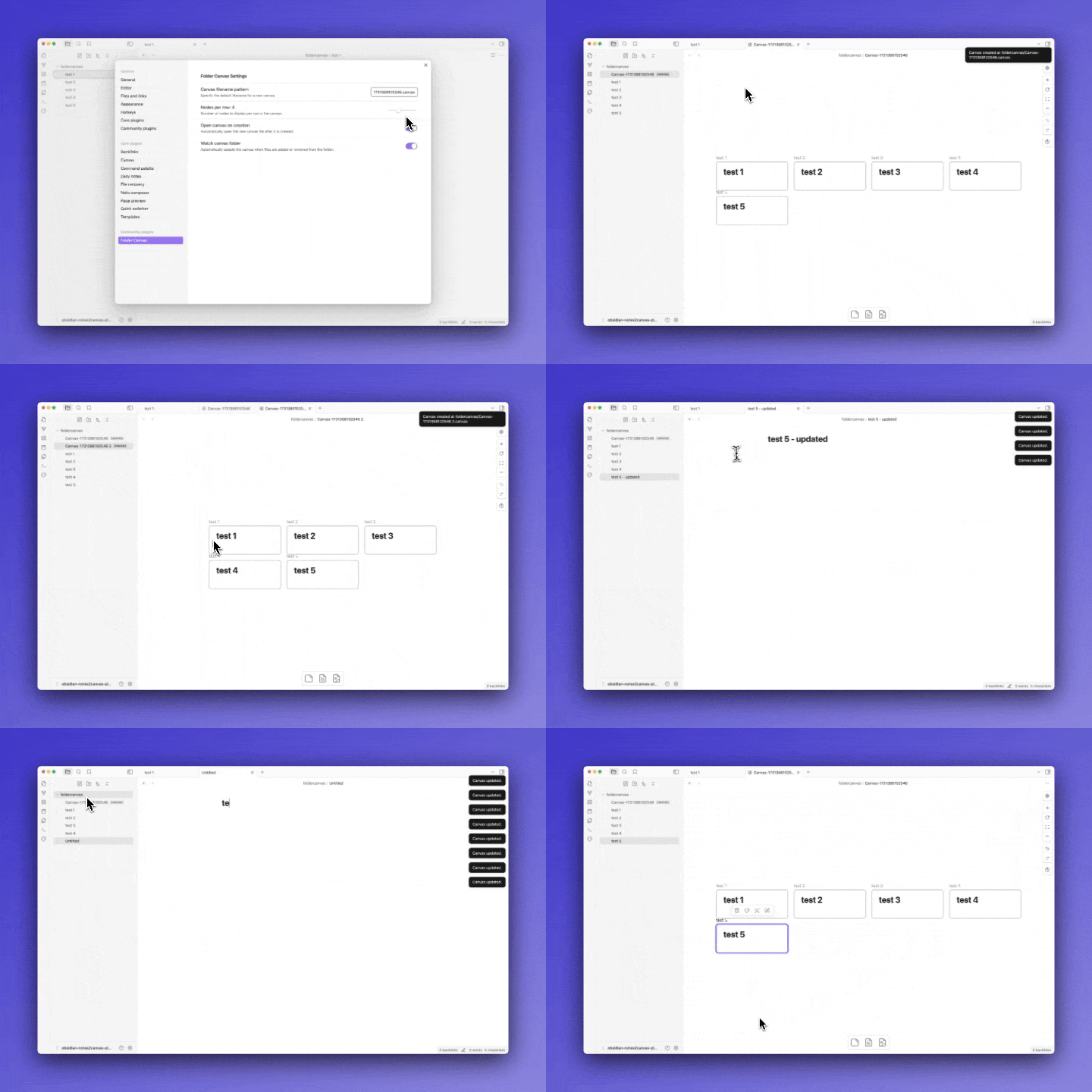
Ways to invoke the command
- "Folder Canvas: Generate Canvas from folder" command can be generated by a number of ways:
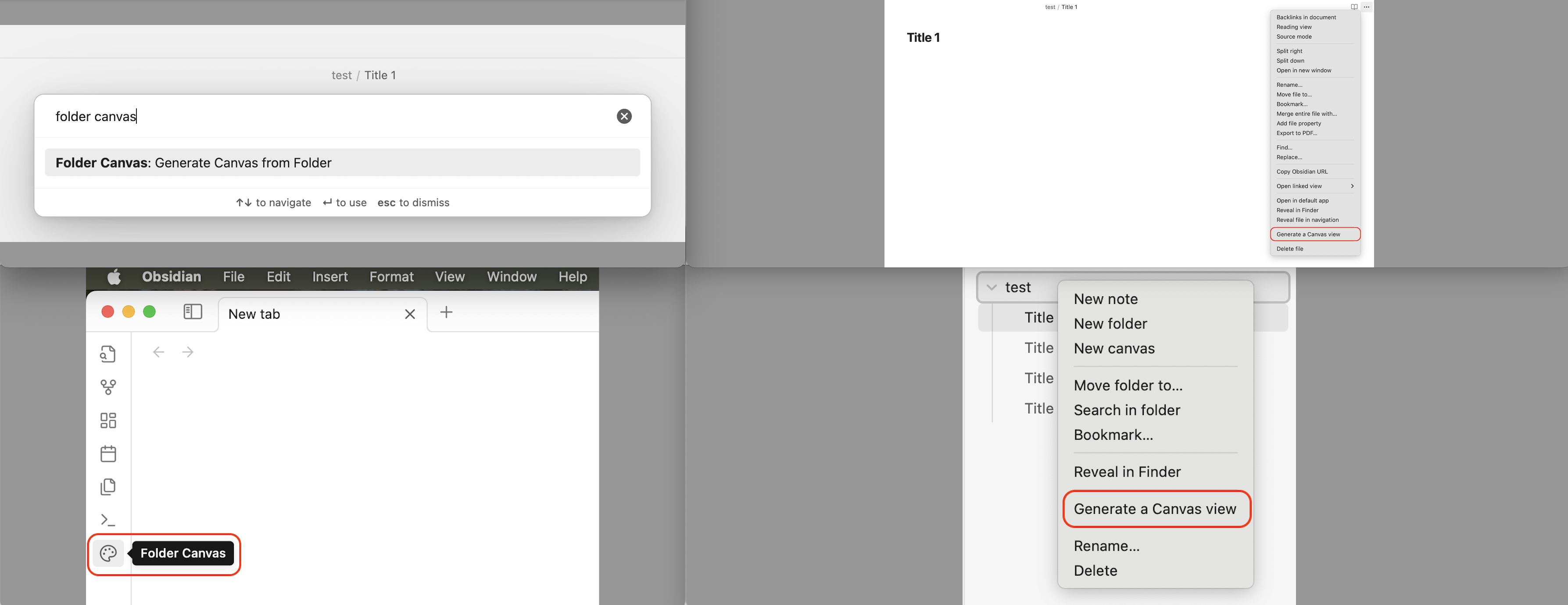
-   From the command palette
-   From the ribbon on the left sidebar ('palette' icon)
-   From the file-menu
-   From the editor-menu
Expected Behaviors
- A Canvas file will be created only if 1 or more markdown files are found in the folder. Otherwise, a notice will be displayed:
"The folder is empty!" - A Canvas file will be created in the parent folder of the files.
- Nested folders are ignored; only the direct 1st level files will be included in a Canvas.
- A filename for each new Canvas will be incremented if a Canvas file with the same name is found in the parent folder.
- If
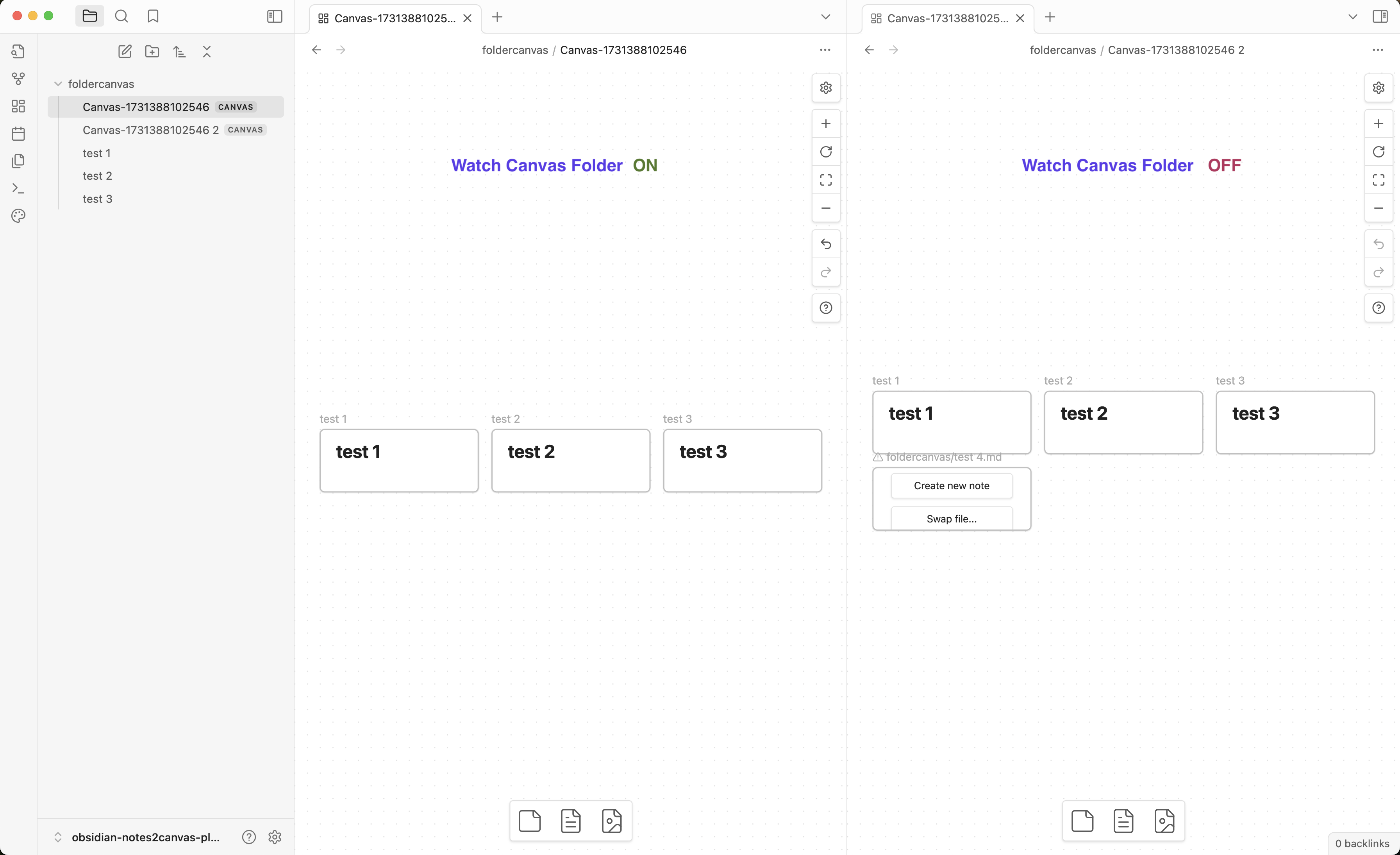
Watch Canvas folderis enabled, changes in the folder will be reflected in the latest Canvas file. - If a Canvas file is renamed,
Watch Canvas folderwill work properly ifCanvas filename patternis updated to match the new name. - If a heading is selected in
Narrow to heading, all nodes will display content under the chosen heading. If a node does not contain the selected heading, the setting will be ignored, and the full content will be shown. Create a new Canvas file for the changes to take effect.
Settings
The following parameters can be configured in the settings. Default values are:
- Canvas filename pattern: A new Canvas filename, if left blank, will be "Canvas-<Date.now()>.canvas" (e.g. Canvas-1731313974017.Canvas) and saved in the parent folder of the files.
- Open Canvas on creation: A new Canvas is automatically opened upon creation.
- Watch Canvas folder: A Canvas file is modified to reflect changes in the folder.
- Nodes per row: The number of columns to display notes is set to 4. It is configurable with a slider 1-10.
- Node width, height, and spacing: The width, height, and spacing of the nodes can be configured with constraints. Can be reset to default.
- Narrow to heading: A dropdown menu will display the headings from the currently active file. If no headings are found, the menu will remain empty.
- Hide heading titles: A toggle can be enabled for the selected heading's CSS properties to be modified to hide it from view.
How to Contribute
A new feature or bug fix is always welcome.
You can create an issue to report a bug, suggest a new functionality, ask a question, etc.
You can make a pull request to contribute to this plugin development.
HealthGood
ReviewCaution
About
Generate a Canvas view from a folder's first-level Markdown files and save it as a .canvas file in the parent folder, auto-incrementing filenames to avoid conflicts. Ignore nested folders and display node content narrowed to a selected heading when available. Watch a folder to keep the latest Canvas file synced with changes.Details
Current version
1.0.3
Last updated
Last year
Created
2 years ago
Updates
4 releases
Downloads
3k
Compatible with
Obsidian 1.7.7+
Platforms
Desktop, Mobile
License
MIT