Folder Reader
 Arseniy Seroka294 downloads
Read all notes in a folder together as one continuous scrolling view.
- Overview
- Scorecard
- Updates1
Right-click a folder → Read notes together → every note in it as one scrolling page.
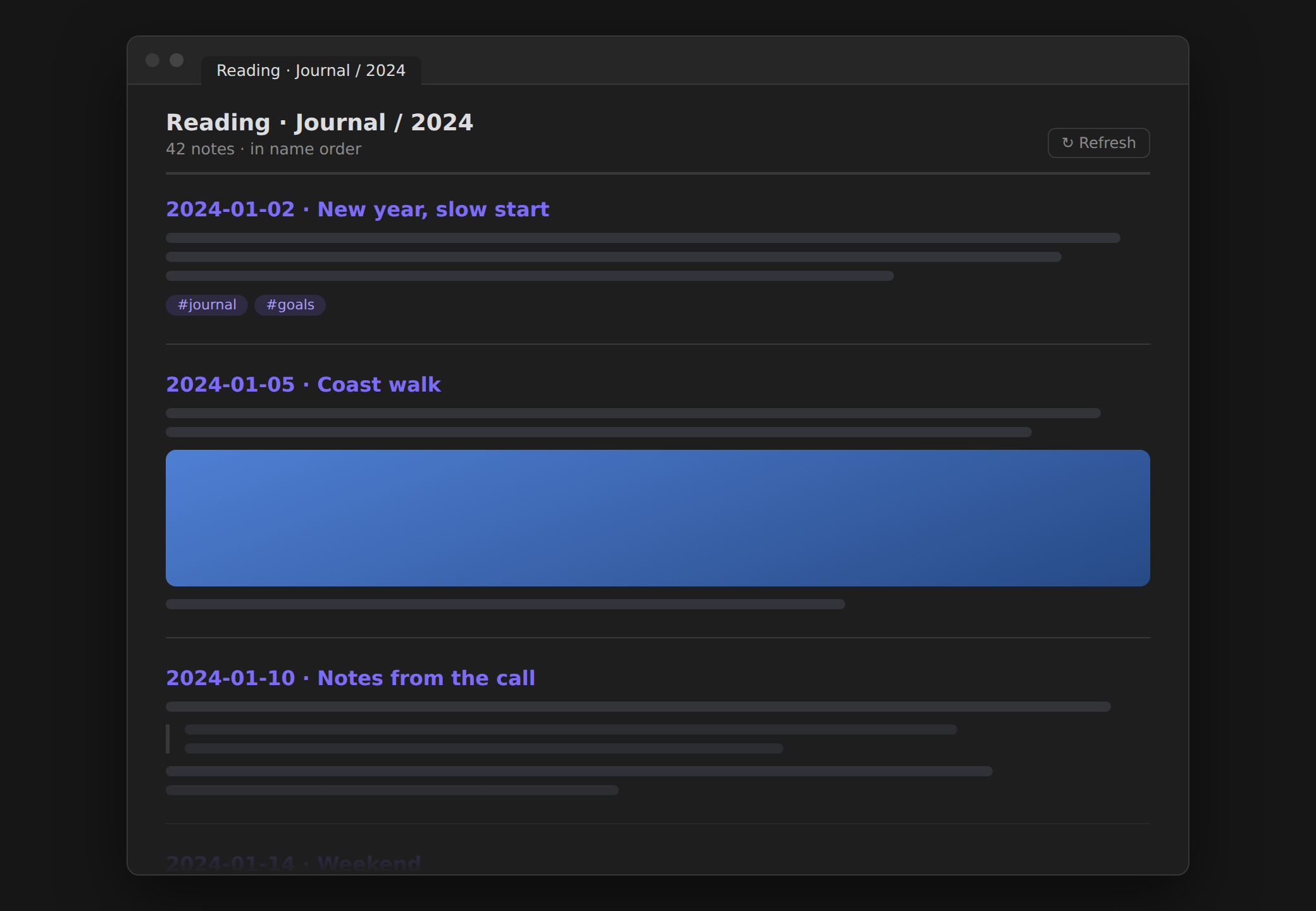
All the Markdown notes directly inside a folder, rendered one after another in a single tab, in name order — like one long document. Perfect for journals, chat archives, meeting notes, or book chapters you'd rather read than click through.
Features
- 📂 Folder context menu — right-click a folder → Read notes together.
- ⌨️ Command palette — Read current note's folder together.
- 📃 One continuous page — notes in name order (numeric-aware, so
2024-01-02<2024-01-10reads chronologically), each with its title as a header. - ⚡ Fast on huge folders — lazy-rendered in batches of 15 as you scroll, so a folder with hundreds of notes opens instantly.
- 🔗 Fully interactive — titles open the original note (Ctrl/Cmd-click = new tab); wikilinks, embeds, images, and tags render normally.
- 🔄 Refresh button re-reads the folder.
Usage
- Right-click a folder in the file explorer.
- Pick Read notes together.
- Scroll.
Only
.mdfiles directly inside the folder are included (subfolders aren't recursed). Frontmatter is hidden. The view restores across restarts.
Install
Community plugins (recommended): Settings → Community plugins → Browse → search Folder Reader → Install → Enable.
BRAT: add jagajaga/obsidian-folder-reader.
Manual: download main.js, manifest.json, styles.css from the
latest release
into <vault>/.obsidian/plugins/folder-reader/, then enable it.
How it works
It lists the folder's direct Markdown children, sorts by name, and renders each
with Obsidian's built-in MarkdownRenderer (the reading-view engine, so your
themes and snippets apply). Rendering is chunked behind an IntersectionObserver
so only what you scroll to is processed. No network, no telemetry, nothing written.
Plain JavaScript, no build step, desktop and mobile.
Related
- File Media Gallery — view all the media a note references (vault files + external/S3 URLs) as a gallery with per-type tabs and a lightbox.
- Private Quartz Publish — publish folders of notes to the web with private, unguessable URLs.
License
MIT © Arseniy Seroka