Search...Search plugins and themes...
⌘K
Sign in
  • Get started
  • Download
  • Pricing
  • Enterprise
  • Account
  • Obsidian
  • Overview
  • Sync
  • Publish
  • Canvas
  • Mobile
  • Web Clipper
  • CLI
  • Learn
  • Help
  • Developers
  • Changelog
  • About
  • Roadmap
  • Blog
  • Resources
  • System status
  • License overview
  • Terms of service
  • Privacy policy
  • Security
  • Community
  • Plugins
  • Themes
  • Discord
  • Forum / 中文论坛
  • Merch store
  • Brand guidelines
Follow us
DiscordTwitterBlueskyThreadsMastodonYouTubeGitHub
© 2026 Obsidian

Focus Zen Mode

RedRed241 downloads

A focused writing zen mode with centered current line and theme switcher.

Add to Obsidian
Focus Zen Mode screenshot
  • Overview
  • Scorecard
  • Updates4

Focus Zen Mode is an Obsidian plugin for focused Markdown writing. It hides distracting workspace UI, centers the active editor line, and provides a compact theme switcher for light, dark, and green writing modes.
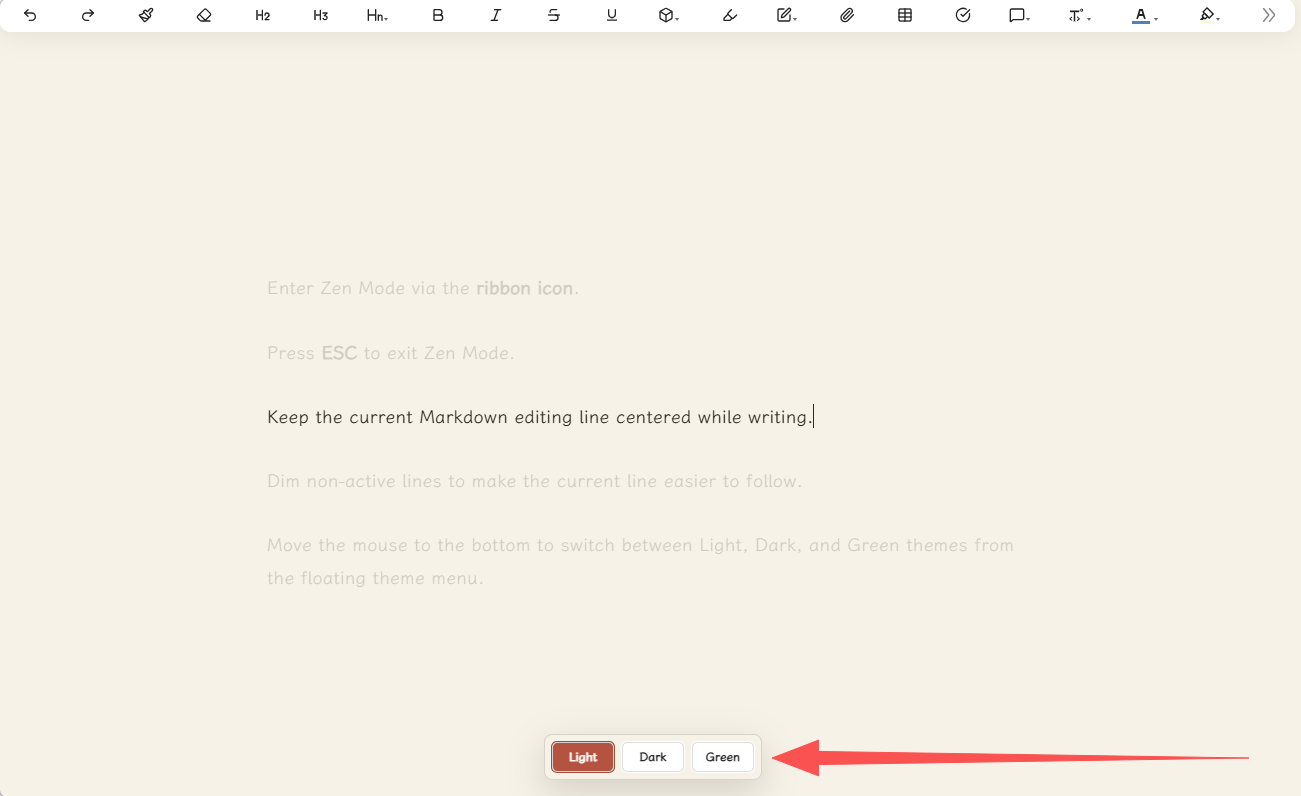
Zen Mode light theme

Zen Mode dark theme

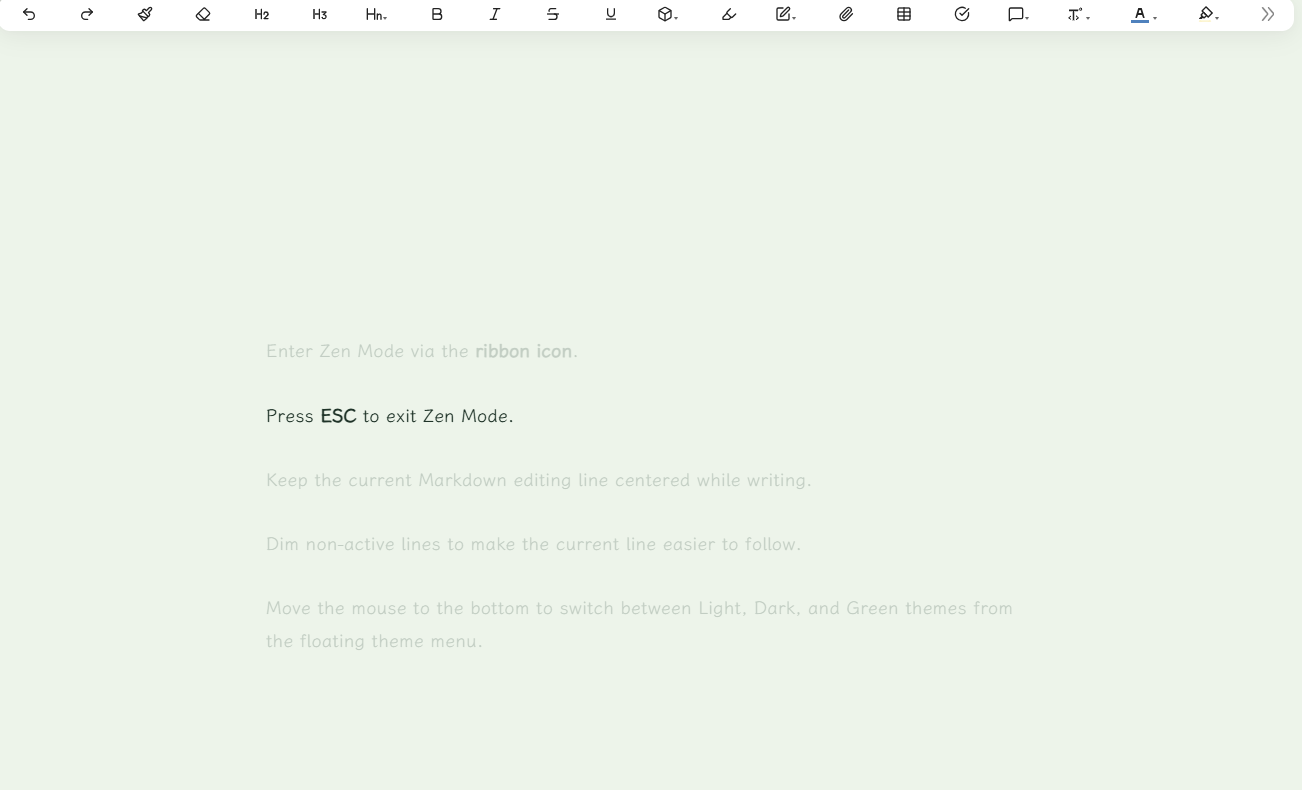
Zen Mode green theme

Features

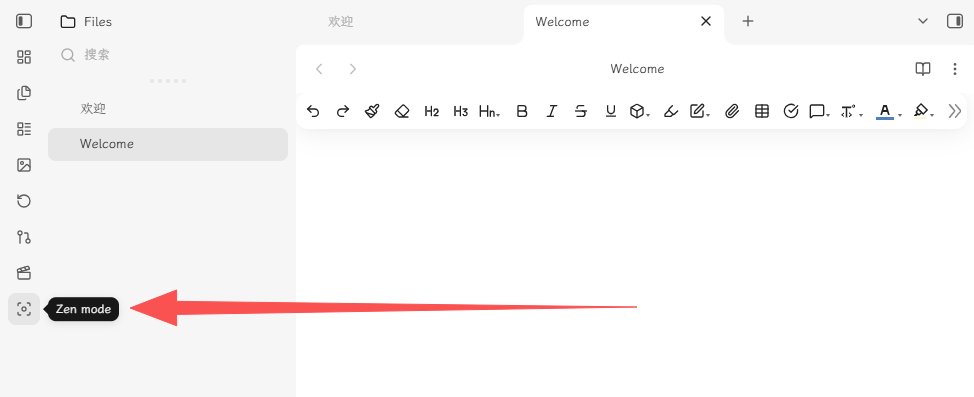
  • Enter Zen Mode via the ribbon icon.
  • Press ESC to exit Zen Mode.
  • Keep the current Markdown editing line centered while writing.
  • Dim non-active lines to make the current line easier to follow.
  • In Zen Mode, move the mouse to the bottom to switch between Light, Dark, and Green themes from the floating theme menu.

Installation

Method 1: Community Plugins (Recommended)

Once listed on the community store, you can install it directly:

  1. Go to Settings > Community plugins > Browse.
  2. Search for Focus Zen Mode.
  3. Click Install, then Enable.

Method 2: Manual Installation

  1. Create this folder inside your vault:

    .obsidian/plugins/focus-zen-mode/
    
  2. Copy these files into that folder:

    main.js
    styles.css
    manifest.json
    
  3. Restart Obsidian.

  4. Open Settings > Community plugins and enable Focus Zen Mode.

Usage

Open a Markdown note in editing mode, click the ribbon focus icon. Move the mouse to the bottom of the screen to switch themes.

License

MIT License. See LICENSE for details.


obsidian-focus-zen-mode(中文)

禅意模式是一款专注于 Markdown 写作的 Obsidian 插件。它会隐藏干扰性的工作区界面,将当前编辑行居中显示,并提供一个简洁的主题切换器,支持浅色、深色和绿色三种写作模式。

功能特性

  • 通过 侧边栏图标 进入禅意模式。
  • 按 ESC 键退出禅意模式。
  • 写作时保持当前 Markdown 编辑行居中显示。
  • 淡化非活动行,让当前行更易聚焦。
  • 禅意模式下,鼠标移动到底部,通过浮动主题菜单在浅色、深色和绿色主题之间切换。

安装方法

方式一:社区插件市场(推荐)

上架后可直接安装:

  1. 打开 设置 > 第三方插件 > 浏览。
  2. 搜索 Focus Zen Mode。
  3. 点击 安装,然后点击 启用。

方式二:手动安装

  1. 在你的 Obsidian 仓库中创建以下文件夹:

    .obsidian/plugins/focus-zen-mode/
    
  2. 将以下文件复制到该文件夹中:

    main.js
    styles.css
    manifest.json
    
  3. 重启 Obsidian。

  4. 打开 设置 > 第三方插件,启用 Focus Zen Mode。

使用方法

在编辑模式下打开一个 Markdown 笔记,点击侧边栏中的专注图标。将鼠标移动到屏幕底部切换主题。

许可证

MIT 许可证。详情请参阅 LICENSE。

HealthExcellent
ReviewPassed
About
Enter Zen Mode to hide distracting workspace UI and center the active editor line for focused Markdown writing. Dim non-active lines for easier tracking and switch between Light, Dark, and Green themes from a floating bottom menu.
WritingThemingInterface
Details
Current version
1.1.2
Last updated
2 months ago
Created
2 months ago
Updates
4 releases
Downloads
241
Compatible with
Obsidian 1.0.0+
Platforms
Desktop, Mobile
License
MIT
Report bugRequest featureReport plugin
Author
RedRedfoxmaysay
GitHubfoxmaysay
  1. Community
  2. Plugins
  3. Writing
  4. Focus Zen Mode

Related plugins

Hider

Hide interface elements such as tooltips, status bar, titlebar, and more.

Typewriter Mode

Typewriter scroll, writing focus, current line highlight, paragraph dimming, and more!

Keep the Rhythm

Turns out watching your word count go up is all the motivation you need.

Minimal Theme Settings

Control the colors and fonts in Minimal Theme.

Meta Bind

Make your notes interactive with inline input fields, metadata displays, and buttons.

Share Note

Instantly share/publish a note, with the full theme and content exactly like you see in Obsidian. Data is shared encrypted by default, and only you and the person you send it to have the key.

Style Settings

Adjust theme, plugin, and snippet CSS variables.

Commander

Customize your workspace by adding commands everywhere, create macros and supercharge your mobile toolbar.

Note Toolbar

Add customizable toolbars to your notes.

Longform

Helps you write and edit novels, screenplays, and other long projects.