Flatten Table
 theluckystrike1 downloads
Shows one table row for each item of a list property, as a Bases view, so one note can give many rows.
- Overview
- Scorecard
- Updates1
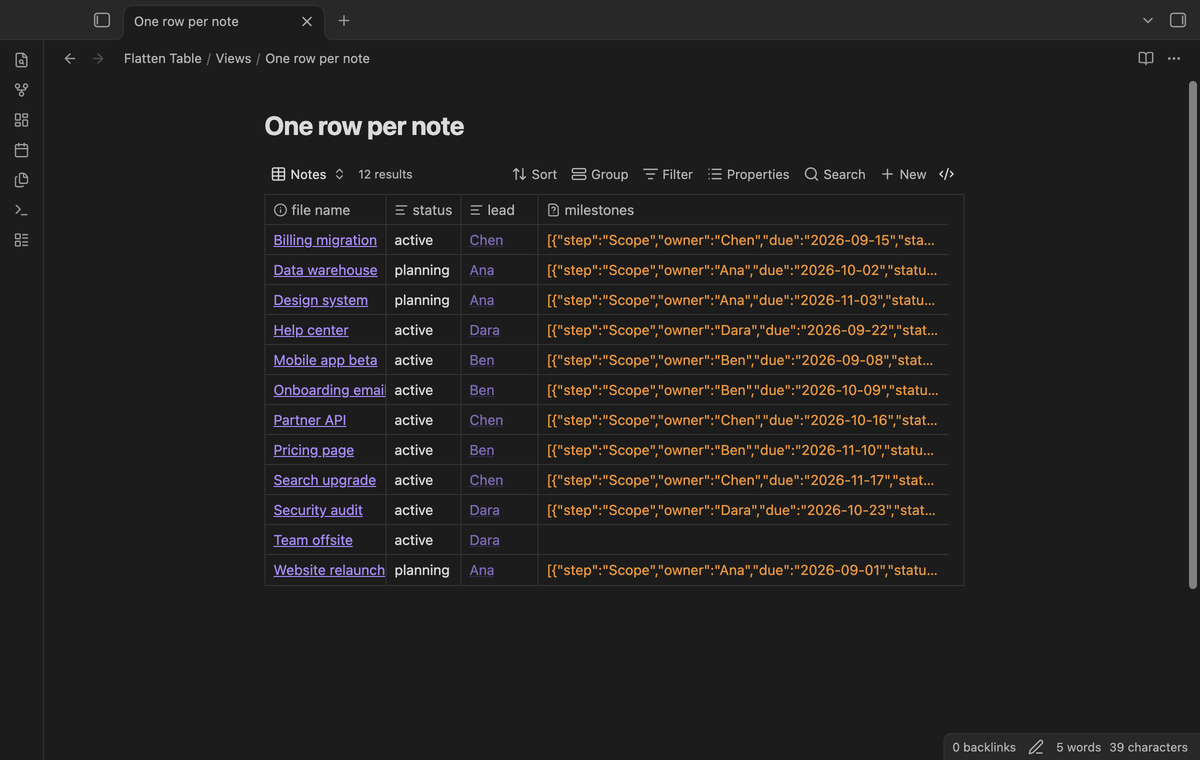
Flatten Table shows one table row for each item of a list property. A note can hold a list of objects in its properties, for example the milestones of a project or the roles of a person. The core table view of Bases gives one row per note, so the whole list is one cell. Flatten Table gives each item its own row, and the keys of the items become the columns. Your data stays in the properties of your notes.
Flatten Table is a view for the core Bases plugin. The base selects the notes, and Flatten Table draws the rows. It uses only the public Bases API for plugins. It does the same job as the FLATTEN command of Dataview.
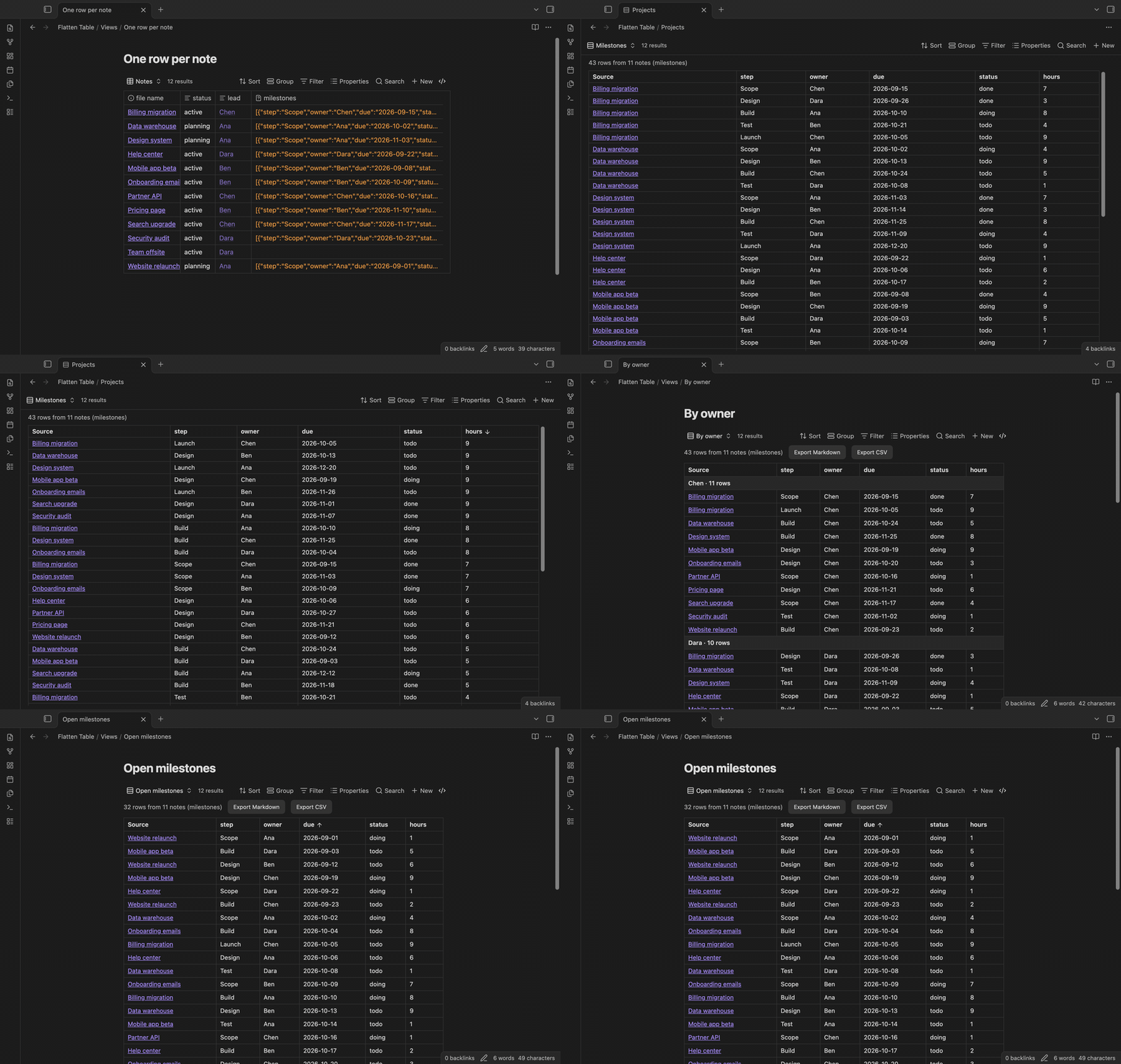
Features
One row for each list item
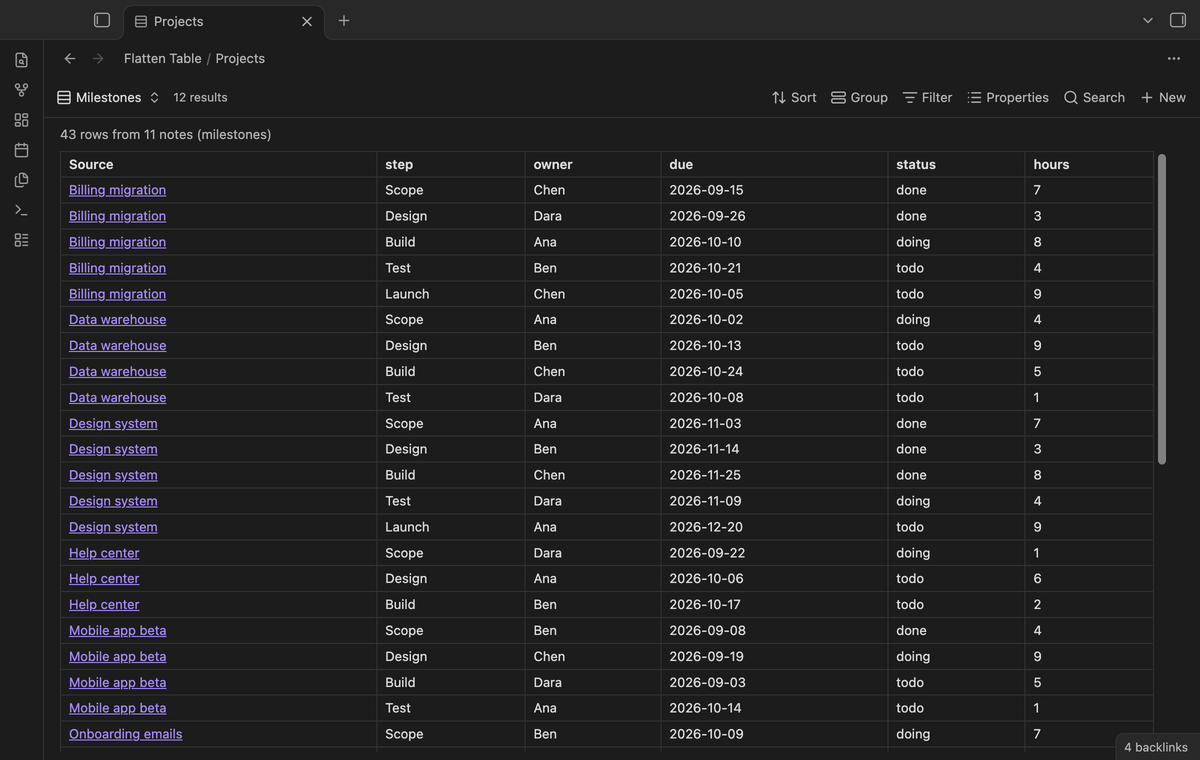
Pick a list property in the view options. Each item of that list becomes one row, with a Source column that links to its note. When the items are objects, each key is a column. Keys match without regard to case, so "Owner" in one note and "owner" in another note go into the same column.
The core table view puts the full list in one cell:
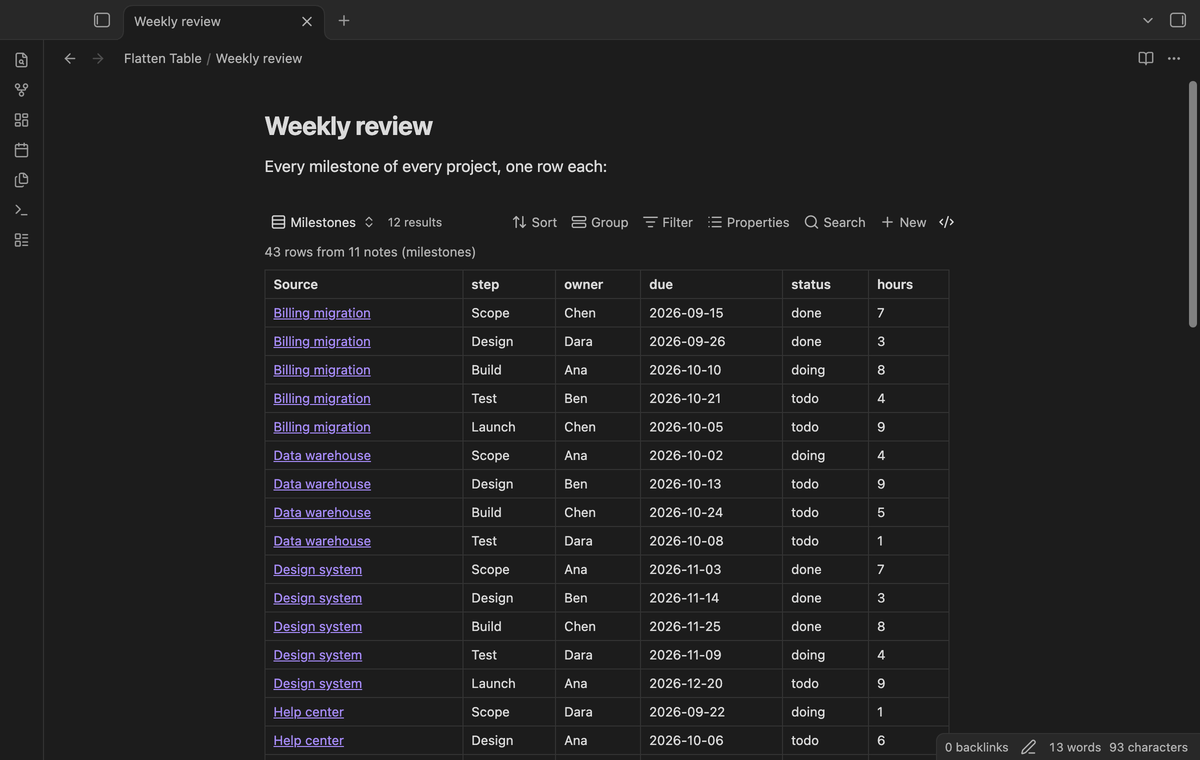
The same base in a Flatten Table view gives 43 rows from 11 project notes:
A list of plain values, such as a list of authors, gives one column with the name of the property. A nested object in an item gives dotted columns, for example who.name and who.team.
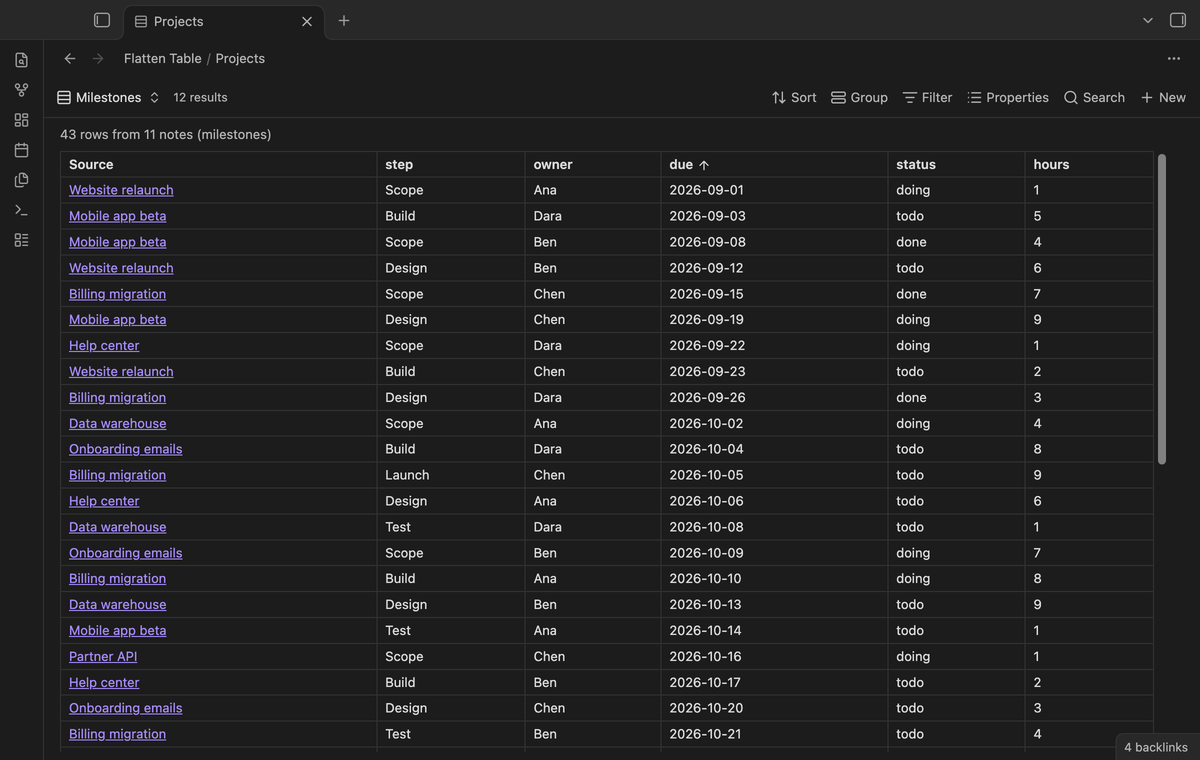
Sort by any column
Click a column header to sort the rows. Click again to sort the other way, and a third time to go back to the order of the base. Numbers sort as numbers, dates in the form YYYY-MM-DD sort in date order, and empty cells stay at the end. The sort is saved with the view in the base file.
Live update and embeds
When you change a property, the table draws again after a short delay. You can embed the view in any note with ![[Your base.base#View name]], for example in a weekly review.
Group rows (Pro)
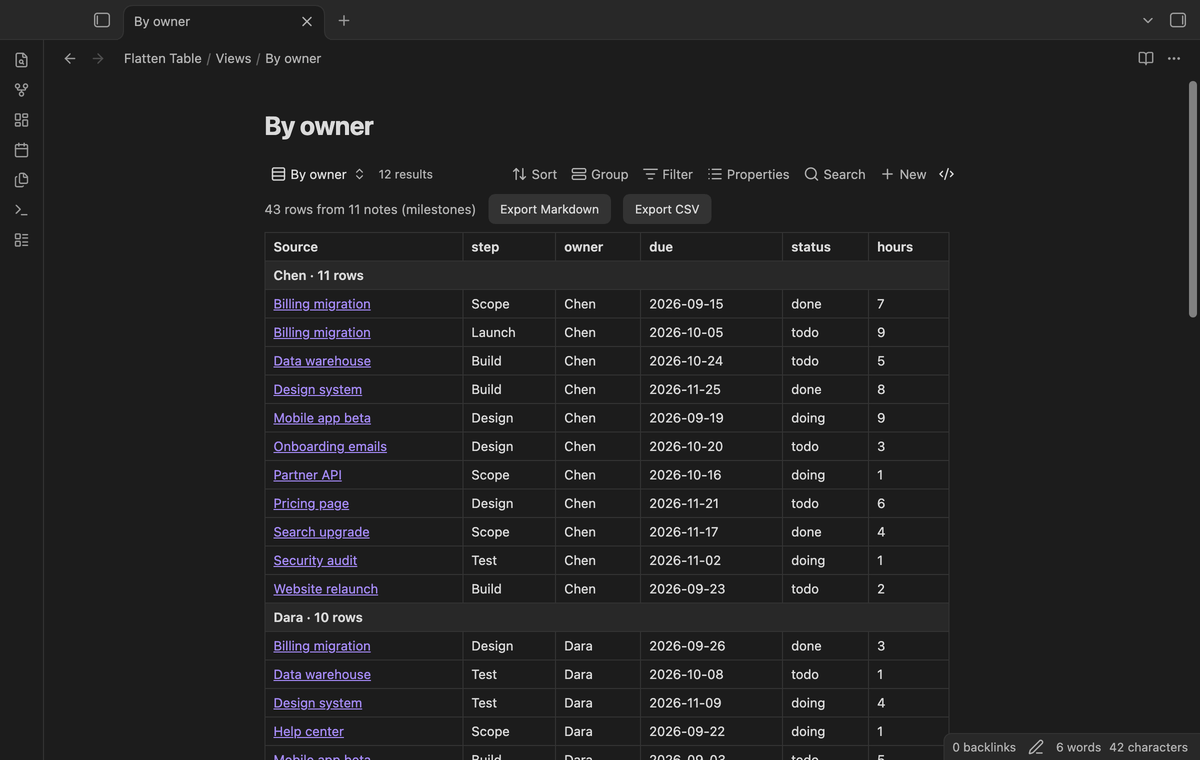
Group the rows by any column, or by Source. Each group has a header with its value and the number of rows.
Filter rows (Pro)
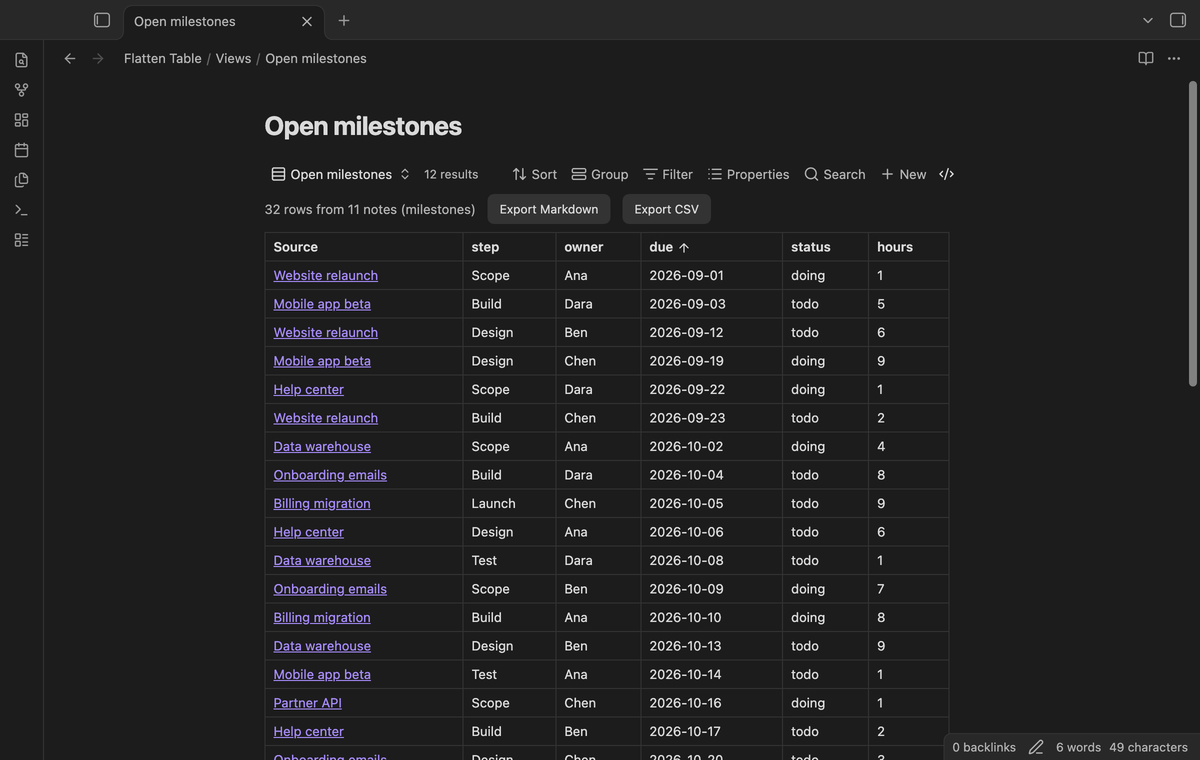
The filters of the base select notes. The row filter of Flatten Table selects items. Keep only the rows where a column contains, equals or does not equal a value, or is empty. For numbers and dates, keep the rows that are larger or smaller than a value. The filter can use a key that the Columns option hides.
Export to a note or CSV (Pro)
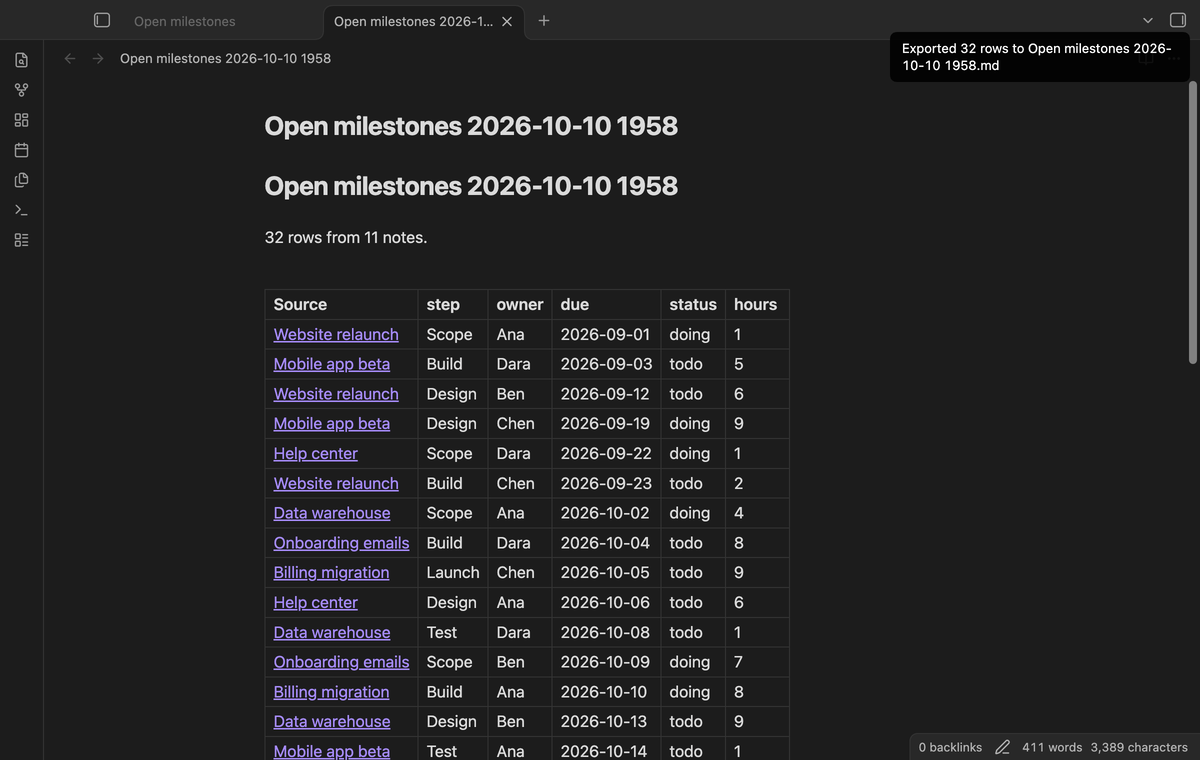
Export the flat table, with its filter and sort, to a new Markdown note or a CSV file. The Markdown table links each row back to its source note. Use the buttons above the table or the commands "Export the flat table as a Markdown note" and "Export the flat table as a CSV file".
Install
- Open "Settings → Community plugins" and turn off restricted mode.
- Select "Browse", search for "Flatten Table", then select "Install" and "Enable".
- Make sure that the core plugin "Bases" is on ("Settings → Core plugins").
To install by hand, copy main.js, manifest.json and styles.css from the latest release into <vault>/.obsidian/plugins/flatten-table/. Then enable the plugin. You need Obsidian 1.13.4 or later.
Usage
Write a list of objects in the properties of your notes. The Properties panel of Obsidian cannot edit such a list, so use the source mode:
milestones:
  - step: Design
    owner: Ana
    due: 2026-10-01
    hours: 3
  - step: Build
    owner: Ben
    due: 2026-10-20
    hours: 8
Create a base, or open one. Set its filters so that it selects these notes, for example a folder or a tag.
Select the view menu in the base toolbar and add a view of the type "Flatten table".
Open the view options. In "List property", pick
milestones.
A property that holds one value, not a list, gives one row. A note where the property is missing or empty gives no row. Turn on "Keep notes without items" to show an empty row for such a note.
A wikilink in a property, such as owner: "[[Ana]]", shows as a link.
Pro
The free version flattens the lists of up to 50 notes that have items, with column sort, the Source and item number columns, embeds and live update. When more notes have items, the table says how many it left out.
Pro removes the 50-note limit and adds row filters, groups and export to Markdown or CSV. To get it:
- Sponsor theluckystrike on GitHub Sponsors with $5 a month, or $15 once. When you have paid $15 in total, Pro stays on.
- In Obsidian, open the settings of Flatten Table and select "Sign in with GitHub".
- The plugin copies a code and opens github.com/login/device. Paste the code there and approve.
The status line then shows your GitHub login and the tier. If you sponsor after you sign in, select Refresh. If a monthly sponsorship ends before you have paid $15 in total, Pro turns off at the next check, within 7 days.
Settings
The view options are in the base toolbar. They are saved with each view in the base file.
| Option | What it does |
|---|---|
| List property | The property whose items become rows. |
| Columns | Column names to show, in this order. Empty shows all keys. |
| Show source column | Shows or hides the Source column. |
| Show item number column | Shows the position of each item in its list, from 1. |
| Keep notes without items | Shows one empty row for a note with no items. |
| Group by column (Pro) | A column name, or Source. |
| Filter column, rule and value (Pro) | Keeps only the rows that match. |
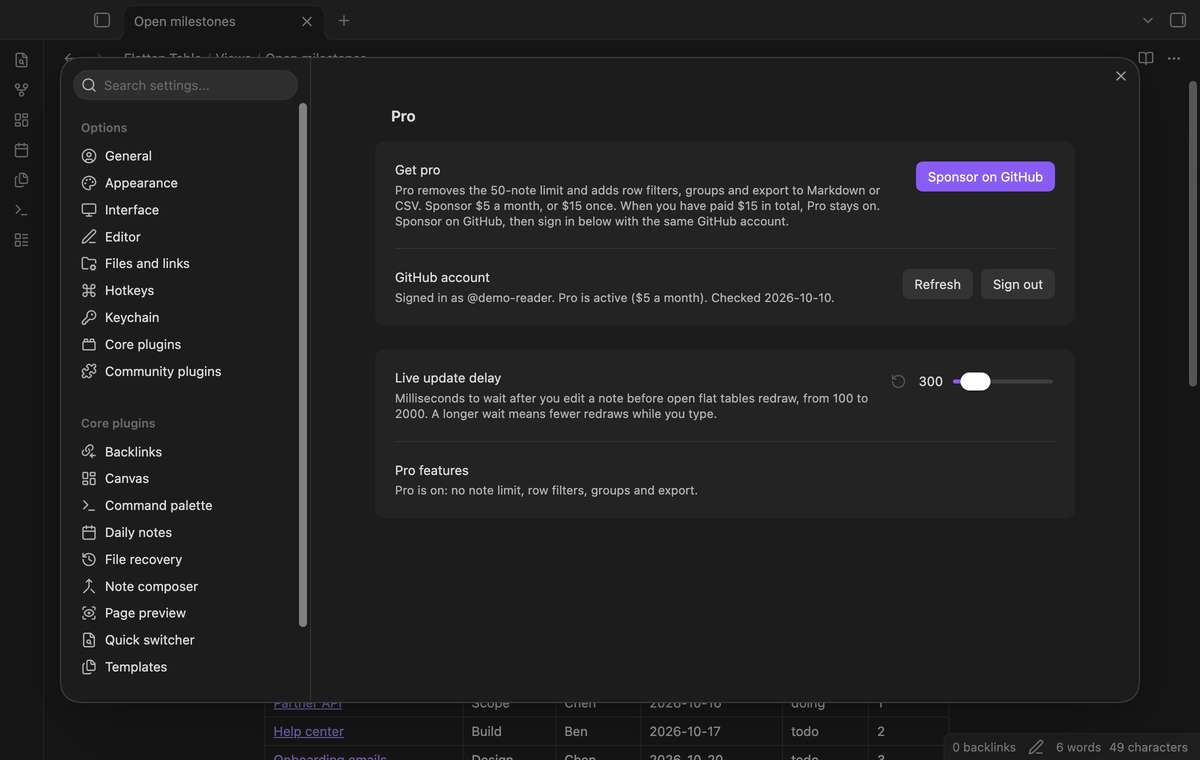
The plugin settings tab has the Pro section (sign in with GitHub, status and Refresh) and one setting. "Live update delay" is the time in milliseconds to wait after an edit before the tables draw again, from 100 to 2000. The default is 300.
FAQ
Does Flatten Table change my notes?
No. It only reads the properties of your notes. Export creates a new file and does not touch the sources.
How is this different from Dataview?
Dataview has FLATTEN in its query language, and it does not need Bases. Flatten Table works inside Bases: you get the base filters, the view menu and embeds, and you write no query. The request for this in Bases is forum topic 105425, "Bases: a DV FLATTEN solution to allow 1 file multi-entry".
How fast is it?
In the end-to-end test with 500 notes and 2,500 rows, a full draw took 12 to 61 ms on an M3 Pro Mac. Flatten Table reads the properties from the metadata cache of Obsidian, so it opens no file.
Payment, account and network
The core features are free and stay free. Pro features need a GitHub Sponsors sponsorship of theluckystrike: $5 a month or more, or $15 once. When you have paid $15 in total, Pro stays on. Your notes stay readable and editable with or without Pro.
GitHub handles the payment. Sponsor at https://github.com/sponsors/theluckystrike. You need no account for the free features. Pro needs the GitHub account that sponsors.
Until you select "Sign in with GitHub" in the settings, Flatten Table makes no network requests. Sign in uses the GitHub device flow. Flatten Table sends its public client ID and the scope read:user to https://github.com/login/device/code and shows you a code. While you enter the code at https://github.com/login/device, it asks https://github.com/login/oauth/access_token every few seconds whether sign in is done. The scope read:user is read-only access to your profile, which GitHub needs to show the sponsorship tier. It gives no access to repositories and no write access.
After sign in, Flatten Table sends one query to https://api.github.com/graphql: does the signed-in account sponsor theluckystrike, at which tier, and how much it has paid theluckystrike in total. It asks again at most once every 7 days, or when you select Refresh. It sends no note content, file names or other vault data, and it has no telemetry.
Pro keeps working for 14 days without a successful check. The GitHub token stays in the secret storage of Obsidian on this device. It is not written to data.json or other vault files, so it does not sync or reach a git repository. The local storage of this device keeps your GitHub login, the tier and the time of the last check. Sign out deletes the token. You can also revoke the access in your GitHub settings, under Applications.
Support
Report bugs and ask for features in the GitHub issues of this repository. Add your Obsidian version and a small sample note.