Flashy
 dimagious52 downloads
Turn notes you already have into flashcards: headings, tables, lists and callouts. Review with swipes on your phone, scheduled by FSRS. Nothing is written into your notes.
- Overview
- Scorecard
- Updates17

Your notes are already flashcards.
Headings, tables, lists and question callouts become a deck as they are. Review with a tap and a swipe on your phone. Nothing is written into your notes.
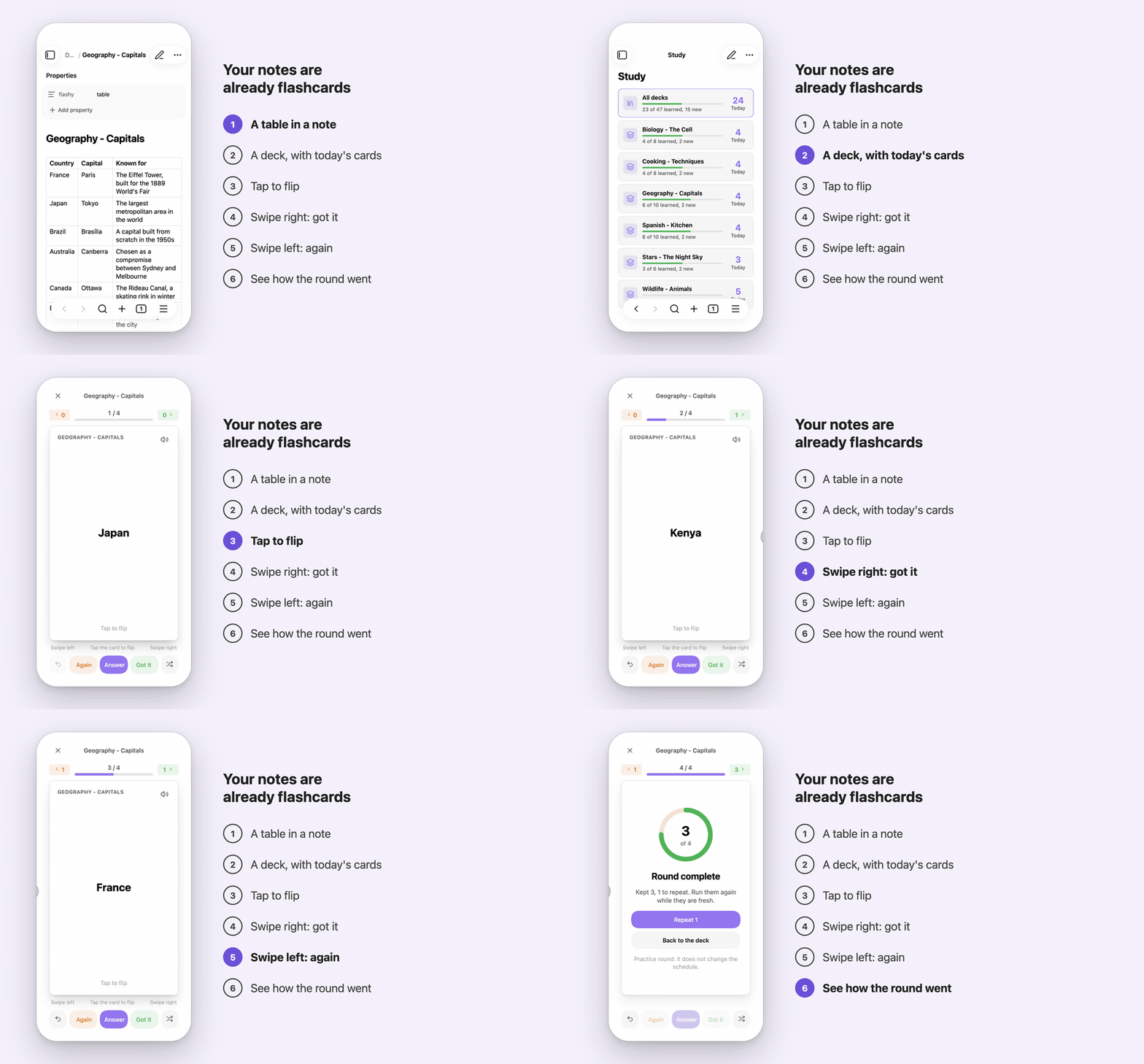
Install: Settings → Community plugins → Browse → search for Flashy. Until Flashy is listed there, install it with BRAT from Dimagious/flashidian. Then open a note with a table or a glossary, add the property flashy: true and run Flashy: Review cards in the current note.
Every format and setting · Changelog
Why Flashy
- No card syntax. The notes you already have are the deck: a glossary, a table, a list, a callout with a question.
- Made for the phone. One card at a time, a 3D flip, swipe right when you know it, left to see it again.
- Your notes stay clean. No scheduling comments, no IDs. Progress lives in a
Flashy/folder and syncs without conflicts. - FSRS scheduling, and the multi-line
?format of the Spaced Repetition plugin works as it is.
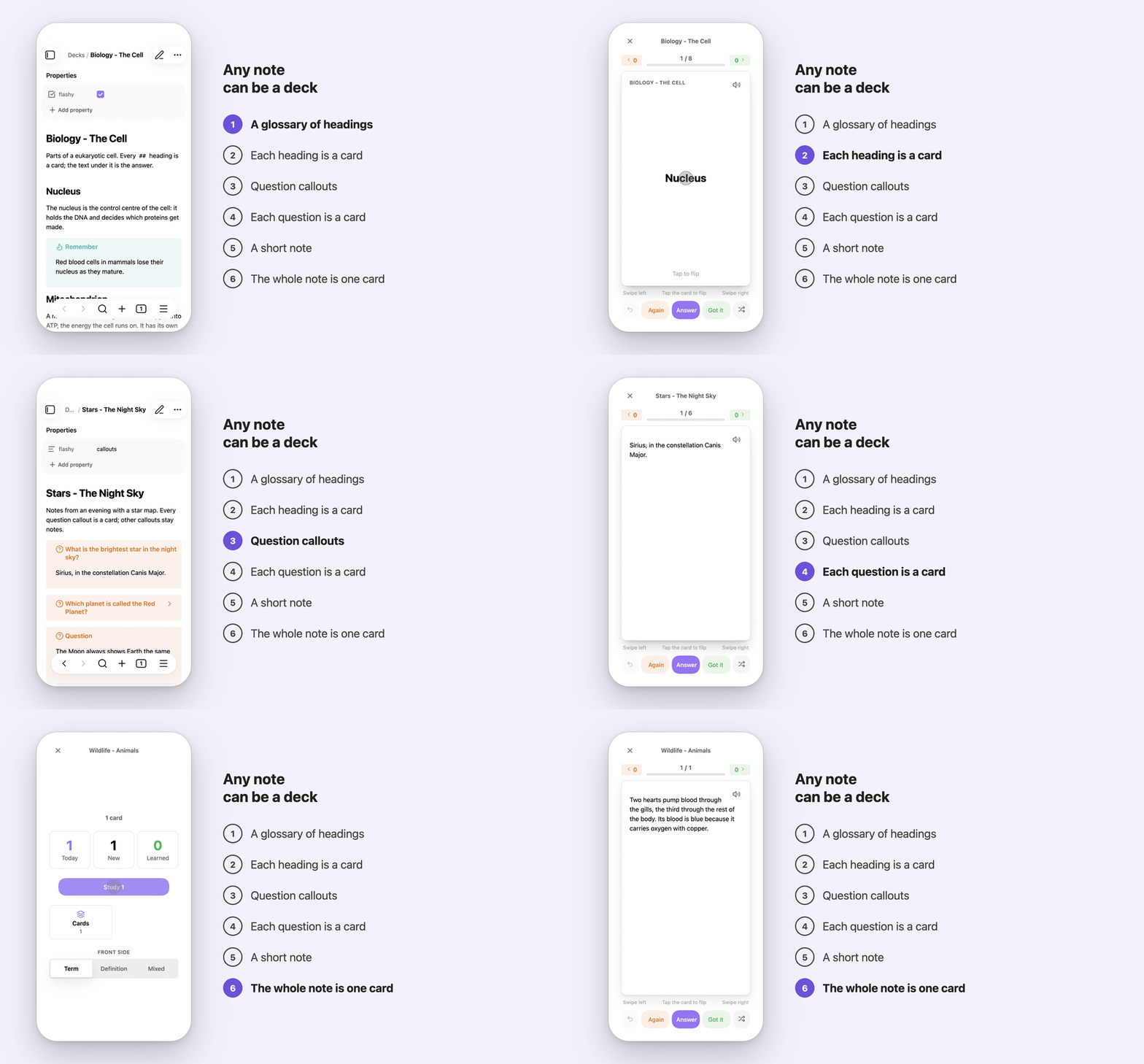
Any note can be a deck
A glossary of ## headings, question callouts, or a whole short note as one card. A table and a list work the same way.
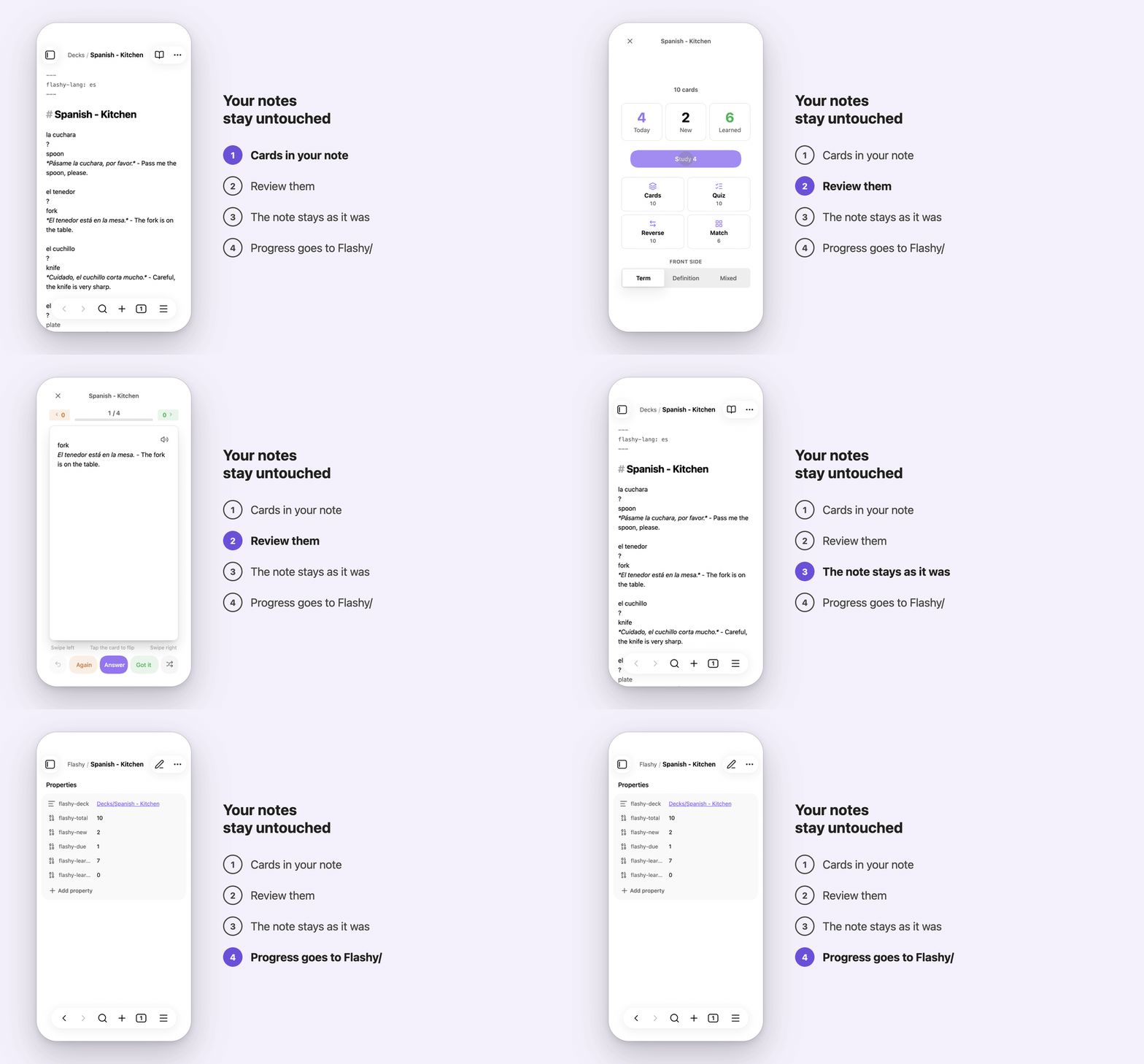
Your notes stay untouched
Reviews go to a log in Flashy/, one file per device, so two devices never conflict. Each deck gets a note with its numbers as properties, ready for Bases.
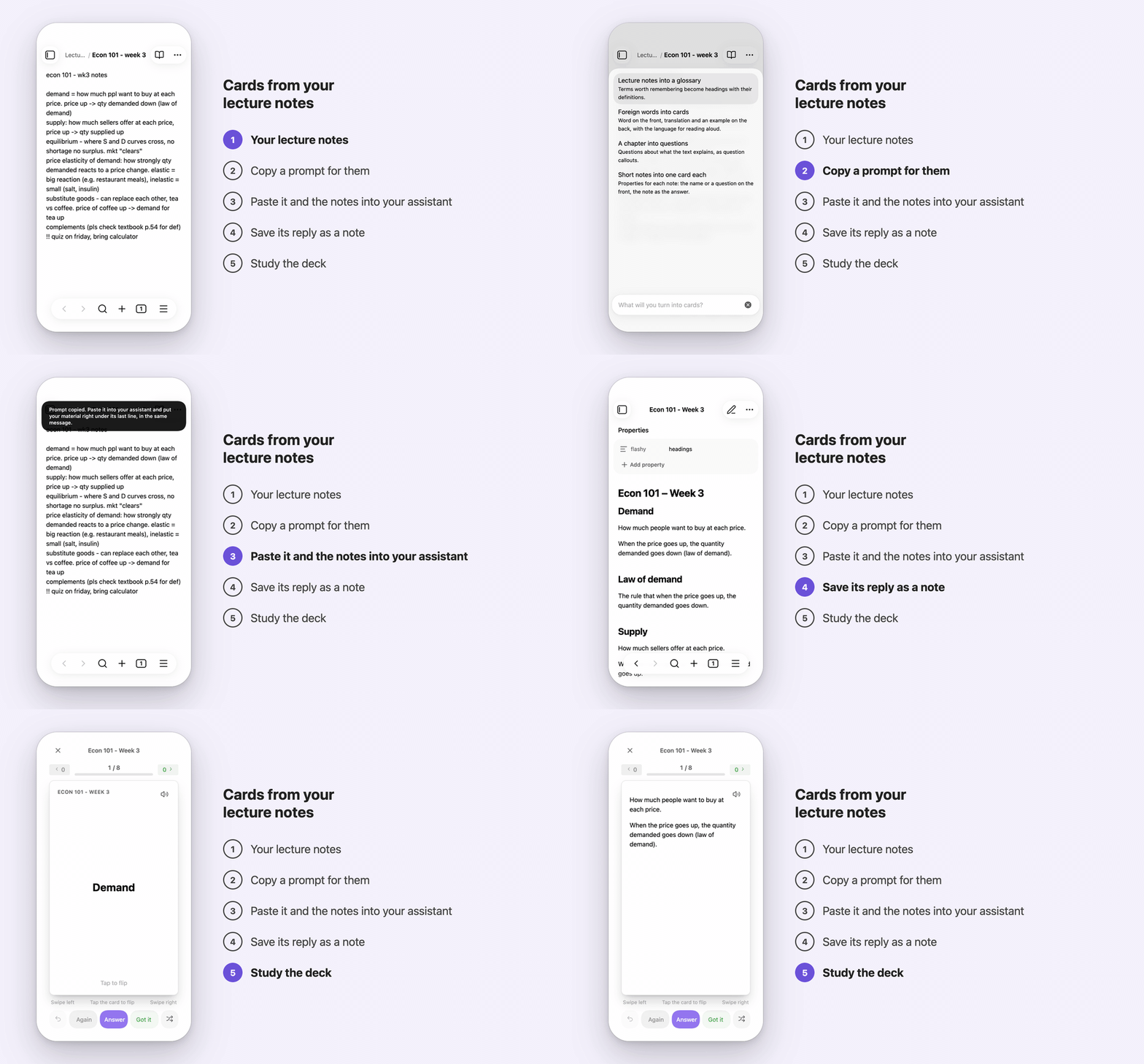
Cards from your lecture notes
Copy a ready prompt, paste it with your notes into the assistant you use, and save the reply as a note: it is a deck. Four prompts, for lecture notes, foreign words, a chapter and short notes, each checked on 24 sample inputs. Flashy itself calls no model and sends nothing anywhere.
Quiz and Match
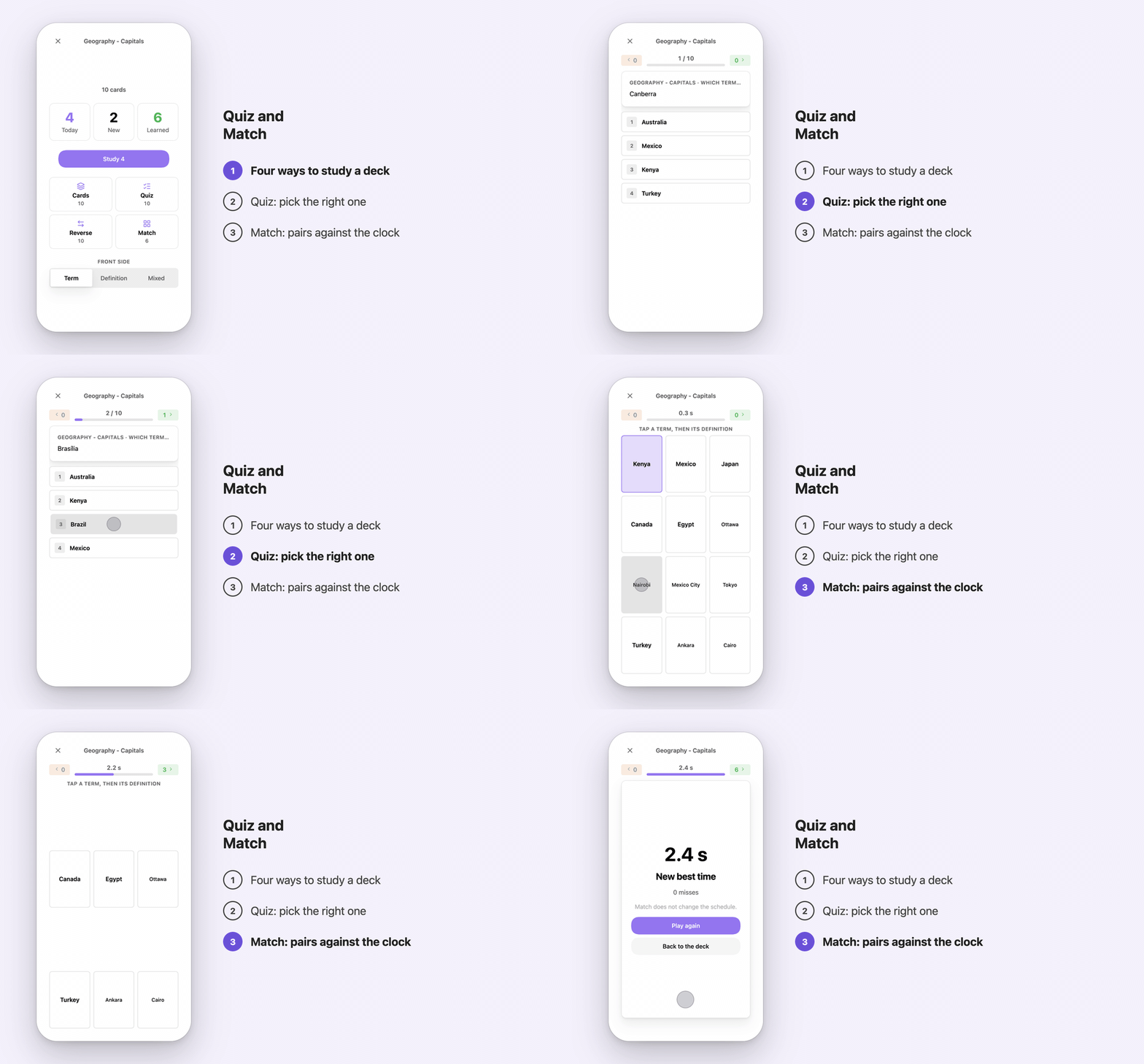
Four ways through a deck: cards, a quiz, a reverse quiz, and Match, pairs against the clock with a best time per deck. The quizzes and Match leave the schedule alone.
Coming from Spaced Repetition
Your ? decks open as they are, and Flashy leaves the plugin's <!--SR:...--> comments alone, so both plugins can run on the same notes. Flashy keeps its own schedule: your Spaced Repetition history does not carry over.
Seven languages
English, Russian, Spanish, German, French, Portuguese and Japanese. Flashy follows Obsidian's language; pick another under Language in the settings.
The clips are the plugin running in Obsidian's mobile interface, in a phone-sized window on a desktop, with a demo vault.
License
MIT