Flash Navigator
 iyioon404 downloads
Flash-style label-based navigation with Vim workflows.
- Overview
- Scorecard
- Updates4
Flash-style label navigation inspired by folke/flash.nvim.
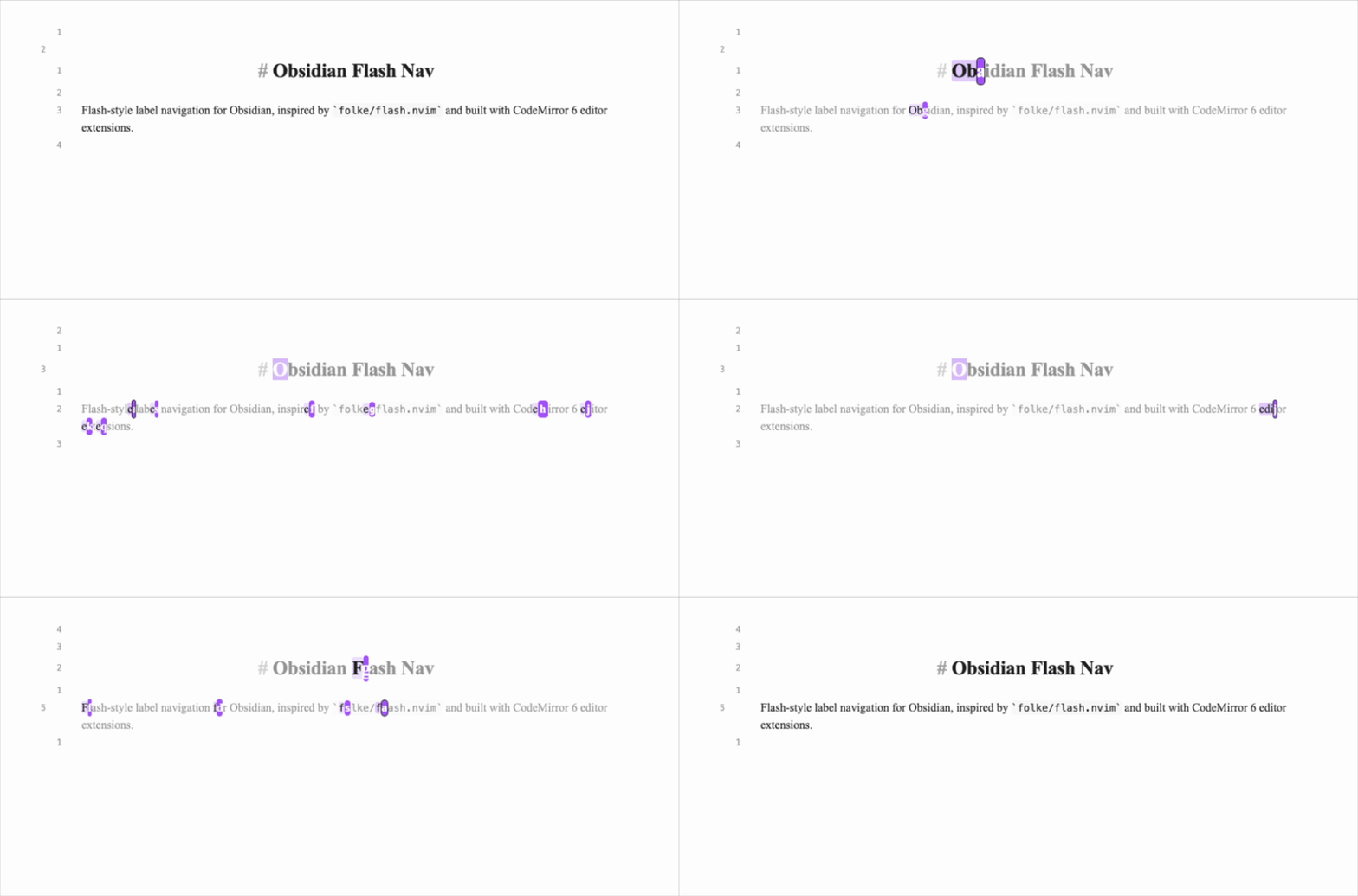
Fast flow:
- Trigger
Start jump(or mappedsin Vim normal mode). - Type a search pattern.
- Press the label character to jump.
Features
- Start flash mode from command palette:
Start jump - Type a pattern, see label hints, press label to jump
- Controls:
Backspaceedit pattern,Enterjump current target,Esccancel - Vim-friendly workflow via Obsidian hotkeys or
.obsidian.vimrc - Configurable settings:
- label alphabet
- label reuse mode (none/lowercase/all)
- label current match toggle
- label color and current label color (with reset to current accent)
- search direction (closest/forward/backward)
- search scope (viewport/current line/document)
- case sensitive and smart-case matching
- auto-jump on single match
- backdrop dim opacity
Setup (Development)
Based on the official Obsidian build workflow: https://docs.obsidian.md/Plugins/Getting+started/Build+a+plugin
- Clone this repository.
- Run
npm install. - Run
npm run dev(watch mode) ornpm run build.- Run
npm run testfor matcher/labeler unit checks.
- Run
- Copy this repo into your vault plugin folder:
<Vault>/.obsidian/plugins/flash-navigator/
- In Obsidian, enable Community plugins and turn on
Flash Navigator.
Vim Mapping (.obsidian.vimrc)
If you use obsidian-vimrc-support, add this to your vault root .obsidian.vimrc:
" Optional: release default 's' behavior
nunmap s
vunmap s

" Alias Obsidian command id to a short ex command
exmap flash obcommand flash-navigator:flash-nav-start

" Map normal mode and visual mode s to flash
nmap s :flash<CR>
vmap s :flash<CR>
Notes:
- Command id is
flash-navigator:flash-nav-start. <CR>is required for ex command mappings in recent codemirror-vim versions.- Visual mode requires
vmap s :flash<CR>; without it, Vim keeps default visual substitute behavior. obcommandis provided byobsidian-vimrc-supportand may change; fallback is direct Obsidian hotkey binding.- Run
:obcommandto inspect available command ids.
Project
- GitHub issues: https://github.com/iyioon/obsidian-flash-nav/issues
- GitHub milestones: https://github.com/iyioon/obsidian-flash-nav/milestones
- Release process:
docs/RELEASING.md - Automated releases on tag push:
.github/workflows/release.yml
Performance Profiling (Dev)
To enable compute profiling logs in the developer console:
globalThis.__FLASH_NAV_PROFILE__ = true
Disable it with:
globalThis.__FLASH_NAV_PROFILE__ = false
When enabled, slow refresh cycles (>= 8ms) are logged with pattern length, match count, scope, and direction.
Contributing
When opening a PR:
- Link the issue/milestone item.
- Mention relevant Obsidian docs used for implementation decisions.
- Include verification notes (mode tested, vault setup, expected behavior).
References
- Obsidian build guide: https://docs.obsidian.md/Plugins/Getting+started/Build+a+plugin
- Editor extensions: https://docs.obsidian.md/Plugins/Editor/Editor+extensions
- View plugins: https://docs.obsidian.md/Plugins/Editor/View+plugins
- State fields: https://docs.obsidian.md/Plugins/Editor/State+fields
- Plugin guidelines: https://docs.obsidian.md/Plugins/Releasing/Plugin+guidelines
- Submit plugin: https://docs.obsidian.md/Plugins/Releasing/Submit+your+plugin
- flash.nvim: https://github.com/folke/flash.nvim
HealthGood
ReviewSatisfactory
About
Start flash-style label navigation to jump instantly by typing a search pattern, watching labeled hints, and pressing a label to go there. Use Vim-friendly hotkeys, control search scope/direction and case matching, and enable optional auto-jump on a single match for speedy, precise navigation.Details
Current version
0.2.3
Last updated
6 months ago
Created
6 months ago
Updates
4 releases
Downloads
404
Compatible with
Obsidian 1.5.0+
Platforms
Desktop, Mobile
License
MIT
Sponsor