File Describer
 Alexandrovdi310 downloads
Automatically create description notes for files dropped into a watched folder. Search and find files by their descriptions via Obsidian search.
- Overview
- Scorecard
- Updates20
English | Русский | What's new
File Describer
An Obsidian plugin that automatically creates and manages description notes for files in a tracked folder. Perfect for organizing files in your vault with searchable descriptions, tracking file changes, and managing metadata.
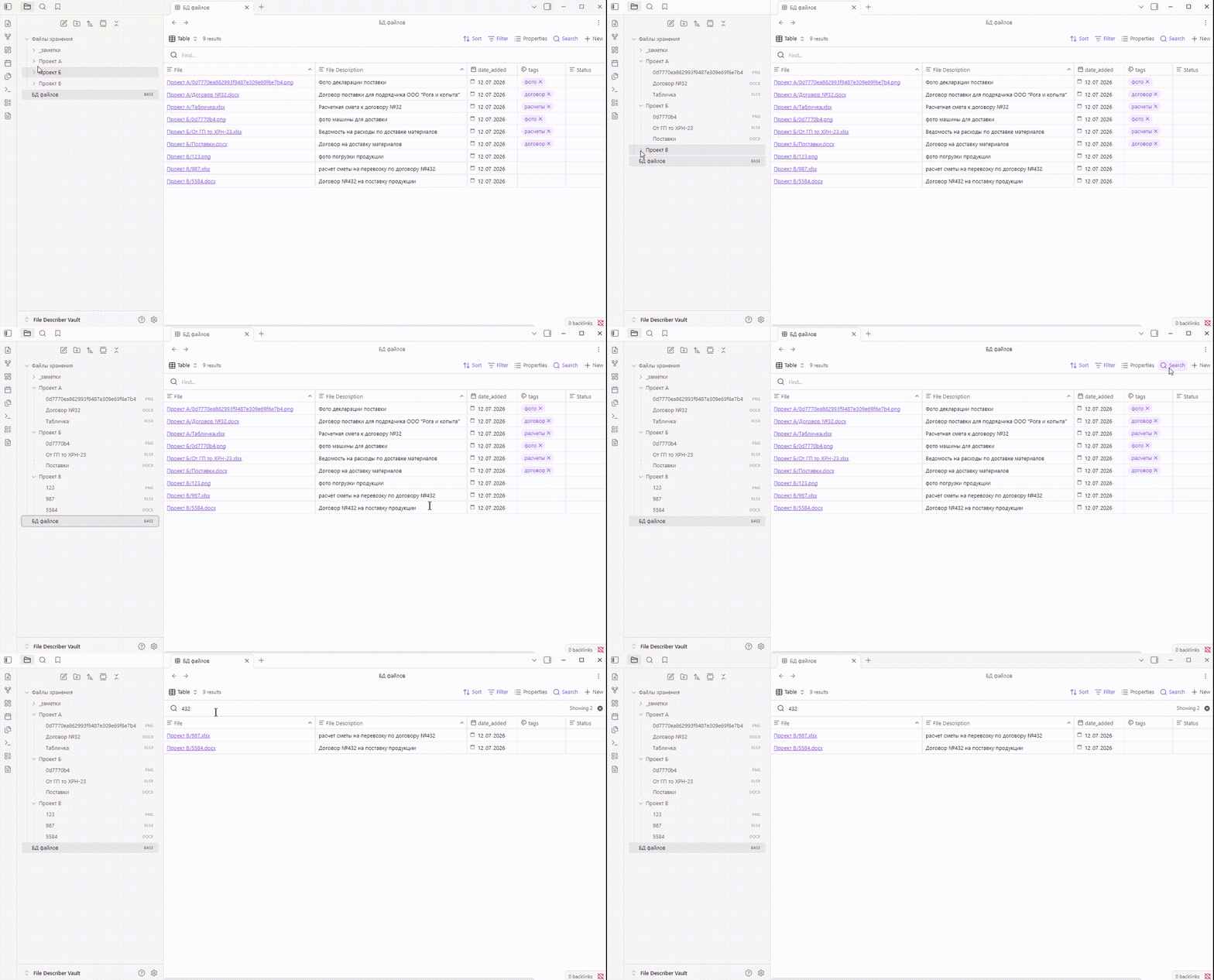
Also, for your convenience, you can download a ready-made base file which will display a full list of files with descriptions. Using the search, you can quickly find the file you need.
Features
- Auto-creation of description file — when a file is added to the target folder, a description note is automatically created
- Delete tracking — when a file is deleted, the note automatically changes its status
- Move tracking — the
Filefield in the note is automatically updated when the file is moved - Orphaned note handling — when a file is deleted, you can keep the note for history or delete it
- Badge indicator — a red
!on the ribbon icon means that files have changed and you need to take action on the notes - Recursive scanning — files in the configured folder are scanned in all folders, regardless of nesting
Settings
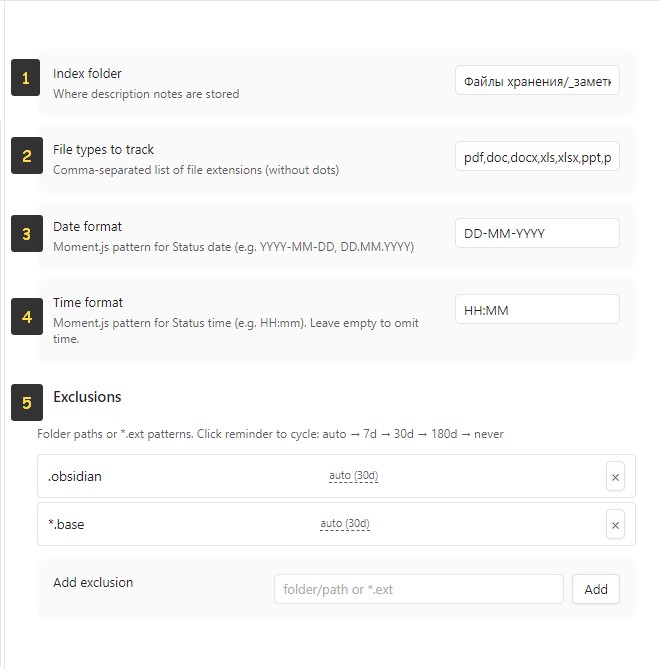
- Index folder — set the folder where description files will be located
- File types to track — file types to monitor
- Date format — set a convenient date format
- Time format — set a convenient time format
- Exclusions — configure excluded folders, in which the system will not track changes. These folders also have a period after which the system will remind you about the excluded folder — you can either extend the period, delete the folder, or include it in indexing.
How it works
- When files are added to the vault, the plugin creates a description note in the folder with frontmatter:
File Description,File(wikilink),date_added,filetype,filename - When a file is added, deleted, or moved, a red
!appears above the plugin icon
- When you open the plugin, the required action is shown in the tabs
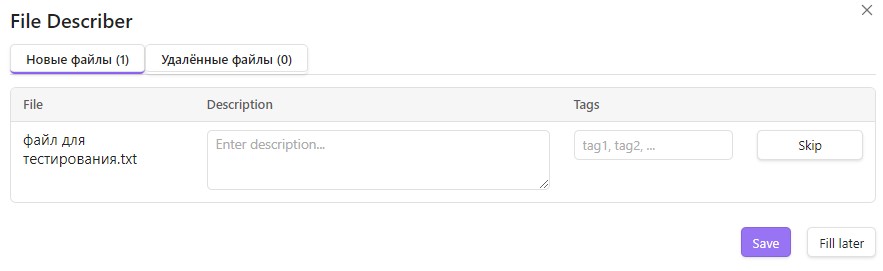
- Fill in the "Description" and "Tags" fields, click "Save"
When you delete a description file
ATTENTION! When you delete a description file from the folder, the system will prompt you to delete the file — you can agree or not. If you do not agree, the plugin will prompt you to update the description for the file.
Installation
From Obsidian Community Browser
Search for "File Describer" in Settings → Community plugins → Browse.
Via BRAT
- Install the BRAT plugin
- Add
https://github.com/Alexandrovdi/File-Describerto the list of beta plugins - Click "Add Plugin"
Manual
- Download the latest release from GitHub Releases
- Extract
main.js,manifest.json, andstyles.csstoVaultFolder/.obsidian/plugins/file-describer/ - Enable the plugin in Settings → Community plugins
Development
git clone https://github.com/Alexandrovdi/File-Describer.git
cd File-Describer
npm install
npm run build    # builds main.js
npm run dev      # watch mode
License
MIT
What's new
Release 1.1.0
- Files can now be added to any folder in the vault
- Added the ability to specify folder(s) that will be ignored by the index. You can do any file work in them (when multiple copies can be made from one file) or store temporary files that you do not want to index yet. These folders will have a default period of 30 days, after which you will receive a reminder that something needs to be done with this folder
Release 1.1.3
- Bug fixed