Feishu Inbox
 qqyzk256 downloads
Sync Feishu / Lark group messages into an Obsidian inbox note.
- Overview
- Scorecard
- Updates7
Sync quick notes from a Feishu / Lark group chat into an Obsidian inbox note.
Use Feishu / Lark on your phone as a lightweight capture inbox, then click one button in Obsidian to pull new messages into a local Markdown file.
Phone → Feishu / Lark group → Obsidian inbox note
Features
- Manual sync from the Obsidian ribbon.
- Command palette command:
Sync Feishu Inbox. - Built-in setup guide in plugin settings.
- Writes to a vault-relative Markdown file, such as
Inbox/Feishu Inbox.md. - Keeps bounded local sync state to avoid duplicate imports.
- Filters system messages such as group creation and bot invitation events.
- Uses each user's own Feishu / Lark custom app. No shared credentials are included.
Before You Start
You need:
- An Obsidian vault.
- A Feishu / Lark account.
- Permission to create a Feishu / Lark custom app.
- A Feishu / Lark group chat used as your mobile inbox.
Each user creates their own Feishu / Lark app and bot. Do not use another person's App ID or App Secret.
Install
From Obsidian
- Open Obsidian Settings.
- Go to
Community plugins. - Search for
Feishu Inbox. - Install and enable the plugin.
From GitHub Release
To install a specific release manually, download these files from the latest release listed at the bottom of this page:
manifest.jsonmain.jsstyles.css
Put them into:
<your vault>/.obsidian/plugins/feishu-inbox/
Restart Obsidian, then enable Feishu Inbox in Community plugins.
Feishu / Lark Setup
The Feishu / Lark setup is the only slightly fussy part. The plugin includes a shorter built-in guide in its settings page.
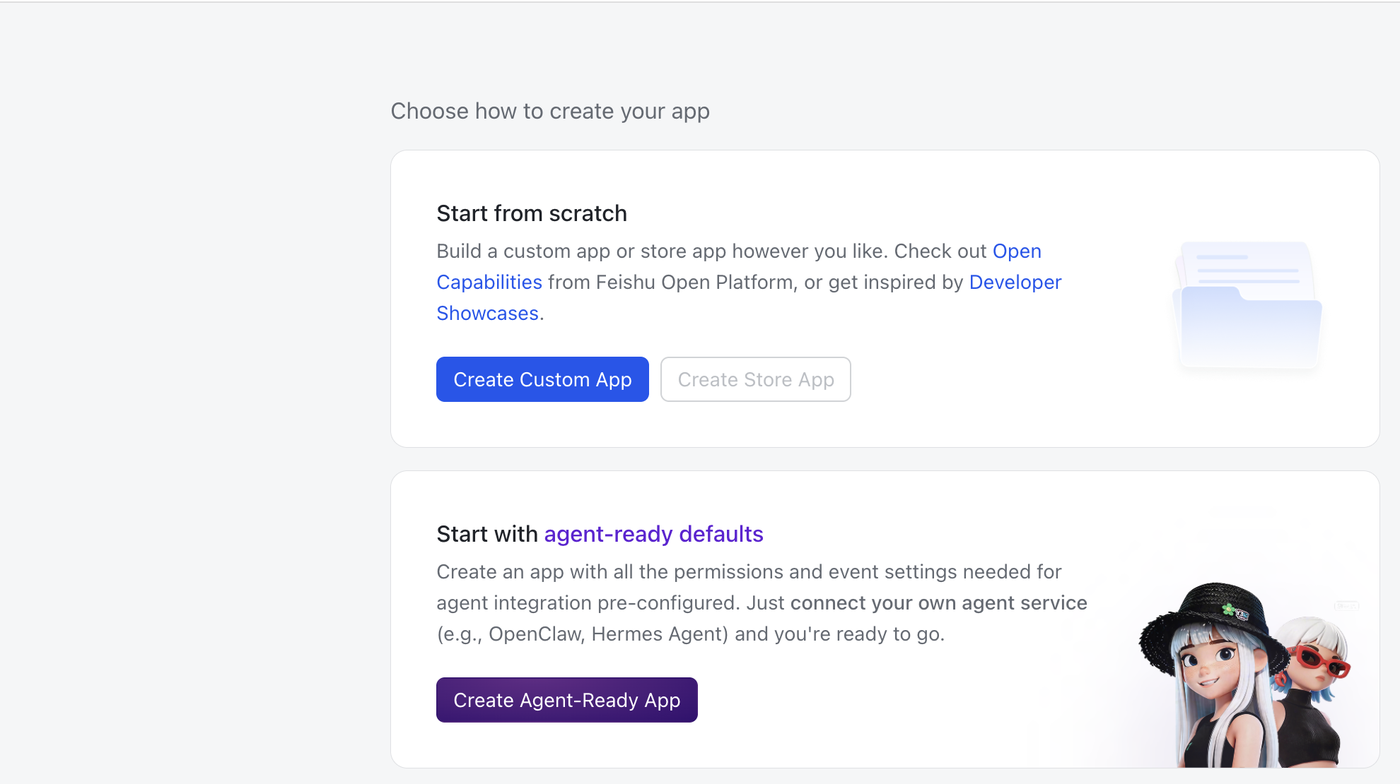
1. Create a Custom App
- Open Feishu Open Platform.
- Open Developer Console.
- Create a Custom App.
- Do not create a store app.
- Use any private name, such as
Feishu Inbox.
2. Copy App Credentials
In the app console, open Credentials & Basic Info.
Copy:
App ID
App Secret
Paste them into the Obsidian plugin settings:
Feishu App ID
Feishu App Secret
The App Secret is stored locally in your vault's plugin data. Do not publish your vault's .obsidian configuration if it contains secrets.
3. Add Permissions
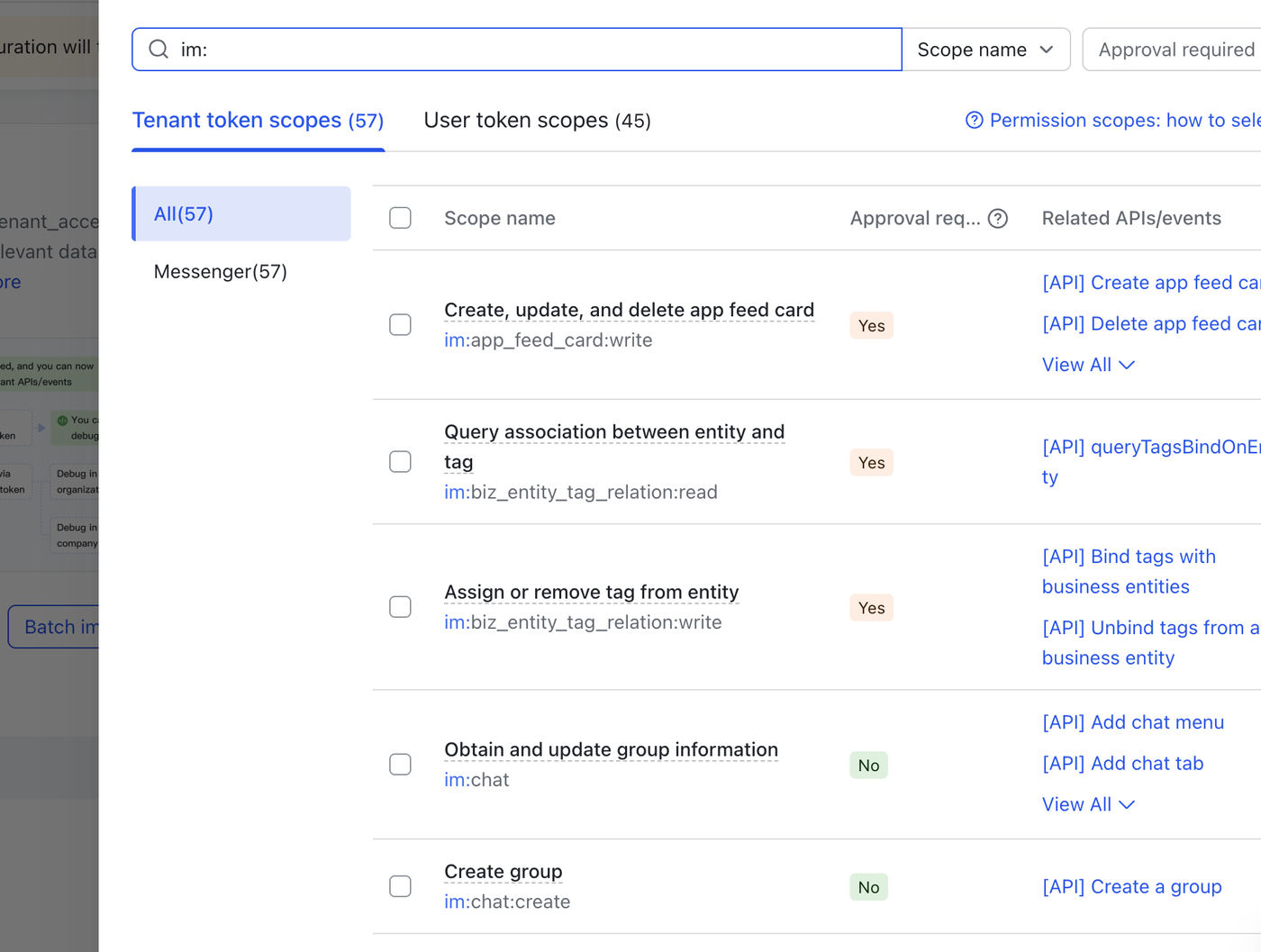
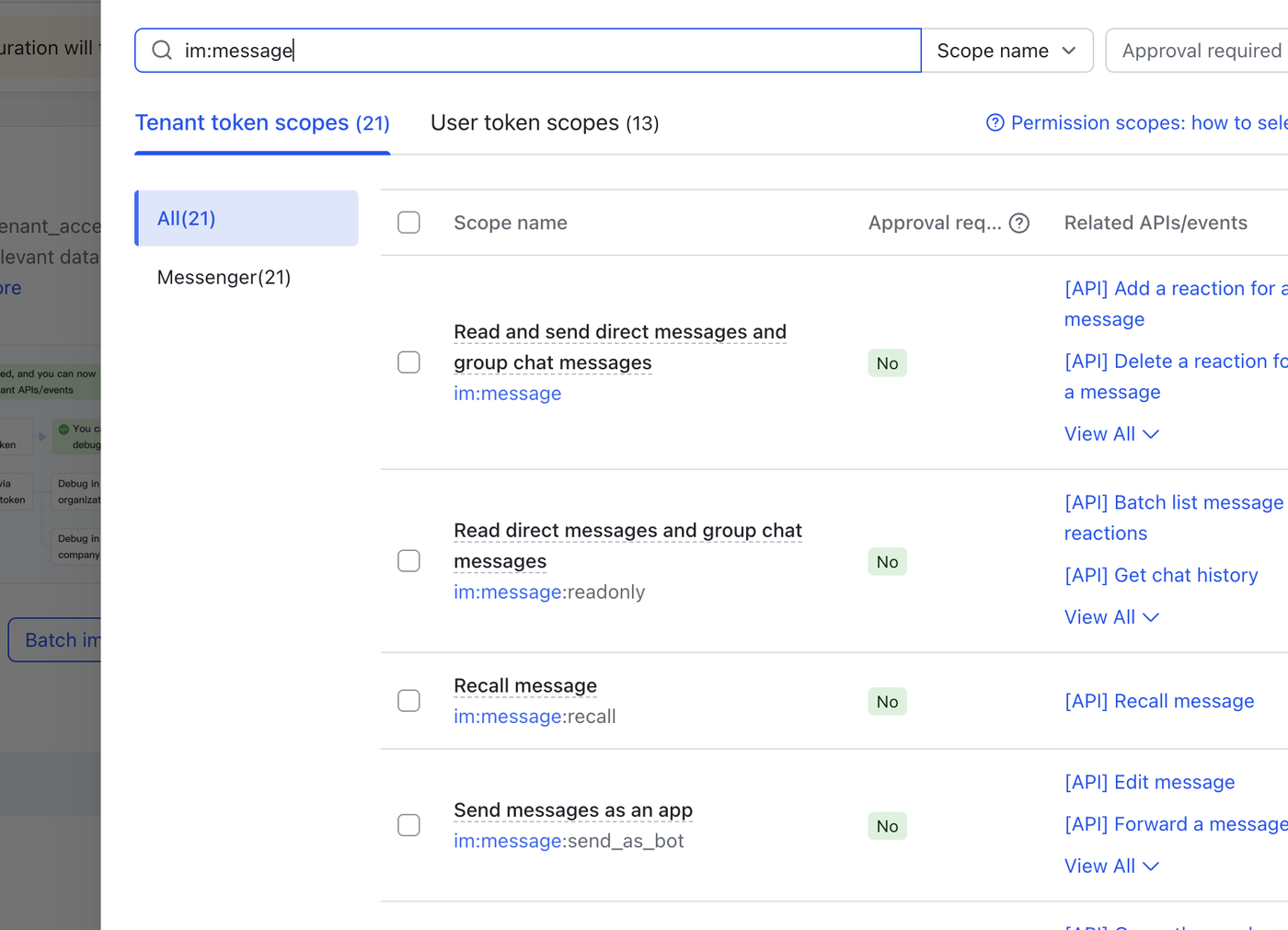
Open Permissions & Scopes, then add these tenant token scopes:
im:chat
im:message:readonly
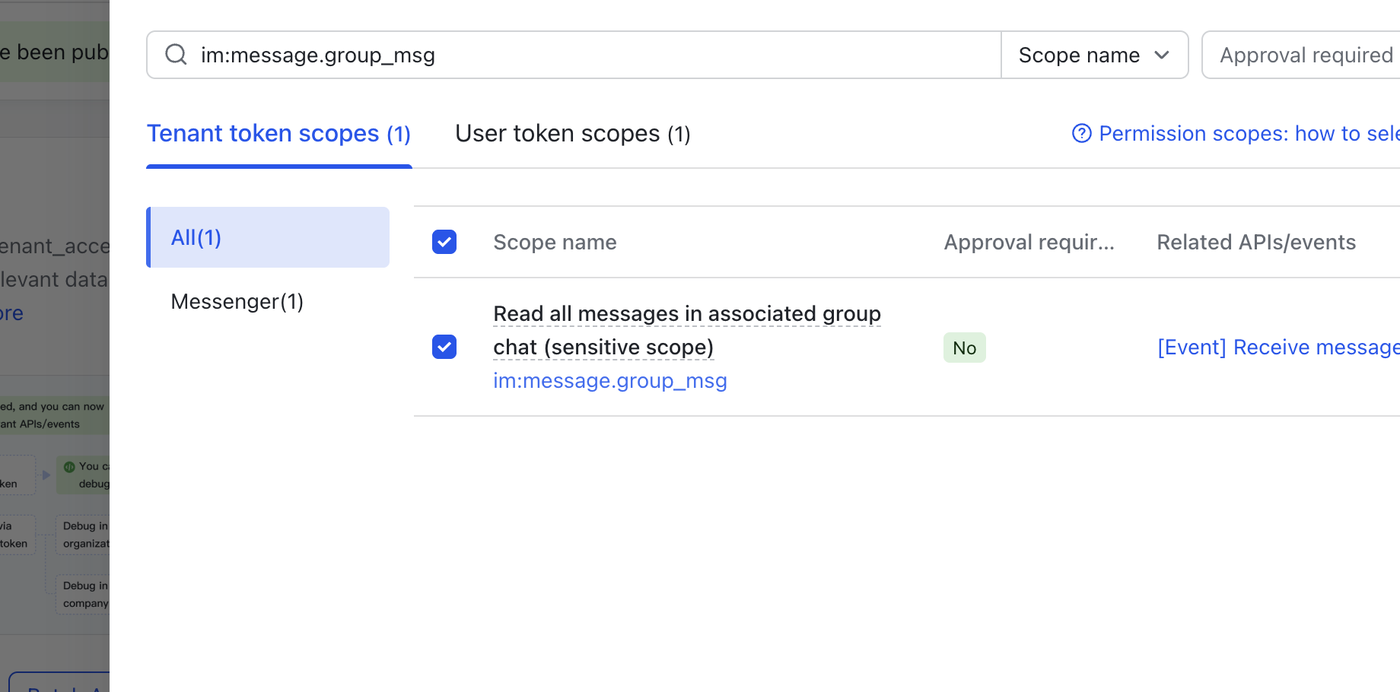
im:message.group_msg
In the Feishu UI, these may appear as:
Obtain and update group information
Read direct messages and group chat messages
Read all messages in associated group chat
If Feishu reports this error:
need scope: im:message.group_msg
add im:message.group_msg, then publish the app again.
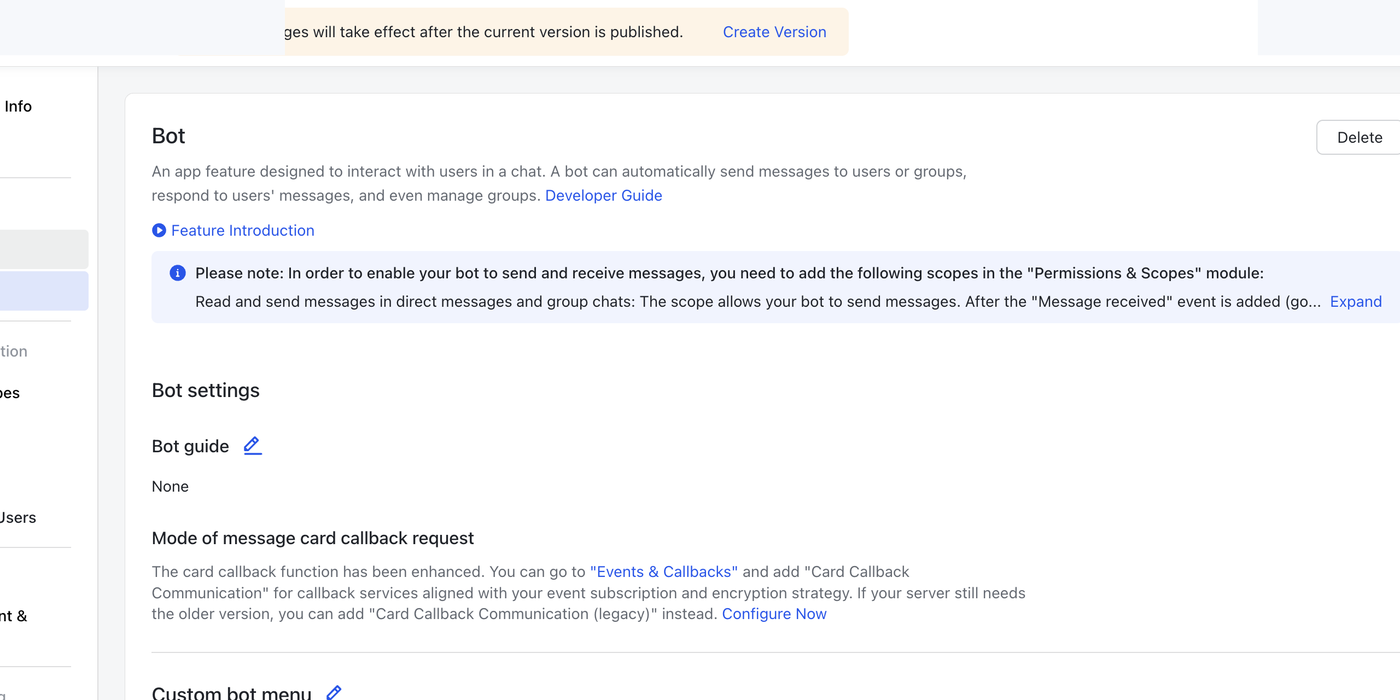
4. Enable Bot
Open Add Features, then add the Bot feature.
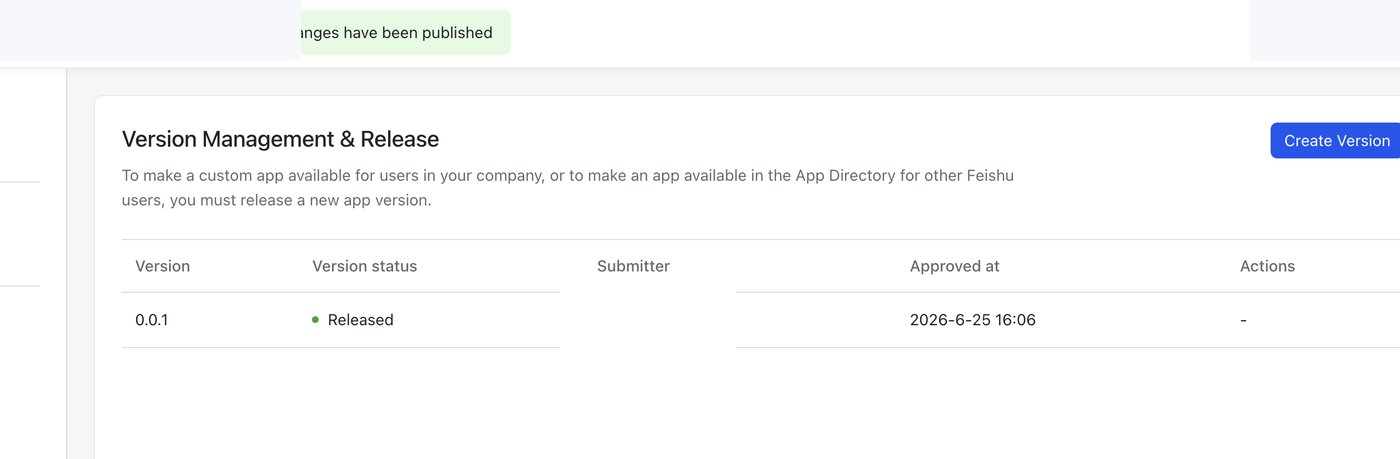
After changing permissions or adding the Bot feature, publish a new app version. Feishu changes do not take effect until the app is published.
5. Add the Bot to Your Inbox Group
Open the Feishu / Lark group chat you want to use as your mobile inbox.
In group settings, add the bot/app you created.
6. Fill Plugin Settings
In Obsidian, open the plugin settings and fill:
Feishu App ID
Feishu App Secret
Chat ID
Target file
The Chat ID usually starts with oc_.
The Target file is vault-relative, for example:
Inbox/Feishu Inbox.md
Use List visible chats in the plugin settings if you need help finding the group Chat ID. Pick the target group from the list and the plugin will save the Chat ID.
Usage
Send a message to your Feishu / Lark inbox group from your phone.
Then in Obsidian:
- Click the inbox ribbon icon, or
- Run
Sync Feishu Inboxfrom the command palette.
Synced messages are appended like this:
## 2026-06-25

- [ ] 16:31 #feishu
  This is a temporary note
  <!-- feishu_message_id: om_xxx -->
Troubleshooting
No chats visible to this app.
The bot probably has not been added to the target group, or the app version containing the Bot feature has not been published.
need scope: im:message.group_msg
Add the im:message.group_msg scope in Feishu Open Platform and publish a new app version.
Missing settings
Open the plugin settings and fill App ID, App Secret, Chat ID, and Target file.
Privacy
This plugin talks directly to Feishu / Lark Open Platform from your Obsidian app.
It stores:
- Your plugin settings in local Obsidian plugin data.
- Recent message IDs and the latest processed timestamp for duplicate prevention.
It does not ship shared credentials. Your App Secret belongs to your own Feishu / Lark app.