Search...Search plugins and themes...
⌘K
Sign in
  • Get started
  • Download
  • Pricing
  • Enterprise
  • Account
  • Obsidian
  • Overview
  • Sync
  • Publish
  • Canvas
  • Mobile
  • Web Clipper
  • CLI
  • Learn
  • Help
  • Developers
  • Changelog
  • About
  • Roadmap
  • Blog
  • Resources
  • System status
  • License overview
  • Terms of service
  • Privacy policy
  • Security
  • Community
  • Plugins
  • Themes
  • Discord
  • Forum / 中文论坛
  • Merch store
  • Brand guidelines
Follow us
DiscordTwitterBlueskyThreadsMastodonYouTubeGitHub
© 2026 Obsidian

Extended File Support

NickNick2k downloads

Adds file support for various file types. Allows viewing and embedding these filetypes. Includes: .kra, .psd, .obj, .glb, .gltf, and more.

Add to Obsidian
Extended File Support screenshot
  • Overview
  • Scorecard
  • Updates11

This plugin aims to add viewing and embedding support for various file types in Obsidian. It does not aim to allow these files to be edited. This is considered to be outside of the scope of this plugin.

File types can be toggled in the settings.
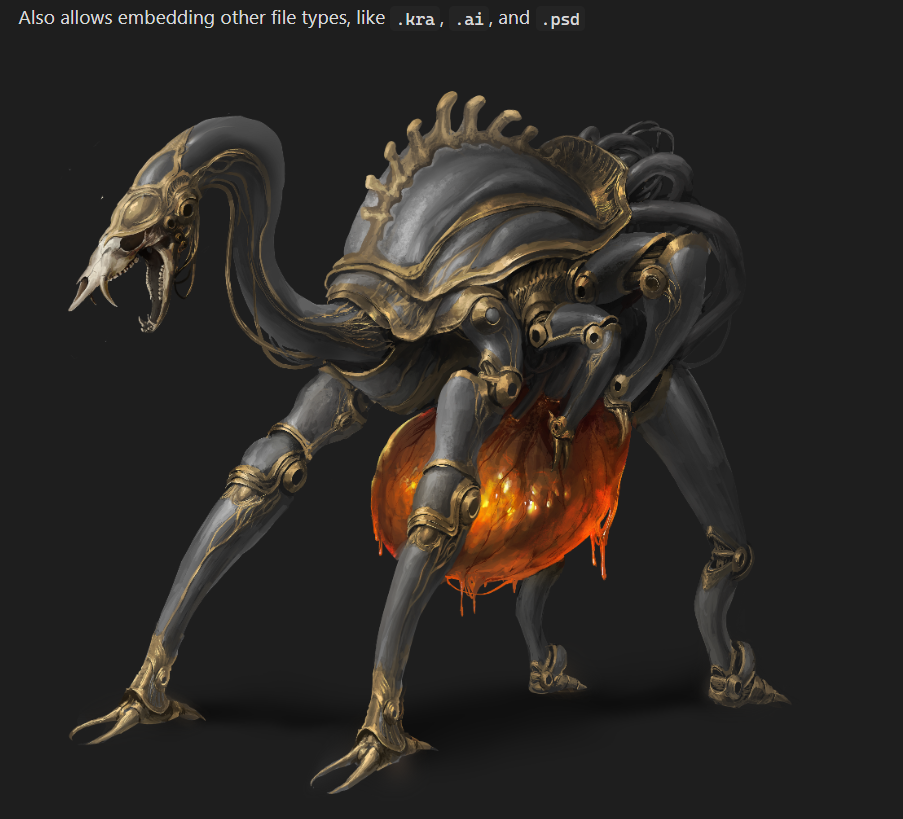
.kra file provided and made by Tio Tzen Ann (Artstation, Instagram).
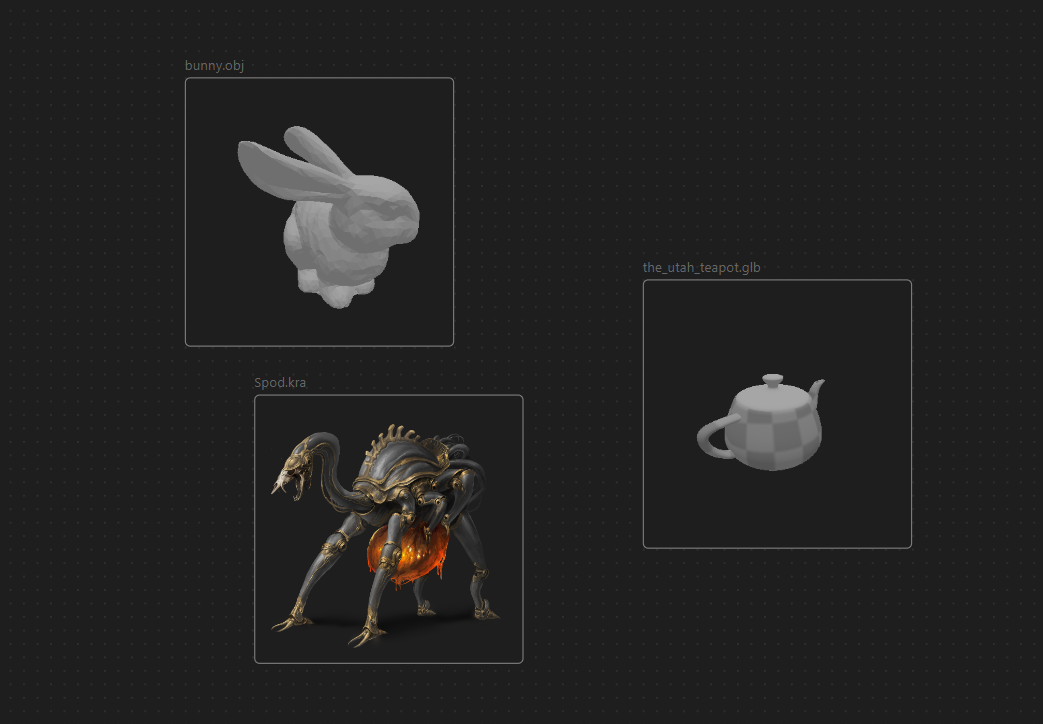
Also works in Canvas.

Currently Supported

The file types that are currently supported are:

  • .kra (Files made in Krita)
  • .psd (Photoshop, other visual programs)
  • .ai (Adobe Illustrator)
  • .clip (Clip Studio Paint)
  • .gltf, .glb (3D scene format)
  • .obj (3D object format)
  • .stl (3D format, often used for 3d printing)

Settings

When embedding files, the following settings can be added as ![[file.ext|setting1=value;setting2=value]] or ![setting1=value;setting2=value](https://raw.githubusercontent.com/nick-de-bruin/obsidian-extended-file-support/HEAD/file.ext).

All files:

  • width or widthxheight in which both width and height are numbers. Follows the way images are embedded in Obsidian, and allows for the width and height of the embed to be changed.

3d files (.obj, .gltf, .glb, .stl):

  • spin=true or spin=false, overrides the default setting on whether to animate 3d models.
  • camPos=x,y,z in which x, y, and z are the coordinates the camera should have.
  • camLookAt=x,y,z in which x, y, and z are the coordinates the camera should look at.

Note that with spin/animation enabled, camPos will not work, and camLookAt may not have the desired behavior, because the camera moves around. Additionally, 3d objects that are loaded in are placed on (0, 0, 0) and scaled to fit in a unit cube.

.ai files:

  • scale=number, will override the default setting for .ai file scaling. High values might cause high loading time.

Contributing

If you wish to contribute to the plugin, feel free to open a pull-request or an issue. If you're thinking about implementing a large feature, please open an issue first or contact me on discord at n_1ck so we can figure out if it's a good fit for this plugin.

76%
HealthGood
ReviewCaution
About
View and embed a range of non-editable file types in Obsidian, including Krita (.kra), Photoshop (.psd), Illustrator (.ai), Clip Studio (.clip) and 3D models (.gltf, .glb, .obj, .stl). Display files inline in notes and Canvas with adjustable sizing and interactive 3D viewing options.
AttachmentsImagesFiles
Details
Current version
1.4.1
Last updated
10 months ago
Created
Last year
Updates
11 releases
Downloads
2k
Compatible with
Obsidian 0.18.0+
Platforms
Desktop, Mobile
License
MIT
Report bugRequest featureReport plugin
Author
NickNicknick
nickdebruin.me/
GitHubnick-de-bruin
nick-de-bruin
  1. Community
  2. Plugins
  3. Attachments
  4. Extended File Support

Related plugins

Image Converter

Convert, compress, resize, annotate, markup, draw, crop, rotate, flip, align, drag-resize, rename with variables, and batch process images: WEBP, JPG, PNG, HEIC, TIF

Image Context Menus

Image context menus (mostly on right click): Copy to clipboard, Open in default app, Show in system explorer, Reveal file in navigation, Open in new tab.

Ink

Hand write or draw directly between paragraphs using a digital pen, stylus, or Apple pencil.

Local Images Plus

A reincarnation of Local Images to download images in Markdown notes to local storage.

Paste image rename

Rename image after pasting, support name pattern and auto renaming.

Image auto upload

Upload images from your clipboard by PicGo.

Janitor

Perform cleanup tasks on your vault.

Custom Attachment Location

Customize attachment location with variables($filename, $data, etc) like Typora.

Imgur

Upload images from your clipboard to imgur.com and embeds uploaded image to your note.

Notebook Navigator

A better file browser and calendar inspired by Apple Notes, Bear, Evernote and Day One.