Search...Search plugins and themes...
⌘K
Sign in
  • Get started
  • Download
  • Pricing
  • Enterprise
  • Account
  • Obsidian
  • Overview
  • Sync
  • Publish
  • Canvas
  • Mobile
  • Web Clipper
  • CLI
  • Learn
  • Help
  • Developers
  • Changelog
  • About
  • Roadmap
  • Blog
  • Resources
  • System status
  • License overview
  • Terms of service
  • Privacy policy
  • Security
  • Community
  • Plugins
  • Themes
  • Discord
  • Forum / 中文论坛
  • Merch store
  • Brand guidelines
Follow us
DiscordTwitterBlueskyThreadsMastodonYouTubeGitHub
© 2026 Obsidian

Expiration-Date-Tracker

rabororaboro3k downloads

Keep track of all expiration dates, for example, for your groceries.

Add to Obsidian
  • Overview
  • Scorecard
  • Updates4

With this plugin you can keep track of all the expiration dates of your items such as groceries.
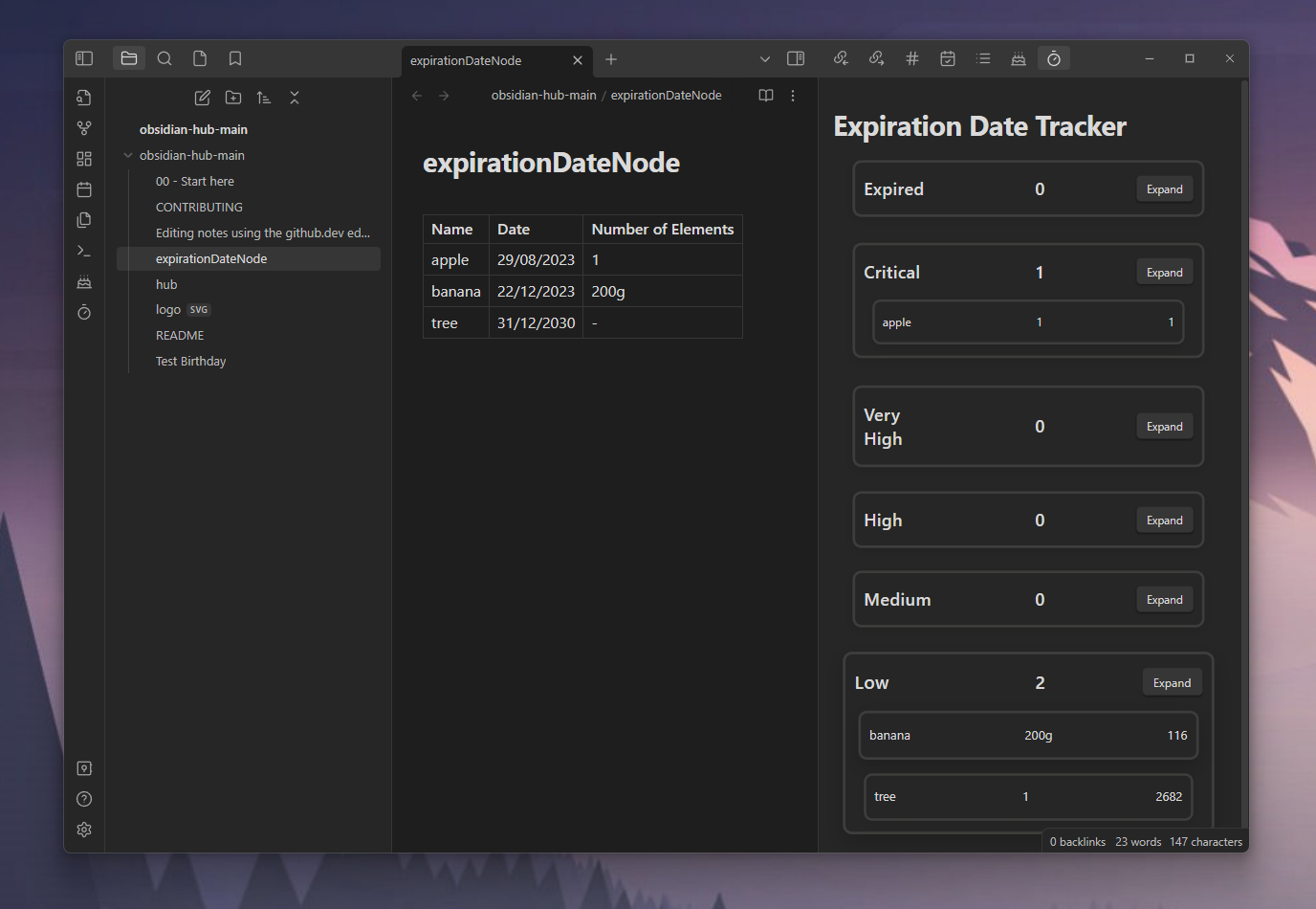
Main Demo image

Using

You need a file containing all the expiration data. To find the file you need to add the location in the settings. After that you can add your items in a table:

Name Date Number of Elements
apple 29/08/2023 3
banana 22/12/2023 200g

After that you can click on the ribbon icon or use the Track Expiration Dates command to trigger the data collection. Then all items are displayed in a separate view. You also get a notice for all expired items. The Expiration Category contains the category name, the items within this category and the expand button. This button will show/hide all your items within this category. The Item contains the name, the number of elements (which can be a number like 10 apples of a string like 200g banana) and the days till it expires.

Commands

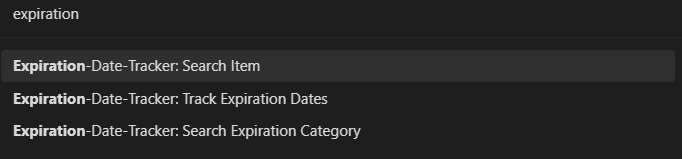
You can search for a specific item or category or track all your expiration dates. The data you searched for will be displayed in a modal.
Command demo image

Settings

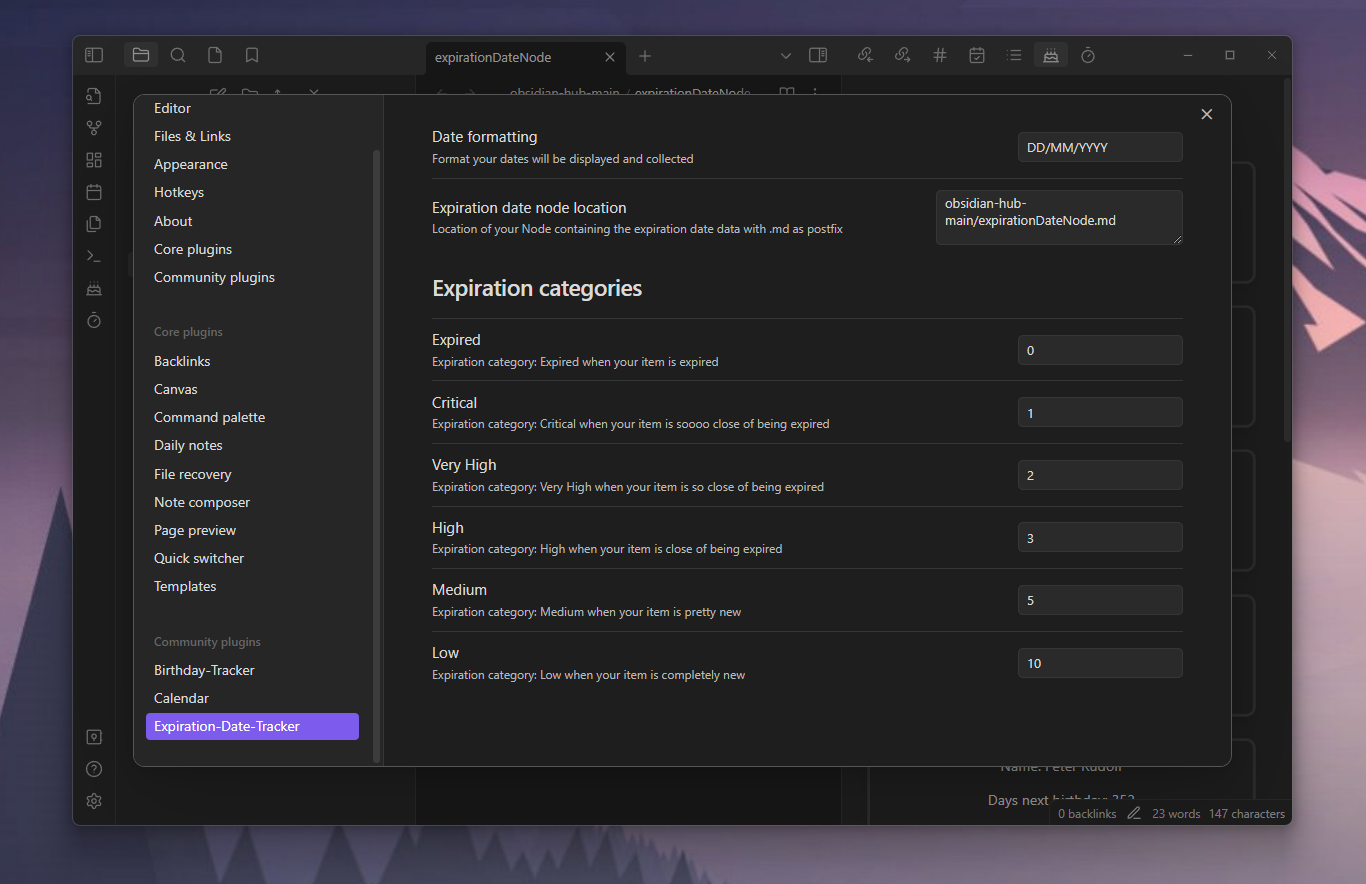
You can set a date formatting. The default is: DD/MM/YYYY. This is needed to collect your dates and display them. Also you can set the location of the file containing the expiration data. This must include .md as postfix. The default value is: expirationDateNode.md.
You can also set all thresholds for the expiration categories. The default values are (in days):

  • Expired: 0,
  • Critical: 1,
  • Very High: 2,
  • High: 3,
  • Medium: 5,
  • Low: 10

For example if your item will expire in 6 days, it´s in the Low expiration category.
Settings Demo image

70%
HealthGood
ReviewSatisfactory
About
Track expiration dates for items listed in a Markdown table and display them in a dedicated view grouped by expiration category with days-until-expiry. Receive notices for expired items, search items or categories, and set the source file, date format, and threshold ranges for categories.
DatesTablesSearch
Details
Current version
1.0.3
Last updated
3 years ago
Created
3 years ago
Updates
4 releases
Downloads
3k
Compatible with
Obsidian 0.15.0+
Platforms
Desktop, Mobile
License
MIT
Report bugRequest featureReport plugin
Author
rabororaboro
github.com/Raboro
GitHubraboro
  1. Community
  2. Plugins
  3. Dates
  4. Expiration-Date-Tracker

Related plugins

Advanced Tables

Improved table navigation, formatting, and manipulation.

Omnisearch

Intelligent search for your notes, PDFs, and OCR for images.

Day Planner

Day planning from a task list in a Markdown note with enhanced time block functionality.

Smart Connections

AI link discovery copilot. See related notes as you write. Lookup using semantic (vector) search across your vault. Zero-setup local model for embeddings, no API keys, private.

Quick Switcher++

Enhanced Quick Switcher, search open panels, and symbols.

Tasks

Track tasks across your vault. Supports due dates, recurring tasks, done dates, sub-set of checklist items, and filtering.

Quiet Outline

Make outline quiet and more powerful, including no-auto-expand, rendering heading as Markdown, and search support.

Datacore

An even faster reactive query engine for the data obsessed.

Reminder

Manage Markdown TODOs with reminder.

Thino

Quickly capture memos and display them in the sidebar with a heatmap. (Closed source)