Embeds+
 sz-1f2k downloads
Rendering & inline previews for HTML, MHTML, Web Archive & Evernote export (ENEX) files.
- Overview
- Scorecard
- Updates6
A plugin for extending the native in-app file previewing/rendering capabilities of Obsidian.
About
The purpose of Embeds+ is to extend the compatible file types that can be rendered natively inside Obsidian. Using Embeds+ also allows for Evernote-style "web snippets" to be rendered within notes (or in separate tabs), and viewing Evernote export (ENEX) files natively.
The plugin currently supports in-app rendering of the following file formats:
- Apple Web Archives:
.webarchive - Standard HTML:
.html - MIME HTML:
.mhtml(or.mht) - Evernote Exports:
.enex*
*ENEX is limited, see ENEX File Support
Usage
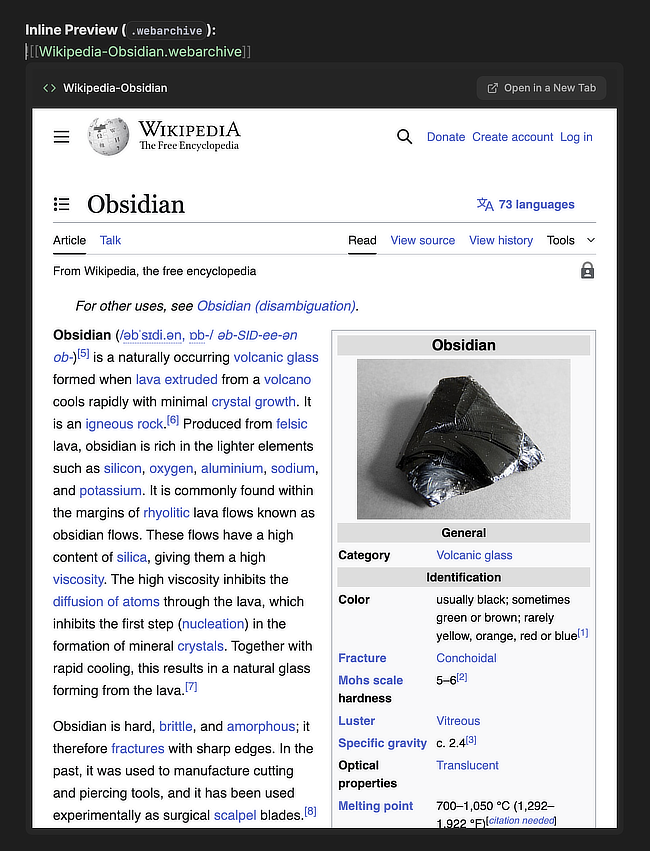
Opening a supported file (as you would for any other note/document) will render it in a new tab. To insert an inline preview, use the native syntax for inline previews: ![[File.html]].
Example:
Capturing Evernote-Like "Web Clips"
Below are some examples of how to capture these clips on different platforms/browsers: Web Archives:
- Using Safari on i(Pad)OS/MacOS:
- i(Pad)OS: Share -> Options -> Send As -> Web Archive
- MacOS: File -> Save As (⌘ S) -> Format -> Web Archive MHTML:
- Using Chromium-based browsers on desktop:
- Menu -> Save Page As (⌘ S) -> Web page, Single file
There are also many tutorials for capturing Web Archives using Apple's Shortcuts app, or capturing
.mhtmlfiles using browser extensions and apps.
- Menu -> Save Page As (⌘ S) -> Web page, Single file
There are also many tutorials for capturing Web Archives using Apple's Shortcuts app, or capturing
ENEX File Support
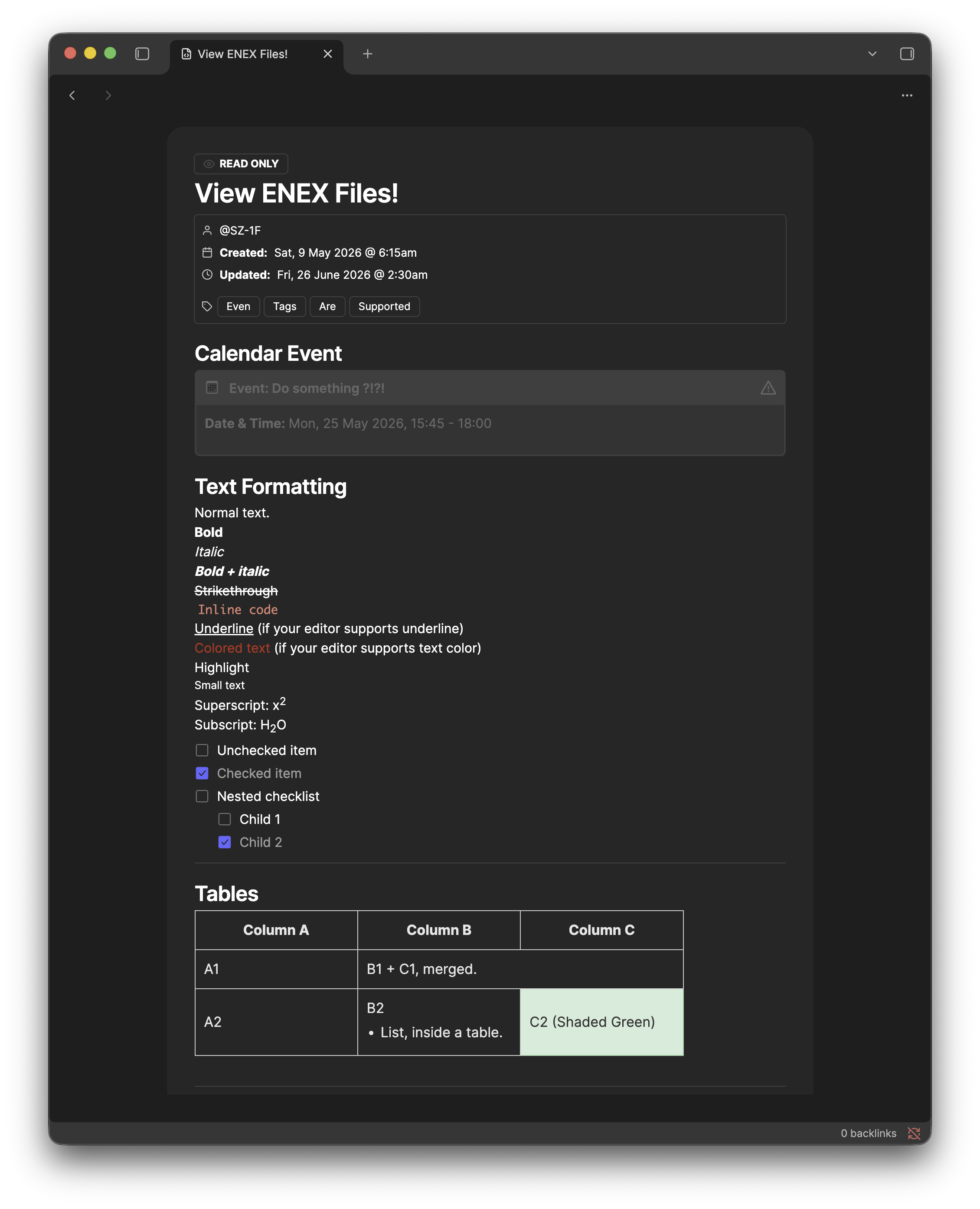
You can now open .enex files directly inside Obsidian, allowing you to see the contents of individual notes as they would appear in Evernote. .enex files will be read-only; this feature is for referencing archived content, while preserving styles/formatting that would otherwise be lost by converting them.
Most basic formatting elements are supported, including:
- Standard HTML elements (e.g. headers, bolded & italicised text, bullet lists, quote blocks, etc.).
- Some custom Evernote elements: Mermaid diagrams, TeX formulas, Evernote tasks, note tags, image attachments, web clips, callouts, etc. Some elements and formatting are not yet supported, such as:
- Tables of contents, inline tags, attachments other than images. Support for these will be added in the near future.
[!NOTE] Currently, only ENEX files containing single notes are supported. If a Notebook or Space is opened, only the first note will be read.
Example:
Additional Notes
- External links, navigation links, and moving elements (CSS & JavaScript) are disabled in the embeds for safety and usability. This behaviour may be changed in future iterations.
- While extra care has been taken to strip any embedded content that makes network requests or attempts to run scripts, ensure any media you're storing is from a trusted source.
- Web Archive files are large, so having a lot of them in your vault/notes can slow down Obsidian considerably. Stick to minimal (M)HTML snippets where possible.
Installation
Via Obsidian Community Plugin
Embeds+ is now available to download via the official Obsidian Community Plugins repository.
Via BRAT
- Install and enable the BRAT community plugin.
- Using the Command Palette, search for:
BRAT: Plugins: Add a beta plugin for testing (with or without version). - Add the URL for this GitHub repository (https://github.com/SZ-1F/obsidian-embeds-plus). You can either choose to install the latest version (recommended), or manually select a specific release.
Manual Installation
- Create a directory for the plugin:
/path/to/your/vault/.obsidian/plugins/embeds-plus. - Download & extract the
.ziparchive for the latest version in Releases. - Place
main.js,manifest.json, andstyles.cssinside the newly-created plugin folder.
Credits
@plist/plistby TooTallNate.node-html-parserby taoqf.spark-md5by satazor.tslogby fullstack-build.
License
- Apache License, Version 2.0.
[!NOTE] First-party code in this repository is not generated by (or with the assistance of) an AI/LLM. External code, libraries, or assets used in this repository may contain AI-generated content.