Embed EML
 useroption3978 downloads
Embed .eml email files directly in your notes with ![[file.eml]].
- Overview
- Scorecard
- Updates10
Obsidian plugin that embeds .eml email files directly inside your notes.
Reference an email like any other attachment:
![[sample.eml]]
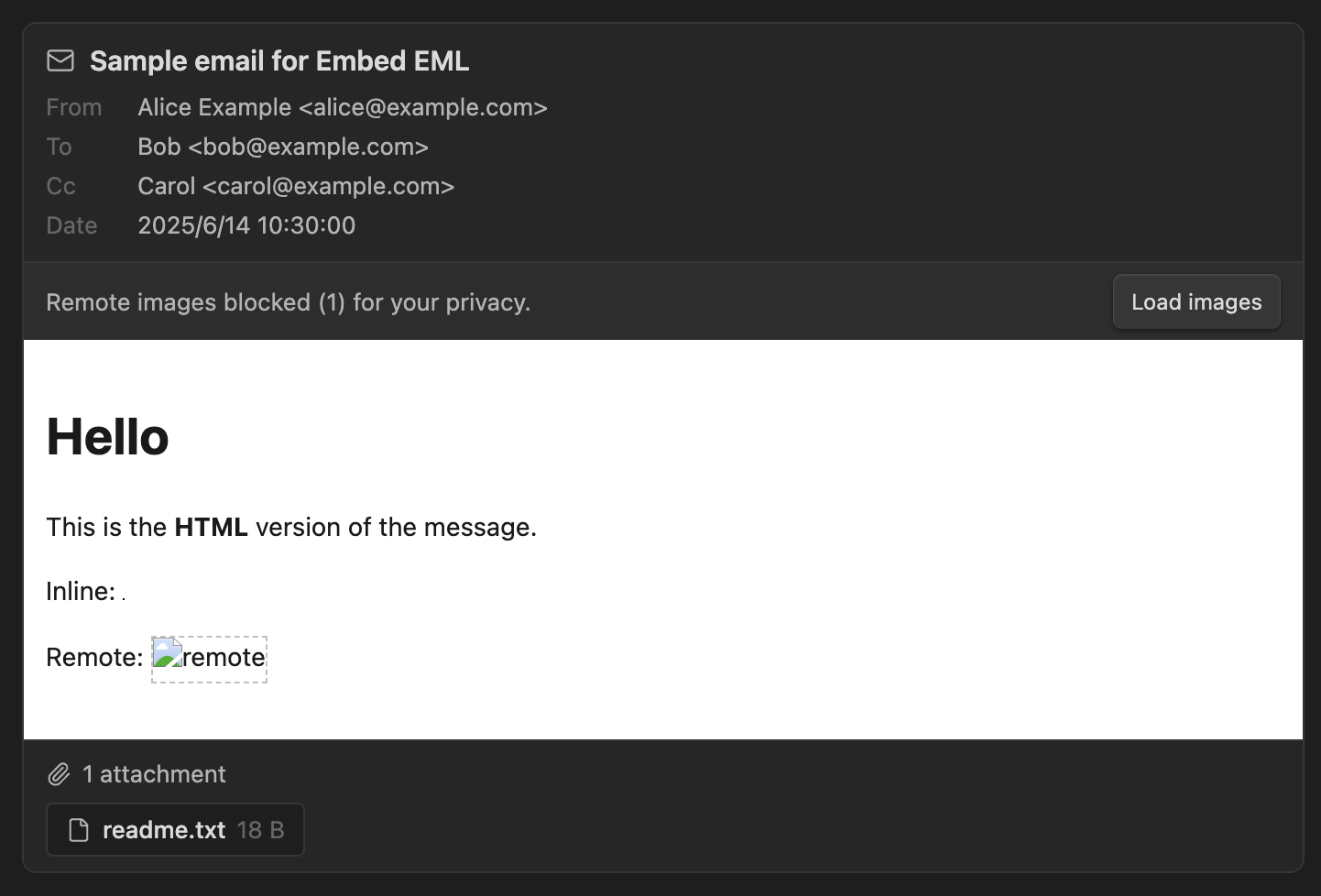
…and the message renders inline — subject, sender/recipients, date, the formatted body, and downloadable attachments.
Features
Inline embeds in both Reading view and Live Preview via
![[file.eml]].Open
.emlfiles in their own tab — click an email in the file explorer to read it full-width.Header block: subject, From / To / Cc, and a localized date.
HTML body rendered in a sandboxed
<iframe>(scripts never run, styles can't leak into Obsidian), with automatic height fitting. Falls back to plain text when there's no HTML.Inline images (
cid:references) are resolved from the email's own parts.Remote images / trackers are blocked by default — a one-click "Load images" button reveals them per embed.
Attachments are listed with size — double-click to open them (read-only) in your OS default app (desktop).
Robust MIME parsing (charsets, encoded-word headers, quoted-printable / base64, nested multipart) via postal-mime.
Installation
Community plugin (recommended)
- Open Obsidian → Settings → Community plugins → Browse.
- Search for Embed EML and click Install, then Enable.
Install via BRAT
- Install the BRAT community plugin and enable it.
- BRAT → Add beta plugin → enter
useroption3/obsidian-embed-eml. - Enable Embed EML under Settings → Community plugins.
Manual install
Download
main.js,manifest.json, andstyles.cssfrom the latest release.Copy those three files into your vault at:
<vault>/.obsidian/plugins/embed-eml/Reload Obsidian, then enable Embed EML under Settings → Community plugins. (Turn on community plugins first if you haven't.)
Usage
Put any .eml file in your vault, then embed it in a note:
![[sample.eml]]
A ready-made samples/sample.eml is included for testing.
Settings
| Setting | Default | Description |
|---|---|---|
| Render HTML body | On | Show the HTML version when available; off = always plain text. |
| Block remote images | On | Block remote images/trackers until you click "Load images". |
| Long message body | Show in full | Whether a tall body shows in full, or scrolls within a fixed height. |
| Body height | 400 | (Scroll mode only) max height in px before the body scrolls. |
Security & privacy
The HTML body is rendered in an
<iframe>withoutallow-scripts, so any JavaScript in an email never executes.<script>elements are stripped before rendering as a defense in depth.Remote images are removed unless you explicitly load them, which prevents tracking pixels from phoning home when you open a note.
Links open in your external browser. Treat links in emails with the usual caution.
Opening an attachment writes a temporary, read-only copy to your system temp folder and hands it to your OS default app — open attachments only from emails you trust.
License
MIT