Search...Search plugins and themes...
⌘K
Sign in
  • Get started
  • Download
  • Pricing
  • Enterprise
  • Account
  • Obsidian
  • Overview
  • Sync
  • Publish
  • Canvas
  • Mobile
  • Web Clipper
  • CLI
  • Learn
  • Help
  • Developers
  • Changelog
  • About
  • Roadmap
  • Blog
  • Resources
  • System status
  • License overview
  • Terms of service
  • Privacy policy
  • Security
  • Community
  • Plugins
  • Themes
  • Discord
  • Forum / 中文论坛
  • Merch store
  • Brand guidelines
Follow us
DiscordTwitterBlueskyThreadsMastodonYouTubeGitHub
© 2026 Obsidian

Edge Voice

tattorba87tattorba87126 downloads

Read notes and PDFs aloud with word highlighting, or dictate English into Markdown. Private, on-device text-to-speech (TTS) and speech-to-text (STT).

Add to Obsidian
Edge Voice screenshot
  • Overview
  • Scorecard
  • Updates16

Edge Voice: offline reading and English dictation for Obsidian. A purple crystal on a chip, with sound waves coming from it.

Edge Voice

Read your notes and PDFs aloud, or write them with your voice, in Obsidian.

Free. Private. Open source (MIT), with no account, no subscription and no cloud. The voices and the speech recognition run on your own computer, so your notes and your voice never leave it.
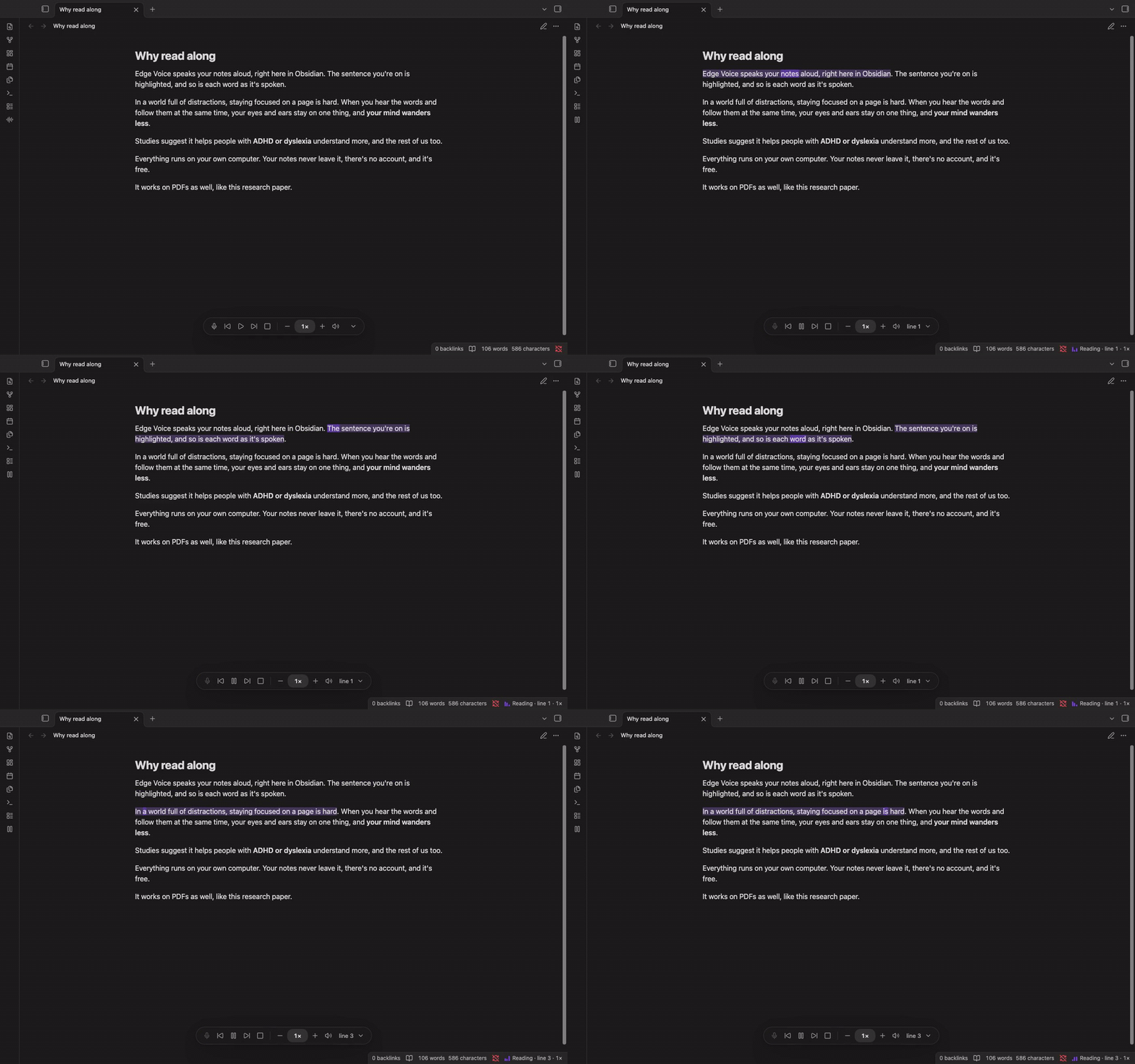
Edge Voice reading a note aloud in Obsidian, highlighting the sentence and the word being spoken

▶ Watch the demo with sound

What it does

  • Read along. Listen to notes and PDFs while the sentence and each spoken word light up on the page.
  • Natural voices. 66 English voices, American and British, from Kokoro and Piper.
  • Write with your voice. Double-tap Left ⌘ (Left Ctrl on Windows and Linux) or click the microphone, and your words appear in the note as you speak. When you pause, the mic turns green and dictation stops on its own; or tap the key once to stop.
  • Start anywhere. Right-click a sentence and choose Start text-to-speech here; pause, skip and change speed from the player bar.
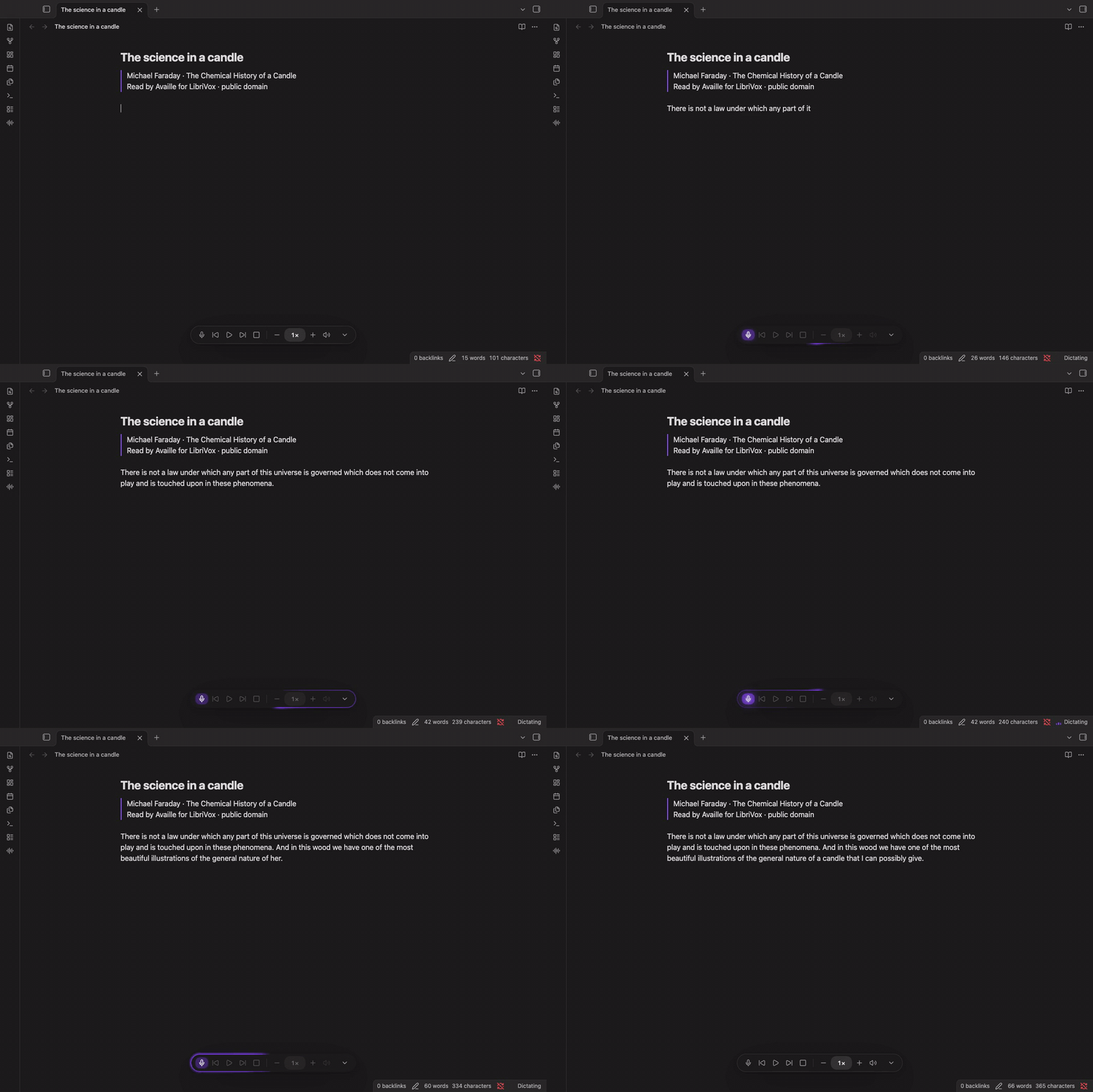
Dictation started with a double tap of Left ⌘, words appearing in a note, the microphone turning green and stopping on its own, then a single tap to stop

▶ Watch the dictation demo with sound

English only for now. Obsidian desktop only (macOS, Windows, Linux).

Setup

  1. Install Edge Voice from Obsidian's Community plugins and enable it.
  2. Edge Voice shows the setup commands for your computer, each with a Copy button. Run them once in Terminal (PowerShell on Windows). They install its small speech engine and the voice or dictation model you choose. Edge Voice itself never installs or downloads anything.
  3. Back in Obsidian, click Check again, and press play.

Full setup and update instructions

Is it safe?

  • No internet: the plugin makes no network requests. No telemetry, no account.
  • It runs one program, its own speech engine, directly, without a shell. That's what Obsidian's scan lists as "shell execution".
  • Microphone only while you dictate, and audio is never saved. The clipboard is written only when you press Copy, and never read.
  • Verifiable: Obsidian rebuilds every release from this source and checks it matches.

Documentation

  • Setup and updates: install the engine, voices and dictation models; update later
  • Using Edge Voice: commands, shortcuts, the player bar and settings
  • Dictation: models, controls and troubleshooting
  • Voices: all 66 voices, with samples and sizes
  • Why read along: the research on reading while listening
  • How it works and limits
  • Privacy, files and verifying downloads
  • Licences · Media credits
  • Changelog · Security · Contributing

Edge Voice is MIT licensed (LICENSE). The demo PDF is Wei et al., Chain-of-Thought Prompting Elicits Reasoning in Large Language Models (2022), CC BY 4.0; that recording was made on an Intel Mac with the pauses for synthesis cut. The dictation demo uses Faraday's The Chemical History of a Candle, read by Availle for LibriVox (public domain).

HealthExcellent
ReviewSatisfactory
About
Read notes and PDFs aloud, or write Markdown with your voice. Edge Voice brings local text-to-speech (TTS) and English speech-to-text (STT) to Obsidian desktop. Free and private. Open source (MIT), with no account, subscription or telemetry. Speech synthesis and recognition run on your own computer. Once the engine and chosen voice/models are installed, reading and dictation work offline.
AudioPDFWriting
Details
Current version
0.2.2
Last updated
5 days ago
Created
2 weeks ago
Updates
16 releases
Downloads
126
Compatible with
Obsidian 1.14.4+
Platforms
Desktop only
License
MIT
Report bugRequest featureReport plugin
Author
tattorba87tattorba87
GitHubtattorba87
  1. Community
  2. Plugins
  3. Audio
  4. Edge Voice

Related plugins

Speech Kit

Offline and private speech-to-text, text-to-speech, and translation for desktop notes. Dictate notes, transcribe meetings, and more. NVIDIA, Whisper, and natural voices running on your machine.

LanguageTool Integration

Advanced grammar and spell checking, powered by LanguageTool.

ChatGPT MD

A seamless integration of ChatGPT, OpenRouter.ai and local LLMs via Ollama into your notes.

Karpathy LLM Wiki

Karpathy's LLM Wiki implementation plugin for Obsidian - turns notes and PDFs into a linked, LLM-powered knowledge base with entity pages, concept pages, graph-powered Q&A, and local-first privacy.

Typewriter Mode

Typewriter scroll, writing focus, current line highlight, paragraph dimming, and more!

Longform

Helps you write and edit novels, screenplays, and other long projects.

Word-Smith

The Ultimate Writing Suite - Write. Organize. Export.

Text Generator

Generate text content using GPT-3 (OpenAI).

Text Extractor

A (companion) plugin to facilitate the extraction of text from images (OCR) and PDFs.

TTRPG Content Generator

A fantasy content generator for all your TTRPG and world-building needs.