Discord Export
 malweis339 downloads
Prepares your note for posting on Discord: adds paragraph indentation, strips frontmatter and tags, and splits into 2,000 or 4,000 character chunks with copy buttons.
- Overview
- Scorecard
- Updates3
An Obsidian plugin that prepares your notes for posting on Discord.
This is mainly a personal tool. I write a lot in Obsidian and regularly share that text on Discord. Manually splitting long notes to fit Discord's message limits and in some cases, formatting oddities, got kinda annoying the moment I start doing it with long text. This plugin is made to automate that in a (what I hope is) simple way.
What it does
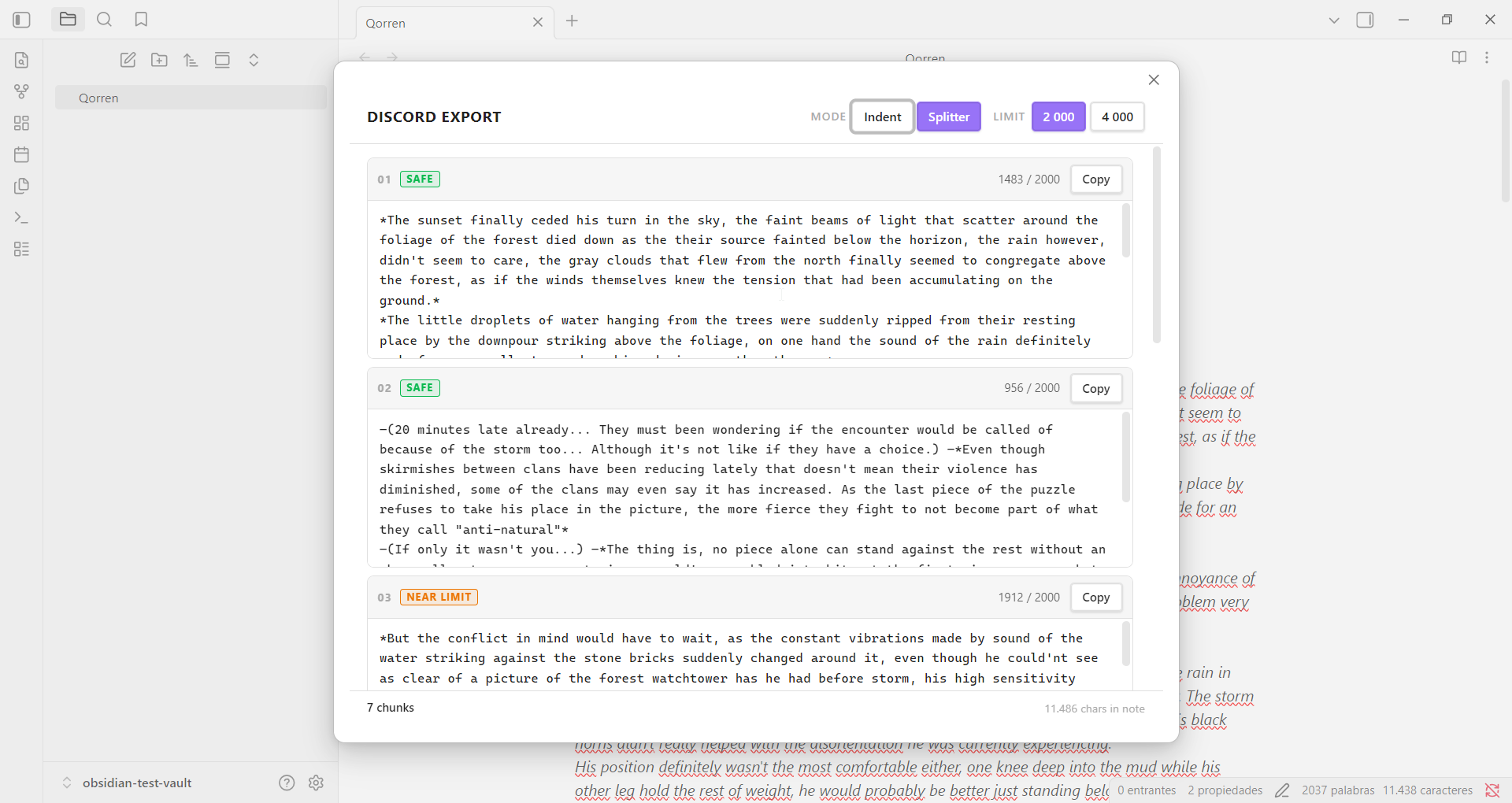
When you trigger the command, a modal opens showing your note split into numbered chunks that fit within Discord's character limit. Each chunk has its own Copy button to paste the chunks needed into discord one by one.
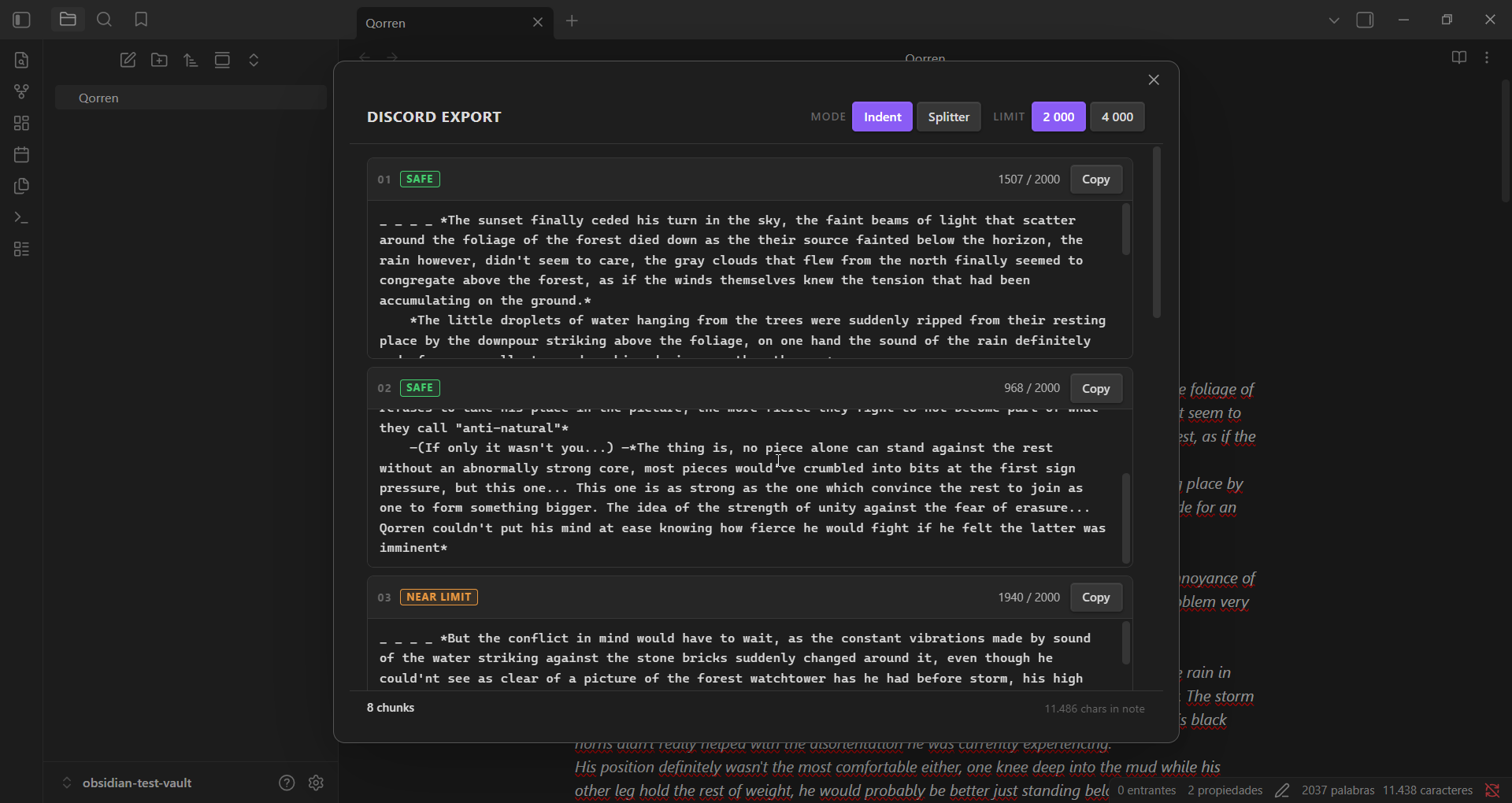
I use a lot of indentation in the things I write, but sometimes discord handles them weirdly, so the plugin has an indentation mode where it just straight up converts line jumps into indents that discord can handle.
Features
- Automatic splitting — chunks your note at paragraph boundaries
- Indent mode — adds Discord-compatible indentation to every paragraph
- Splitter mode — splits only, no indentation added
- 2000 / 4000 character limit — toggle between standard and Nitro limits
- Ignore blocks — wrap content in
{...}to strip it from the output - Breakpoints — force a chunk split at any point with
+++
Usage
Open the note you want to export, then run Discord Export: Export note to Discord from the command palette (Ctrl+P). You can assign a hotkey in Settings → Hotkeys.
The modal will show all chunks ready to copy.
Special syntax
Ignore blocks {...}
Wrap anything in curly braces and it will be stripped from the output entirely.
He looked serious, his eyes fixed on the horizon.
{add character portrait here}
—We leave at dawn. —he said, turning away.
Output:
He looked serious, his eyes fixed on the horizon.
—We leave at dawn. —he said, turning away.
Ignore blocks can span multiple lines:
The village burned through the night.
{
  insert map image here
  reference: scene-3-map.png
}
By morning, nothing remained.
Breakpoints +++
Place +++ on its own line to force a new chunk to start at that point, regardless of how full the current chunk is. Think of it like <br> in HTML — it's a one-way split marker
He looked serious, his eyes fixed on the horizon.
—We leave at dawn. —he said, turning away.

+++

The village burned through the night.
This produces two chunks: everything before the +++ and everything after, this is to have a way control text separation if needed.
Settings
Open Settings → Community plugins → Discord Export.
| Setting | Description | Options | Default |
|---|---|---|---|
| Character limit | Maximum characters per chunk. Use 4000 if you have Discord Nitro. | 2000 / 4000 | 2000 |
| Default mode | Whether to add indentation or just split the text. | Indent / Splitter | Indent |
Both settings can also be overridden per session directly inside the modal.
Privacy
Discord Export does not make any network requests. All processing happens locally inside Obsidian. No note content or data is sent anywhere.
Development
This project uses pnpm instead of npm. Given the recent supply chain vulnerabilities in the npm ecosystem, pnpm just felt like a safer default
pnpm install
pnpm dev      # watch mode — rebuilds on save
pnpm build    # production build
Compiled output goes to main.js at the repo root. To test locally, copy main.js, manifest.json, and styles.css into your vault's .obsidian/plugins/discord-export/ folder and reload Obsidian.
License
MIT — see LICENSE