Digital Dogear
 Dylan Wright63 downloads
Track books, shows, podcasts, comics, and more with one-line 'dogear' entries in your notes — ranges, auto-rolling, and sequence-break warnings.
- Overview
- Scorecard
- Updates2
"The palest ink is better than the best memory." — Chinese proverb
An Obsidian plugin for people who keep many stories going at once. One keystroke logs where you stopped, as a plain line in your daily note — the work wikilinked, the position in the grammar its medium already uses:
- 🔖 book —
- 21:14 🔖 [[Dune]] p120-145 - 📺 show —
- 21:38 📺 [[Frasier]] S03E08 - 📖 manga —
- 22:05 📖 [[Berserk]] c112 - 💥 comic —
- 17:50 💥 [[Saga]] #45 - 🎙️ podcast —
- 08:12 🎙️ [[Radiolab]] S02E11 - 🎧 audiobook —
- 09:31 🎧 [[Project Hail Mary]] ch12 - 🎓 course —
- 19:00 🎓 [[CS50]] M03L02
Chain a few sittings in an evening and they roll into a range on their own (S03E01-E03). Skip ahead by accident and the line earns a ⛓️💥 marker so the gap stays visible. Each built-in type's emoji and label edit in settings; add your own type for anything with an order.
Why this exists
The only record of where you stopped usually lives in your head, which forgets. A spreadsheet dies by week two; a tracking app owns your data and rings a different bell than the notes you already keep. A dogear should cost nothing: fold the corner, close the book, and the corner tells you where to start. Here that means one line of plain text in the note you already write every day, with the work wikilinked so it becomes a note like any other — and the plugin already knows what "next" means.
How it works
flowchart TD
A(["Log dogear — pick a series"]) --> B{"Series logged before?"}
B -->|no| N["Pick a media type;<br/>suggest its first position<br/>(p1, S01E01, ch1)"]
B -->|yes| S["Suggest the next position<br/>(successor of your pointer)"]
N --> E["Confirm or edit the entry —<br/>a point (p123) or a range (p120-145)"]
S --> E
E --> C{"Recent entry for this series<br/>in this note, within the gap window?"}
C -->|no| NEW["Write a fresh dogear line"]
C -->|yes| R{"Contiguous with the last token?"}
R -->|yes| ROLL["Roll into the range<br/>S01E01 + E02 → S01E01-E02"]
R -->|no| APP["Append a comma token<br/>S01E01-E03, E07"]
NEW --> W{"Out of order?<br/>(skip / repeat / backward,<br/>same season)"}
ROLL --> W
APP --> W
W -->|"yes · not declared"| MARK(["Append the ⛓️💥 marker"])
W -->|"no · or declared up front"| DONE(["Line written · pointer advanced"])
MARK --> DONE
Every position lives as a small tuple — page 123 becomes [123], S01E06 becomes [1, 6] — so "the next one", "does this follow that", and "collapse these into a range" work identically across all media. A type only supplies its spelling (the p, the S/E, the #) and its emoji, which tags the line as a dogear of that type.
A day in the life
flowchart LR
subgraph binge["One evening, three sittings"]
E1["21:02 · S01E01"] --> E2["21:34 · S01E02"] --> E3["22:10 · S01E03"]
end
E3 --> ONE(["One line:<br/>S01E01-E03"])
subgraph later["Next week, skip ahead"]
J["S01E07"]
end
J --> WARN(["S01E01-E03, E07 ⛓️💥<br/>the gap gets flagged"])
Three episodes across one evening — each within the session-gap window of the last — merge into S01E01-E03. Jump to S01E07 next week and the line becomes S01E01-E03, E07 ⛓️💥, the skip kept visible. Crossing into a new season (S01E10 then S02E01) never flags — a finale into a premiere reads as normal.
Run npm run demo to regenerate docs/demo.md and docs/demo.html — every built-in type across every behavior, rendered by the real builders.
Setup
- Install (see below) and enable the plugin.
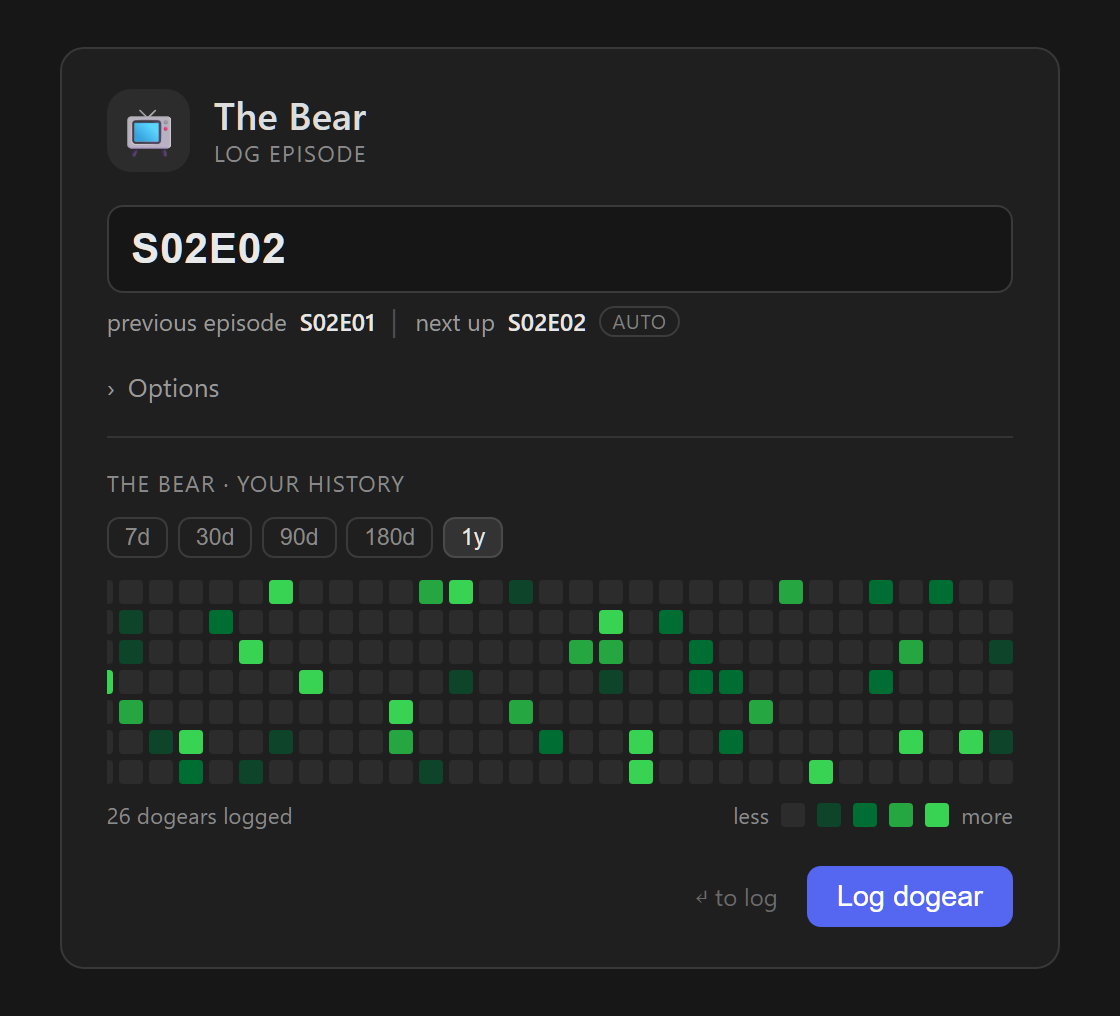
- Log a dogear — run the Log dogear command (or click the bookmark ribbon icon). Type a series name; pick an existing one (most-recently-logged on top) or start a new one under any enabled type.
- Confirm the entry. The plugin pre-fills the next position for a series it knows. Accept it, or type a point (
p123) or a range (p120-145).
The line lands at your cursor, or appends to today's daily note — your choice in settings.
Inclusive ranges — one click for "everything up to here"
Nobody reads page 88 in isolation; you read up to page 88. So linear types (pages, chapters, issues) treat a single entry as inclusive by default: at page 42, log p88 and it records p43-88. Episodes default the other way, one at a time. The modal's Inclusive range (from …) toggle flips any entry either way, an explicit range like p50-90 always wins, and each type's default lives in settings.
Declaring an out-of-order jump
Sometimes you skip on purpose — a re-read, a favorite episode. Check Adding out of order (intended) in the modal and the jump lands clean, no ⛓️💥. Leave it unchecked and any undeclared skip, repeat, or backward step within a season earns the marker.
Same page twice? It merges, not doubles
Log p89, then p89-1000 for the same book in the same sitting, and the line reads p89-1000 — one clean span. Any overlapping or touching re-entry folds into the widest covering range; only a genuine forward gap keeps a separate comma token.
Calendar — your logging as squares
Drop a dd (or digital-dogear) code block into any note for a native GitHub-style contribution heatmap — one square per day, darker for more dogears, and hover a day to list that day's entries. No Dataview needed.
```dd
range: month
```
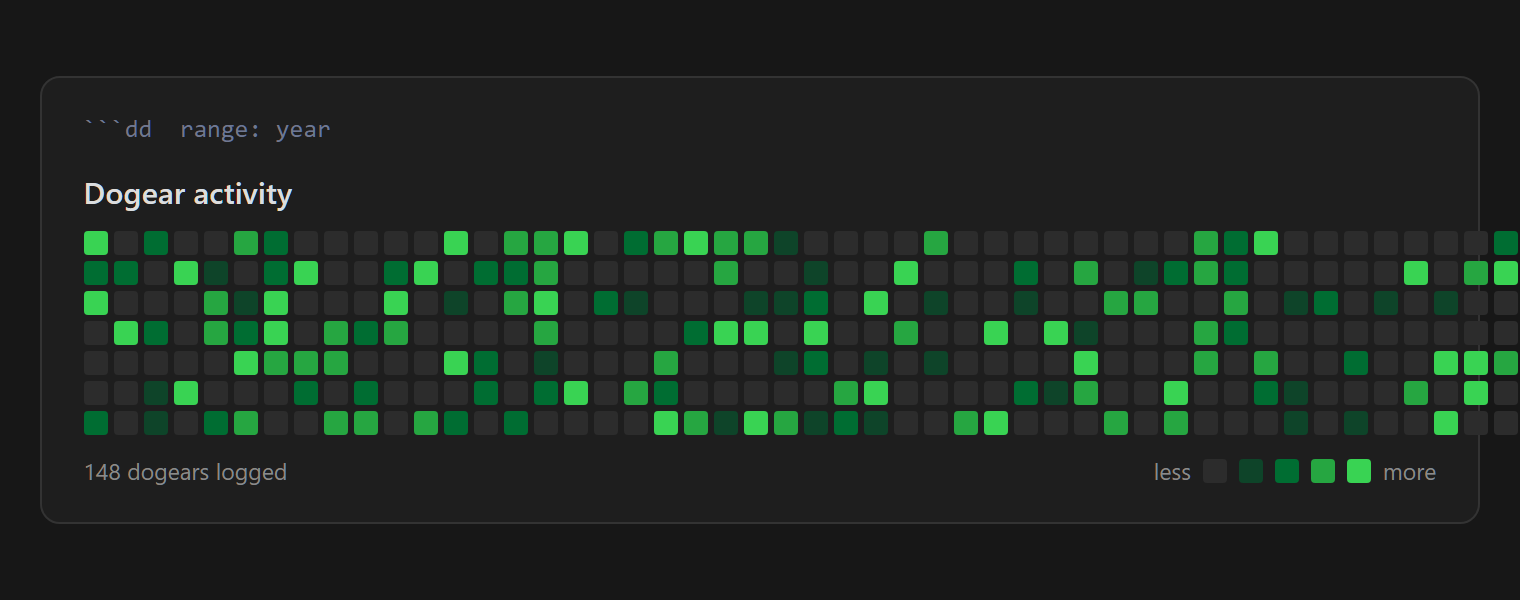
range: month | year | all— the window, defaulting to the past month.type: book— scope the heatmap to one media type.view: completed— a table of everything you finished (see below);type:filters it too.series: [[Dune]]— one title's own pattern: latest position, lifetime if finished, and a heatmap scoped to it.
The Insert dogear calendar block command drops a starter block at your cursor. A Dataview equivalent lives in docs/dataview-heatmap.md.
Completion — start to finish
Run Mark content complete, pick a series, and the plugin records its start (the earliest dogear it can find) and end (today) in its own data.json — the lines in your notes stay clean. A view: completed block then lists everything you finished — start, end, duration, position reached — and a series: [[…]] block shows one title's lifetime line (✅ 2026-07-10 → 2026-07-19 · 9 days) above its personal heatmap.
Commands
- Log dogear — the whole flow above; also on the bookmark ribbon icon.
- Dogear status — a table of every series and where you stopped.
- Mark content complete — record a series' start→end lifetime.
- Insert dogear calendar block — drop a
ddheatmap block at the cursor.
Settings
- Session gap threshold — how many minutes count as "the same sitting" for chaining and range-rolling.
- Sequence-break warnings — the ⛓️💥 marker on an undeclared skip, repeat, or backward step within a season.
- Sequence-break emoji (defaults to ⛓️💥) and Insert target (cursor or daily note).
- Prefix lines with a bullet — on writes
- 21:14 📺 …; off writes a bare21:14 📺 …. Either form parses. - Media types — per-type emoji, label, inclusive-by-default, and enable toggle.
Bind any command to a hotkey in Obsidian's Settings → Hotkeys (search "Digital Dogear"). Ctrl/Cmd + Shift + D usually sits free.
Rules of the game
- The emoji tags the line. A dogear resolves to its type by its emoji. Change a type's emoji, or disable a type, and old raw lines drop out of the index until you restore the marker; the series name and later logs stay fine.
- Ranges collapse only what's contiguous. A gap keeps a separate comma token and earns the ⛓️💥.
- A new season never warns. A break only fires within the same season or module.
- Most-recently-used sorts the picker. What you just logged sits on top — even backfilled into an older note. Across a plugin reload the order falls back to note dates until you log again.
- Privacy. The plugin reads only your vault through Obsidian's own API, makes zero network requests, and phones home to nobody. Settings live in the plugin's own
data.json.
Installing
Until the plugin lands in the community catalog, install with BRAT pointed at this repo, or copy main.js, manifest.json, and styles.css from a release into <vault>/.obsidian/plugins/digital-dogear/.
Works on desktop and mobile. CHANGELOG.md tracks what changed across releases.
Developing
npm install
npm run dev     # esbuild watch mode
npm run build   # typecheck + production bundle
npm test        # engine test suite — keep it green
npm run demo    # regenerate docs/demo.md + docs/demo.html
The engine — src/mediaTypes.ts (the position tuple, grammar, and built-in registry) and src/parser.ts (line parsing, ranges, auto-roll, sequence breaks) — imports nothing from Obsidian, so the test suite exercises it directly in Node. The shell (main.ts, the modals, src/settingsTab.ts, src/dogearIndex.ts) handles commands, the DOM, the index, and persistence. Editable diagram sources live in diagrams/ (.mmd).
One stylistic note: the README and UI text keep to E-Prime — English without any form of "to be" — as a small tribute to Korzybski and Robert Anton Wilson, who argued that dropping "is" makes claims about what happened easier to tell apart from claims about what things really are. A plugin whose whole job involves marking where you stopped might as well keep careful language about it.