Diary Cards
 YuunJiee60 downloads
View your daily notes as cards: month cards, a photo calendar, moods and quick one-line entries.
- Overview
- Scorecard
- Updates3
English | 繁體中文
An Obsidian plugin that turns your daily notes into cards. Works on desktop and mobile.
Features
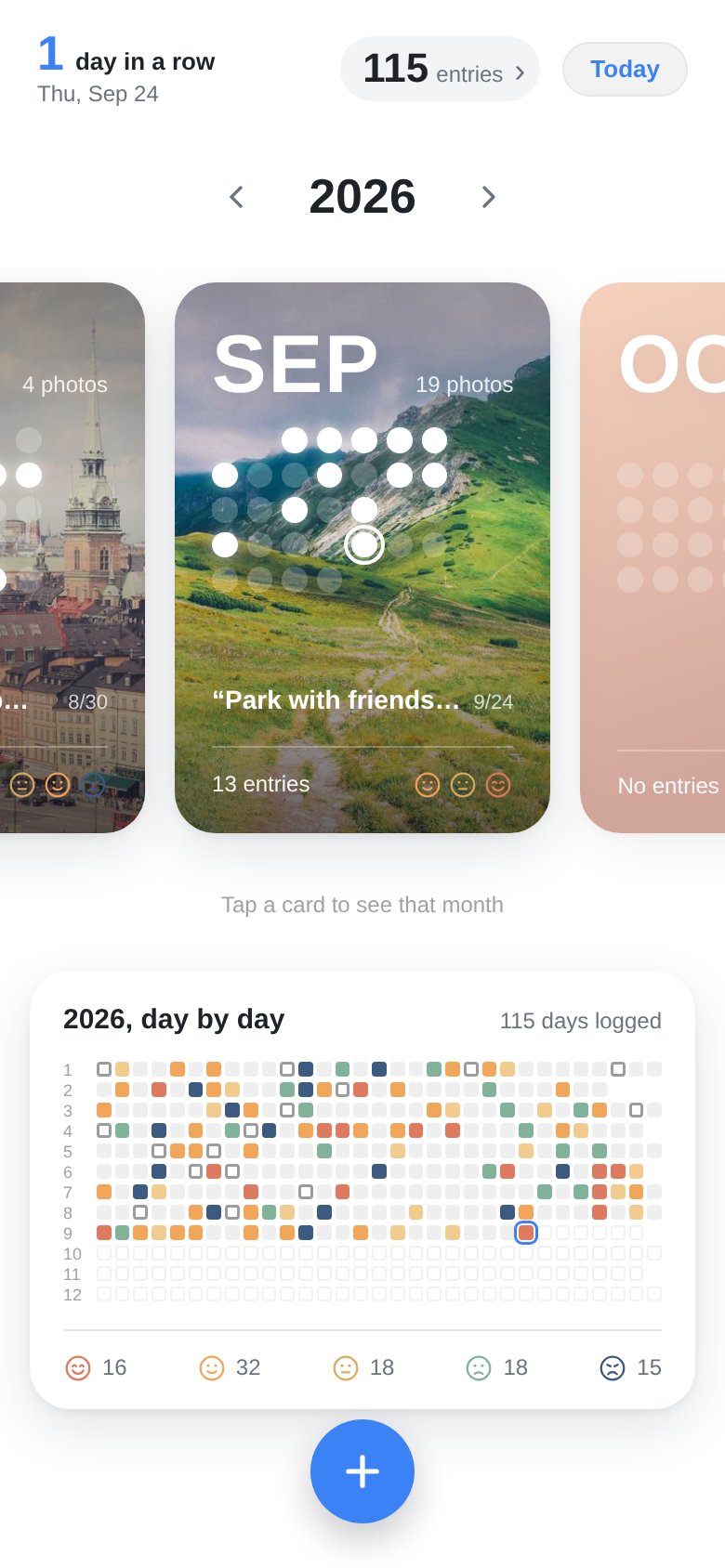
- Year: swipe through 12 month cards. Dots mark the days you wrote. Below, a grid shows every day of the year colored by mood (mood is optional), and the top corner shows how many days in a row you've written.
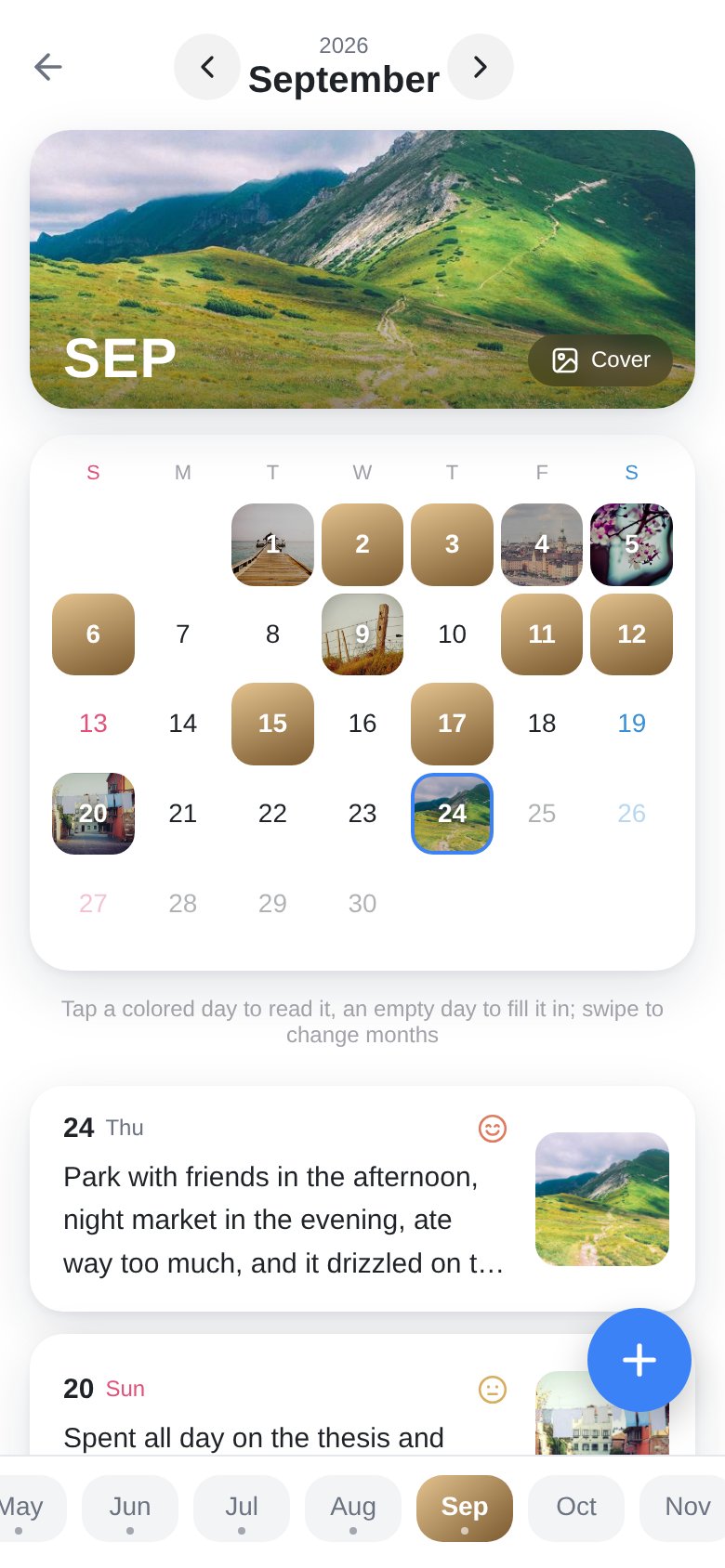
- Month: a photo calendar (days with photos show their cover) and a card for each entry. Tap an empty day to fill it in. Swipe the calendar, use the ‹ › buttons or the month rail to change months.
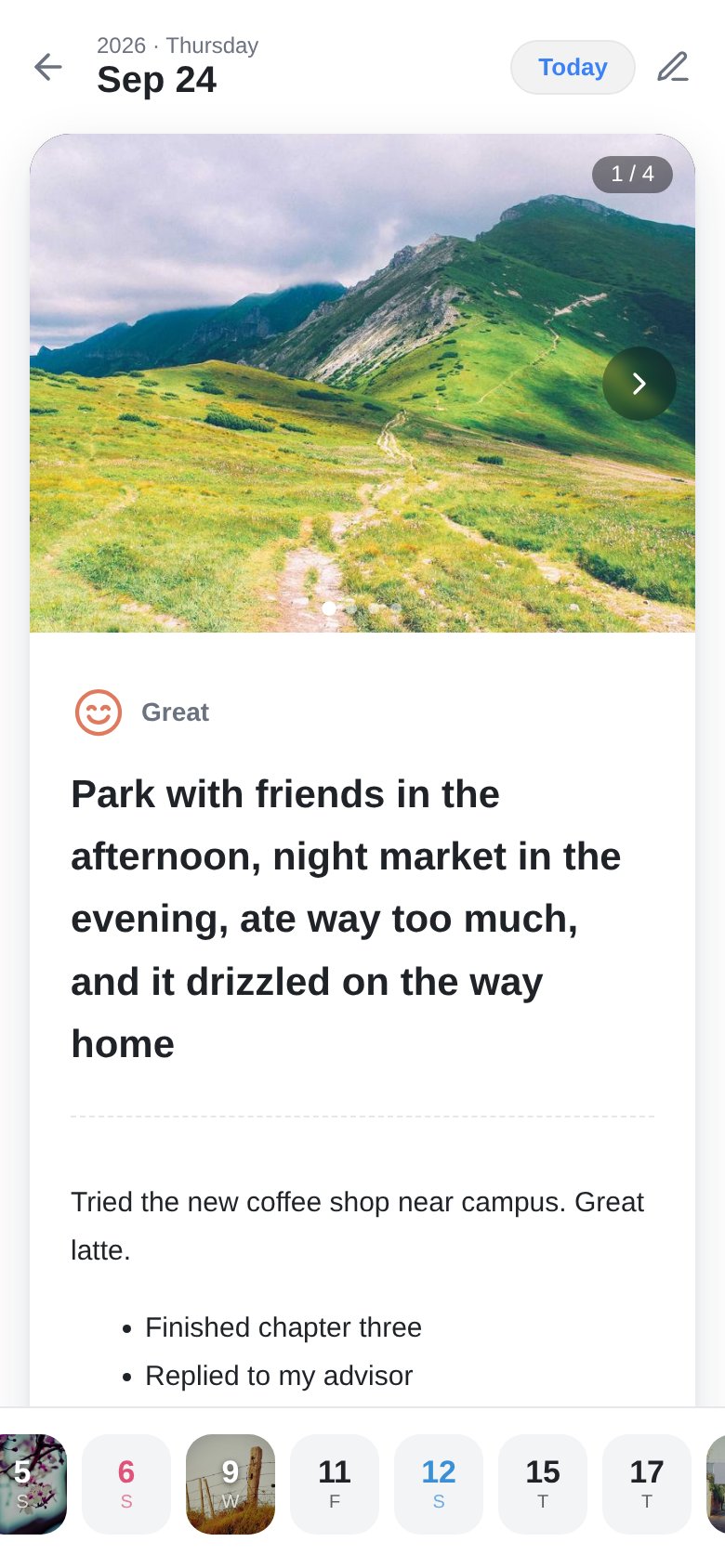
- Entry: summary, mood, photos and the note body rendered by Obsidian. Page to the previous or next entry.
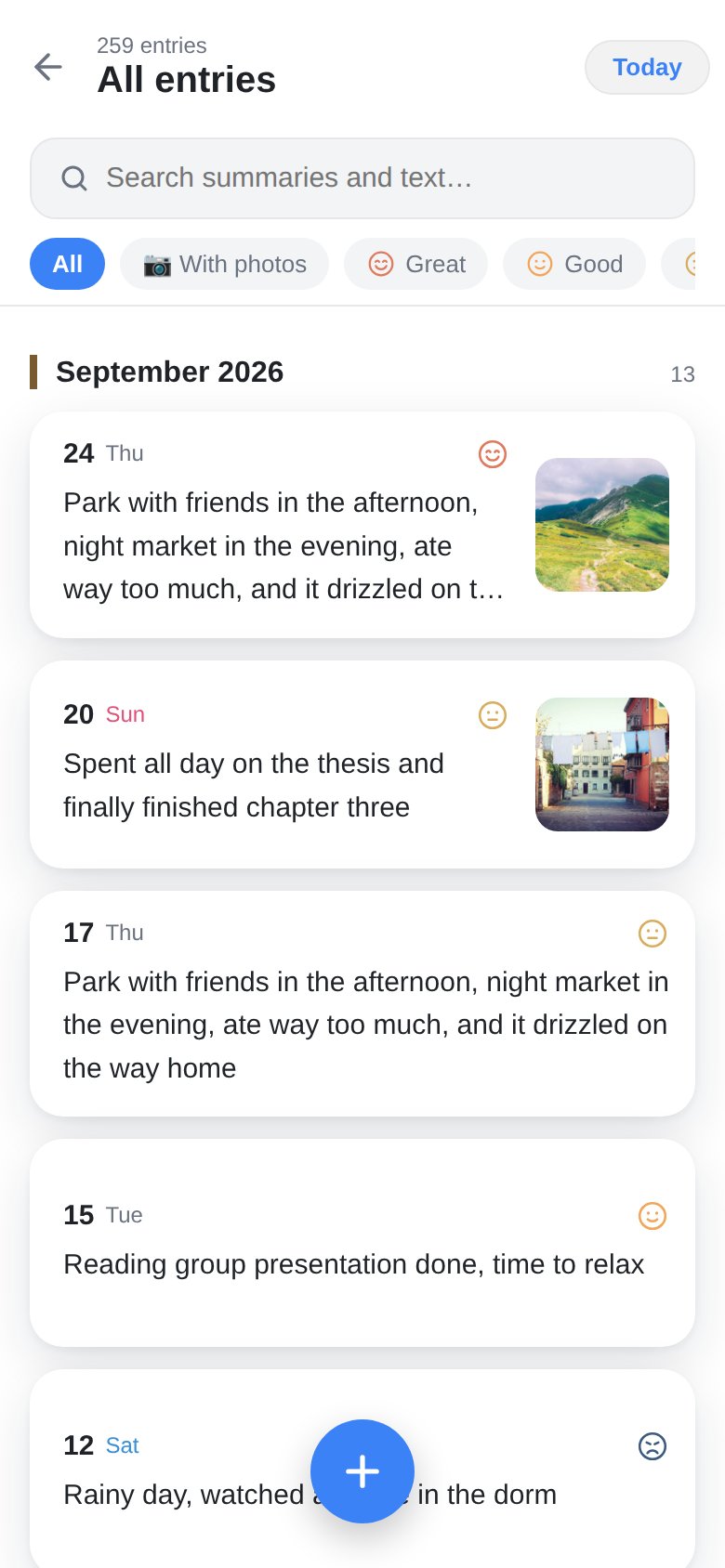
- All entries: a timeline grouped by month. Search summaries and text, or filter by photos or mood.
- Month covers: pick any photo from that month as its cover, or let it use the latest entry with a photo.
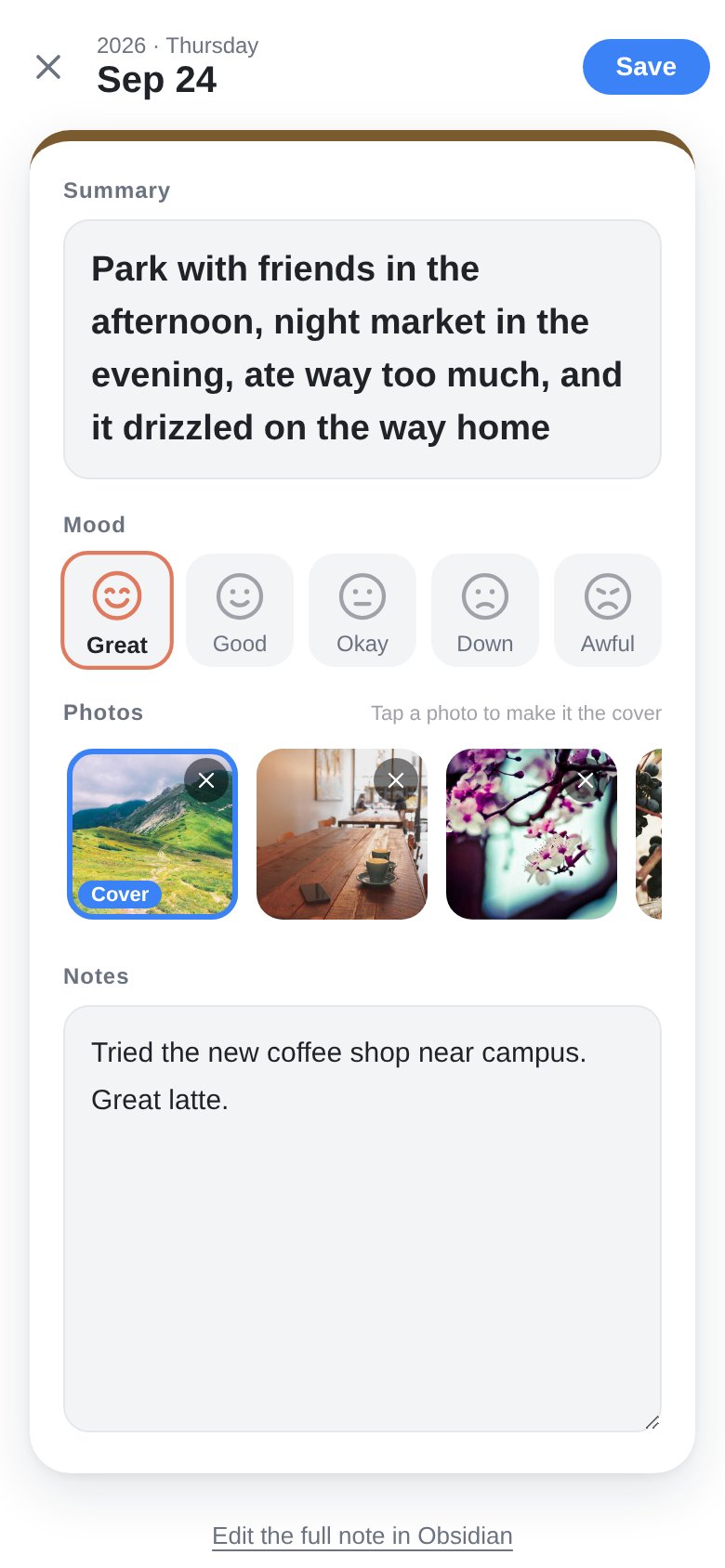
- Quick entry: write a one-line summary, pick a mood, add photos (tap one to make it the cover) and notes. Switch to the full Obsidian editor for longer writing.
- Photos are made smaller: new photos are resized to 2048 px and saved as JPEG, which also drops location (GPS) data. Formats the device can't decode, such as some HEIC files, are saved unchanged.
- The interface follows Obsidian's language: English, Traditional Chinese or Simplified Chinese.
Your notes
Diary Cards reads notes whose file name is a date. On first install it uses the folder, date format and template from Obsidian's built-in Daily notes plugin. You can change them in the plugin settings:
| Setting | Default | |
|---|---|---|
| Diary folder | (whole vault) | Only notes in this folder and its subfolders are read. |
| Date format | YYYY-MM-DD |
Moment.js format. It can include folders, e.g. YYYY/MM/YYYY-MM-DD. |
| Summary property | summary |
Shown on the cards. Entries without it show their first paragraph. |
| Mood property | mood |
A number from 1 to 5. |
| Template | (built-in) | Supports {{title}}, {{date}}, {{time}} and {{date:FORMAT}}, like Daily notes. |
| Put new entries in year folders | off | Creates new entries at Folder/2026/2026-09-24.md. Ignored when the date format already has folders. |
| Open to | This month's calendar | Or the year page, or wherever you left off. |
| Mood colors | Warm to cool | Also Vivid, Soft, or Single color (follows your accent color). |
| First day of the week | (follows the language) | Sunday or Monday. |
A note looks like this:
---
summary: Barbecue with the lab juniors
mood: 4          # 5 great, 4 good, 3 okay, 2 down, 1 awful
cover: bbq.jpg   # optional; defaults to the first image in the note
---

Anything you like, in Markdown. Images in the note become the entry's photos.
Diary Cards only changes a note when you save it from the quick entry screen. It updates the summary, mood and cover properties and the note body, and leaves other properties alone. A new entry starts from your template, and what you write is added after the template's text.
Installing
In Obsidian, open Settings → Community plugins → Browse, search for Diary Cards, then install and enable it. Requires Obsidian 1.8.7 or later.
To try changes before they reach the plugin list, install it with BRAT (add YuunJiee/diary-cards). You can also install it manually: download main.js, manifest.json and styles.css from the latest release into <vault>/.obsidian/plugins/diary-cards/.
Open it from the ribbon icon or the command palette (Diary Cards: Open). Links to obsidian://diary-cards open it too, and obsidian://diary-cards?write=today starts today's entry.
Development
npm install
npm test           # tests for summaries, frontmatter and date formats
npm run dev        # rebuild main.js on change
npm run preview    # build a browser preview, then open preview/index.html
                   # (?screen=year|month|entry|all|edit, ?lang=en|zh-CN,
                   #  ?palette=classic|soft|mono, ?week=monday, ?photos=1, #dark)
node preview/fetch-photos.mjs   # photos for ?photos=1 (used for the README screenshots)
VAULT=/path/to/vault npm run install-vault
To release: npm version patch (or minor/major) updates manifest.json and versions.json and creates the tag; git push --follow-tags makes GitHub Actions build a draft release.
Acknowledgements
Diary Cards is inspired by Oak Diary (Card Diary on iOS) by Oak Studio. It is an independent project and is not affiliated with or endorsed by Oak Studio.
Screenshot photos are from Unsplash via Lorem Picsum, used under the Unsplash License.