Search...Search plugins and themes...
⌘K
Sign in
  • Get started
  • Download
  • Pricing
  • Enterprise
  • Account
  • Obsidian
  • Overview
  • Sync
  • Publish
  • Canvas
  • Mobile
  • Web Clipper
  • CLI
  • Learn
  • Help
  • Developers
  • Changelog
  • About
  • Roadmap
  • Blog
  • Resources
  • System status
  • License overview
  • Terms of service
  • Privacy policy
  • Security
  • Community
  • Plugins
  • Themes
  • Discord
  • Forum / 中文论坛
  • Merch store
  • Brand guidelines
Follow us
DiscordTwitterBlueskyThreadsMastodonYouTubeGitHub
© 2026 Obsidian

Daystamp

Alin AM MorosanuAlin AM Morosanu74 downloads

Insert dates and times in your own formats from a calendar, a ribbon icon, commands or an inline trigger.

Add to Obsidian
Daystamp screenshot
Daystamp screenshot
  • Overview
  • Scorecard
  • Updates2

Insert dates and times into your Obsidian notes in your own formats, from a calendar, a ribbon icon, commands or an inline trigger.

All four ways share the same named presets, so a format you set up once works everywhere.
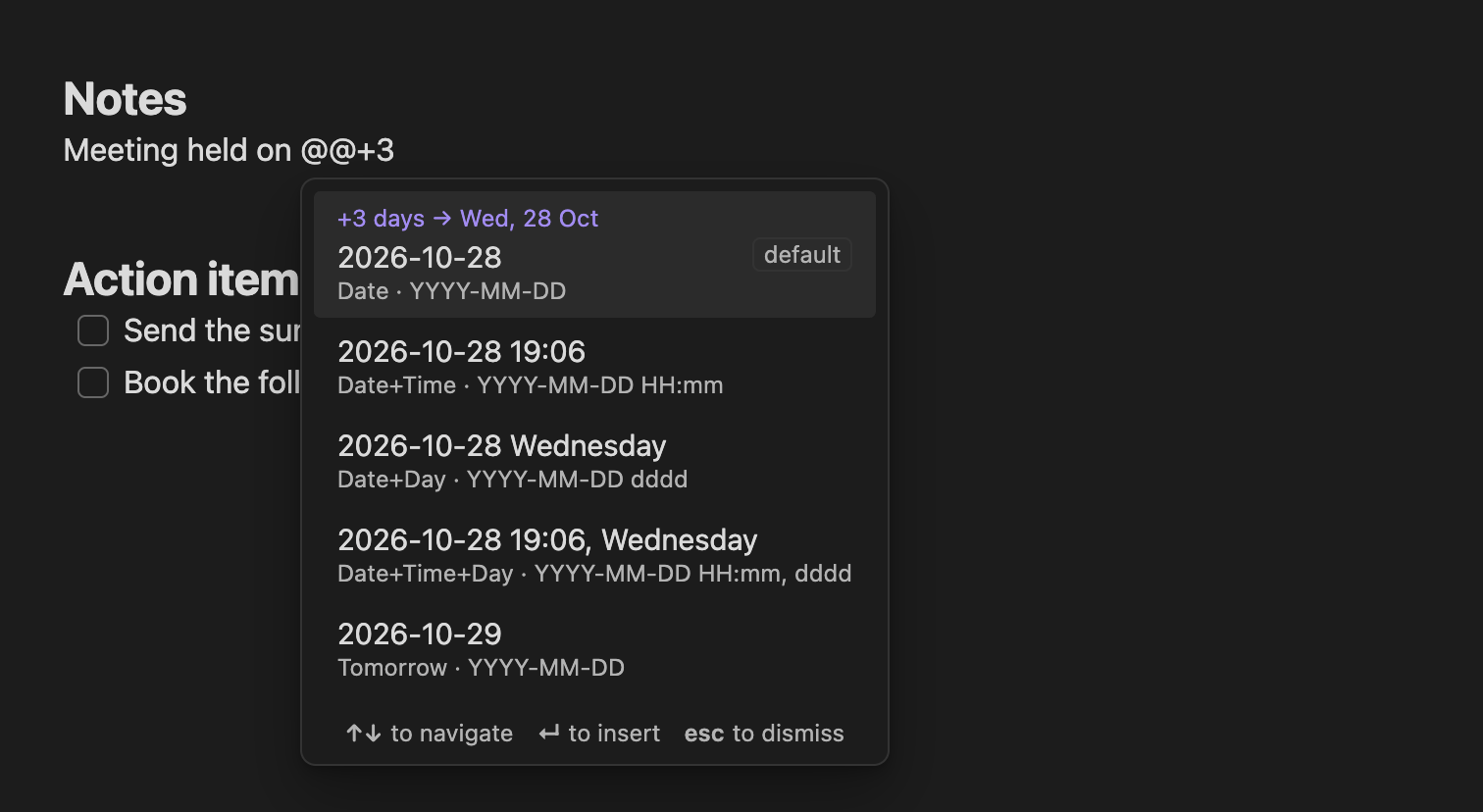
Typing @@+3 in a note opens a list of presets, each showing the date three days ahead in its own format, with the default preset first.

Features

  • Ribbon icon: one click inserts your default preset.
  • Inline trigger: type @@ for a list of presets. @@+3 shifts the date three days ahead, @@-1 gives yesterday, and @@time filters by name.
  • Calendar: pick any day with the mouse or keyboard, choose a preset, and see exactly what will be inserted.
  • Commands: one per preset, for the command palette, Slash commands and hotkeys. Renaming a preset keeps its hotkey.
  • Presets: any moment.js format, day offsets (Tomorrow, Next week), and optional links to your daily notes, such as [[2026-10-25|Sunday 25 October]].
  • Works on desktop and mobile, follows Obsidian's language, and is fully keyboard and screen-reader accessible.

Screenshots
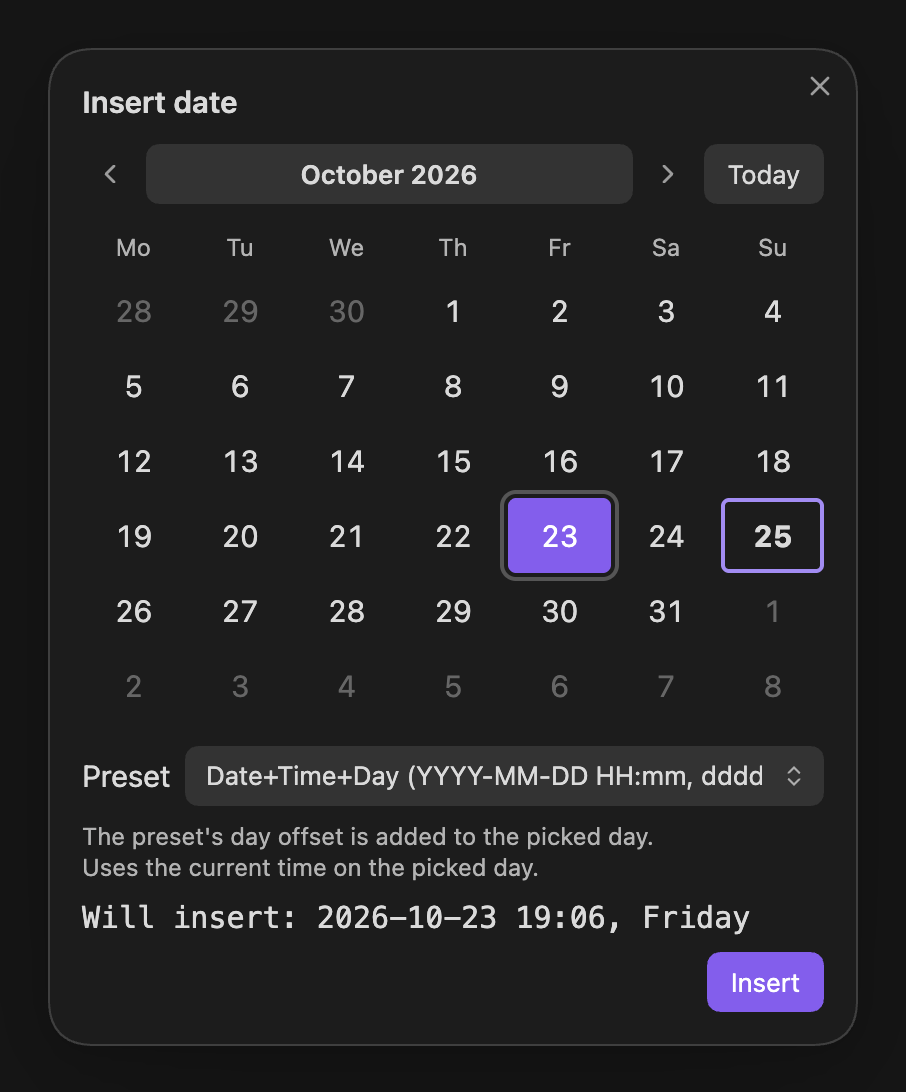
The calendar: October 2026 with the 23rd selected and today, the 25th, ringed. Below it the Date+Time+Day preset is chosen and the preview reads Will insert: 2026-10-23 19:06, Friday.
Calendar: pick a day, choose a preset, see the result before inserting.
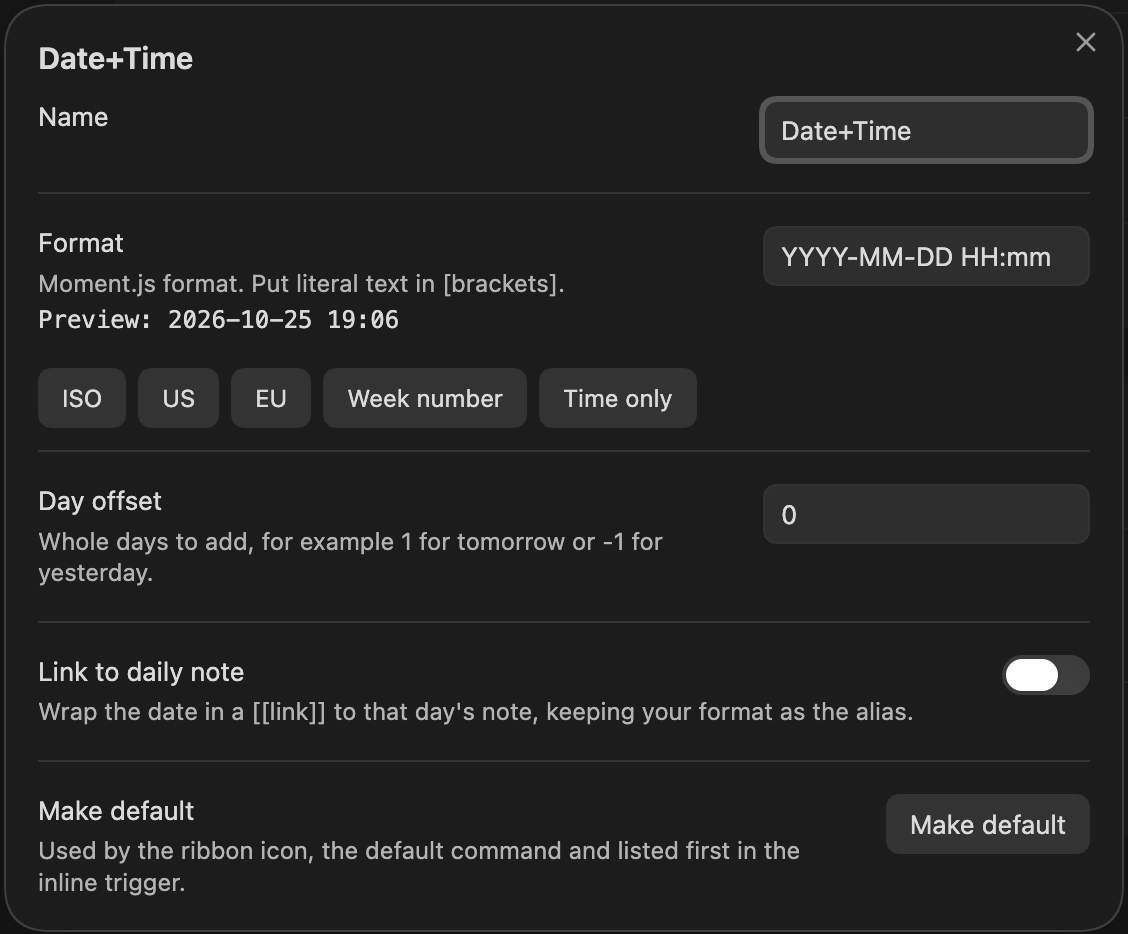
The preset editor for Date+Time, with fields for name, format with a live preview and quick-format buttons, day offset, a Link to daily note toggle and a Make default button.
Preset editor: format with live preview, day offset, link to daily note.
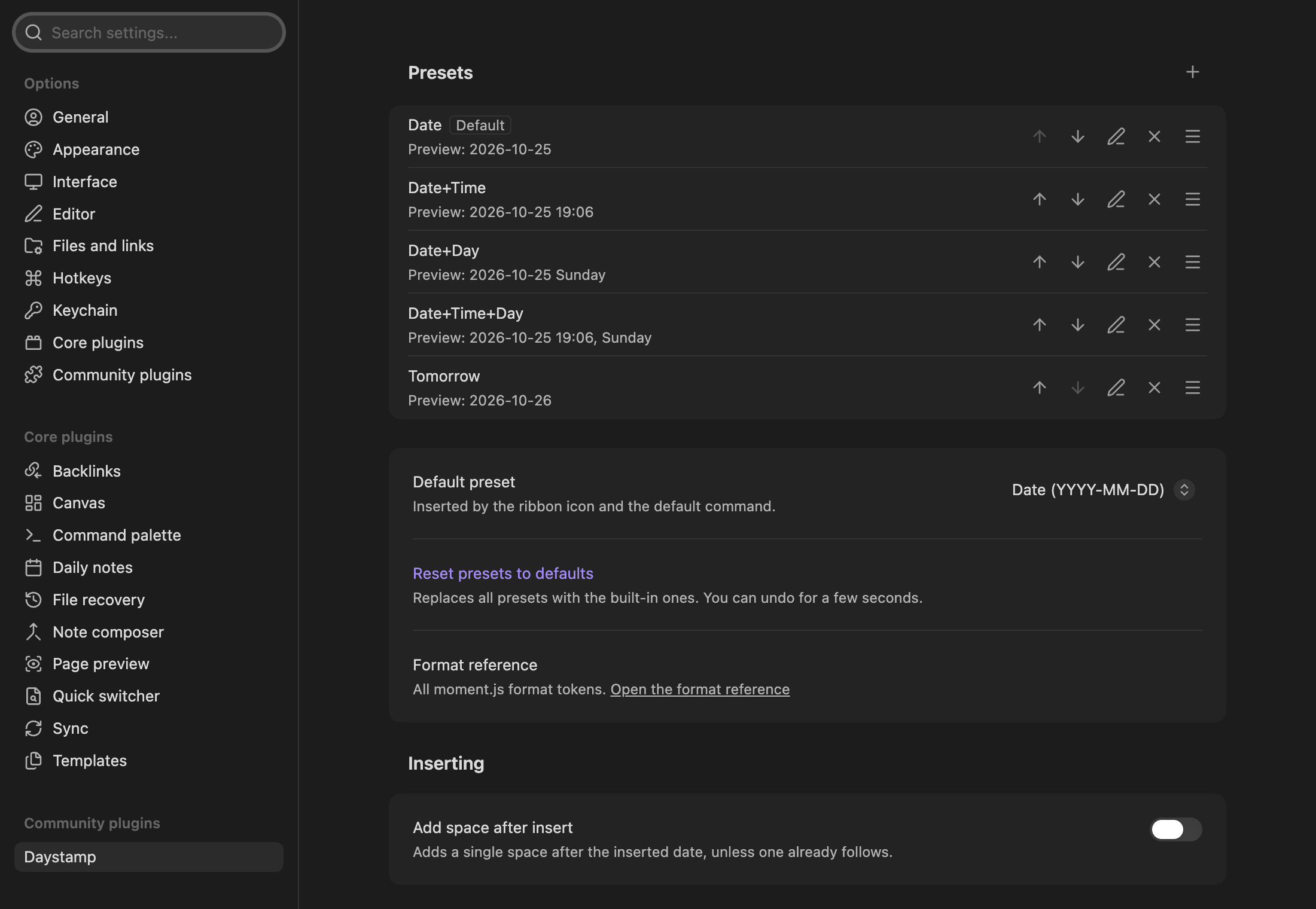
Daystamp's settings: the five presets with previews and buttons to reorder, edit and delete, followed by the default preset, reset and inserting options.
Settings: manage presets, the default, the trigger and more. Every option shows up in Obsidian's settings search.

Built-in presets:

Date 2026-10-25
Date+Time 2026-10-25 14:30
Date+Day 2026-10-25 Sunday
Date+Time+Day 2026-10-25 14:30, Sunday
Tomorrow 2026-10-26

Install

Daystamp needs Obsidian 1.13.0 or later. Until it's listed in the Community plugins directory, install it by hand: see Getting started.

Documentation

  • Users: start with Getting started, then browse the how-to guides, reference and FAQ.
  • Developers: see CONTRIBUTING and the developer docs.

Privacy

Daystamp makes no network requests and collects no telemetry. It writes only its own settings file and doesn't use the clipboard. It reads the core Daily notes date format to build links. Details: Privacy and security.

Support

Found a bug or have an idea? Open an issue. For security problems, see the security policy.

License

MIT © 2026 Alin Morosanu

HealthExcellent
ReviewPassed
About
Insert dates and times in custom formats from a calendar, ribbon icon, commands, or an inline trigger, with named presets shared across all entry points. Use @@ to pick presets or shift dates (@@+3, @@-1, @@time), preview selections in a calendar, and use moment.js formats, day offsets and optional daily-note links.
DatesCalendarCommands
Details
Current version
0.1.1
Last updated
3 weeks ago
Created
3 weeks ago
Updates
2 releases
Downloads
74
Compatible with
Obsidian 1.13.0+
Platforms
Desktop, Mobile
License
MIT
Report bugRequest featureReport plugin
Author
Alin AM MorosanuAlin AM Morosanualin-morosanu
alin.morosanu.co.uk/
GitHubalin-morosanu
alin-morosanu
  1. Community
  2. Plugins
  3. Dates
  4. Daystamp

Related plugins

Day Planner

Turn tasks from daily notes, the Tasks plugin, and calendars into time blocks on an editable timeline, with built-in time tracker.

Full Calendar Remastered

Complete Calendar HUB experience. Work with all your calendars in one place. Analyze your time and take action!

Journals

Manage your journals.

Itinerary

Make planning your trip or event easier by rendering a calendar from event information found in your notes.

Periodic Notes

Manage your daily, weekly, and monthly notes.

Tasks Calendar Wrapper

Simple wrapper for Tasks Calendar and Tasks Timeline.

Calendarium

Craft mind-bending fantasy and sci-fi calendars.

Yearly Glance

Year at a glance - overview of annual events with customizable management options.

Journal Review

Review your daily notes on their anniversaries, like "what happened today last year".

Contribution Graph

Generate an interactive heatmap to visualize and track your productivity.