Dataview Publisher
 udus12212k downloads
Output markdown from your Dataview queries and keep them up to date. You can also publish them.
- Overview
- Scorecard
- Updates22
Output markdown from your Dataview queries and keep them up to date. You can also be able to publish them.
Screenshots
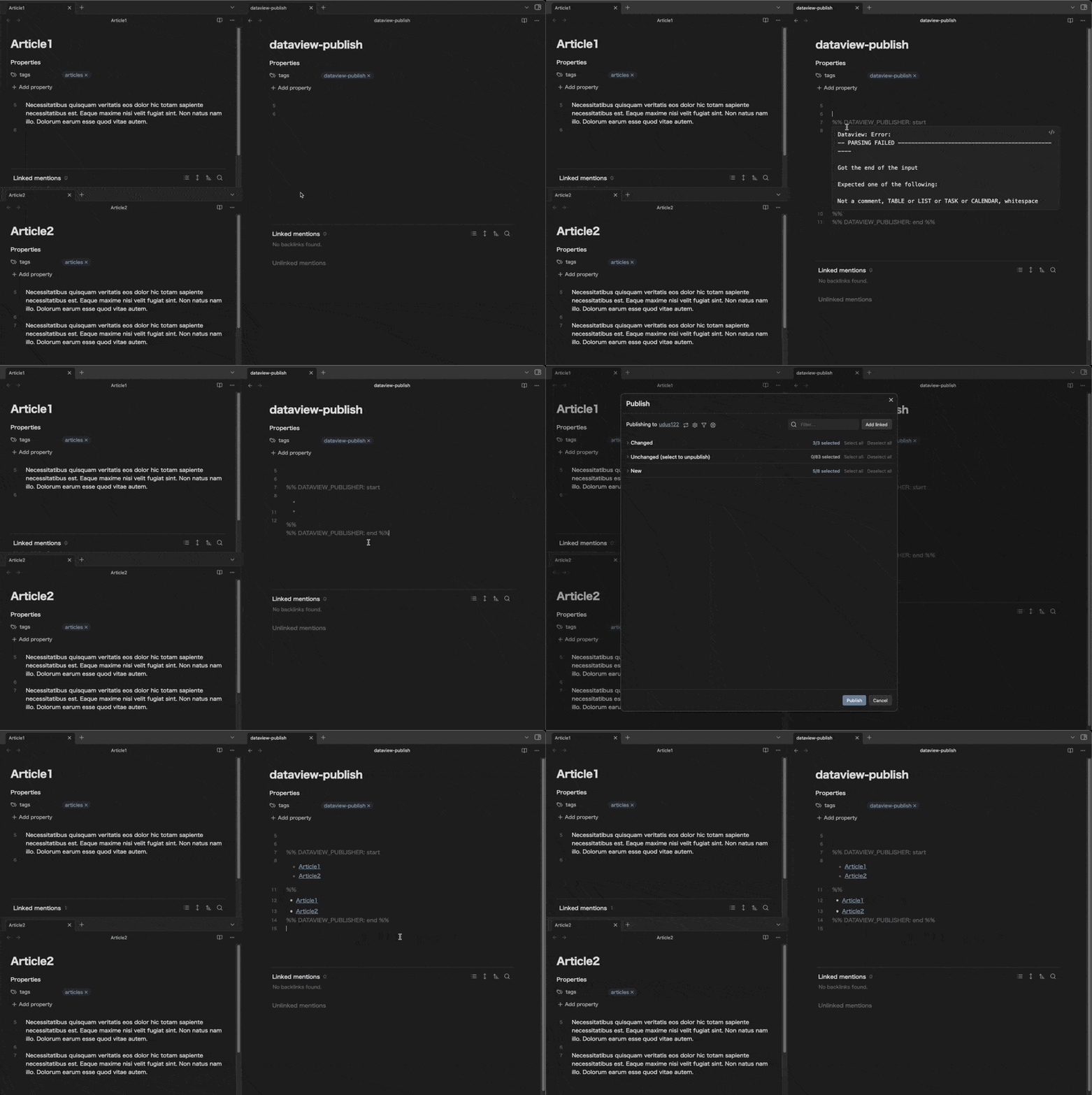
Prerequisites
This plugin uses the following two plugins, so you must install them:
Installation
Installing the plugin using BRAT
- Install the BRAT plugin
- Open
Settings->Community Plugins - Disable safe mode, if enabled
- Browse, and search for "BRAT"
- Install the latest version of Obsidian 42 - BRAT
- Open
- Open BRAT settings (
Settings->Obsidian 42 - BRAT)- Scroll to the
Beta Plugin Listsection Add Beta Plugin- Specify this repository:
udus122/dataview-publisher
- Scroll to the
- Enable the
Checkbox Time Trackerplugin (Settings->Community Plugins)
Usage
%% DATAVIEW_PUBLISHER: start
```dataview
<Your favorite Dataview query>
```
%%
<Query results will be output as markdown here>
%% DATAVIEW_PUBLISHER: end %%
Tips: To suppress the original rendering, omit "dataview" of info string.
Examples
Dataview Query Language (DQL) query
Display a list of files tagged with #articles
There are two notes tagged with #articles in the Vault (Article1.md, Article2.md).
%% DATAVIEW_PUBLISHER: start
```dataview
LIST FROM #articles SORT file.name
```
%%
- [[Article1.md|Article1]]
- [[Article2.md|Article2]]
%% DATAVIEW_PUBLISHER: end %%
For detailed instructions on how to write DQL, please refer to the Dataview documentation.
Dataview JS (Experimental)
Dataview can also output the results of executing arbitrary JavaScript code by setting the code block language (info string) to javascript, js, or dataviewjs.
This allows you to output Markdown strings in the desired format by using Dataview's Markdown functions.
%% DATAVIEW_PUBLISHER: start
```dataviewjs
const articles = dv.pages("#articles").map(article => `[[${article.file.name}]]`);
`
## Articles

${dv.markdownList(articles)}
`;
```
%%
## Articles

- [[Article1]]
- [[Article2]]

%% DATAVIEW_PUBLISHER: end %%
Dataview JS is executed using the eval() function. the last expression or value evaluated is output (Leading and trailing whitespace and newlines will be trimmed).
It doesn't render HTML, so it won't be output even if you use the Dataview's Render functions. Please output a Markdown string as the last expression or value.
You can use DataviewAPI object as dv and TFile object of current file as file.
Warning: It can be dangerous to execute arbitrary codes from untrusted sources. Only run codes that you understand, from trusted sources.
Settings
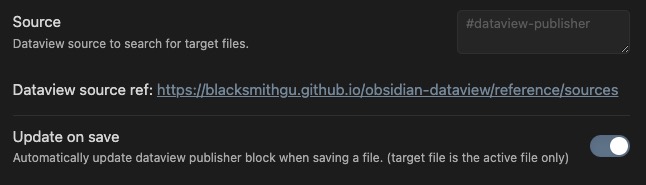
- Source: Dataview source to search for the target file
- This setting is used to narrow down the files to be updated, and is recommended for performance reasons
- If left empty, this plugin will attempt to update all files in the Vault
- Update on save: Automatically update output when file is saved
- Only the Saved file is updated.
Commands
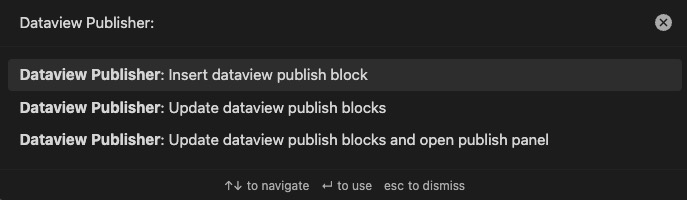
- Insert dataview publish block
- Insert Dataview Publisher Template at next line of cursor
- Update dataview publish blocks
- Update all Dataview Publish blocks for the files that correspond to the specified Source in settings.
- Update dataview publish blocks and open publish panel
- Same as "Update dataview publish blocks" and open publish panel.
Inspirations
This plugin highly inspired by this article.