DataDeck
 SVM0N1k downloads
View and edit CSV files as cards, kanban, table, charts, a habit dashboard, a tasks board, a focus reader, or an interactive travel map. Charts with best-fit lines, formulas, and color-by splits. Notes columns render as Markdown.
- Overview
- Scorecard
- Updates12
Your CSV files, alive inside Obsidian. DataDeck opens plain .csv files
as rich, editable views — cards, kanban, an editable table, charts with
best-fit lines and formula overlays, a habit dashboard, a tasks board, a
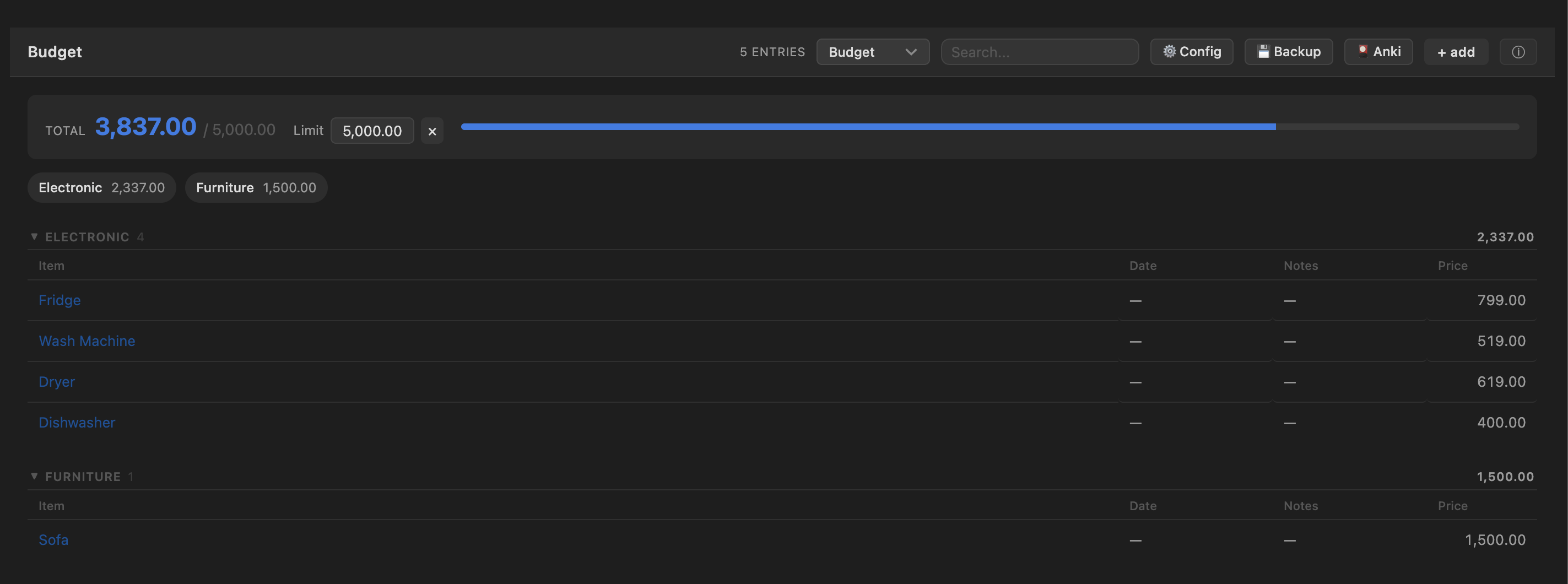
budget tracker with per-category rollups against a spending limit, a
one-entry-at-a-time focus reader, and an interactive travel map. Everything
edits in place and writes straight back to the one canonical CSV file: no
database, no shadow copies, no lock-in. Your data stays a text file that
diffs, syncs, and outlives any tool.
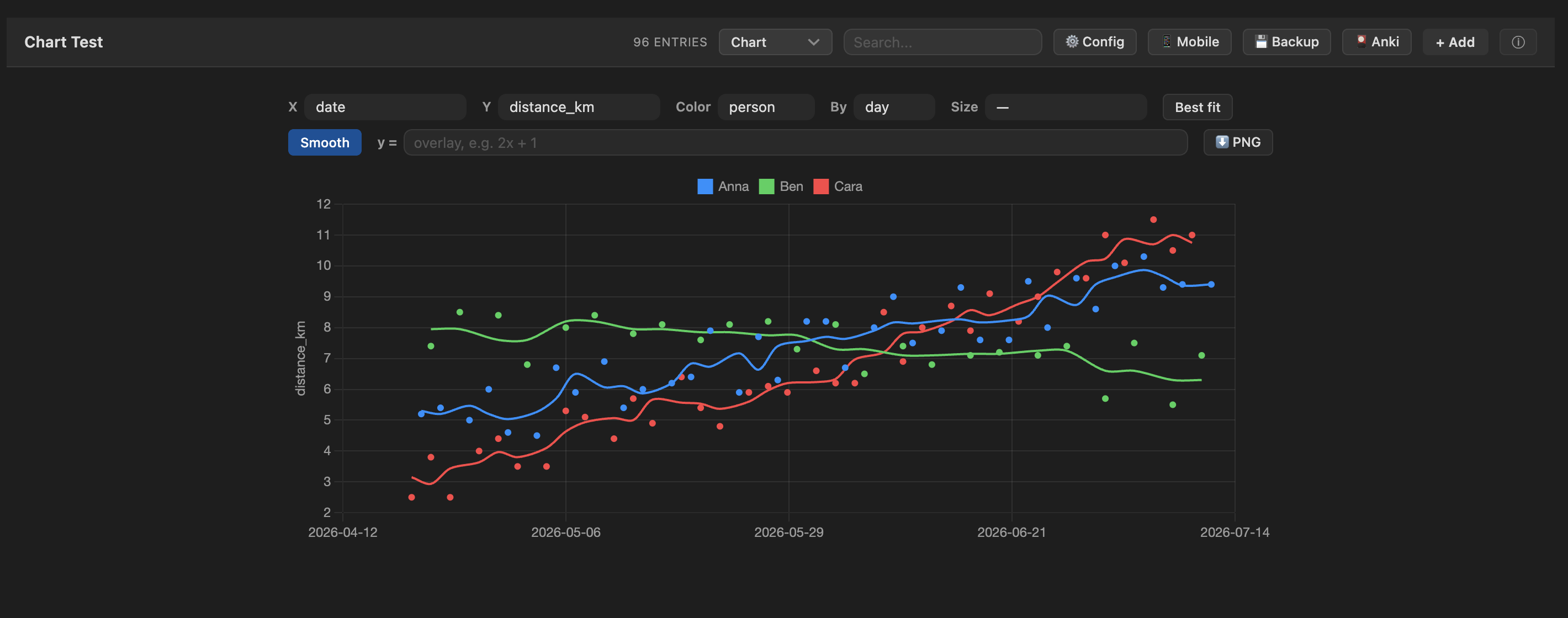
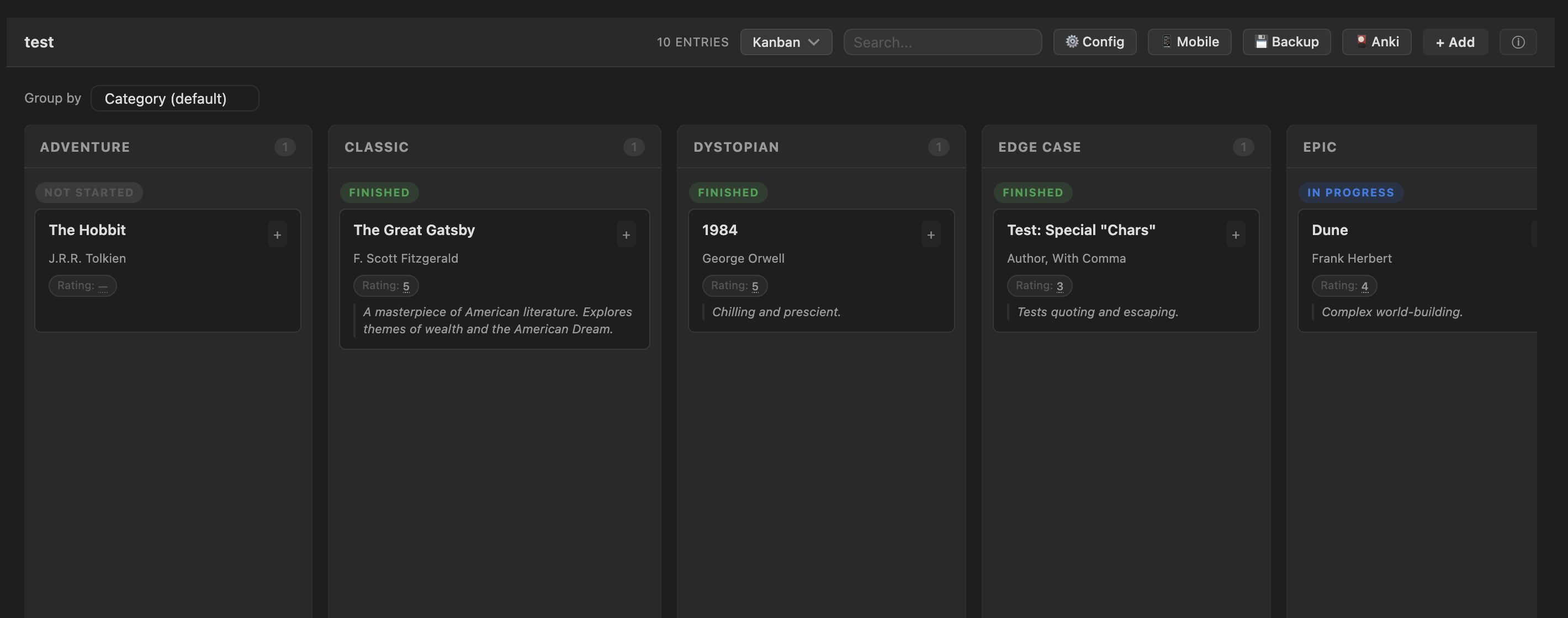
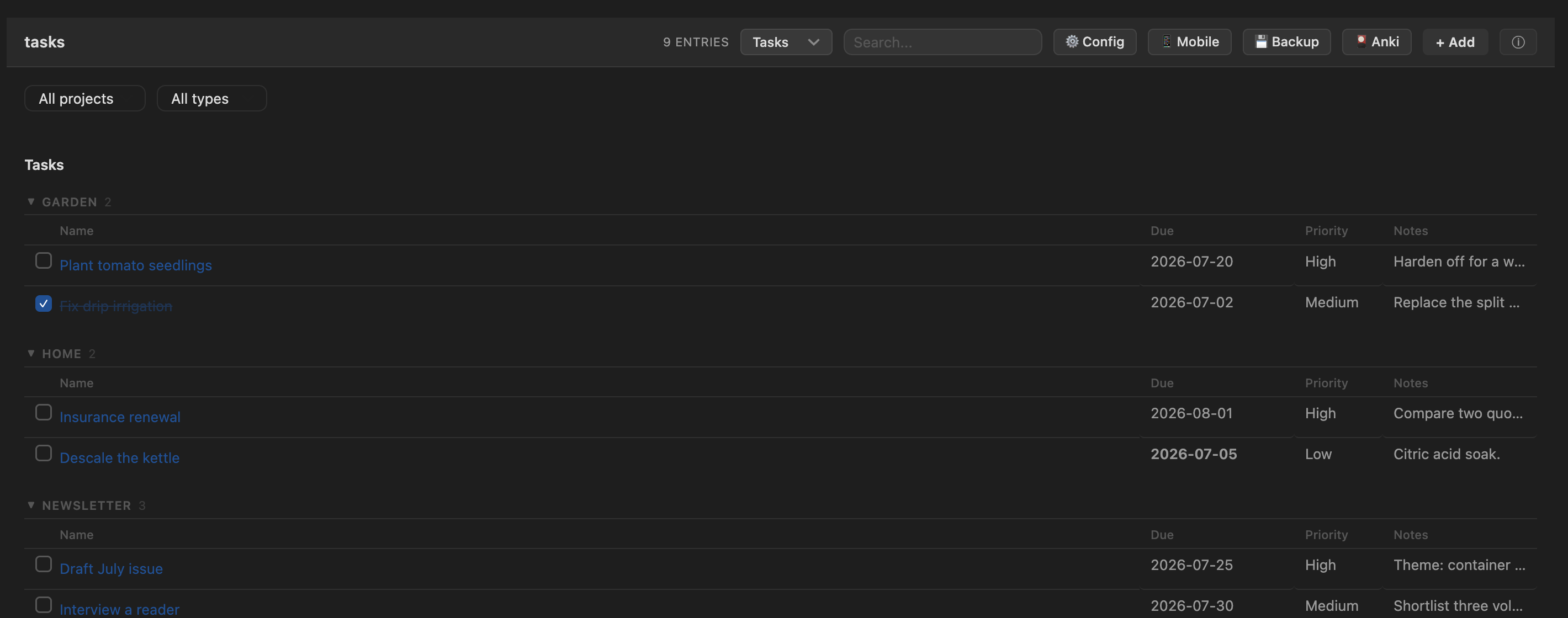
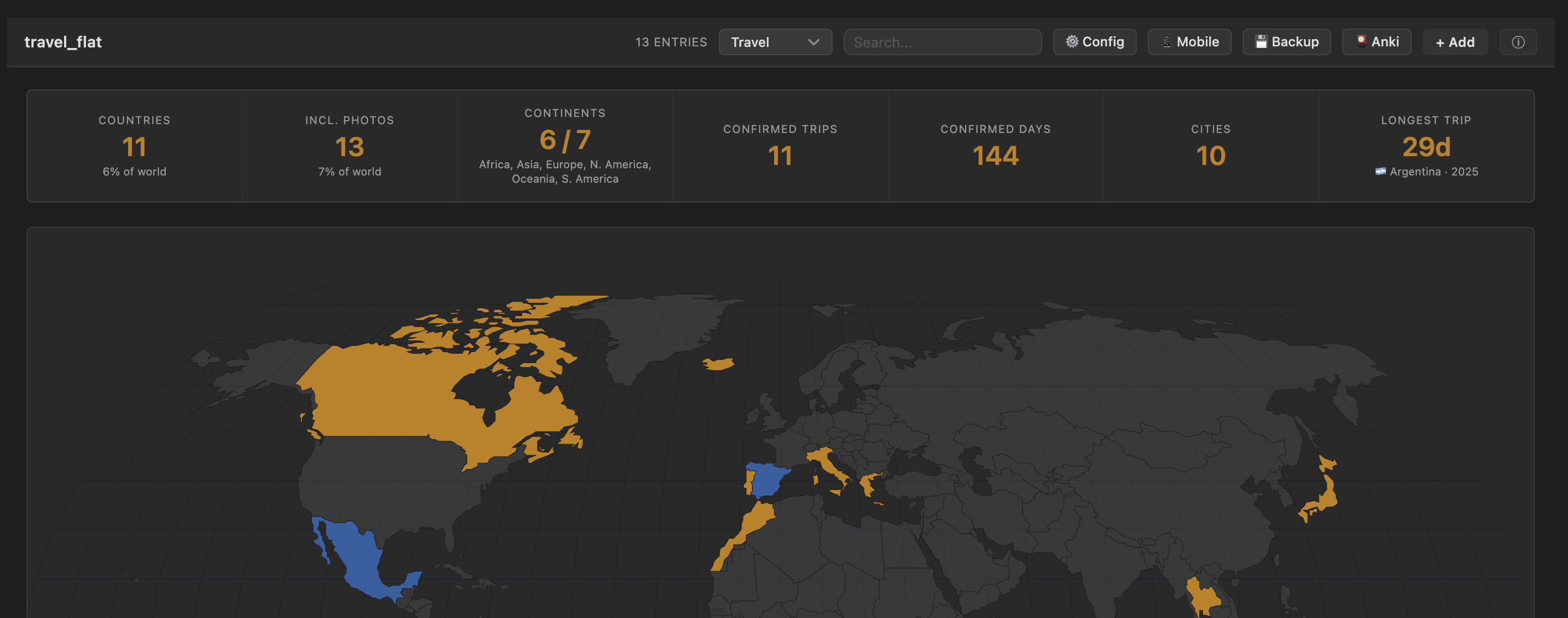
Screenshots — chart, kanban, tasks board, budget tracker, and the travel map
 |
 |
 |
 |
 |
|
Highlights
- Eleven view modes, auto-offered based on the columns in the file — a books CSV gets a library, a habit log gets a dashboard, a tasks file gets a project board, an expenses CSV gets a budget tracker, a travel log gets a world map, a Start/End dated log gets a Gantt-lite timeline.
- Everything is editable — click a cell, toggle a habit, drag nothing: edits debounce-save back to the CSV. Notes-style columns render and edit as Markdown.
- Charts like a tiny ggplot: scatter/line of any column pair, color-by
category (hue), size-by, per-series least-squares fits with R²,
y = f(x)formula overlays, week/month bucketing, rolling-average smoothing, bar aggregates for categorical axes, and one-click PNG export. - Embed blocks put live views inside any note:
csv-view(table / cards / kanban),csv-chart,csv-tasks(a cross-file tasks board),csv-random(quote of the day), andcsv-add(a mobile-friendly entry form). - Sync-safe saves — if the file changed on disk while you were editing
(another device, another tab), the other version is stashed to
Archive/instead of being silently overwritten. - Works on mobile. Compact toolbars, one-scroll modals, touch-friendly pickers.
Installation
Until DataDeck is in the community store:
- Via BRAT: add
SVM0N/datadeckas a beta plugin. - Manual: grab
main.js,manifest.json, andstyles.cssfrom the latest release into<vault>/.obsidian/plugins/datadeck/, then enable DataDeck in Settings → Community plugins.
The travel view's world map is bundled straight into
main.jsat build time (no separateworld-map.svgto copy) — Obsidian's plugin installer only ever fetches those three files, for community-store installs too.
Quick start
- Open any
.csvfile — DataDeck takes over the tab and picks a sensible view from the columns it finds. - Switch views with the toolbar dropdown; ⚙ Config sets per-file column roles (title, category, status, notes, image…), column types (checkbox / categorical / date), and the default view.
- + Add opens an entry form with the right control per column: dropdowns for categorical columns, a date picker for dates, toggles for 0/1 habit columns, a Markdown textarea for notes.
- No CSV yet? Run a palette command: Create tasks / travel / habit tracker / chart / timeline file scaffolds one preconfigured for its view.
View modes
The toolbar dropdown offers only the modes that make sense for the file's columns:
| Mode | Appears when… | What it shows |
|---|---|---|
| Table | always | Editable spreadsheet: resizable columns, click-to-sort headers, sticky header, inline thumbnails for an image column (several per cell when ;-separated) |
| Cards | any groupable column | A library grouped by category — status dots, star ratings, tags, cover images, per-file sort |
| Kanban | any groupable column | Columns by category (or any column via "Group by" — year columns bucket into decades), status subgroups, inline note editing |
| Chart | a numeric column (2+ rows) | Scatter/line of any column pair with hue, size-by, fits, formulas, smoothing, bucketing, and bar aggregates — see Charts |
| Dashboard | a date column | Habit tracker: daily toggles, progress chart, streaks, per-habit GitHub-style calendars |
| Tasks | due/priority columns, or task-like type values | Project board: rows grouped by project, split into Tasks / Idea / Note sections, click-to-toggle done, overdue flags, filter by project / type / done-or-open |
| Timeline | a Start column plus an End/Due column |
Gantt-lite horizontal timeline: one row per entry, drawn as an arrow spanning Start → End against a shared time axis; open-ended entries stretch to today, a dashed line marks "now", filter by category |
| Budget | a Price/Cost/Amount/Total column (or one assigned in ⚙ Config) |
Items grouped by category with per-category subtotals and a grand total, set an inline spending limit and the total turns blue under it, red over |
| Stats | a category/status/rating/author column | Bar-chart insights: status breakdown, categories, rating histogram, entries per year — bars click through to the filtered library |
| Focus | any non-empty file | One entry at a time with big typography — built for quotes and vocabulary. ←/→ keys navigate |
| Travel | country + trip-date columns |
World choropleth, trip timeline, per-country day totals, residency day-counters — see Travel view |
Charts
Pick Chart in the toolbar (or embed a csv-chart block):
- X / Y — any numeric or date column; a date X renders a connected time series, numeric pairs render as scatter dots.
- Color — ggplot-style hue: one colored series per value of a categorical column.
- Size — a numeric column mapped to point radius (area-true sqrt scale).
- Best fit — per-series least-squares line with the equation and R² (phrased as an per-day trend for date axes).
- Smooth — a 7-day rolling average drawn over faint raw dots.
- By week / month — bucket a time series with a sum / avg / count aggregate ("km per week, one line per person").
- Bar mode — pick a categorical X and the chart becomes bars with a count / sum / avg aggregate; hue makes grouped bars; comma-separated columns (genres, tags) count once per value.
y = f(x)overlay — type2x^2 - 3x + 1or10 sin(x/2); parsed by a small built-in evaluator (+ - * / % ^, parentheses, implicit multiplication,sin cos tan sqrt log ln exp abs floor ceil round min max pow,pi/e). Noeval.- ⬇ PNG — saves the chart as an image next to the CSV.
Embed blocks
Live views inside any note. All paths resolve like links: a bare name is a
sibling of the note, ../ walks up, and anything else is vault-relative.
csv-view — table / cards / kanban in a note
```csv-view
file: ../movies.csv
mode: kanban             ← table | cards | kanban   (default: table)
height: 480              ← optional max content height in px
collapse: Removed, Done  ← optional: card groups collapsed by default
columns: Title, Rating   ← optional: show only these columns, in this order
hide: Notes, Source      ← optional: drop these columns from the display
```
Fully editable — inline cells, status chips, the entry expander, + Add, and delete-with-undo all write back to the source CSV. Other open views of the same file re-sync automatically.
columns: and hide: change what the block draws — a hidden column is
still searched, still written back on save, and still editable in the entry
expander. Names match the CSV's headers case-insensitively; ones the file
doesn't have are ignored. They apply to the block's table columns and its
card/kanban fields.
Table mode inside a block uses a narrower column floor than a full tab does (the note's text column is much narrower than a leaf), so a few-column sheet fits instead of scrolling sideways, and its header scrolls with the rows rather than staying frozen — a block is a screenful, and a frozen header inside a note is drawn over by the rows passing under it.
csv-chart — a chart (or pure function plot) in a note
```csv-chart
file: ../health.csv      ← omit for a formula-only plot
x: date                  ← default: date column, else first numeric
y: weight                ← default: first numeric column ≠ x
hue: person              ← optional color-by column
size: effort             ← optional numeric column → point radius
agg: sum                 ← aggregate for bar mode / bucket (count | sum | avg)
bucket: week             ← date X only: week | month buckets
smooth: true             ← date X only: rolling mean (true = 7 days, or a number)
fit: linear              ← best-fit line(s) with equation + R²
formula: 0.5x + 2        ← y = f(x) overlay; the whole plot when there's no file
xmin: -10                ← formula-only domain (default -10 … 10)
xmax: 10
height: 280
```
Read-only; re-renders when the source CSV changes.
csv-tasks — a cross-file tasks board
```csv-tasks
folder: Projects         ← scan recursively for task-shaped CSVs ("/" = whole vault)
files: extra.csv         ← and/or an explicit comma-separated list
height: 600
```
Merges task rows from many CSVs into one board. Columns map onto a canonical
set (Title / Type / Project / Priority / Due / Status / Notes) by name
aliases — deadline, state, kind, area… all resolve. A file without a
Project column uses its basename as the project, so one-CSV-per-project
folders just work. Every edit writes back to the row's source file;
right-click a row for "Open source".
csv-random — a random entry (quote of the day)
```csv-random
file: ../quotes.csv
field: Quote             ← optional; defaults to the first column
```
Re-rolls on every render and via its ↻ button — made for daily-note templates.
csv-add — an entry form in a note
```csv-add
file: ../habits.csv
```
A compact, grouped add/update form (date pre-filled with today, toggles for habit columns, dropdowns with a custom escape hatch). On habit-tracker files it pre-fills from the existing row for the picked date, so updating a day never wipes what's already logged.
Travel view
For a flat travel CSV with these columns:
date_entered,date_left,country,city,visa_status,notes,source,resolved
countryis ISO-2 (US,FR, …);sourceisconfirmed,inferred(e.g. photo-derived), orconflict.- Confirmed countries render gold; photo-only countries blue; conflict rows and photo rows overlapping a confirmed trip are excluded from counts.
- Click a country (map, table, or timeline) for a per-country trip panel.
- Blank/partial dates (
2022-06-??) are allowed — visited-but-undated. A blankdate_leftcounts as an ongoing stay ("📍 Currently in …").
Residency counters
Configurable day-gauges (e.g. Schengen 90/180) render in the travel view. Each rule counts days in the listed countries within a window (calendar year / rolling N days / all time), minus exempt visa rows, against a threshold. Add rules in Settings → DataDeck → Residency rules. These are indicators, not legal or tax advice.
Anki sync
The 🎴 Anki toolbar button pushes rows to Anki as flashcards — great for quotes and vocabulary files. One Basic note per row: the front is the title column (or your ⚙ Config pick), everything else joins onto the back. Decks are named after the file and re-syncs skip cards that already exist, so it's safe to click repeatedly.
Requires the AnkiConnect
add-on and the Anki desktop app running; desktop-only (it talks to
http://127.0.0.1:8765).
Styling a column
Every header and cell carries its column name as data-col, so a CSS snippet
(Settings → Appearance → CSS snippets) can style one column:
/* Big serif hanzi in the Character column */
.csv-table td[data-col="Character"] {
  font-family: "Songti SC", serif;
  font-size: 26px;
}

/* Images: fill the column's width instead of being capped at 56px tall */
.csv-table td[data-col="Image"] { --csv-img-w: 100%; --csv-img-h: none; }

/* Any of the above, only inside an inline csv-view block */
.csv-inline-view .csv-table td[data-col="Character"] { min-width: 48px; }
Names match exactly, case and spaces included. Two knobs control thumbnails:
--csv-img-h caps the height (default 56px, width follows the aspect
ratio) and --csv-img-w sets the width (100%, 60%, …) — set --csv-img-h: none alongside it to switch from fit-height to fit-width.
Cell values are inserted as plain text, so HTML typed into a cell shows up as text — style the column instead. Dragging a header's right edge also resizes a column, and the width is remembered per column name.
Commands
- Add entry to current CSV — the + Add form, hotkey-able.
- Cycle view mode — steps through the file's valid views.
- Create tasks / travel / habit tracker / chart / timeline file — scaffold a new CSV preconfigured for that view.
Privacy & network use
- All data stays in your vault. No telemetry, no analytics, no network
calls — with one exception: the optional Anki sync button talks to
AnkiConnect on
localhost(127.0.0.1:8765) and only when you click it. - Per-file settings live in the plugin's
data.jsoninside your vault.
Development
npm install
npm run build        # bundle main.ts → main.js (esbuild)
npm run dev          # watch build
npm run test:all     # unit + jsdom view-smoke tests (no Obsidian needed)
npm run typecheck    # tsc --noEmit
To deploy straight into your own vault while developing, point the plugin
at it once — npm run deploy copies the built assets into local symlinks
that you create (they're gitignored):
ln -s "<your-vault>/.obsidian/plugins/datadeck" datadeck
ln -s "<second-vault>/.obsidian/plugins/datadeck" datadeck-work   # optional
npm run build:deploy
Vault-touching dev tooling reads the OBSIDIAN_VAULT environment variable
for your vault's path (no default).
main.ts holds the CardView lifecycle and plugin entry point; each view
renderer and feature lives in src/ as a free function taking the view —
the same functions power the full-page views and the embed blocks. Tests run
the renderers against a jsdom DOM with Obsidian's DOM helpers polyfilled
(test-support/); every view has smoke coverage.
See docs/ for architecture, CSS-class, and dev-workflow notes.