
- Overview
- Scorecard
- Updates11
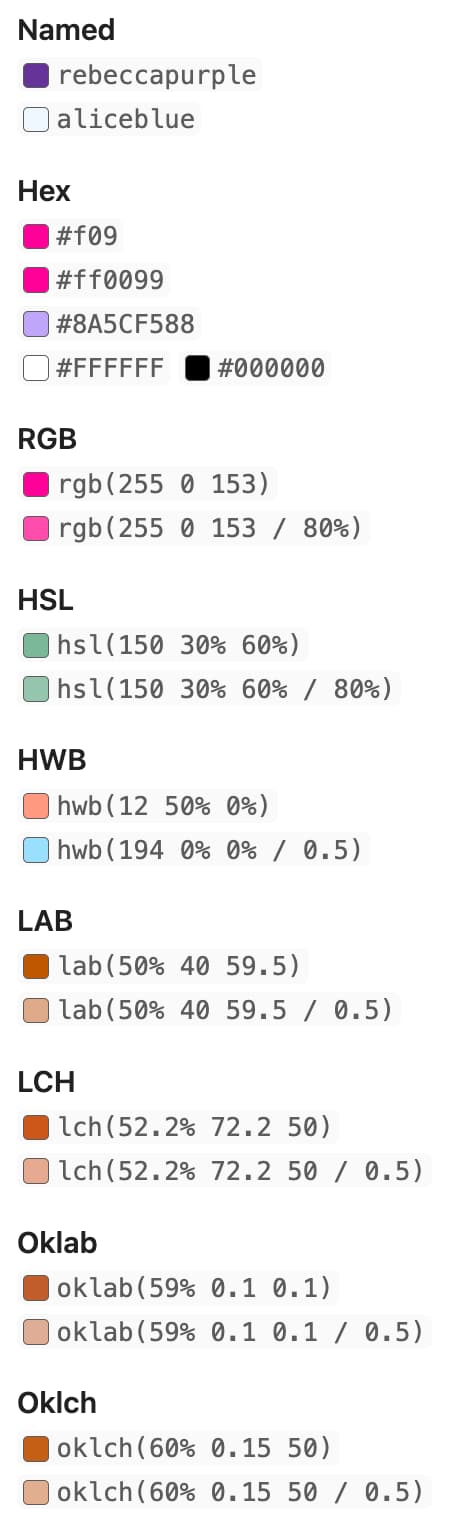
Show inline color hints for CSS colors in Obsidian.
To use, just put any valid CSS color syntax in a code block like so: `#8A5CF5`.
Features
Color Picker
Enable the color picker setting to change a color using a color picker in live preview mode. Note that the color picker does not support opacity, and will only let you select from sRGB colors. It will attempt to preserve the existing format you have written, as well as any existing opacity.
Copy On Click
By default, colors can be copied to the clipboard by clicking on them. This only works in reading mode, and can be disabled in the plugin settings.
Hide Color Names
Surround a color with square brackets (`[#663399]`) to hide the color name and only show the inlay swatch in live preview and reading mode.
There's also an option in the plugin settings to hide all color names globally.
Custom Palettes
This plugin supports custom color palettes which you can use by enabling the setting and creating a CSS snippet file that targets the palette names you want to support.
Enabling the setting exposes classes for every inline code block surrounded by parentheses, replacing all spaces with hyphens, and converting to lowercase. For example, `(RAL 170 50 10)` exposes the class .ral-170-50-10. If that class gets a color set, it will show a color inlay.
Note, the plugin detects classes that target .css-color-inlay only, see the example below.
.css-color-inlay.my-cool-color { color: #663399; }
/* Or, use CSS nesting */
.css-color-inlay {
  &.my-hot-color { color: orangered; }
}
/* Now `(my cool color)` and `(my hot color)` will have inlays */
Predefined Palettes
There are 6 predefined color palettes you can download using the button in the settings, and it includes the following:
- AutoCAD Color Index
- Australian Color Standard (AS 2700)
- British Standard Colors (BS 381, BS 4800)
- Federal Standard (FS 595C, ANA)
- RAL Colors (Classic, Design, Effect, Plastics)
Custom CSS
Customize the inlays by targeting the .css-color-inlay class. For example, you can make them circular with the following snippet:
.css-color-inlay {
  border-radius: 100px;
}
Development
This project uses Biome for linting/formatting and pnpm for package management. Run pnpm dev to build on changes.