Contact Forge
 @raulanatol252 downloads
Obsidian is the source of truth for your contacts; sync a chosen subset one-way to macOS Contacts, with desync alerts.
- Overview
- Scorecard
- Updates4
Obsidian is the source of truth for your contacts. Sync a chosen subset one-way to macOS Contacts, with clear alerts when the two drift out of sync.
macOS only. Contact Forge shells out to osascript (JXA) to talk to Contacts.app,
so it requires a desktop Obsidian on macOS. Nothing leaves your device.
Why
Most Obsidian contact tools pull from Apple/Google/iCloud into your vault. Contact Forge does the opposite: you keep the full record — notes and all — in Obsidian, and push only the fields needed to identify callers, emails, and messages into a dedicated Contacts group. iOS benefits automatically via iCloud.
This is a deliberate inversion of raulanatol/obsidian-mac-sync-contacts
and a plugin-native take on the ideas proven by czottmann/obsidian-people.
Screenshots
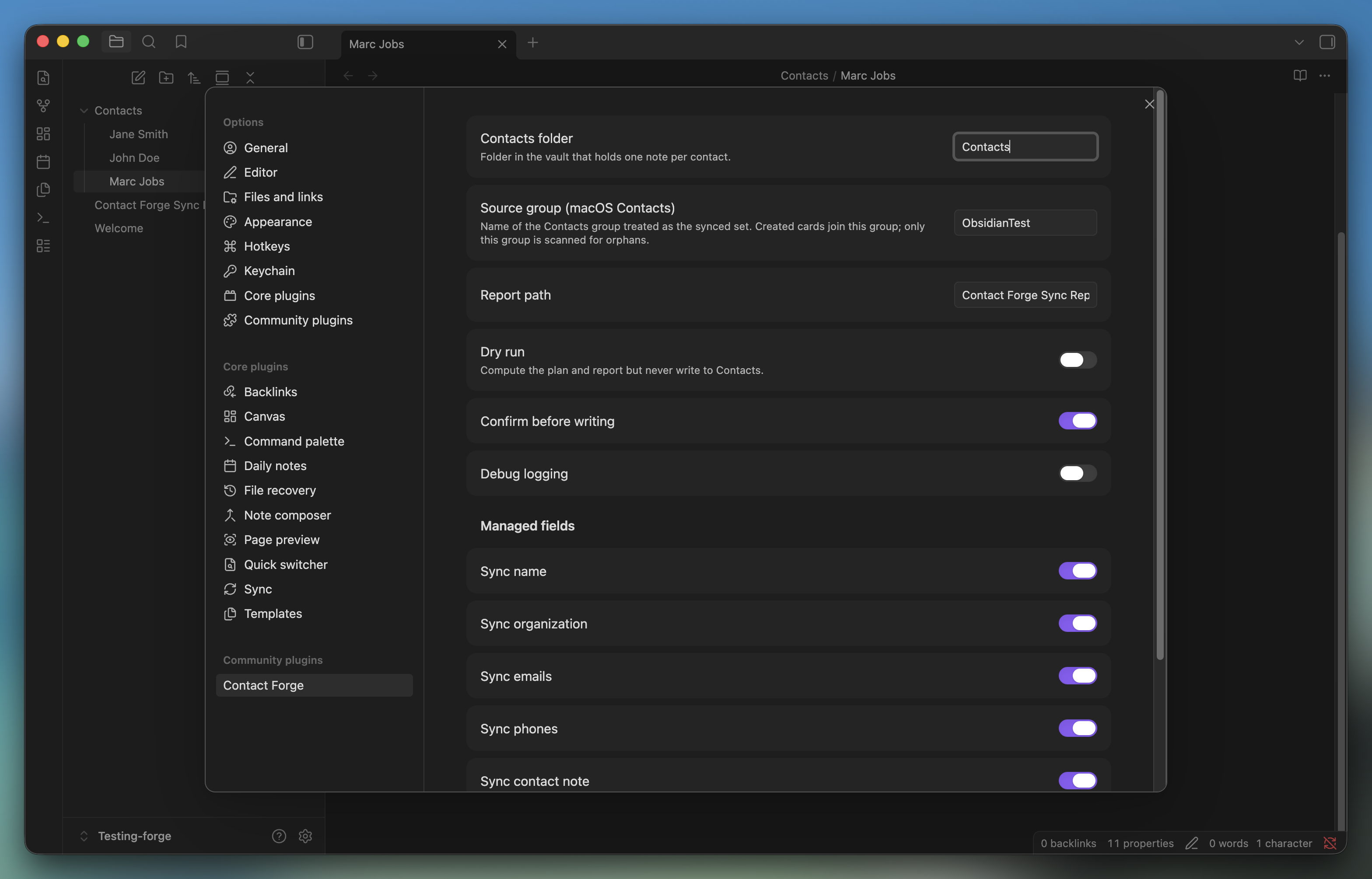
Settings — choose the contacts folder, the source Contacts group, and which fields are managed.
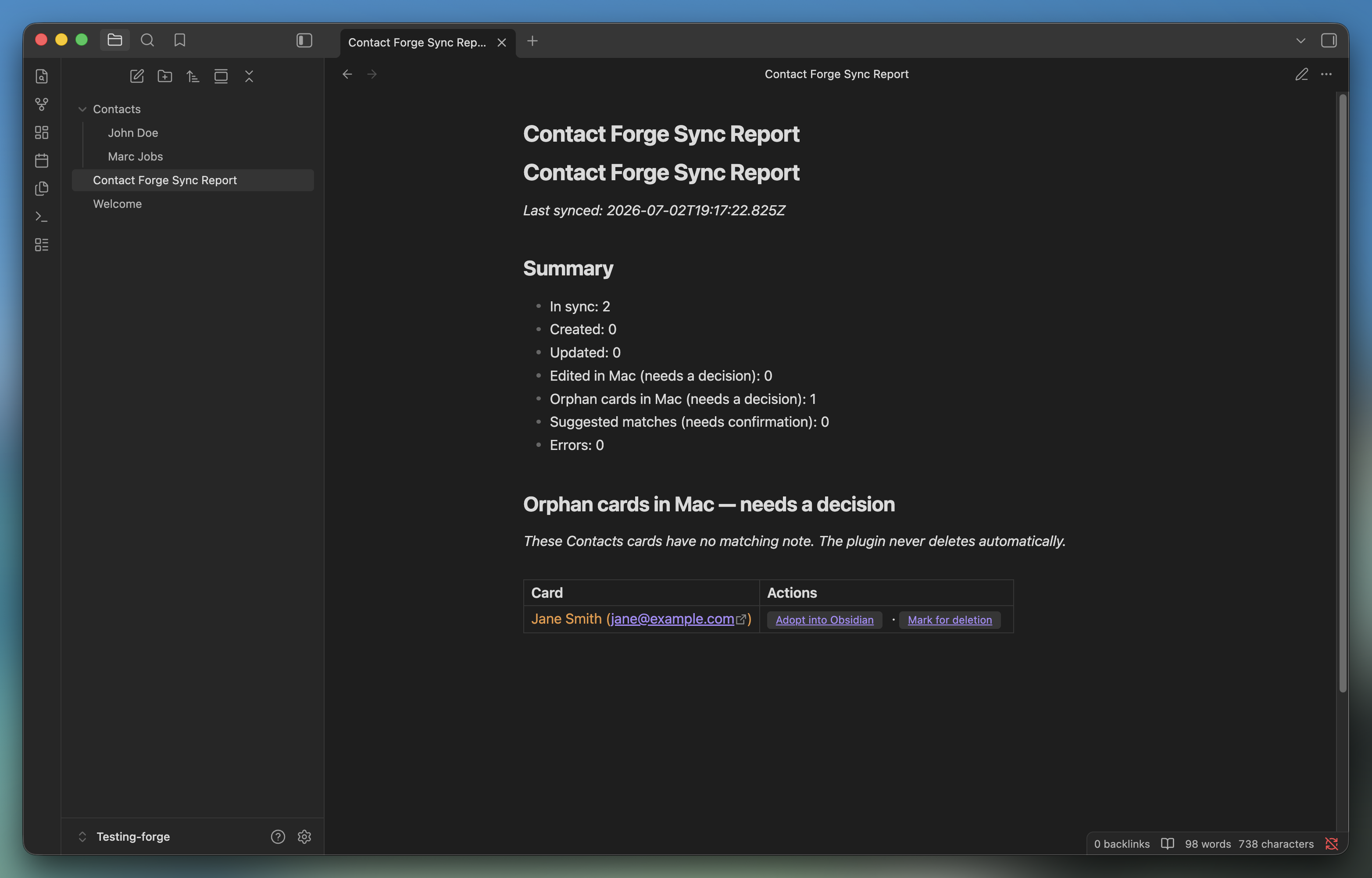
Sync report — every run's desync alerts, one row per actionable card, with click-through actions.
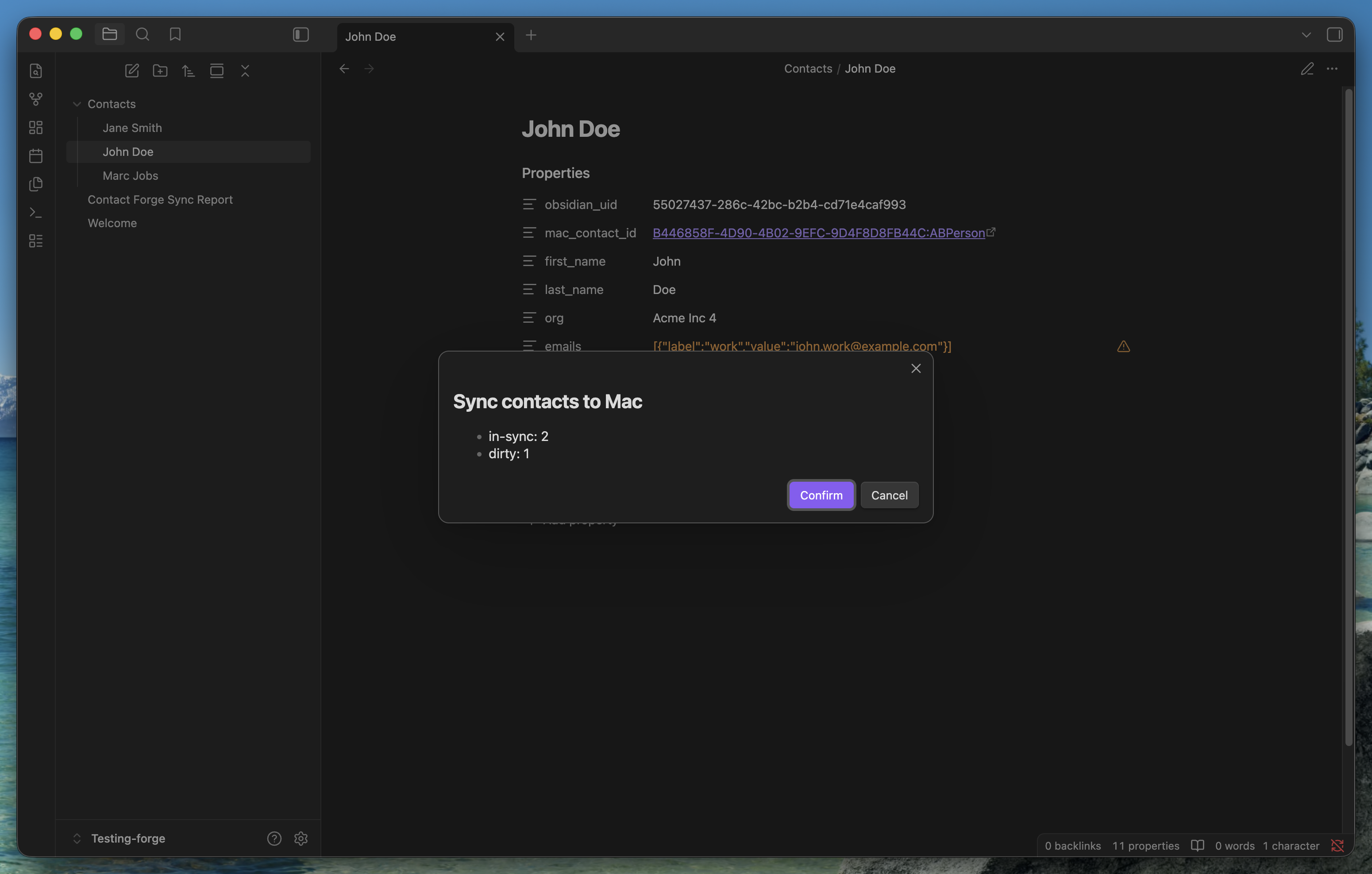
Confirm before writing — a summary modal before anything touches Contacts.app.
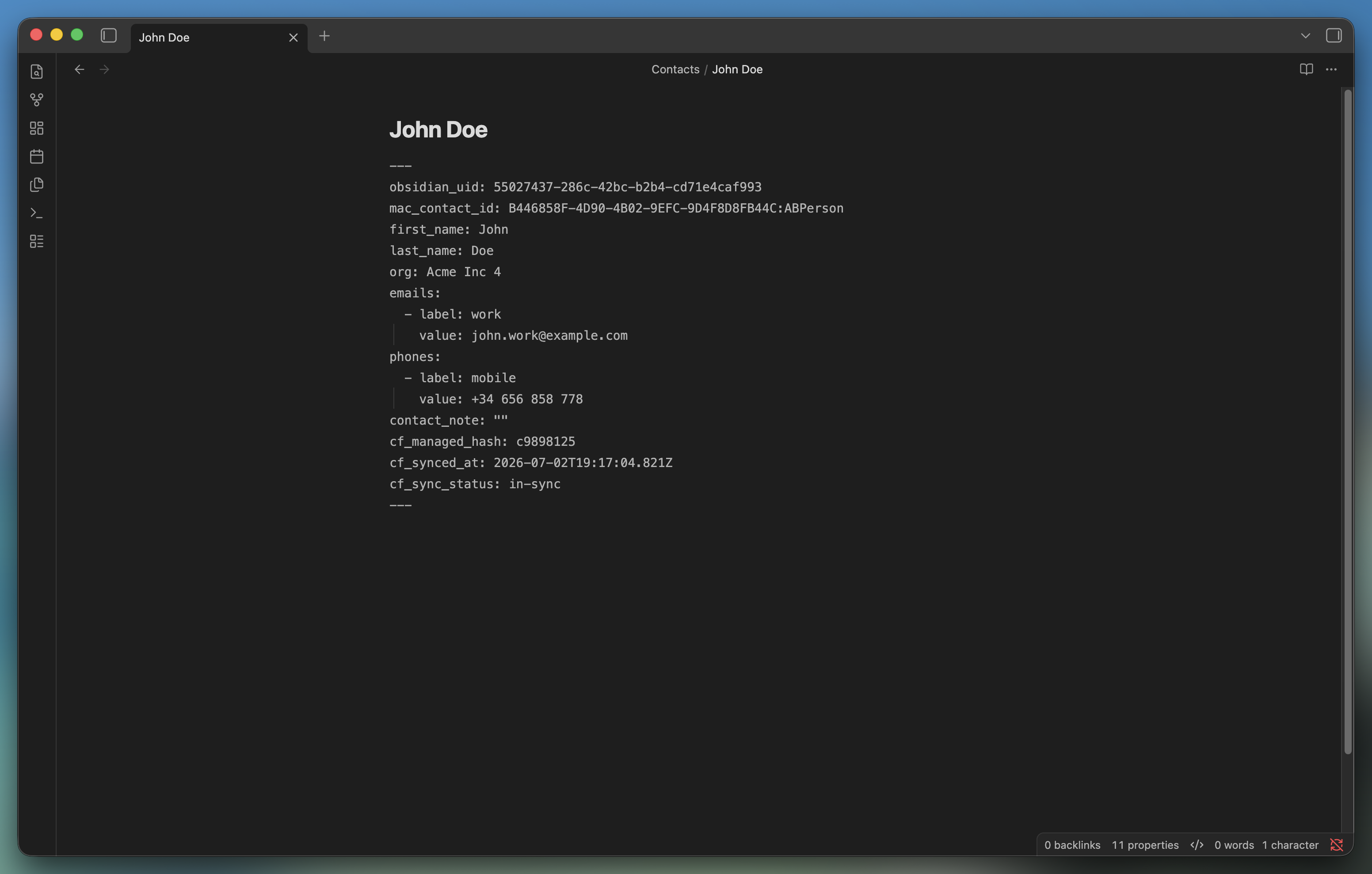
The contact note — frontmatter holds the managed fields; the body stays freeform.
How it works
- One markdown note per contact under a configurable folder (default
Contacts/). - Frontmatter holds the structured, managed fields: name, org, emails, phones, and
a
contact_note. The body is freeform and never synced. - Each note has an immutable
obsidian_uid(UUID). On sync, the matching Mac card is stamped with acf-uid:marker and anobsidian://back-link, so matching survives renames and Contacts re-indexing. - A manual command reconciles notes against the cards in a chosen Contacts group, then pushes changes. Managed fields are push-only: edits made in Contacts are overwritten (and surfaced first — see below). Photos, groups, and any unmanaged field are never touched.
Sync outcomes
Every run writes a Sync Report note. Each contact lands in one bucket:
- in-sync — nothing to do.
- updated — note changed in Obsidian, pushed to Mac.
- created — note had no card yet; a card was created in the source group.
- edited-in-mac — the card diverged but the note didn't. Contact Forge does not silently overwrite; you choose Overwrite from Obsidian or Pull into Obsidian.
- orphan-mac — a card in the group has no matching note. You choose Adopt into Obsidian or Mark for deletion (the plugin never deletes anything itself).
- suggestion — a weak name+email match; confirm or ignore.
Safety
- Dry run and confirm-before-write are available (recommend trying dry run first).
- The plugin only reads/writes the one Contacts group you configure.
- No network calls, no telemetry. Everything runs locally through
osascript.
This plugin requests capabilities beyond the typical Obsidian plugin because syncing to Contacts.app has no alternative on macOS. For transparency:
- Shell execution (
child_process): the only way to talk to Contacts.app isosascript -l JavaScript. There is no Obsidian or Node API for it. - Filesystem access (
fs, outside the vault): JXA payloads are written to a temp file inos.tmpdir()and passed toosascriptby path, then deleted. This avoids the argv length limits and quoting bugs that come with inlining large scripts viaosascript -e. No vault or user file is ever touched throughfs. - Vault enumeration (
vault.getMarkdownFiles()): Obsidian has no folder-scoped listing API, so the plugin lists all markdown files and filters to the configured contacts folder client-side before reading anything.
Install
Community plugin (pending review) or manual — see docs/INSTALLATION.md.
First run: grant System Settings → Privacy & Security → Automation → Obsidian → Contacts. Use the Test Contacts access command to trigger the prompt.
Commands
- Contact Forge: Sync contacts to Mac
- Contact Forge: Dry-run (report only, no writes)
- Contact Forge: Test Contacts access
- Contact Forge: Bulk adopt all orphan contacts into Obsidian
- Contact Forge: Create contact note from template
- Contact Forge: Open sync report
Development
pnpm install
pnpm run dev     # esbuild watch
pnpm test        # pure unit tests (hash + reconciler)
pnpm run build   # typecheck + production bundle
The reconciliation engine (src/sync/Reconciler.ts) and hashing (src/core/hash.ts)
are pure and fully unit-tested. See docs/BUILD_PLAN.md for the
full architecture and the phased build plan.
License
MIT © Raúl Anatol