Colsdown
 grafanakibana1k downloads
Create responsive Markdown columns and stacks that adapt to available space.
- Overview
- Scorecard
- Updates5
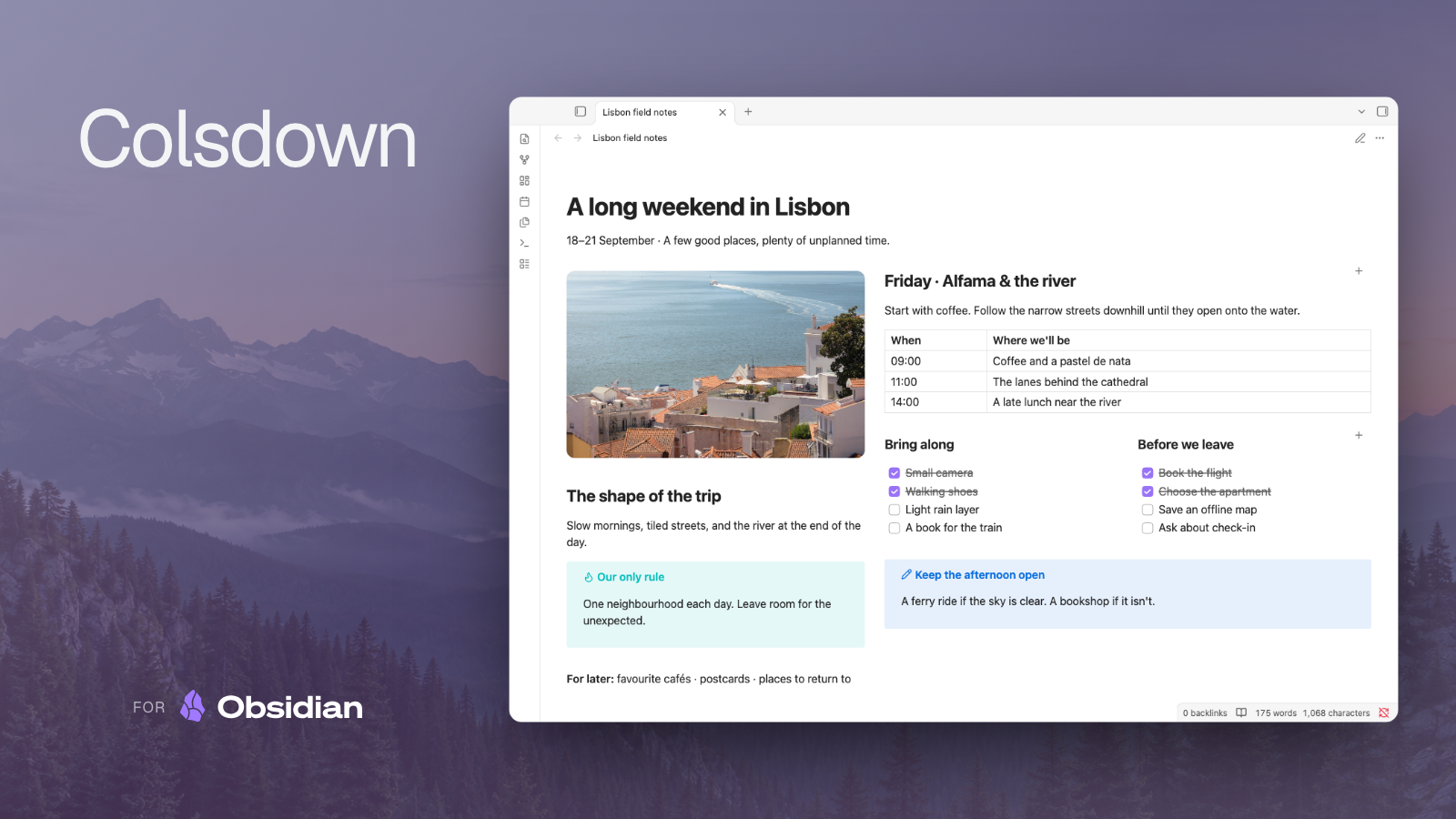
Responsive Markdown columns and stacks for Obsidian. Works in Reading View and Live Preview, using your theme’s styles.


Get started
Install and enable Colsdown, then run Colsdown: Insert 2 columns from the command palette. Replace the inserted content, or paste this example:
%% cols %%
## Notes
Record the discussion here.

%% col %%
## Actions
- [ ] Review the proposal
%% endcols %%
The first column begins immediately after %% cols %%. Each %% col %% starts another, and %% endcols %% closes the layout. Keep markers on their own lines. An explicit first col can set the first column’s width or keep it empty.
Watch Colsdown in Obsidian

Editing
Open Live Preview and click a column to edit it while neighboring columns remain rendered. Arrows move between columns and into or out of the layout; Cmd/Ctrl+A selects the active column’s text. Use Source Mode when you want to change the layout markers or fences directly.
Column bodies can contain ordinary Markdown, footnotes, code blocks, and nested layouts. Reading View displays the resulting layout without opening an editor.
Configuration
Drag a divider, or focus it and use the arrow keys, to adjust column widths. The change saves on release; Escape cancels. Select + to append another column.
For source-defined widths, use %% col:60 %% for 60% or %% col:2fr %% for a fractional width. Leave the width out for automatic sizing. The first column shares the remaining space when later columns have explicit widths.
Settings provide spacing, dividers, responsive sizing, and named presets. Columns adapt to narrow panes, including mobile. To arrange sections vertically from the start, use %% cols:stack %% instead of %% cols %%.
Source formats
Comment markers and fenced blocks support the same layout features. Choose Settings → Colsdown → Insertion format → Code block to make commands and presets insert fences:
```colsdown
## Notes
Record the discussion here.

::: 60%
## Actions
- [ ] Review the proposal
```
Use a stack fence for vertical sections. When nesting a code block, make the outer fence longer than the fences inside it. Marker and fenced layouts can also nest inside each other; the nested examples show both directions.
Guides
- Marker examples — Write percentage, fractional, and automatic-width columns with comment markers.
- Fenced layouts — Create columns and stacks with code blocks, including nested code examples.
- Nested layouts — Combine columns and stacks across marker and fenced formats.
- Demo test matrix — Explore layout, editing, resizing, and content examples.
Install
Install with BRAT using grafanaKibana/obsidian-colsdown, or copy main.js, manifest.json, and styles.css from the same release into <Vault>/.obsidian/plugins/colsdown/. Reload Obsidian and enable Colsdown.
Runs locally on desktop and mobile, with no network requests, telemetry, or account.