Search...Search plugins and themes...
⌘K
Sign in
  • Get started
  • Download
  • Pricing
  • Enterprise
  • Account
  • Obsidian
  • Overview
  • Sync
  • Publish
  • Canvas
  • Mobile
  • Web Clipper
  • CLI
  • Learn
  • Help
  • Developers
  • Changelog
  • About
  • Roadmap
  • Blog
  • Resources
  • System status
  • License overview
  • Terms of service
  • Privacy policy
  • Security
  • Community
  • Plugins
  • Themes
  • Discord
  • Forum / 中文论坛
  • Merch store
  • Brand guidelines
Follow us
DiscordTwitterBlueskyThreadsMastodonYouTubeGitHub
© 2026 Obsidian

CodeBlocks++

Johannes HansJohannes Hans9 downloads

Enhances Obsidians Codeblocks by letting them execute the code

Add to Obsidian
CodeBlocks++ screenshot
  • Overview
  • Scorecard
  • Updates7

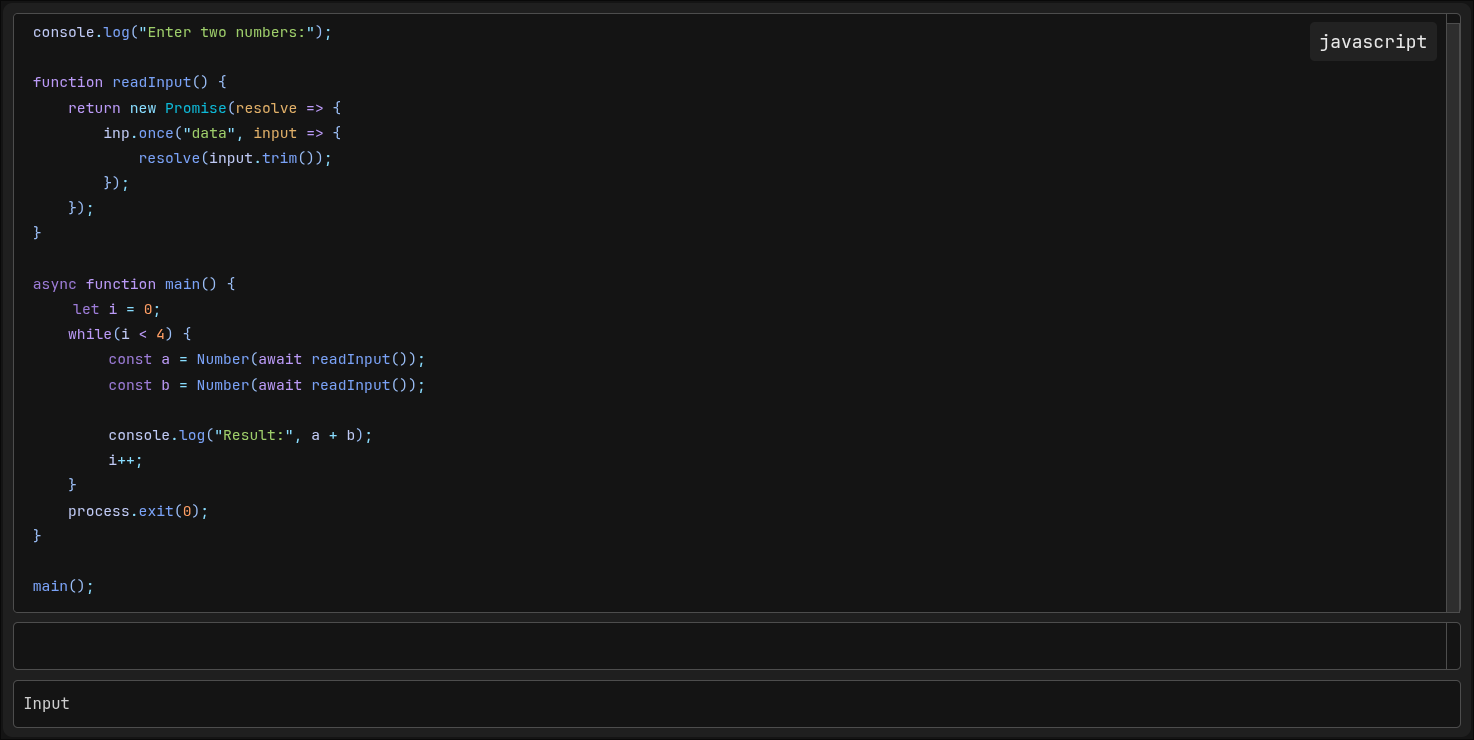
CodeBlocks++ is a plugin for Obsidian that allows you to define custom Codeblocks which can be highlighted and executed. It allows for general customization aswell as individual styling using metadata properties. img.png
Installation

Go into your Obsidian Vault

cd .obsidian/plugins
git clone https://github.com/CommandJoo/CodeBlocksPlusPlus.git

Go into your Obsidian Settings / Community Plugins and enable it.

Usage

Codeblock Syntax

To use executable Codeblocks define a Codeblock with the language "cbpp".

Settings for a specific Codeblock can be specified by the "@cbpp:" prefix.

```cbpp
@cbpp:lang=js
@cbpp:theme=monokai
@cbpp:input=false
function hello() {
    console.log("Hello, World!");
}
```

These settings will automatically removed by the renderer.

Alternatively you can also allow inline metadata in the settings allowing, the codeblock to define the language directly inside the first line.

```cbpp js
function hello() {
    console.log("Hello, World!");
}
```

This allows for a much cleaner syntax.

List of Codeblock Settings

Setting Value Description
lang <string> A language provided by Shikis bundled languages
theme <string> A theme provided by Shiki used for syntax highlighting (overwrites the settings value)
numbers <boolean> Whether or not line numbers should be displayed (overwrites the settings value)
runnable <boolean> Whether or not the Codeblock will be executable (overwrites the settings value)
input <boolean> Whether or not there should be an input field for the user (overwrites the settings value)

Registering Languages

In order to execute Codeblocks you need to register languages with an interpreter in the Settings tab of this Plugin

Credits

  • Shiki, used for Syntax highlighting in rendered Codeblocks

If this plugin has helped you consider giving it a ⭐

HealthExcellent
ReviewSatisfactory
About
Define custom executable codeblocks with syntax highlighting and per-block styling via metadata. Specify options like language, theme, or line numbers with block metadata to highlight and run code directly in your notes.
CodeSyntax
Details
Current version
1.1.1
Last updated
4 minutes ago
Created
2 days ago
Updates
7 releases
Downloads
9
Compatible with
Obsidian 1.13.0+
Platforms
Desktop only
License
0BSD
Report bugRequest featureReport plugin
Sponsor
Support
Author
Johannes HansJohannes Hanscommandjoo
github.com/CommandJoo
GitHubcommandjoo
  1. Community
  2. Plugins
  3. Code
  4. CodeBlocks++

Related plugins

VSCode Editor

Edit Code Files like VSCode.

Shiki Highlighter

Highlight code blocks with Shiki.

Code Suite

Execute code inside your notes: Shiki syntax highlighting with 65+ themes, live streaming output, inline Matplotlib and Plotly graphs, shared variables, and styled HTML and PDF export with outputs.

Code Editor

Edit non-markdown text files (code, config, data) directly with syntax highlighting, line numbers, and word wrap.

Code Viewer

View and edit code files with native syntax highlighting.

Strudel REPL

Live-coding music environment — Strudel REPL integrated into your vault.

Argument Map with Argdown

Write Argdown code blocks and view the maps in reading mode.

CM Code Editor

Code file editor with syntax highlighting and code folding.

Masking as MD

Open non-markdown files (.py, .html, .txt, .js, .css, etc.) as editable text documents directly in Obsidian.

CodeBlock Language Detector

Automatically detects and adds language tags to code blocks without specified language for proper syntax highlighting.