Search...Search plugins and themes...
⌘K
Sign in
  • Get started
  • Download
  • Pricing
  • Enterprise
  • Account
  • Obsidian
  • Overview
  • Sync
  • Publish
  • Canvas
  • Mobile
  • Web Clipper
  • CLI
  • Learn
  • Help
  • Developers
  • Changelog
  • About
  • Roadmap
  • Blog
  • Resources
  • System status
  • License overview
  • Terms of service
  • Privacy policy
  • Security
  • Community
  • Plugins
  • Themes
  • Discord
  • Forum / 中文论坛
  • Merch store
  • Brand guidelines
Follow us
DiscordTwitterBlueskyThreadsMastodonYouTubeGitHub
© 2026 Obsidian

Code Files

lukasbachlukasbach18k downloads

Edit code files with VS Code's powerful Monaco Editor.

Add to Obsidian
  • Overview
  • Scorecard
  • Updates18

Plugin for ObsidianMD to show and edit code files along other notes.

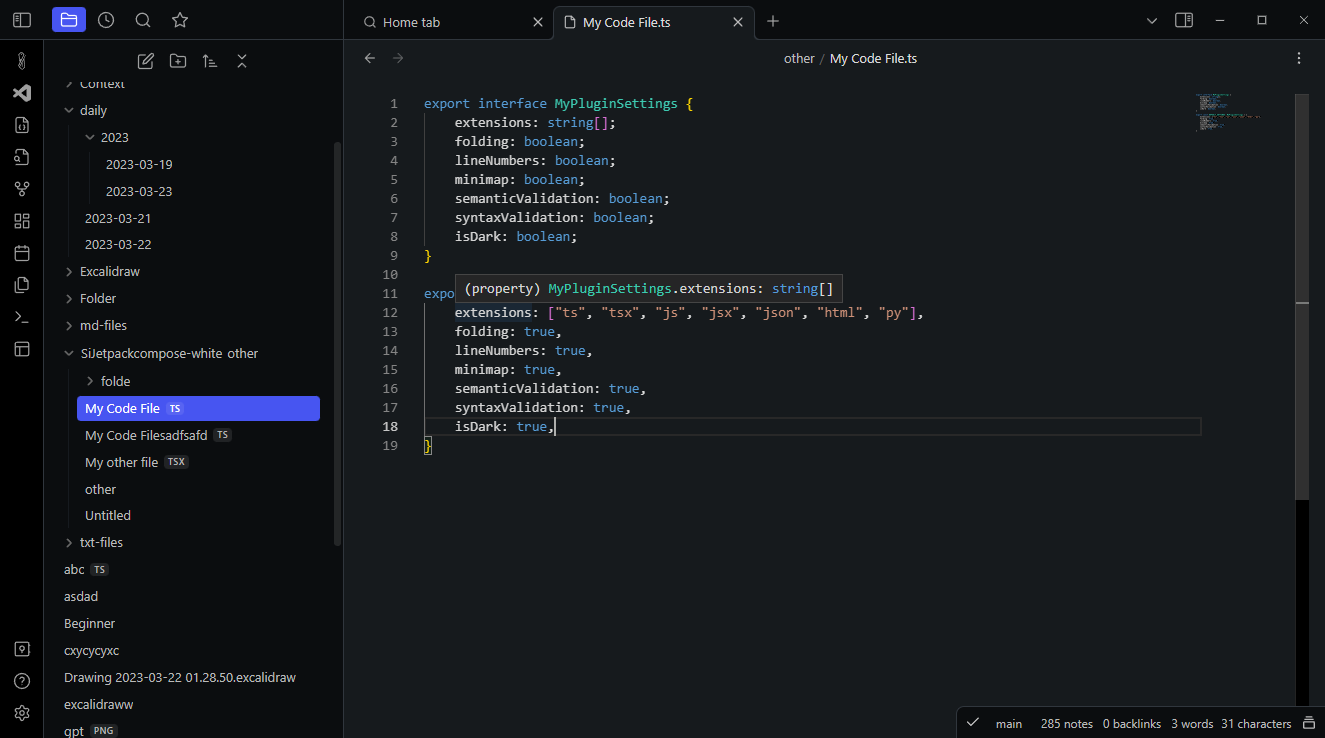
The plugin adds a code editor view to Obsidian. The code editor uses the powerful Monaco Editor, which also powers VS Code.

🚀 New Feature: The plugin now also supports editing individual code blocks from Markdown files in an embedded Monaco Editor instance. Read below.

Caveat: This plugin currently relies on hosted dependencies and thus needs an internet connection. Read below for more information.

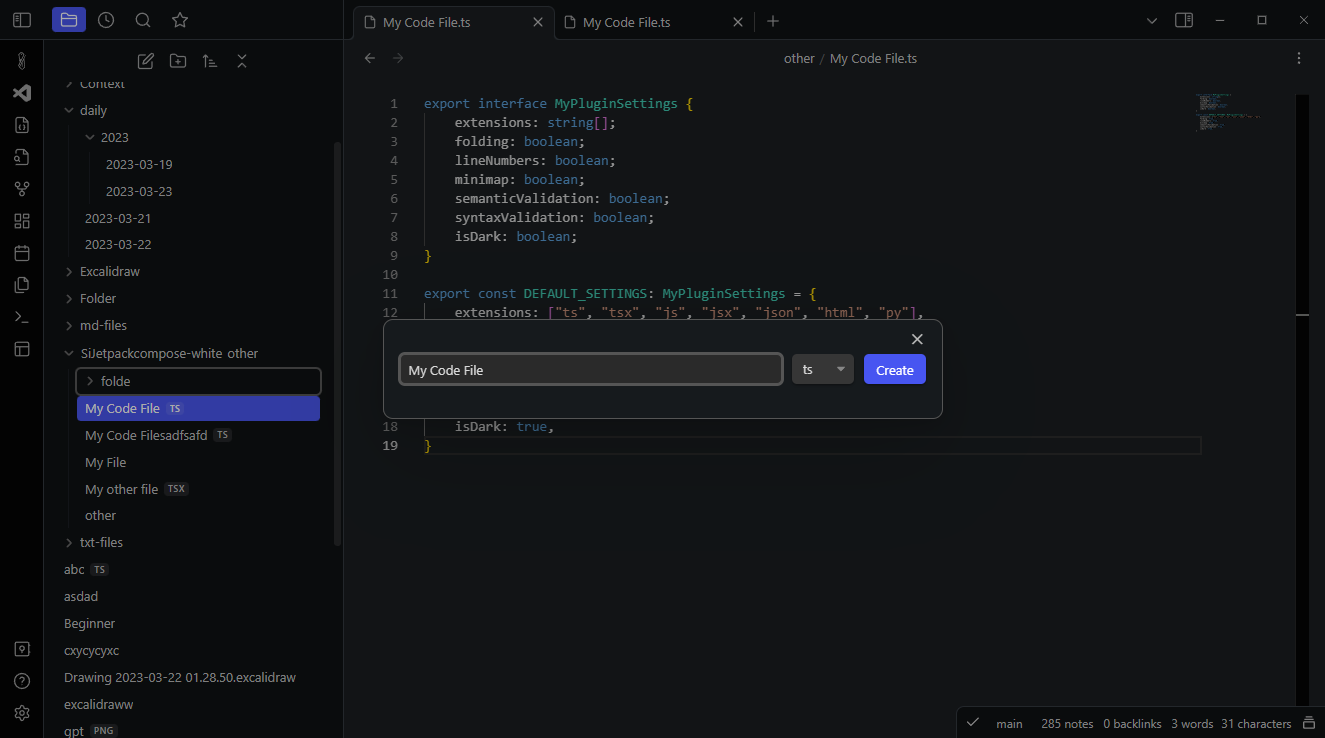
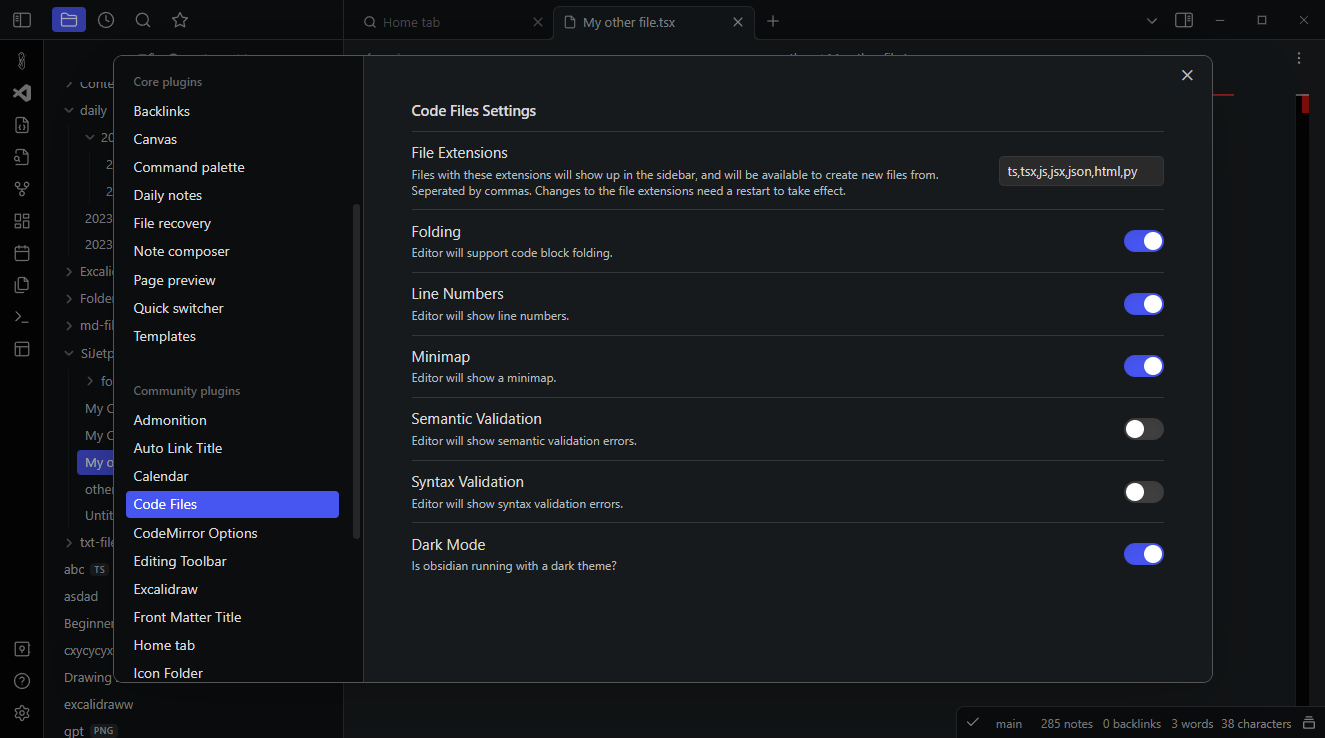
In the plugin settings, you can configure for which file extensions the editor will be available as default editor. You can also create new code files, either by right clicking on a folder in the side pane and clicking on "Create Code File", search for "Create new Code File" in the command palette or by using the "Create Code File" button in the ribbon.
img_1.png

New feature: Themes

Besides the default themes that ship with VSCode, the plugin also supports a long list of custom well-established themes to choose from.
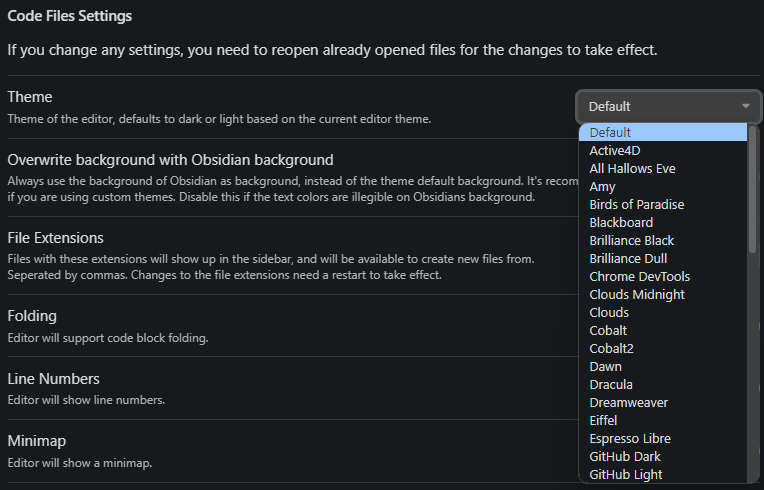
img_3.png

Code Block Editing

The plugin also supports editing individual code blocks from any Markdown document in the editor. You can either invoke the command palette and search for "Open Current Code Block in Monaco Editor", or right click on any code block and click on "Edit Code Block in Monaco Editor".

This will open a new modal with a Monaco Editor instance in which you can edit the code block, which will automatically sync back to the block in your document when you close the modal.
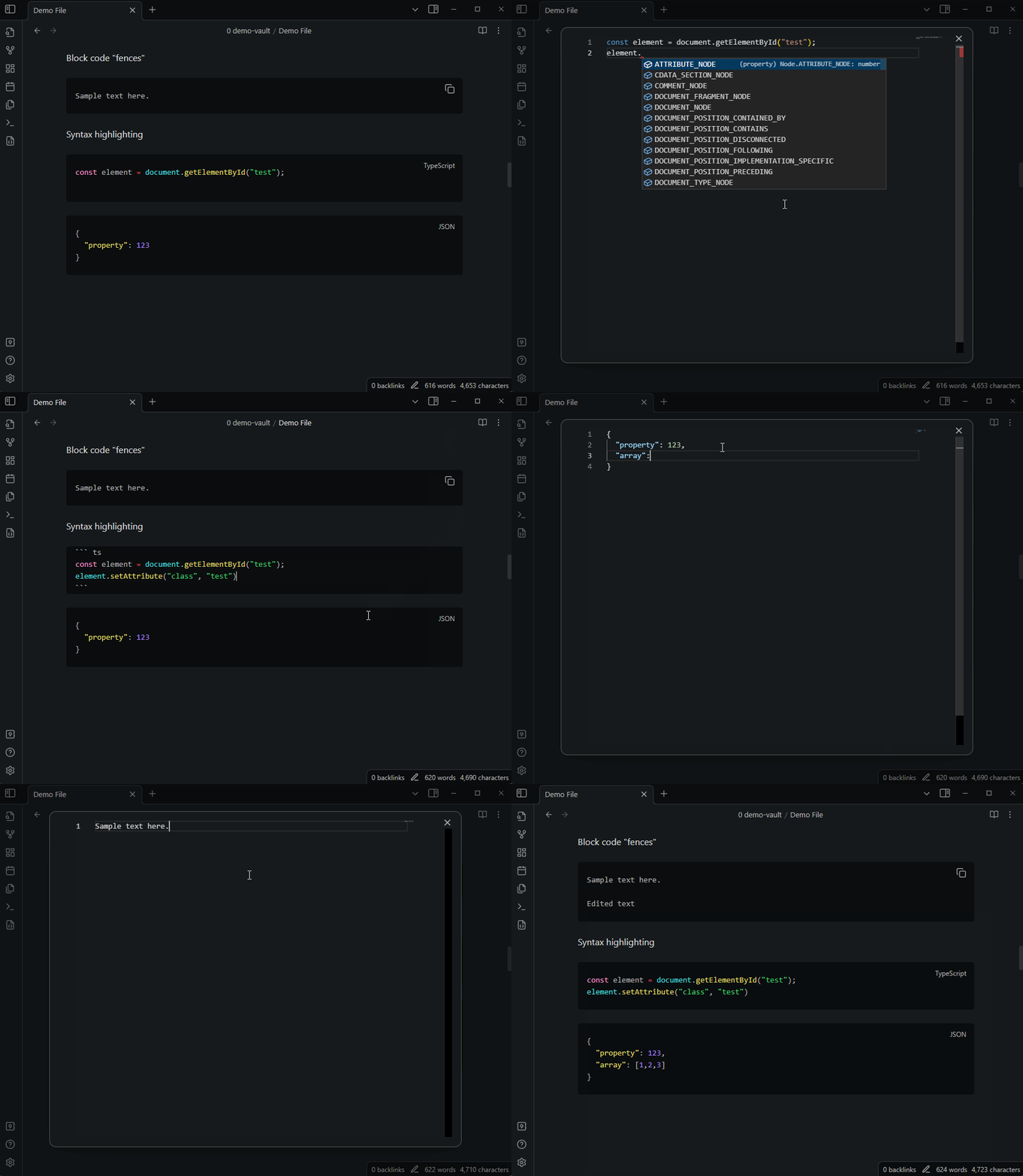
fence-editing.gif

Editing CSS Snippets

Search for the command "Edit CSS Snippet" to search CSS Snippets that exist in your Obsidian vault and edit them in the Monaco Editor.
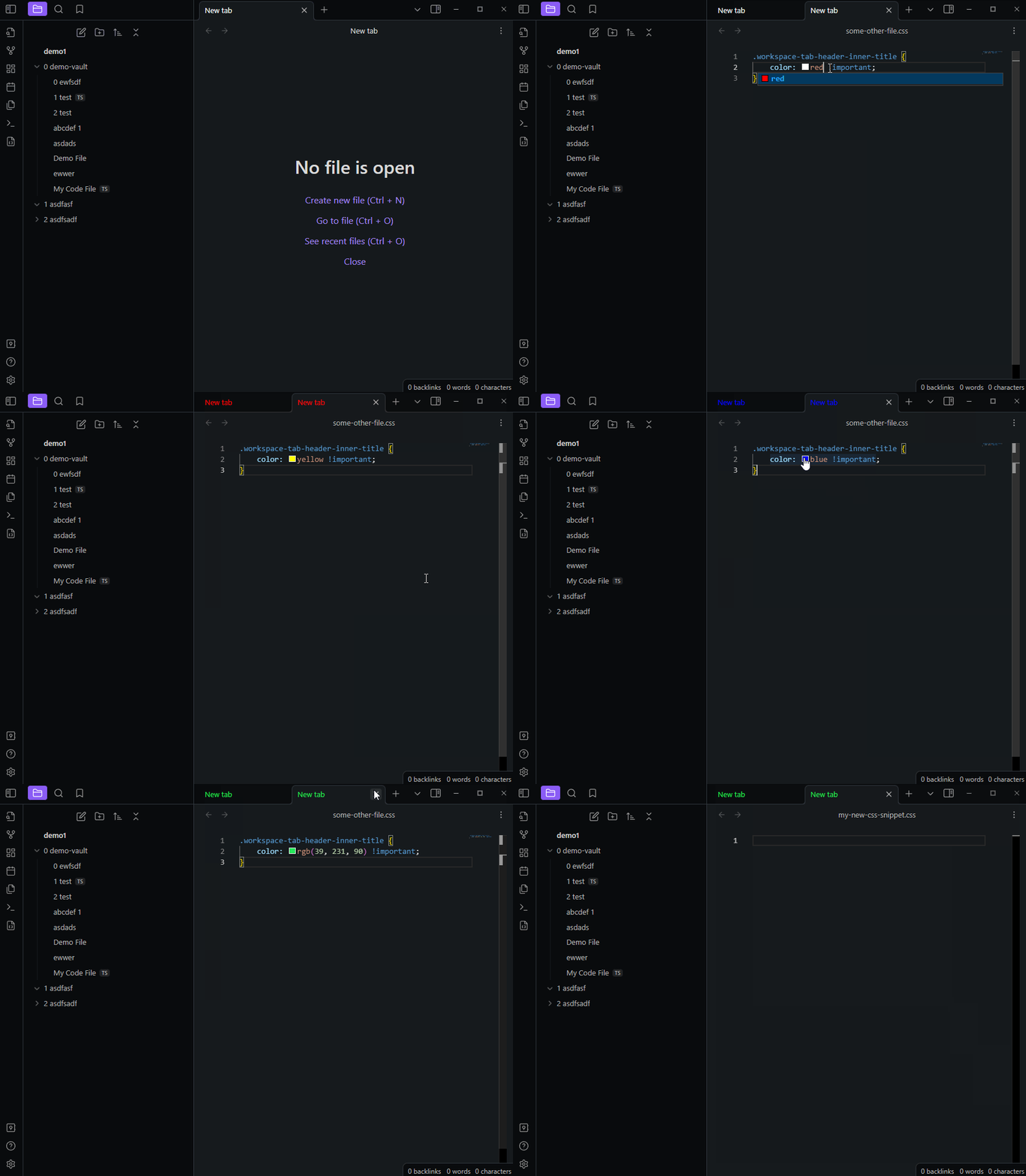
css-files.gif

More Screenshots

img_2.png

img.png

Caveat: Online dependency

Due to the complicated nature of bundling the Monaco Editor, the plugin currently relies on a hosted version of the editor. This means that the plugin needs an internet connection to work, and has a dependency on the hosted editor, which is currently available on https://embeddable-monaco.lukasbach.com.

I hope to remove this dependency in the future, but this was the easiest way to get the plugin to work for now.

60%
HealthFair
ReviewCaution
About
Edit and view code files alongside notes using an embedded Monaco Editor with syntax highlighting, theming, file creation, and CSS snippet editing. Open and edit individual Markdown code blocks in a Monaco modal that syncs changes back to the document. Expect an internet connection due to hosted Monaco resources.
CodeFiles
Details
Current version
1.1.9
Last updated
Last year
Created
3 years ago
Updates
18 releases
Downloads
18k
Compatible with
Obsidian 0.15.0+
Platforms
Desktop only
Report bugRequest featureReport plugin
Sponsor
GitHub Sponsors
Author
lukasbachlukasbach
lukasbach.com
GitHublukasbach
  1. Community
  2. Plugins
  3. Code
  4. Code Files

Related plugins

Code Space

Professional code file management with visual dashboard, syntax highlighting editor, and Markdown embedding.

Notebook Navigator

A better file browser and calendar inspired by Apple Notes, Bear, Evernote and Day One.

Local REST API & MCP Server

Unlock your automation needs by interacting with your notes over a secure REST API.

QuickAdd

Quickly add new notes or content to your vault.

Templater

Create and use dynamic templates.

Recent Files

Display a list of recently opened files.

Omnisearch

Intelligent search for your notes, PDFs, and OCR for images.

Claudian

Embeds Claude Code/Codex as an AI collaborator in your vault. Your vault becomes agent's working directory, giving it full agentic capabilities: file read/write, search, bash commands, and multi-step workflows.

Mermaid Tools

Improved Mermaid.js experience: visual toolbar with common elements and more.

Image Converter

Convert, compress, resize, annotate, markup, draw, crop, rotate, flip, align, drag-resize, rename with variables, and batch process images: WEBP, JPG, PNG, HEIC, TIF