Close and Switch to Recent Tab
 xzhi212 downloads
Auto-switch to the most recently used tab when closing the current one.关闭当前标签页后,自动切换到最近所在的标签页
- Overview
- Scorecard
- Updates1
中文 | English
Close and Switch to Recent Tab
Auto-switch to the most recently used tab when closing the current one.
👀 Preview
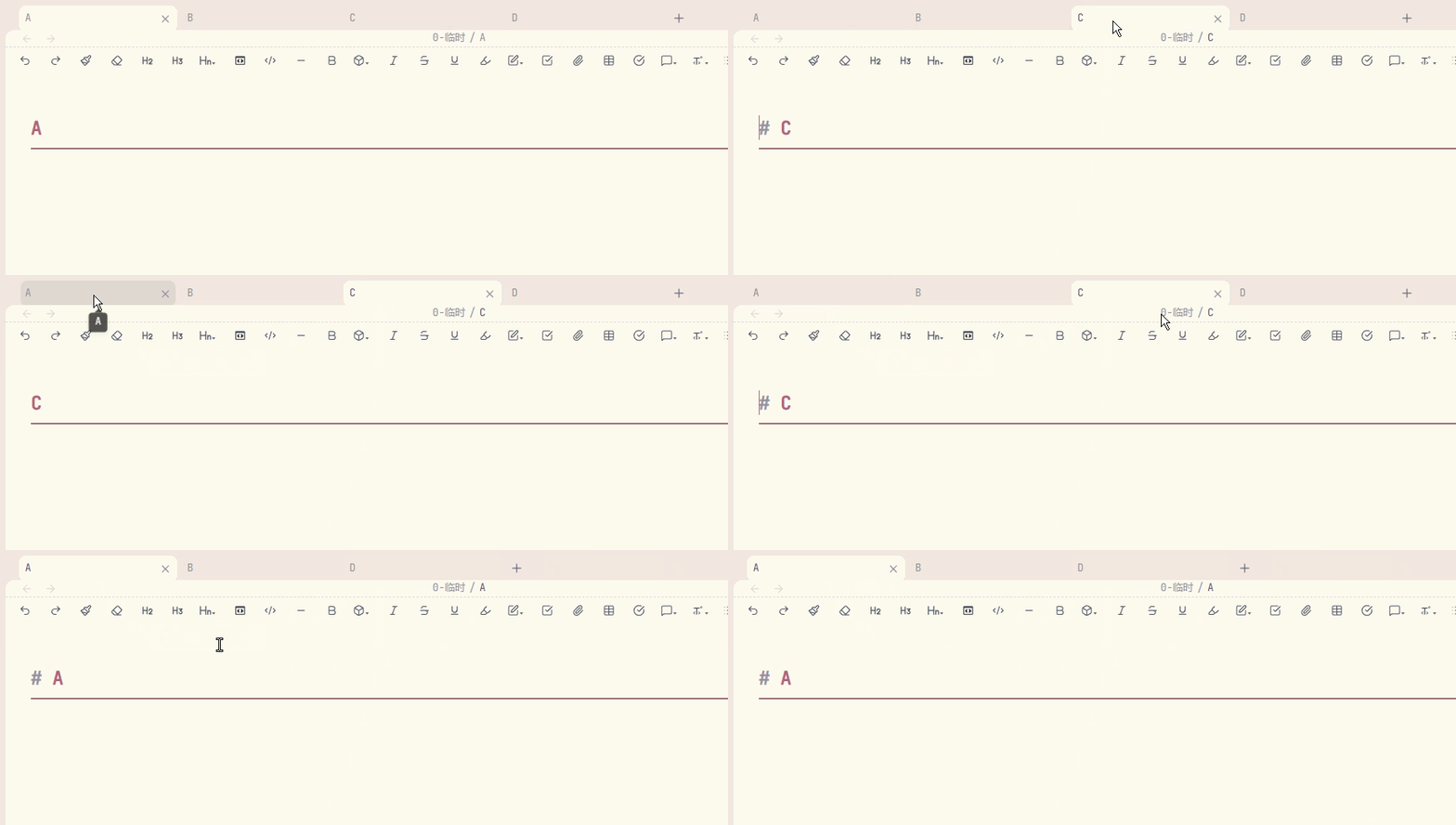
📖 Background
By default, Obsidian switches to the adjacent tab when you close the current one. This means that if you have tabs A → B → C open in that order and you're viewing C, closing C always jumps to B — even if you were just working in A moments ago.
Browsers like Chrome and Firefox handle this differently: they switch to the most recently used tab. This plugin brings that behavior to Obsidian.
✨ Features
| Feature | Description |
|---|---|
| MRU-based switching | Tracks the last 30 visited tabs; on close, switches to the most recently used one |
| Command support | Includes a dedicated command "Close and Switch to Recent Tab" for keyboard shortcuts |
| Zero configuration | Works out of the box — no settings panel needed |
| Lightweight | Under 100 lines of code, no external dependencies |
📦 Installation
From Obsidian Community Plugins (Recommended)
- Open Obsidian → Settings → Community plugins
- Click Browse and search for Close and Switch to Recent Tab
- Click Install, then Enable
From GitHub Releases
- Download
main.jsandmanifest.jsonfrom the latest release - Place them in
<vault>/.obsidian/plugins/close-and-switch-to-recent-tab/ - Restart Obsidian and enable the plugin in Settings → Community plugins
🚀 Usage
The plugin works automatically — just close a tab as you normally would (middle-click, Ctrl+W, or the close button), and Obsidian will switch to the most recently visited tab instead of the adjacent one.
You can also assign a hotkey to the built-in command Close and Switch to Recent Tab via Settings → Hotkeys for a dedicated close-and-switch shortcut.
📄 License
💖 Support
If you enjoy this plugin and want to say thanks, you can buy me a bubble tea!
| WeChat Pay | WeChat Tip | Alipay |
|---|---|---|
 |
 |
 |