Clear Unused Attachment
 豌豆射手32 downloads
Clear the images that you are not using anymore in your markdown notes to save space.
- Overview
- Scorecard
- Updates4
English | 简体中文
Find and remove attachments that are no longer referenced in your vault. The plugin scans Markdown notes, Canvas files, and supported frontmatter references, then lets you review and select unused files before deleting them.
Requires Obsidian 1.13.0 or later.
This project is a fork of ozntel/oz-clear-unused-images-obsidian. It is distributed under the MIT License; the original project is copyrighted by ozntel.
🌍 Languages
The interface follows your Obsidian language setting. English is used when the Obsidian language is not supported.
Supported languages:
- English
- Simplified Chinese
- Traditional Chinese
Settings
Ribbon icon
Enable this option to add a cleanup icon to the ribbon.

Deletion destination
Deleted files are removed with FileManager.trashFile(), so Obsidian's own Settings → Files and links → Deleted files preference decides whether files go to the Obsidian trash, the system trash, or are deleted permanently.
Excluded folders
Add comma-separated vault-relative folder paths to exclude files in those folders from cleanup.
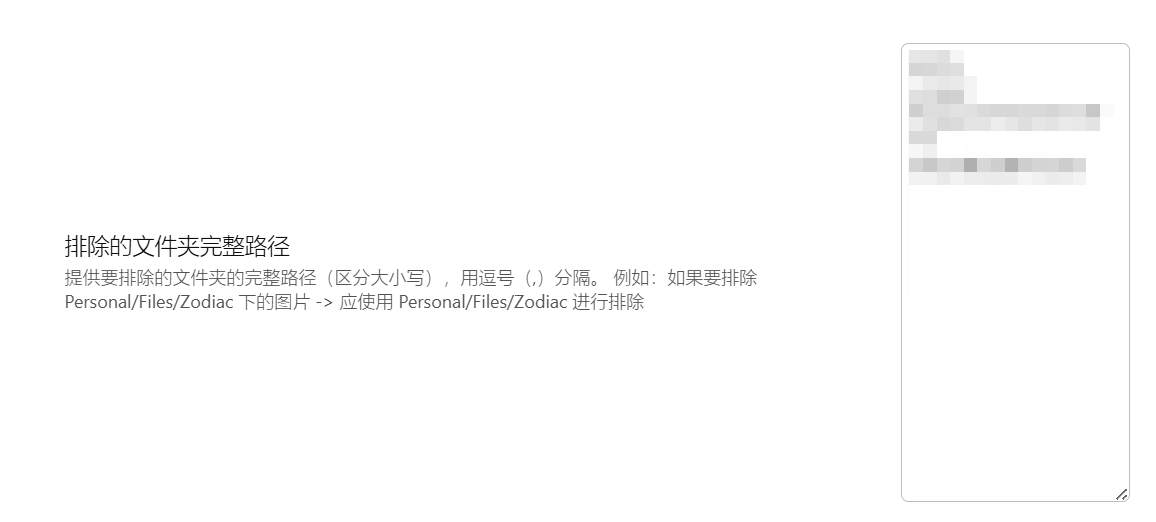
Enable the subfolder option to also exclude files in subfolders.

Ignore specific files
The cleanup dialog lists unused files with checkboxes. Select Ignore this file to add a file to the exclusion list so it is omitted from future scans. Ignored paths are saved in the plugin's data.json.
Usage
Enable the plugin in Community plugins.
Start a scan using either method:
- Enable the ribbon icon in the plugin settings and click it.
- Open the command palette with
Ctrl/Cmd + Pand run Clear unused images or Clear unused attachments.

Review the unused files in the dialog, select the files to remove, and choose Delete selected. You can open a listed file by clicking its path.
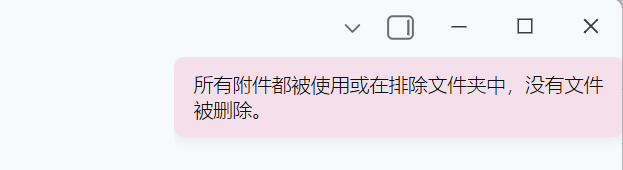
If all files are in use or excluded, the plugin shows a notice and does not open the selection dialog.
Image formats scanned: jpg, jpeg, png, gif, svg, bmp, webp
Planned features
- Exclude folders from scans
- Internationalization (i18n)
Development
Build
# Install dependencies
npm install

# Development build with watch mode
npm run dev

# Production build
npm run build
Add a translation
Contributions for additional languages are welcome. See doc/i18n.md for instructions.
License
MIT License
Acknowledgments
Thanks to all contributors and the Obsidian community for their support!
中文说明
Obsidian 清除未使用图片插件
本插件通过删除不再在 Markdown 笔记中引用的图片,帮助您保持 vault 的整洁。
插件会获取所有 Markdown 文档中的图片链接,并与 vault 中可用的所有图片文件进行比较。
如果任何图片文件没有在 vault 的任何文档中被引用,它们将被自动删除。
本项目基于 ozntel/oz-clear-unused-images-obsidian 修改,遵循 MIT 协议,原项目版权归 ozntel 所有。
🌍 国际化 (i18n)
本插件现在支持多种语言!界面将根据您的 Obsidian 语言设置自动切换。
支持的语言:
- ✅ English (默认)
- ✅ 简体中文
- ✅ 繁體中文 (繁体中文)
设置
功能区图标 (Ribbon Icon)
如果您希望显示清除图片的功能区图标,请打开此选项。
删除日志 (Delete Logs)
如果您不想在删除完成后查看删除日志弹窗,请关闭此选项。如果没有删除任何图片,则不会出现此弹窗。

已删除图片的目标位置
删除文件时会调用 FileManager.trashFile(),因此删除位置由 Obsidian 自身的 设置 → 文件与链接 → 删除的文件 选项决定(Obsidian 回收站 / 系统回收站 / 永久删除)。
排除的文件夹
您可以排除某些文件夹,在扫描过程中不会移除这些文件夹中的图片。如果需要排除多个文件夹,可以用逗号分隔。请确保提供 vault 中的完整路径:
您现在可以排除上述提供的文件夹路径下的所有子文件夹:
忽略特定文件
运行清理时,您将看到一个模态框,显示所有未使用的文件及其复选框。对于每个文件,您可以点击 "忽略此文件" 按钮,永久性地将其排除在未来的扫描之外。被忽略的文件路径将保存在插件的 data.json 文件中,不会再出现在未使用文件列表中。
当您想保留某些未使用的图片在 vault 中,而不想在每次运行清理时都被标记出来,这个功能非常有用。
使用方法
在社区插件中激活本插件
您可以选择以下任一方式:
- 在插件设置中启用功能区图标,然后点击左侧功能区中的图标来运行清理:
- 或使用功能区图标或打开命令面板 (使用 `Ctrl/Cmd + P` 或从功能区),运行"清除未使用的图片"。
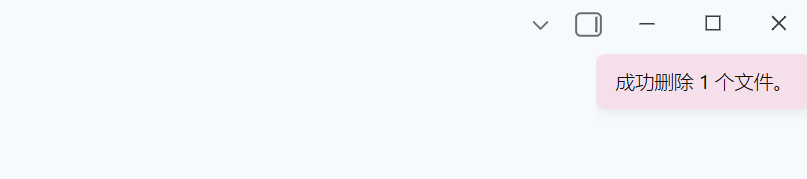
- 如果您在插件设置中打开了"删除日志"选项,您将看到一个弹窗,显示哪些图片已从 vault 中删除:
如果所有图片都在使用中,您将看到如下提示:
扫描的图片格式: jpg, jpeg, png, gif, svg, bmp, webp
计划功能
- 扫描的排除文件夹设置
- 国际化 (i18n) 支持 ✨ 新功能!
开发
构建插件
# 安装依赖
npm install

# 开发模式 (监听)
npm run dev

# 生产环境构建
npm run build
添加新翻译
我们欢迎贡献更多语言支持! 有关如何添加新翻译的详细说明,请参阅 i18n.md。
许可证
MIT License
致谢
特别感谢所有贡献者和 Obsidian 社区的支持!