Clean Mermaid
 Marcus Wu46 downloads
Render Mermaid diagrams as clean cards with ELK layout, auto-fit and centering, zoom and pan, image preview, PNG/SVG export, and built-in or custom themes.
- Overview
- Scorecard
- Updates7
Clean Mermaid renders every ```mermaid block in Obsidian as a tidy card: white canvas, soft
violet nodes, generous whitespace and a floating toolbar — with ELK layout, auto-fit, zoom &
pan, fullscreen view, PNG/SVG export and themable colours.
Features
- Every
```mermaidblock is rendered by this plugin (reading view and live preview) with a clean card: centred diagram, auto-fit to the editor width, subtle border, floating controls. - ELK layout engine by default — bundled
mermaid12 already ships ELK, so complex flowcharts get the nicer layered layout. Switch to Dagre globally or per diagram when you prefer it. - Auto-fit & centre — diagrams scale with the pane width and are capped to a share of the viewport height, so a huge diagram never takes over the note.
- Zoom & pan —
Ctrl/Cmd + scrollzooms around the pointer (10 %–800 %), drag to pan a zoomed-in diagram, double-click to reset. Plain scrolling still scrolls the note. - Image preview — diagrams are displayed as
<img>(SVG data URL), so Obsidian themes and CSS snippets cannot restyle them; what you see is what you export. - Export — download a 2× PNG, an SVG, or copy the image / the Mermaid source from the
⋯menu. - Fullscreen viewer (
⤢) — opens sized to the diagram at 100 % (capped by the viewport) and is drag-resizable from any edge or corner; pan, wheel/pinch zoom, fit, export. - 4 built-in themes — Clean Light, Clean Dark, Neutral, GitHub Light — plus custom themes
as plain Mermaid
themeVariablesJSON, with validation. - Light/dark aware — follows the Obsidian appearance automatically and re-renders on switch.
- UI language — the card toolbar, the
⋯menu, the error card, the fullscreen viewer and every notice follow 中文 / English, or Obsidian's own interface language when set to "Auto". - Per-diagram directives —
%% cm:theme=... %%,%% cm:layout=dagre %%,%% cm:plain %%.
Rendering comparison
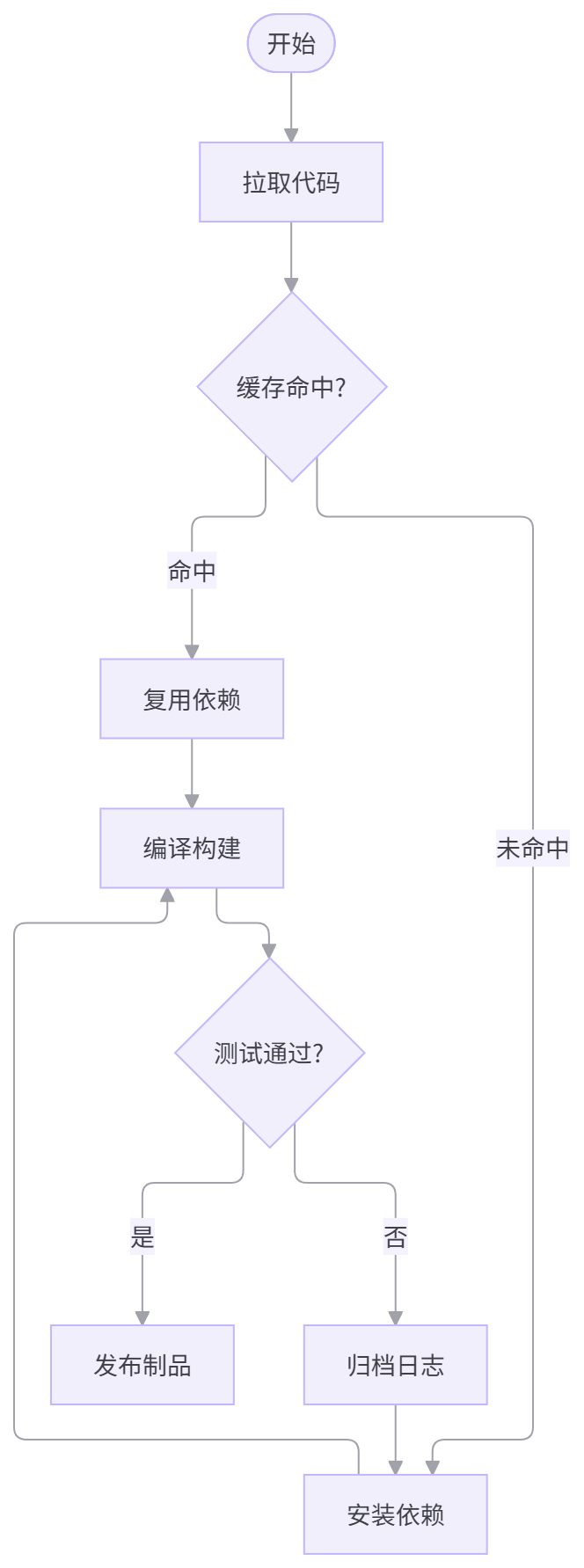
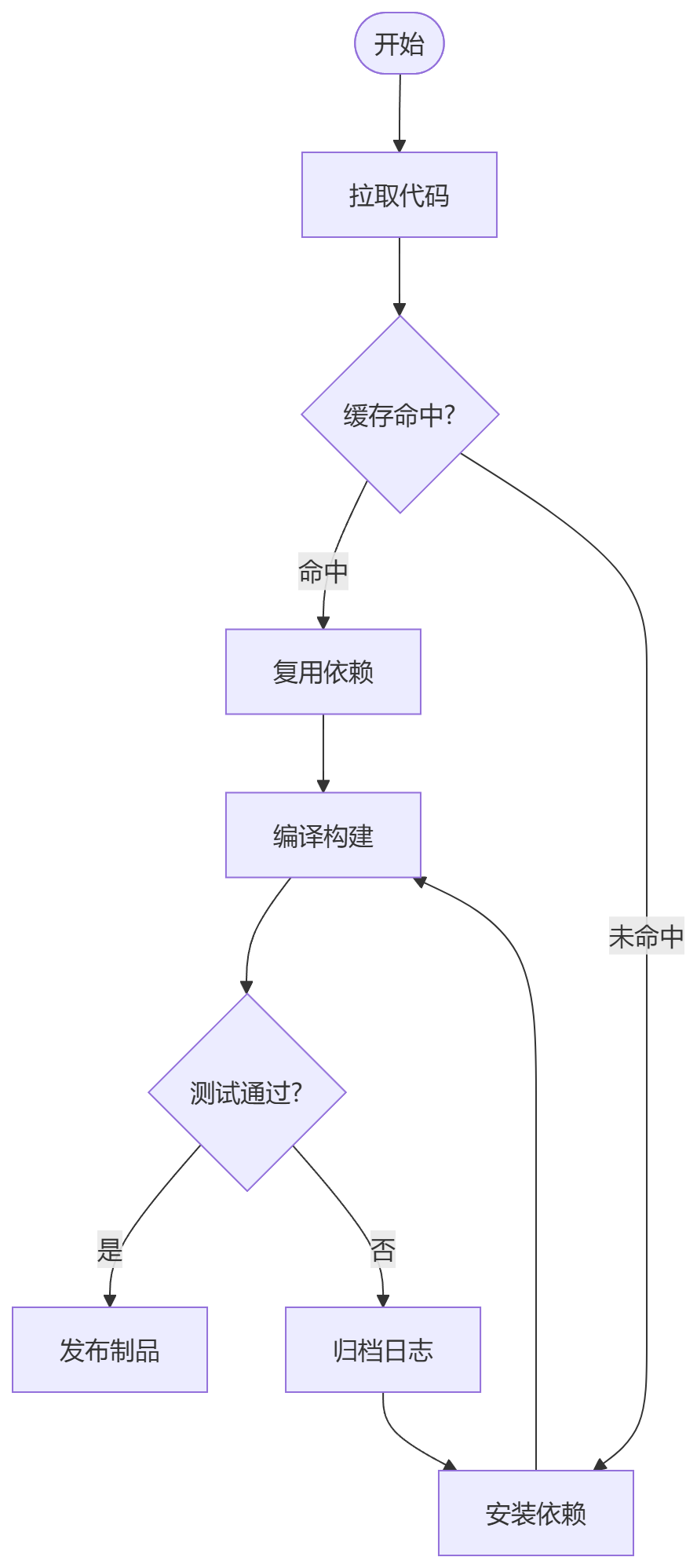
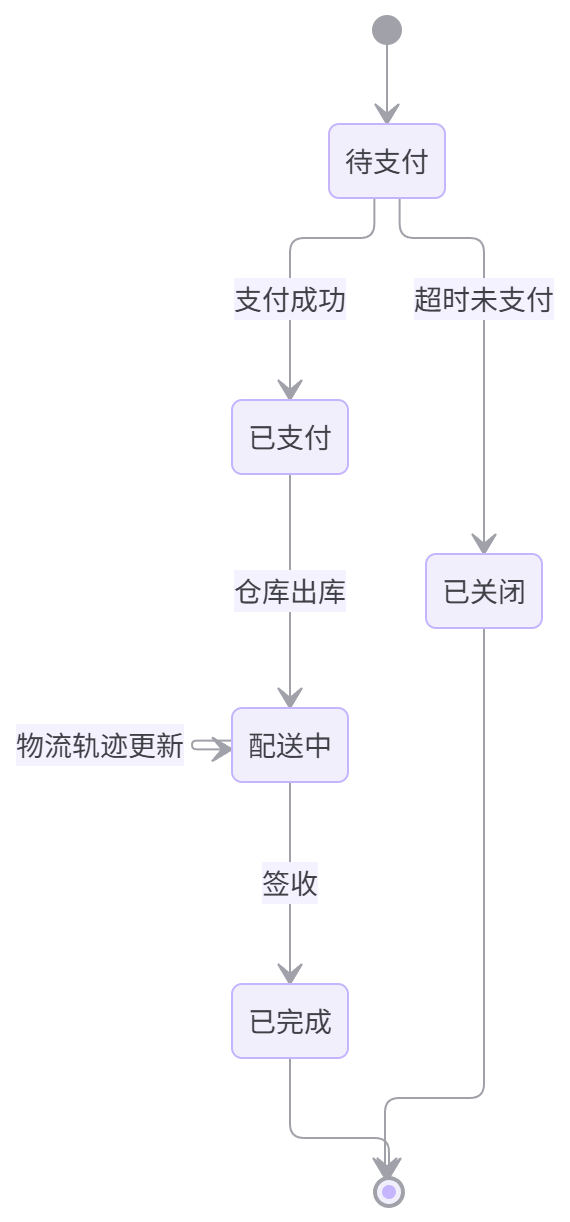
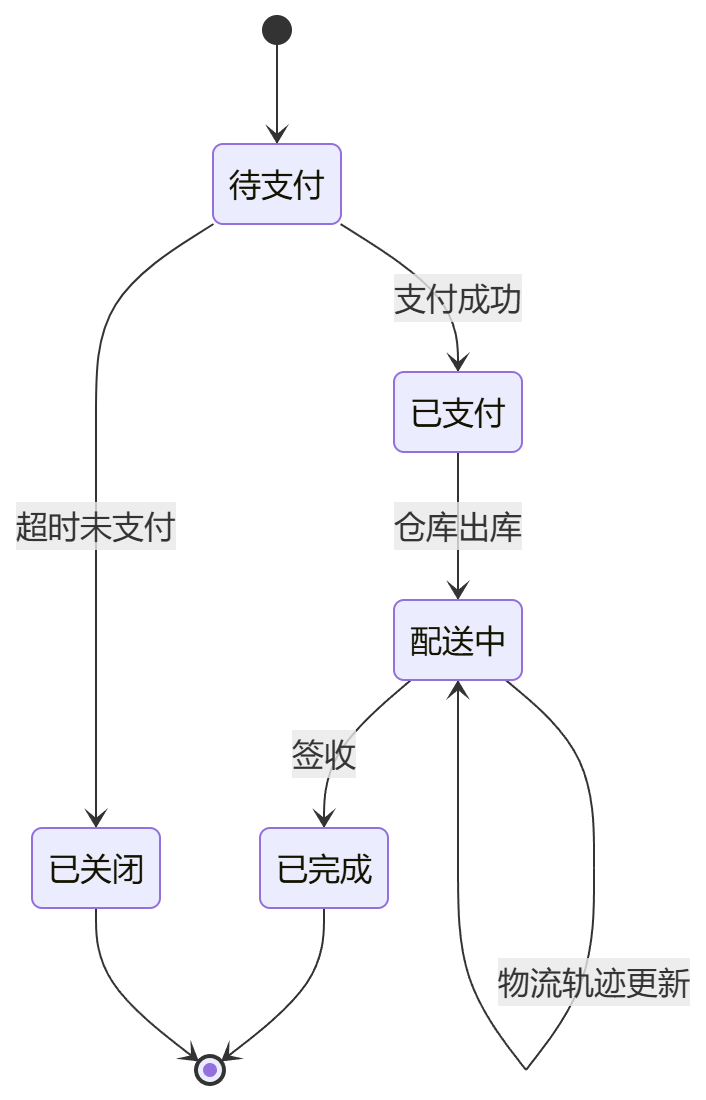
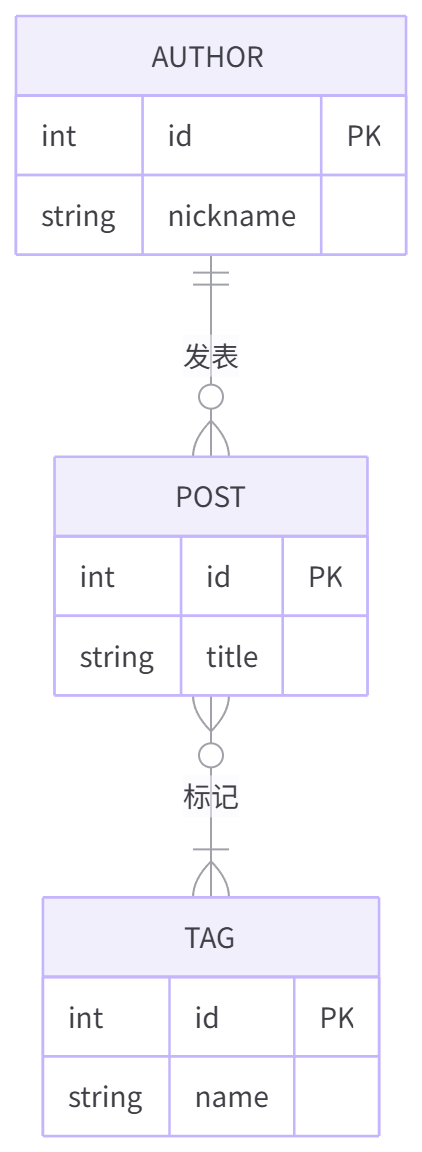
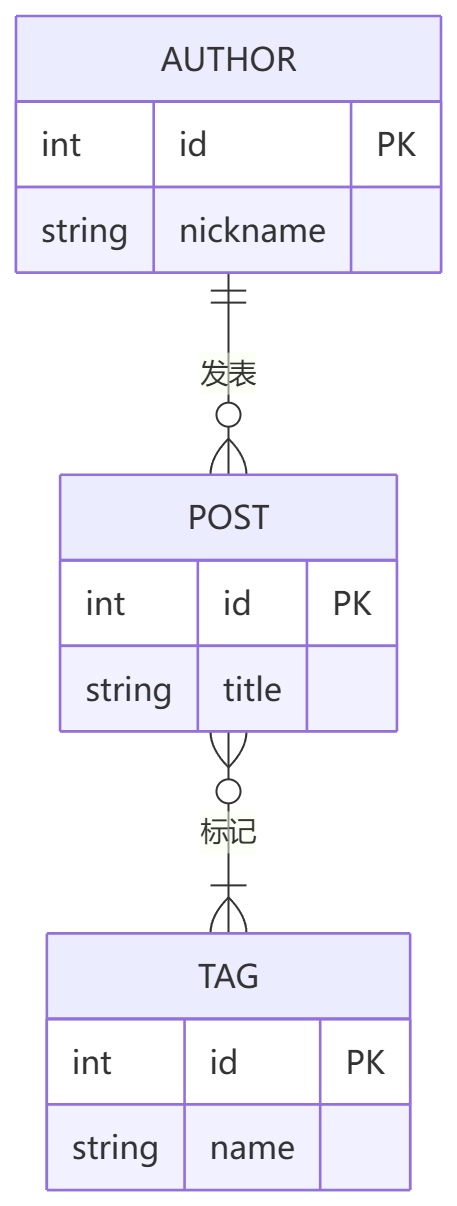
Every pair below is the same diagram source. Left is this plugin with its factory defaults (ELK
layout, Clean Light theme, card). Right is Obsidian's own renderer — the mermaid 11.13.0 build
shipped inside Obsidian 1.14.4, initialised with Obsidian's own arguments (mermaid's default theme,
no layout key, so Dagre). Both sides are displayed at the same width; the plugin auto-fits while
Obsidian pins flowcharts to the reading-column width, so absolute pixel size is not part of the claim.
Both panels are generated from the diagram sources in tests/browser/capture-diagrams.ts by a
maintainer script — nothing here is hand-edited or retouched.
Flowchart — layout engine
| Clean Mermaid (ELK) | Obsidian native (Dagre) |
|---|---|
 |
 |
State diagram — spacing and edge routing
| Clean Mermaid (ELK) | Obsidian native (Dagre) |
|---|---|
 |
 |
ER diagram — entity boxes
| Clean Mermaid (ELK) | Obsidian native (Dagre) |
|---|---|
 |
 |
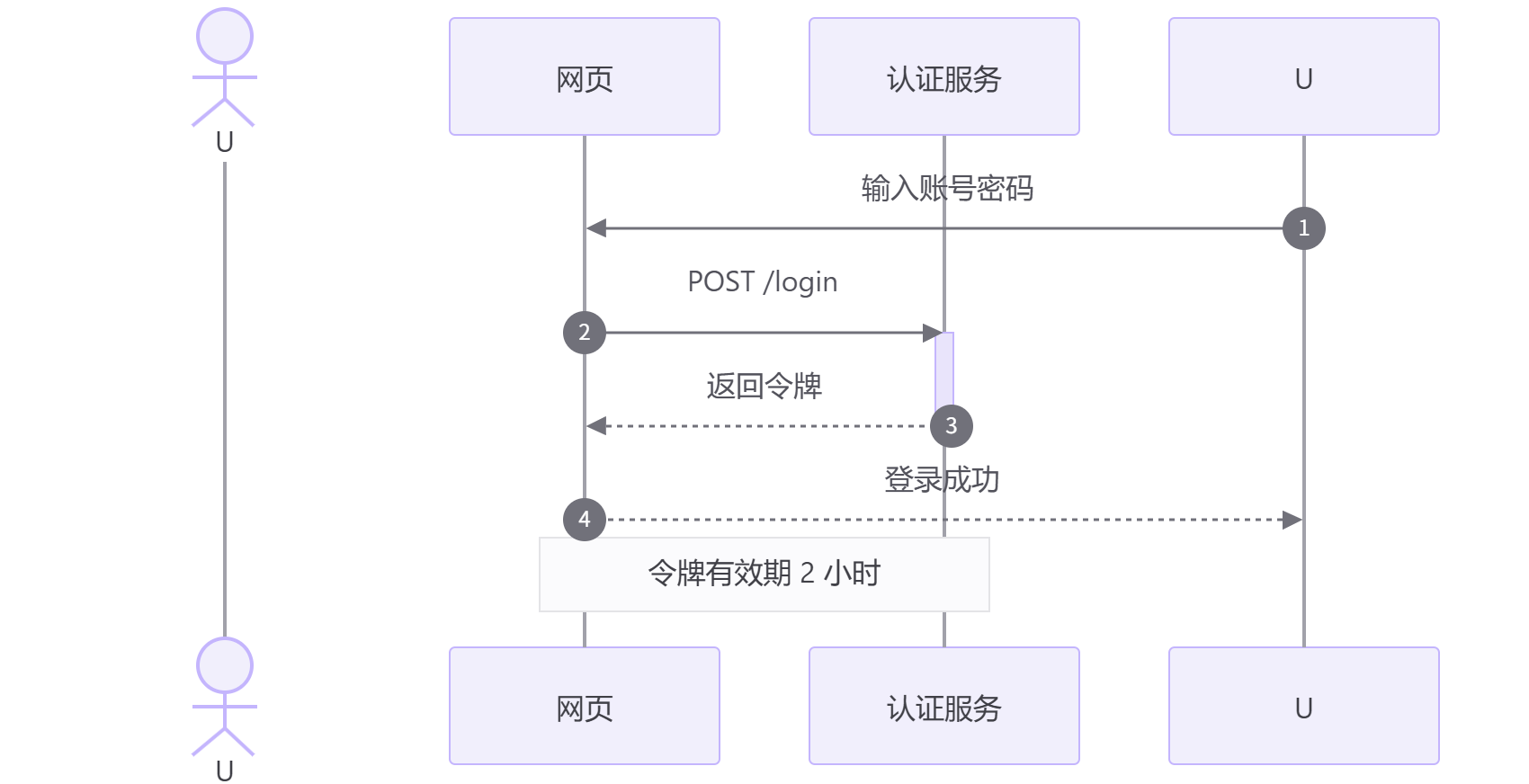
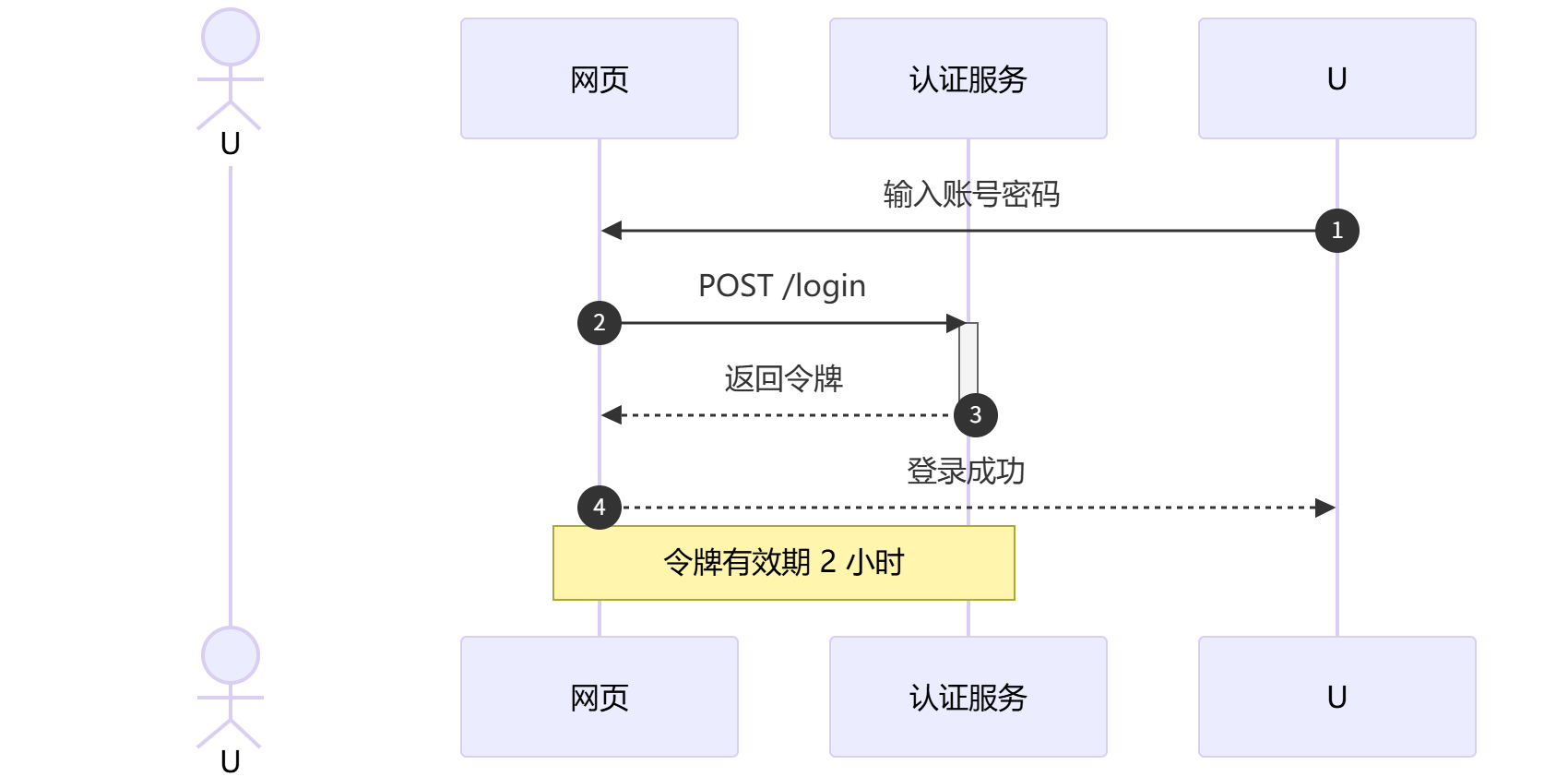
Sequence diagram — colours only
ELK does not drive sequence diagrams, so the layout is identical on both sides; only the theme and typography differ. Kept here so the comparison does not overstate what the layout engine changes.
| Clean Mermaid | Obsidian native |
|---|---|
 |
 |
Installation
Manual
- Download
main.js,manifest.jsonandstyles.cssfrom the latest release. - Put them into
<your-vault>/.obsidian/plugins/clean-mermaid/. - Enable Clean Mermaid in Settings → Community plugins.
From source
npm install
npm run build
npm run deploy -- <vault-name>
Usage
Write Mermaid as usual:
```mermaid
flowchart TD
  A[Start] --> B{Check}
  B -->|yes| C[Ship it]
  B -->|no| D[Fix it]
```
Interactions
| Action | Gesture |
|---|---|
| Zoom | Ctrl/Cmd + scroll (inline), wheel or pinch (fullscreen) |
| Pan | Drag with the left mouse button (when zoomed in) |
| Reset to auto-fit | Double-click, or Reset zoom in the ⋯ menu |
| Menu | ⋯ in the card corner — PNG, SVG, copy image, copy source, reset |
| Fullscreen | ⤢ in the card corner |
Directives
Directives must be the first lines of the block and are stripped before rendering:
```mermaid
%% cm:theme=neutral %%
%% cm:layout=dagre %%
flowchart LR
  A --> B
```
| Directive | Effect |
|---|---|
%% cm:theme=<id> %% |
Use a built-in or custom theme for this diagram only |
%% cm:layout=elk|dagre %% |
Override the layout engine for this diagram only |
%% cm:plain %% |
Render this diagram with mermaid's stock look (no card, no toolbar) |
Your own %%{init: ...}%% directive always wins over what the plugin injects — the plugin
prepends its configuration, so the values you write later take precedence. For instance the
plugin injects look: "classic" (flat nodes, no drop shadow) and lifts mermaid's 120px node
width defaults; put %%{init: {"look":"neo"}}%% in a block to bring the shadows back for it.
Settings
| Group | Options |
|---|---|
| (no heading, at the top) | Plugin interface language (card toolbar, ⋯ menu, error card, viewer, notices): follow Obsidian automatically, 中文 or English |
| Appearance | Light/dark theme, follow Obsidian appearance, fixed theme |
| Layout | Layout engine (ELK/Dagre), ELK mergeEdges, ELK nodePlacementStrategy, auto-fit mode, max upscale, max height |
| Interaction | Ctrl/Cmd + scroll zoom, drag to pan, toolbar visibility, double-click reset |
| Rendering | Enable Clean Mermaid rendering, render as image, %% cm: %% directives |
| Export | PNG resolution (1×/2×/3×), PNG background (theme/transparent) |
| Custom themes | Add, edit (JSON), delete; invalid JSON is rejected and the last valid version stays |
Notes & compatibility
- Bundled runtime. The plugin ships its own
mermaid12 build (including ELK), so it does not depend on the Mermaid version bundled with Obsidian. This makesmain.jslarger than a typical plugin (a few MB) — that is the price for a predictable, standalone renderer. - How the takeover works. Reading view uses the standard
mermaidcode block processor (registered ahead of Obsidian's own). Live preview is a special case: Obsidian renders mermaid there with a hard-coded core renderer that ignores that registry, so the plugin watches the rendered widget, reads the diagram source from the editor state and swaps the output for its own card. Obsidian's per-vault “trust mermaid” prompt is respected in both views. - Layout engine. ELK affects diagrams with pluggable layouts (flowchart, state, class, ER, …). Sequence, pie, gantt and similar diagrams use their own layout and are unaffected.
- Other mermaid plugins. Only enable one plugin that takes over
```mermaidblocks. If another renderer is detected, Clean Mermaid shows a one-time notice. - Desktop only.
manifest.jsondeclaresisDesktopOnly, so Obsidian mobile does not load the plugin; exports always use the browser download. - Tested Obsidian version.
minAppVersionis1.14.4— the only build this takeover has been verified against. Live preview relies on undocumented Obsidian selectors and hooks, so older builds are not promised to work; see docs/obsidian-internals.md. - Disabling the plugin restores Obsidian's own Mermaid rendering; nothing is patched globally.
Development
src/
  main.ts             plugin entry: processor registration, live preview extension, commands
  block.ts            one rendered diagram: card DOM, interactions, exports
  directives.ts       %% cm: %% per-diagram directive parsing (pure, unit-tested)
  livepreview.ts      live preview takeover of Obsidian's rendered mermaid widgets
  mermaid-runtime.ts  bundled mermaid + config injection + LRU cache
  themes.ts           built-in themes, custom theme parsing/resolution
  fit.ts              pure auto-fit math
  viewer.ts           fullscreen pan/zoom modal, sized to the diagram and drag-resizable
  export.ts           PNG/SVG/clipboard export helpers
  i18n.ts             language detection + the bilingual picker used by every label
  settings.ts         settings model + settings tab
tests/                vitest unit tests for the pure modules, plus tests/browser/ harnesses
npm install          # install dependencies
npm run dev          # esbuild watch build
npm run build        # type-check + production build (main.js)
npm test             # unit tests (no Obsidian needed)
npm run test:browser # browser harnesses for real mermaid rendering
npm run deploy -- <vault-name>   # tests → build → copy the build into a vault you name
See CONTRIBUTING.md for conventions and the manual acceptance checklist. No local vault paths are ever committed — the deploy script resolves the vault name through Obsidian's own registry (a full path works too, for a vault you have not opened in Obsidian yet).
License
MIT © Clean Mermaid contributors
main.js bundles mermaid and its dependencies — their licences are listed in
THIRD-PARTY-LICENSES.md.
中文文档:README.zh-CN.md · 贡献指南:CONTRIBUTING.zh-CN.md