Chronostra
 kntanaka517 downloads
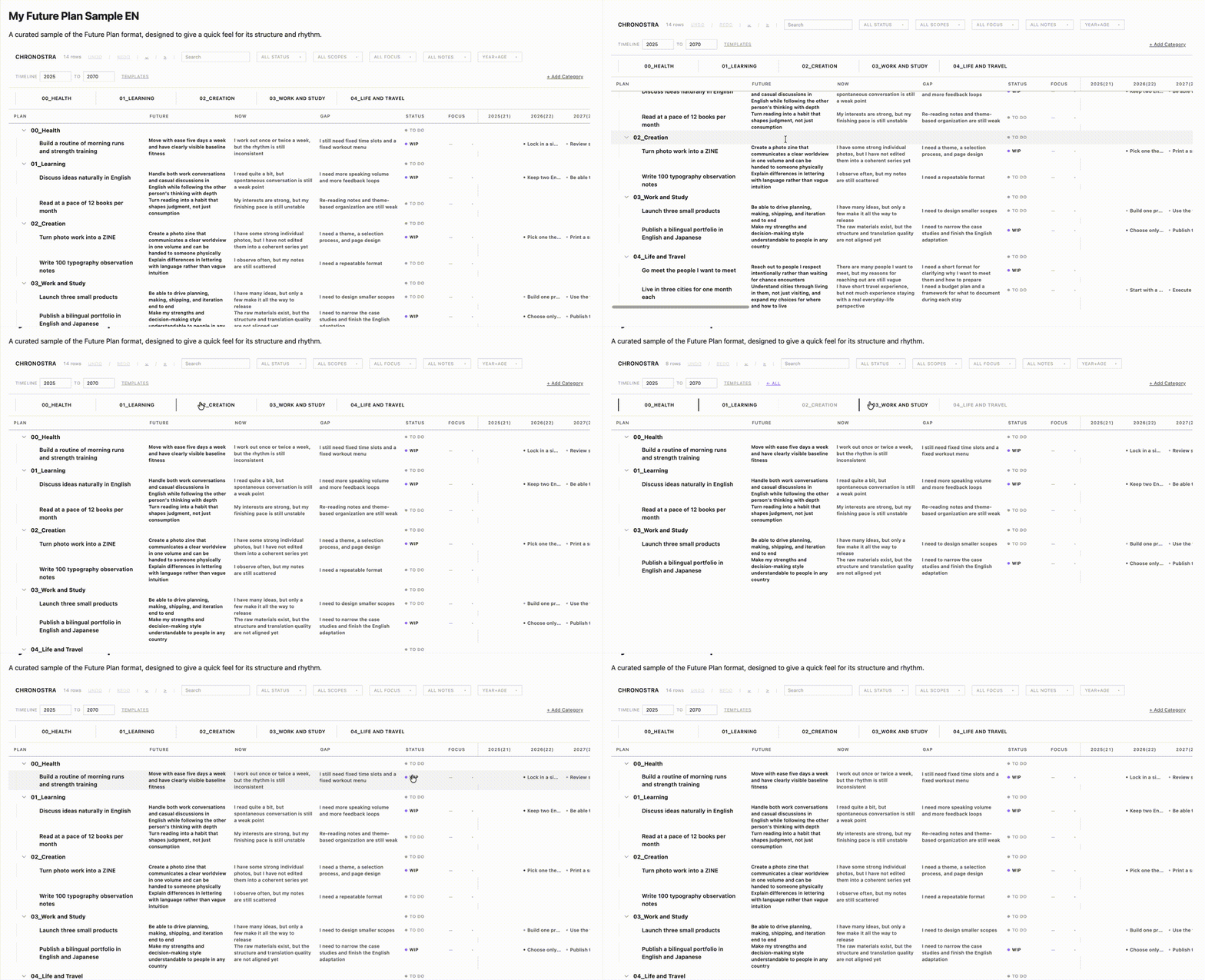
Hierarchical life-planning table with virtual scrolling and timeline view.
- Overview
- Scorecard
- Updates10

Chronostra
Chronos (time) + Stratum (layer) — a life-goal planning table that lives inside your Obsidian vault.
A Small Story
You need a place where wishes can arrive quickly, before you overthink them: things to learn, places to visit, work to attempt, habits to build, objects you might want someday. But a wish list should not quietly reorder your life.
A thing you want to buy should not make work expand until health disappears. A career goal should not consume the time you meant to protect for family. Chronostra keeps every wish inside a larger map: Health, Family, Work, Learning, Money, Travel, or whatever categories matter to you. Money and things can still have a place; they just do not get to become the whole plan.
Then the timeline turns that map into milestones. Instead of one vague someday list, you can place goals year by year and see whether the shape of your future still matches your priorities.
Who It Helps
Chronostra is for people whose lives have more than one scoreboard.
A student with too many possible futures can keep classes, internships, language study, health, friends, and wild "maybe someday" ideas in the same map. Instead of choosing only from what feels urgent this week, they can see which small steps are opening doors for the next few years.
A founder, freelancer, or solo builder can let product ideas, revenue goals, writing plans, and personal experiments move quickly without letting work swallow the rest of life. Health and relationships stay visible beside ambition, so growth has to share the table with recovery, family, and the life the work is supposed to support.
A manager or team lead can separate long-range direction from quarterly goals and near-term actions. The timeline makes tradeoffs easier to discuss: which milestones matter this year, which can wait, and which "nice to have" ideas are starting to crowd out the commitments that actually protect the team.
A person with a full life outside work can track travel, home, money, family, learning, and care responsibilities without turning all of it into a productivity system. Chronostra gives those wishes a shape, then helps them stay in proportion.
The Problem
Life-planning tools force a choice: beautiful but locked inside proprietary apps, or flexible but scattered across markdown files with no structure. They also confuse two different things — the dream you'll spend a decade chasing, and the chore you might do this weekend — and treat both as "tasks."
Chronostra refuses both compromises. Every row is a goal. Goals differ by scope (how big a dream) and commitment (how seriously you mean it), not by execution type. Your data stays in a plain markdown file you own, but the view above it is structured and zoomable across decades.
What It Does
Chronostra renders a single future-data code block as a full-width interactive table. Every row carries:
- A label (the goal itself, e.g. "Travel every prefecture in Japan")
- An optional scope for visual weight, or a depth-based default when omitted
- A commitment — Must ★ or Wish ☆ (optional)
- Three metric columns — Future (where you want to be), Now (where you are), and Gap (the delta)
- A timeline spanning the years you choose (default 2025–2050)
Use it for yearly planning, career roadmaps, learning plans, travel goals, health habits, family projects, or any long-running effort where small steps should stay connected to a larger horizon.
Core Concepts
Scope — visual weight, not a required hierarchy
Rows can be sized into one of three visual layers:
| Scope | Meaning | Example |
|---|---|---|
| Vision | A life-scale dream. Abstract, directional, decade-long. | "Travel every prefecture in Japan" |
| Goal | A multi-year objective that supports a Vision (or stands alone). | "Visit 30 of 47 prefectures by 2030" |
| Step | A concrete, achievable goal — months to a year. | "Go to Amami Ōshima this summer" |
You do not have to model your life as exactly Vision → Goal → Step. A single Step can sit directly under a Category (e.g. "Stretch every morning"), and a Goal can stand alone without a Vision parent. Scope is decoupled from depth: depth gives the tree, scope gives the visual weight.
Commitment — how seriously you mean it
Orthogonal to scope, you can flag any goal:
- ★ Must — you commit to achieving this. Requires a year on the timeline; otherwise the badge turns red.
- ☆ Wish — you'd love it to happen, but no pressure. Stays in your view without nagging.
- (none) — neutral. Just a goal you're tracking.
A Vision can be Must ("found a company by 50") and a Step can be Wish ("see the northern lights, someday"). Mix and match.
Category — the grouping above goals
The top level (path[0]) is a Category — a pure grouping like Health, Work, Relationships, Money, Learning, Home. Categories don't have scope or commitment; they're just buckets.
Features
- 1000+ rows with virtual scrolling at 60fps
- Frozen columns — the goal/Future/Now/Gap columns stay locked while you scroll the timeline
- Inline editing — double-click any cell; changes auto-save to your markdown file
- Tree operations — right-click for add child / sibling, set scope, focus, delete
- Drag-and-drop rows between parents
- Filters — by status, scope, commitment, search text, linked-note state
- Bidirectional sync — edit the JSON and the table updates; edit the table and the file updates
- Linked notes — bind any goal to an Obsidian note for long-form thinking
- Year focus — click a column header to highlight one year across all rows
Data Format
Your data lives in a fenced code block inside any markdown file:
```future-data
[
  {
    "id": "1",
    "path": ["Health", "Travel every prefecture in Japan"],
    "scope": "vision",
    "commitment": "wish",
    "metrics": { "future": "47/47 visited", "now": "12/47", "gap": "35 to go" },
    "timeline": [{ "year": 2050, "text": "Final prefecture" }]
  },
  {
    "id": "2",
    "path": ["Health", "Travel every prefecture in Japan", "Visit Amami Ōshima"],
    "scope": "step",
    "commitment": "must",
    "metrics": { "future": "Booked & visited", "now": "Researching", "gap": "Plan trip" },
    "timeline": [{ "year": 2027, "text": "Ferry from Kagoshima" }]
  },
  {
    "id": "3",
    "path": ["Health", "Stretch every morning"],
    "scope": "step",
    "metrics": { "future": "Daily habit", "now": "3x/week", "gap": "Consistency" },
    "timeline": []
  }
]
```
Notes:
pathis an array of labels; the first element is the Category, the rest define nesting.scopeandcommitmentare optional. Ifscopeis omitted, it's inferred from depth (1=vision, 2=goal, 3=step) — so existing data without these fields still works.- No database. No sync service. No lock-in. Just JSON in a markdown file.
Chronostra intentionally keeps the plan in one future-data block. You can still link goals to richer notes when they need context, but every item does not have to become its own Markdown file. That keeps the source portable and helps large plans stay light when Obsidian starts up.
The JSON is meant to stay boring on purpose. Chronostra is one interface for the plan, not the owner of it. If your needs change later, you can fork the plugin, edit the data with scripts or LLM-assisted workflows, or build a different front end around the same readable source.
Installation
- Clone this repository and run
npm install&&npm run build - Install into your vault (pick one):
- Symlink (development):
OBSIDIAN_VAULT=/path/to/vault npm run link:vault - Manual: copy the entire
dist/folder to.obsidian/plugins/chronostra/(must containmain.js,styles.css,manifest.json)
- Symlink (development):
- In Obsidian: Settings → Community plugins → Enable Chronostra
- Copy
examples/Future plan.mdinto your vault (or set Settings → Chronostra → Target file to your own note with afuture-datablock) - Open the table: ribbon table icon, command palette Open Chronostra, or embed inline by opening a note that contains a
future-datacode block
Development
npm install
npm run dev    # watch mode — rebuilds on every change
npm run build  # production build
The build outputs dist/main.js, dist/styles.css, and dist/manifest.json.
Tech Stack
- Svelte 5 — runes-based reactivity (
$state,$derived,$effect) - TanStack Virtual Core — row virtualization for large datasets
- Obsidian API —
ItemView, vault read/write, settings persistence - esbuild — fast bundling with
esbuild-svelte
Design Philosophy
Chronostra follows the Swiss/International Typographic Style: monochrome palette, typographic hierarchy over decorative elements, generous whitespace, functional minimalism. Visual weight comes from scope (Vision = larger, Step = smaller), not from color. The plugin inherits your Obsidian theme's CSS variables, so it looks native in any theme — light or dark.
License
MIT